Month: January 2013

Connectify Hotspot turns your laptop into a Wi-Fi hotspot

Connectify Hotspot is an easy to use software router for Windows computers that utilizes your PC’s built in Wi-Fi card to wirelessly share any available Internet connection with friends, co-workers, and mobile devices
Creating a Hotspot is Easy as 1, 2, 3!

1: Set your desired Hotspot name and password.
PRO users can name their hotspot anything they want while Free users must start with “Connectify-”
2: Select which Internet connection you’d like to share.
Share the Internet connection from your Cable or DSL modem, the ethernet jack in your hotel room, a 3G or 4G modem, even another Wi-Fi network
3: Click Start Hotspot, thats it!
Other Wi-Fi devices such as laptops and smartphones will be able to see and connect to your hotspot just like any other access point

Executor + Everything = Super power

This is an old post edited. Think of it as a remastered version!

Today we are going to talk about a huge productivity advantage.
Adding Everything to Executor to gain the ultimate combination.
For those who are unfamiliar with the programs. Here is a short intro:


1. Everything
Everything is a lightning fast search utility that searches the entire (drive / drives) to get results. It has many parameters to customize the search and many advantages over the usual search utility provided by windows.


2. Executor
What more I could say than I said? It’s an amazing software!

Imagine the power of the two combined!!

1. Index Everything as a search word in Executor. List it as anything you like, for example: Search. (You can do it by simply right clicking everything.exe and choosing send to Executor!)
2. From there launch everything from Executor.
3. Start typing into Everything. The folders and files will appear as you type!

And that’s it!
I hope you enjoyed this remastered version and found it useful!
Please comment and share my post!

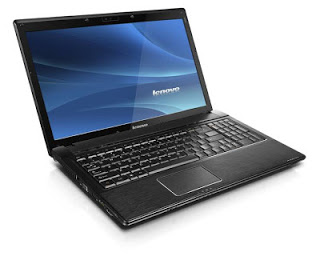
Lenovo notebook caps lock and num lock light don’t work + standby problem fixed

Affected system Windows 7 Ultimate 64 bit


Symptoms : The Notebook doesn’t go into standby and the power button flashes continuously instead of blinking (normal behavior)  , and the Num lock and caps lock work but don’t flash light .

The cause of the problem is the Energy management utility that comes with system drivers , just disable it from start up and restart then uninstall using IOBIT uninstaller , then restart and install it again .

Don’t forget to create a restore point before installing the energy management again .