Month: May 2015 (Page 1 of 6)

How to Prevent RSI on Linux and Windows

Hi guys 😀
This post is really important for office workers. Programmers. Bloggers. Not gamers! Gamers would hate me forever for suggesting something like that!!

Sitting at the computer for prolonged hours is not good for you. It’s related to many back and neck pains, wrists too! And don’t forget the eyes now!
There are ways to prevent these pains. You need to get up every ten minutes or so. And move a little bit. But who will remind you of that? And who has the time for that really?

There are tools that remind you to get up and move! And that’s where my tip comes to play!

But the Internet is so tempting! I’m really focused here! I keep forgetting to get up

There are softwares for that you know!

These softwares will remind you to wake up, stretch and flex! So you comeback to your computer refreshed!

You must visit a doctor if symptoms arise. These are prevention measures only and CANNOT subtitle a doctor’s visit!!

Now that we understood the whole deal. Let’s look at the software. One for Linux and one for Windows.

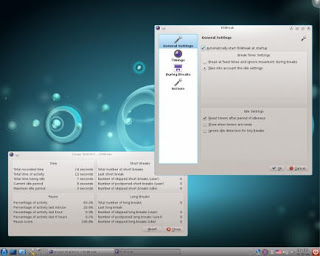
On Linux there were two choices available in Ubuntu Software Center, I went with RSIBreak. It worked better with Xfe. And the settings were much clear to me. It provides two intervals by default. The small on is 10 minutes of work with 20 seconds of brake. And the big one with 60 minutes of work and one minute of break counting idle times!

It’s really neat. And you must have it! It’s originally a Kde app but it will work fine on Ubuntu.

It’s the best I found so far. If I found anything easier I’ll update this post!

Download from the Ubuntu Software Center, RSIBreak.
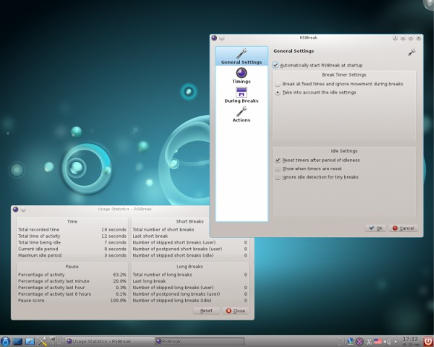
RSIBreak working on KDE

As for Windows, my favorite has been always Rest brake. It’s a light software that does what it says. Just set the timer and wait for the alarm, you can customize the message of course!

RestBreak Screenshot on Windows

RestBreak download link  Size: 1.2 MB

I don’t have a mac. And I only post about the stuff I test. If you have a good software send it and I’ll post it with credits.

I hope you find these useful. And please share them with your friends and family.

How long do you stay on the computer? Do you have any specific pains? Please comment below and let me hear what you have to say!

P.S: I couldn’t find anything for Android. Sorry 🙁

And didn’t even look for Symbain!!

Useful resources:

Wikipeda, as always!

Restbreak’s site. Very informative!

Rsi.Uni Got me through college!!
Increase Ubuntu Battery life with these easy tricks

Many new Linux users are surprised by the fact that their batteries don’t last as long as it did. On top of adapting to a new system, this comes along to add strain to them. At ease new Linux users and older ones a like. I have a trick up my sleeve that’s guaranteed to work!!

It’s called PowerTop. And what it does is pretty simple. It allows you to disable some services while unneeded to save battery.

To download power Top go to the terminal and type in: “sudo apt-get install powertop” without the quotes of course!! And enter your password to continue.

It’s really small. About 150KB. So it shouldn’t take long to download.


How to use Powertop to save power?

After it’s downloaded. Type in: “sudo powertop” to display the program.

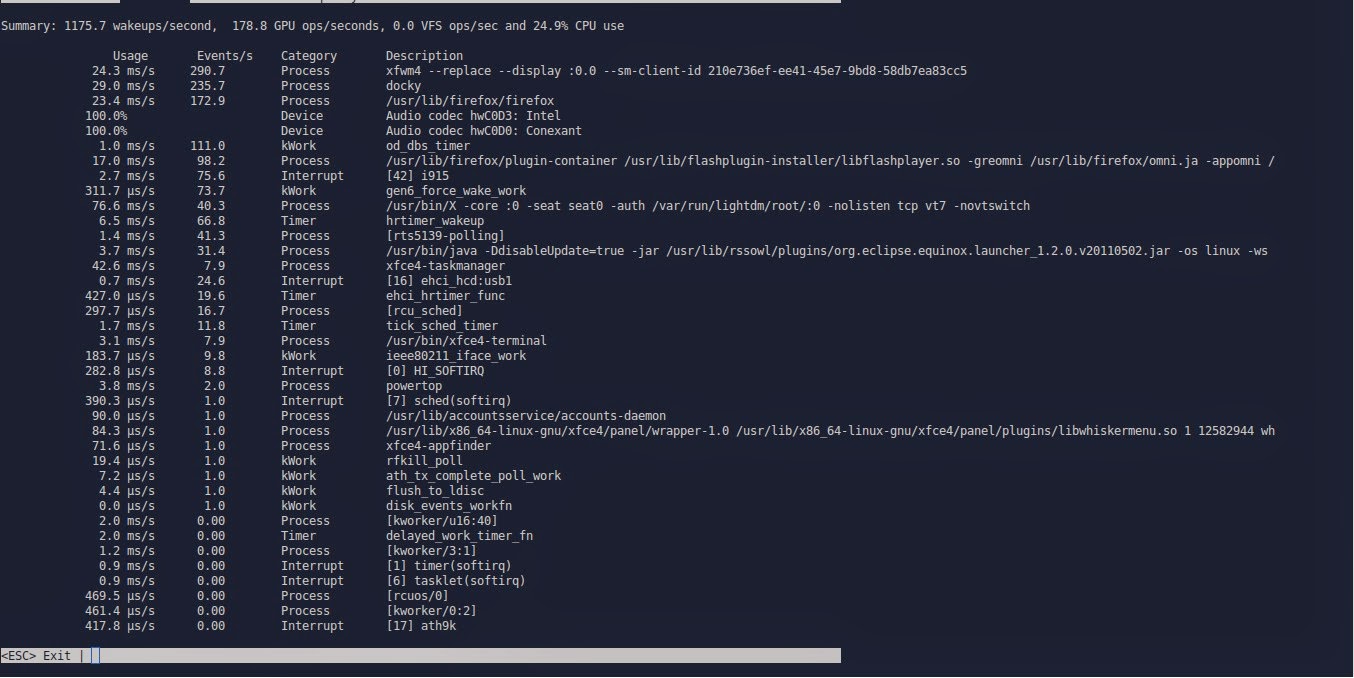
It runs within the terminal. It doesn’t have a graphical interface. But it’s really easy to use.
That’s the main interface right there.

Powertop running in the terminal

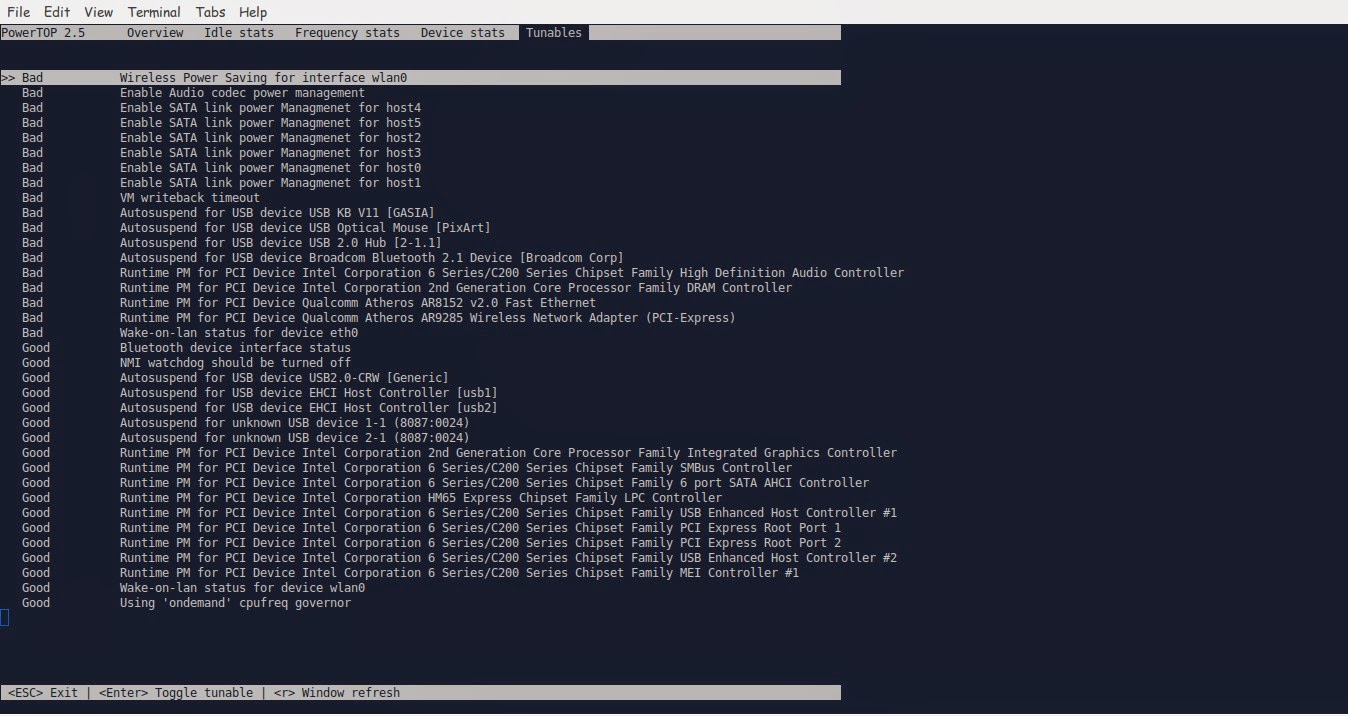
We move around using the TAB key on the keyboard. Until we reach Tunables. Now here things get interesting!!

Powertop Tunables tab

Here you see all the things you can “tune” in order to make your battery run better.
Notice that disabling some items might interfere with how your devices work (I left the mouse on because it kept “sleeping” every time I let go of it!
Click escape to exit. And there you have it!!
Note you might have to do the tuning again after you recharge the laptop.
I noticed a significant save in the battery life! Note that I use an external monitor. So that could be a factor! But in general, great tip!!

TLP

This scriptis very small and it keeps your computer under check, it controls the fanspeedCPU, all you have to do is:

sudo apt-get install tlp

Then to start it all you have to dois:

Sudo tlp start

You will see a message saying: TLP started in AC mode, meaning it’s working!

Another trick: Controlling the CPUfrequency

After we took care of the battery consumption issue it’s time to take a look at the CPU, as there is no option to control the performance from Powertop, that means we are going to need another application to do that.
We will do that by installing  CPU Frequency that will help cool down the computer and reduce fan noise when working with multiple applications at the same time.

Installing CPU Frequency

To Install CPU Frequency type this command into the terminal and hit enter.

sudo apt-get install indicator-cpufreq 

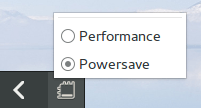
After installing CPU Frequency you need to restart in order it to work, after installing you will see the CPU Frequency’s indicator docked with the other indicators, and the using it couldn’t get any easier!


How to use CPU Frequency

CPU Frequency starts with the system minimized and has no splash or interface, when clicking on the CPU Frequency’s icon you will see two modes, power save and performance, use the power save coupled with Powertop to achieve maximum results! And leave the Performance mode for those times when you need extra juice!
It helped me reduce the fan noise greatly and I couldn’t be happier with it!

Final words

How did your computer perform after these tricks? Hopefully charged and happy with no noise whatsoever! Until next time!
Have a nice day!!
Remember to give kudos. Comment and share this post please.

26,000 views :D

Hey there dear fans 🙂
Yes. Thanks to Allah then to you my site reached 26,000 views 😀
So keep calm and check my site often. I feel the 30,000 is up soon 😀
P.S: I’m downloading something interesting! Want to make a guess?
It’s going to be featured. But I don’t know when exactly 😀
Have a nice day you all 😀
Please let me know what you think in the comments section below!

« Older posts