Month: June 2015 (Page 1 of 5)

I’ve decided to rewrite the (Dual Boot Saga)

 Going back I felt that the posts weren’t really coherent and didn’t have that much information to be a guide to anyone!!
So I decided to rewrite it with greater detail and a lot of references.
I will code name it dual boot saga instead!
And instead of three parts this saga is composed of four parts. I’ll be linking them here for easy reference.
I will publish it sometime later so Stay tuned!

Atom 1.0, you have let me down..

Hey there you guys

I’m about to breakdown my experience with Atom editor 1.0

Introduction

Atom 1.0 was released yesterday and for those who just joined me here are some basic facts about it.

It took me over an hour to download it for Linux & Windows. As it detects your platform, I had to reboot just to download it and install it!;
What I liked is that it remembered all my customization and even reopened some files I was working on! Also all the packages I downloaded were preserved!
In my initial review of Atom I had 3 major draw backs. So I won’t turn the thumbs up until I see some serious improvements!

1. Resource consuming

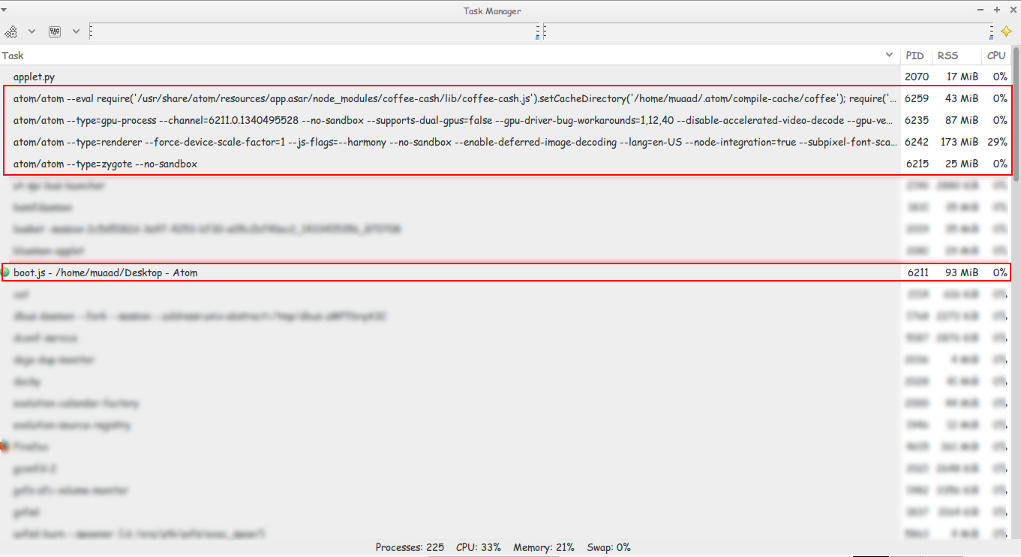
Still pretty much resource consuming!!
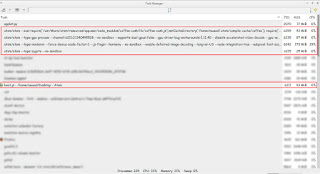
Look at those processes!
Screenshot of my system monitor


2. It takes a long time to load

It takes about 10 seconds to load on both Linux and Windows (no mac data so far!).


3.File size restriction of 2 Mega byte file size

It took several minutes to be responsive with a 2248 line .js file less than 2MB!!
I took sometime to test it. It took several minutes to render .JS files under 2MB, hung on and totally crashed with other scripts all less than 5MBs. And the computer was under so much stress I though I was gaming at 4K!
I tested on both (Linux and Windows) while Linux was slightly better. Windows was a catastrophe with Atom.
I tried opening some larger .jar archives, it didn’t have a huge issue with those. And a 39MB .sql file that killed it on Windows.
How can .JS files crash it if it’s made out of JavaScripts?

4. Doesn’t recognize Arabic by default!

Still doesn’t recognize Arabic ..**Arabic update: I managed to make Arabic work on Ubuntu by downloading language support and changing the fall back language in Firefox to Arabic. I’ll post more when I test on Windows.;
Also done on Windows.

So far.. It has let me down 🙁
PS: I used the same computer to test Atom now and then ..

Final verdict

Until they take it seriously. I’m not using Atom anymore! It has a nice look and some neat tricks. But I need something serious to work with..

Error moving “file” on Uubuntu 14.04 fixed!!

Hey there fans! How are you keeping?
This bug has been one of my Pet Peevs on Ubuntu. Luckily I was able to fix it easily!! 

I noticed this bug when I switched from the default Thunar to Natilus on Xubuntu (While the title says Ubuntu, they are both the same, technically)

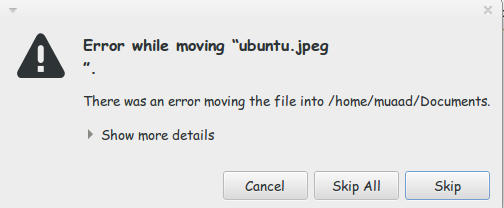
I used the desktop often while copying and handling files. What was strange that every time I tried to cut/copy from the desktop to another directory I get this error message

Error while moving "file"

“error while moving “ubuntu.jpg”.
There was an error moving the file into /home/user/documents/
show more details
error moving file: No such file or directory

That was weird! The file does exist! It’s right there!
I kept working around it by opening desktop in the file manager and moving the files. But that wasn’t handy!

Here is what I did to fix it:

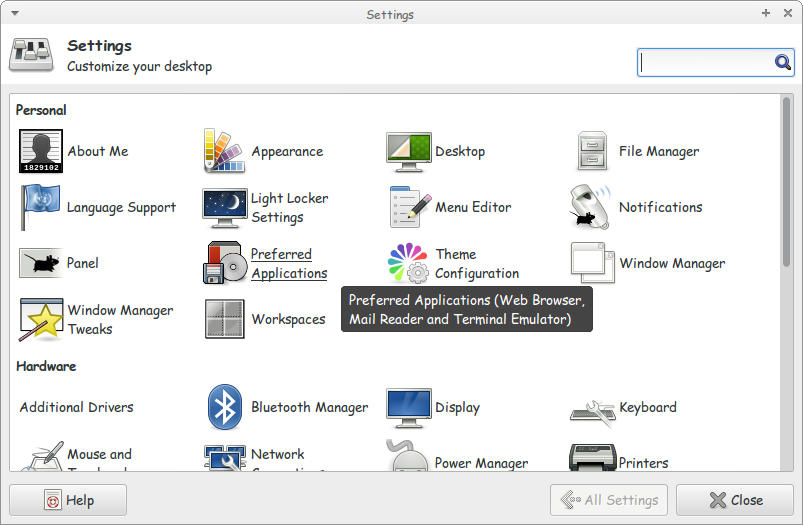
1. I went to settings and clicked Preferred applications.

Settings menu

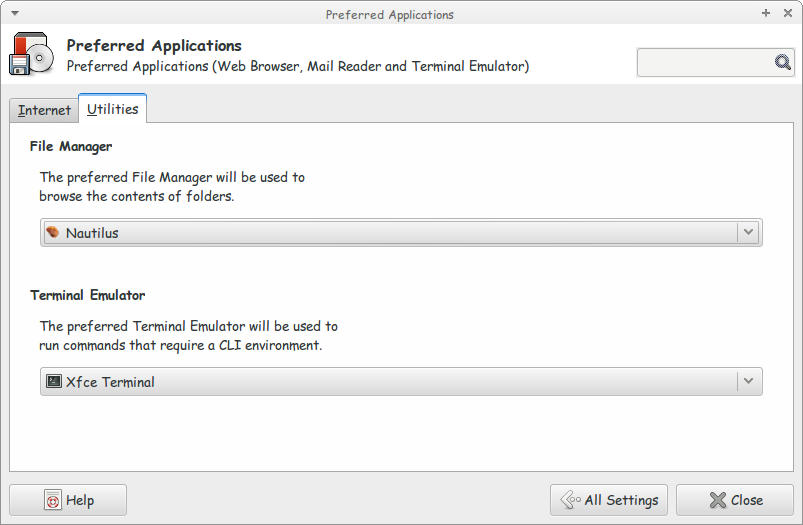
2. On the Preferred applications choose Default File Manager.

Default File Manager

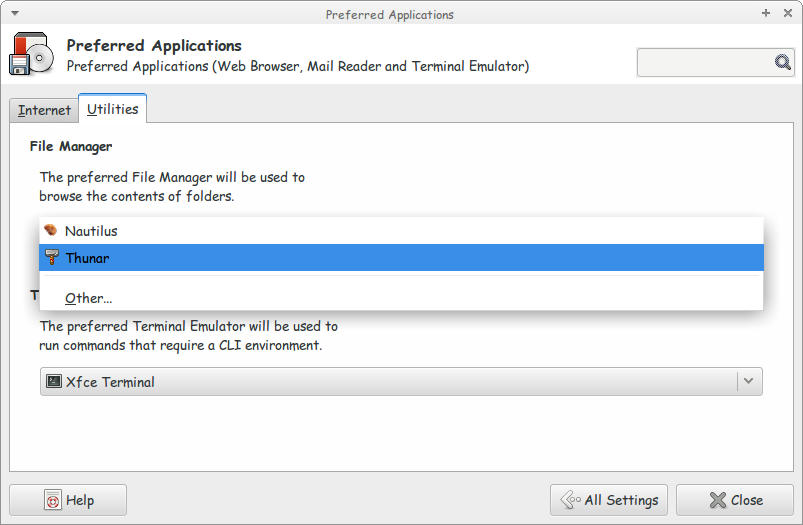
3. Choose Thunar as the Default File Manager.

Choose Thunar as the Default File Manager

Close the settings to save the changes. And you are good to go!
I don’t know why is Natilus is having this bug! So the fix is just replacing it with Thunar!!
I hope you found this useful. Please comment below!

Atom 1.0 is released!!!

 This just in: Atom 1.0 is released!!

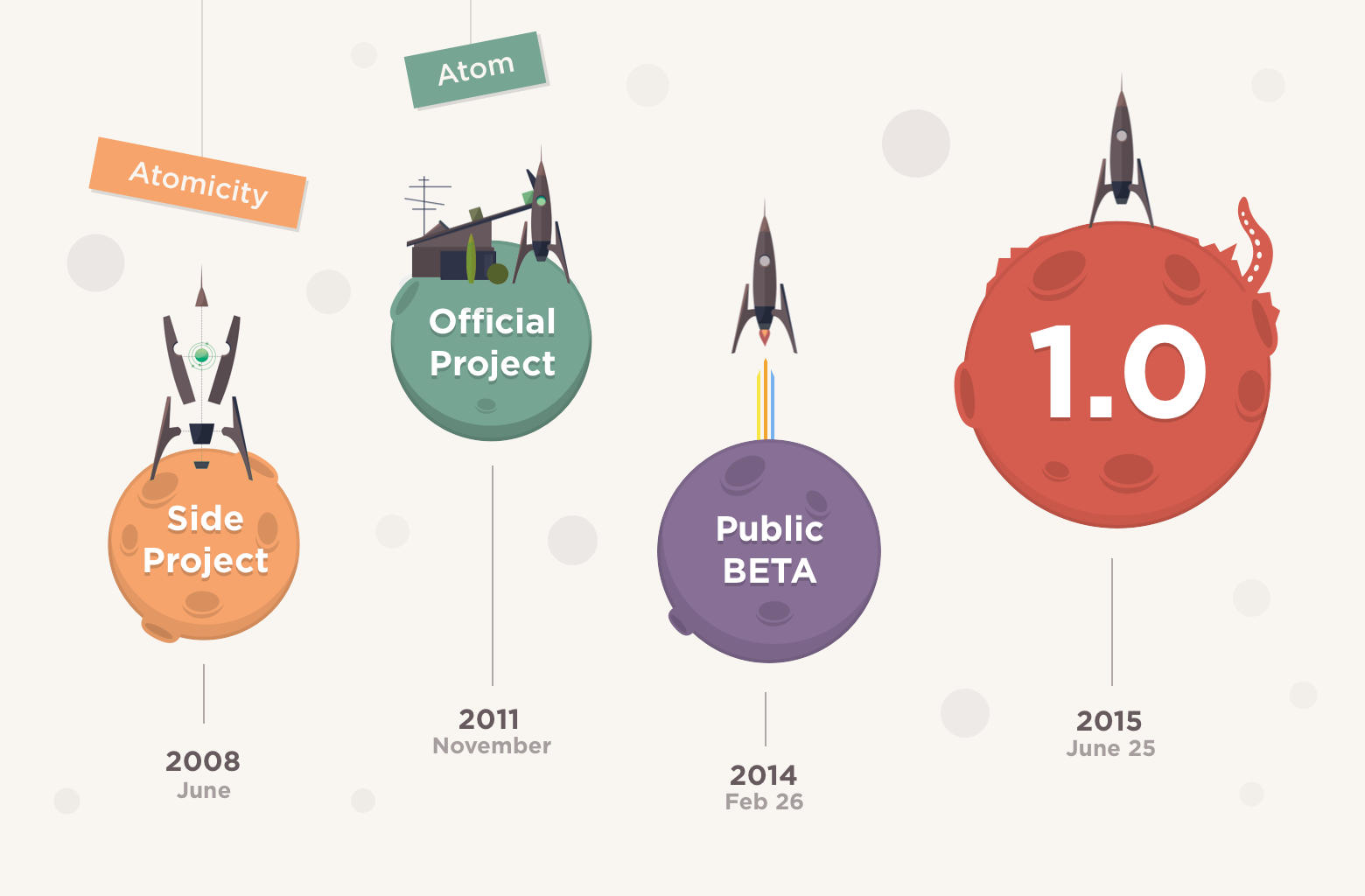
Atom Editor, 7 years in the making! Hey there you guys! I’m surprised to see that Atom has released the 1.0!!! They moved from 0.211 to 1.0 so fast?!
 I had my doubts about the deadline! But they made it!!
As I was checking the releases page every hour or so.
So that was a really pleasant surprise!
One of the notable changes is that “Atom 1.0 has been released and Atom will be semantically versioned going forward.”
I’ll let you enjoy the introduction video while I dig into Atom 1.0
I’ll be posting more soon!!

So retro!!


« Older posts