
مرحبًا بك عزيزي القارئ، في عدد جديد من حديث الأربعاء. أستعرض فيه بعض الأفكار والخواطر، والقليل من هنا، وهناك. لذا، هلم معي، ولنطالع معًا مفردات هذا الحديث الشيق.
Category: Cinnamon (Page 1 of 2)
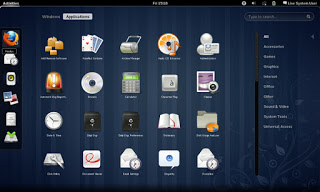
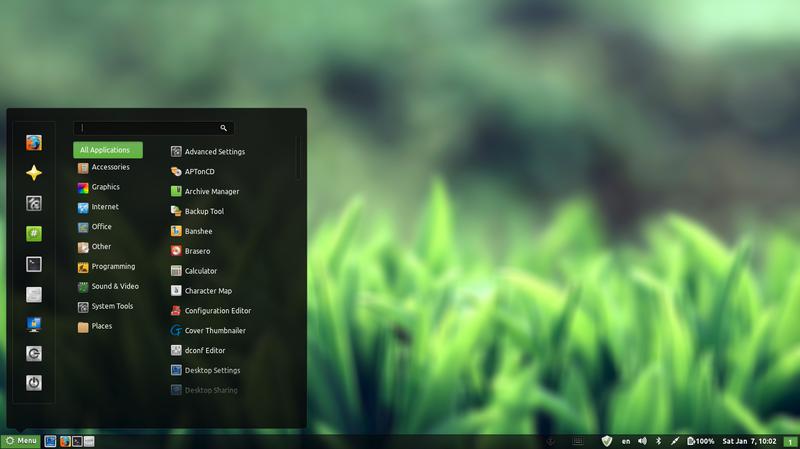
In my effort to make some change into my daily work flow, I decided to install a new interface, and then found myself hopping between interfaces, now I had Cinammon running alone on my computer but..
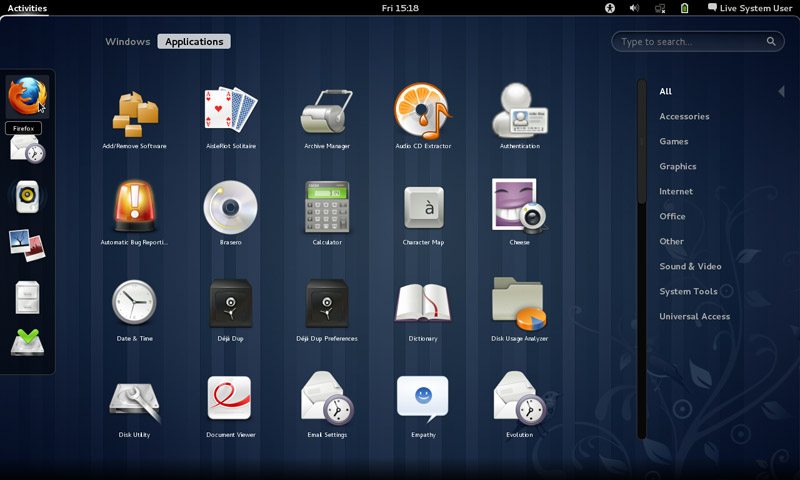
Since I had a thing for Gnome, I decided to install it on my system.
Gnome was Ubuntu’s default interface until 2011, where it was replaces with Unity, if you go to Ubuntu.com and download it, you will be getting Unity, there is a fork of Ubuntu (alternative version) that runs the Gnome interface called Ubuntu Gnome.
Gnome has a loyal following and many people prefer it over Unity, turns out I do too! (Cinammon is built on Gnome 2).
Installing it was very easy as it was in the software center!
After adding the packages from the software center, I was able to login to Gnome 3.12.2 (last version supported by Ubuntu 14.04).
Visually I wasn’t disappointed at all! It was so good I dropped Docky and Kupfer to enjoy the native features it has!
So good I uninstalled Cinnamon the next day! Now I was running gnome alone on my computer, which isn’t bad at all. I noticed that Gnome classic didn’t load any interface items what so ever, but I’ll update this section as soon as I figure it out. Hopefully.
I have a ton more games now (all were added with Gnome):
- AisleRiot Solitaire
- Chess
- Five or more
- Four-in-a-Row
- Lango
- Klotski
- Lights off
- Mahjongg
- Mines
- Nibbles
- Quadrpassel
- Robots
- Sudoku
- Swell Foop
- Tali
- Tetravex
- Xboard
The only thing I didn’t like was the message tray, it looked big and annoying ( it responds to every mouse gesture no matter how small) and even the extension that is supposed to make it less sensitive resets on reboot.
It’s also very big in size, it took 5GB more than XFCE took, even with cleaners like Bleachbit, I was running low on space. (Had a really creative fix for that one 😉
Resetting the interface could fix it. But it will erase any customizations I made.
I decided to remove cinnamon on the biases of being buggy, so I used the command:
sudo apt-get remove cinnamon
Then ran the command:
sudo apt-get autoremove
To get rid of the unneeded packages and save some disk space.
Alternatively you can use Synaptic and search the word “Cinnamon” and remove any package installed.
I managed to clean the system from cruft using Bleachbit, over 2GB were reclaimed!!
So I had Gnome running on my computer, and you have to wait till the next post to see how I discovered it!
Let me know what you think in the commentst section below.
Over the course of the last weeks I’ve been making change happen by playing around with interfaces, now I’m left with the buggy Cinammon interface and the two login screens bug.
I began downloading Gnome 3.12, it took a while using these commands:
$ sudo add-apt-repository ppa:gnome3-team/gnome3
$ sudo add-apt-repository ppa:gnome3-team/gnome3-staging
$ sudo apt-get update
$ sudo apt-get dist-upgrade
$ sudo apt-get update
To add some extras:
sudo apt-get install bijiben polari gnome-clocks gnome-weather gnome-maps gnome-music gnome-photos gnome-documents gnome-contacts epiphany-browser gnome-sushi gnome-boxes gnome-shell-extensions
That didn’t work. Then I realized I need to download Gnome full from Ubuntu software center
That I did, a total of 436 MB
The lock screen thing wasn’t resolved, one page suggested a full uninstall of lightfm-gtk-greeter
I did that, and it won’t log in any more!!
I had to open the system live mode and it didn’t fix it, even by downloading the package manually
The repair option did the trick after enabling the network and choosing the right login manager, I was back to square one
sudo apt-get install lightdm-gtk-greeter
sudo update-alternatives –config default.plymouth
logo/ubuntu-logo.plymouth, afterwards run this command
sudo update-initramfs -u
For the login screen, run this command :
sudo dpkg-reconfigure lightdm
I did the change from under ubuntu after login, from lightdm to gdm, and it worked!
Gnome 3.12.2 Is the last supported Gnome version that Ubuntu 14.04 can handle, that’s one of the drawbacks of running LTS, you can’t always have the latest software.
Work it in
The double password bug was fixed.
I download LightDM-GTK-greeter to fix the deletion of it. And even that didn’t fix it fully. I had to enable it from the commands.
Then I chose Greeter after login to change the ugly Xubuntu login style.
I had to download Ubuntu’s boot animation as it won’t show it.
Last week I posted about wanting some change by changing the interface, and took a look at several interfaces, this post is the second part, where I actually chose an interface and got down to business.
I decided to go with Cinnamon, it’s visually appealing and the download size is relatively small (51.4 MB). My only concern was reading online that it’s buggy and has many problems. But I was willing to take a chance!
At first I installed Cinnamon using these commands
This command is to add the repository to my system.
sudo add-apt-repository ppa:lestcape/cinnamon
This command is to update and install.
sudo apt-get update && sudo apt-get install cinnamon.After the first reboot I had Cinnamon as an option on the login screen, which still looked like it was in XFCE and I had to enter my password twice! (it’s a common bug actually!)
I figured that deleting Xubuntu will fix my problem, so I began deleting Xubuntu, once and for all!
I used several commands to make sure the interface went away, like:
sudo apt-get -f install
sudo apt-get clean
sudo apt-get autoclean
sudo apt-get update
sudo apt-get purge xfce4
The second command is probably the longest I ever used, thank god for copy and paste!!
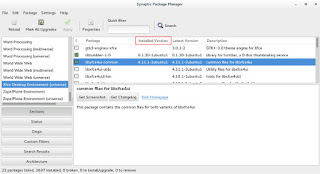
sudo apt-get remove abiword abiword-common abiword-plugin-grammar abiword-plugin-mathview bison blueman brltty-x11 catfish elementary-icon-theme exo-utils flex gigolo gimp gimp-data gmusicbrowser gnome-icon-theme-full gnome-system-tools gnome-time-admin gnumeric gnumeric-common gnumeric-doc gstreamer0.10-gnomevfs gthumb gthumb-data gtk2-engines-pixbuf gtk2-engines-xfce indicator-application-gtk2 indicator-messages-gtk2 indicator-sound-gtk2 indicator-status-provider-pidgin leafpad libabiword-2.8 libaiksaurus-1.2-0c2a libaiksaurus-1.2-data libaiksaurusgtk-1.2-0c2a libao-common libao4 libaudio-scrobbler-perl libbabl-0.0-0 libclutter-1.0-0 libclutter-1.0-common libclutter-gtk-1.0-0 libcogl-common libcogl5 libconfig-inifiles-perl libencode-locale-perl libept1 libexo-1-0 libexo-common libfile-listing-perl libfont-afm-perl libgarcon-1-0 libgarcon-common libgdome2-0 libgdome2-cpp-smart0c2a libgegl-0.0-0 libgimp2.0 libglade2-0 libgnomevfs2-extra libgoffice-0.8-8 libgoffice-0.8-8-common libgsf-1-114 libgsf-1-common libgstreamer-perl libgtk2-notify-perl libgtk2-trayicon-perl libgtkmathview0c2a libhtml-form-perl libhtml-format-perl libhtml-parser-perl libhtml-tagset-perl libhtml-tree-perl libhttp-cookies-perl libhttp-daemon-perl libhttp-date-perl libhttp-message-perl libhttp-negotiate-perl libid3tag0 libido-0.1-0 libilmbase6 libio-socket-ssl-perl libjpeg-progs libkeybinder0 liblink-grammar4 libloudmouth1-0 liblwp-mediatypes-perl liblwp-protocol-https-perl libmad0 libmailtools-perl libnet-dbus-perl libnet-http-perl libnet-ssleay-perl liboobs-1-5 libopenexr6 libotr2 libots0 libpolkit-gtk-1-0 libsexy2 libtagc0 libthunarx-2-0 libtie-ixhash-perl libtimedate-perl libtumbler-1-0 liburi-perl libwv-1.2-3 libwww-perl libwww-robotrules-perl libxfce4ui-1-0 libxfce4util-bin libxfce4util-common libxfce4util4 libxfcegui4-4 libxfconf-0-2 libxml-parser-perl libxml-twig-perl libxml-xpath-perl libxss1 lightdm-gtk-greeter link-grammar-dictionaries-en m4 mpg321 murrine-themes orage parole pastebinit pidgin pidgin-data pidgin-libnotify pidgin-microblog pidgin-otr plymouth-theme-xubuntu-logo plymouth-theme-xubuntu-text python-configobj python-glade2 quadrapassel ristretto screensaver-default-images synaptic system-tools-backends tango-icon-theme tango-icon-theme-common tcl8.5 thunar thunar-archive-plugin thunar-data thunar-media-tags-plugin thunar-volman ttf-droid ttf-lyx tumbler tumbler-common xchat xchat-common xfburn xfce-keyboard-shortcuts xfce4-appfinder xfce4-cpugraph-plugin xfce4-dict xfce4-fsguard-plugin xfce4-indicator-plugin xfce4-mailwatch-plugin xfce4-mixer xfce4-mount-plugin xfce4-netload-plugin xfce4-notes xfce4-notes-plugin xfce4-notifyd xfce4-panel xfce4-places-plugin xfce4-power-manager xfce4-power-manager-data xfce4-quicklauncher-plugin xfce4-screenshooter xfce4-session xfce4-settings xfce4-smartbookmark-plugin xfce4-systemload-plugin xfce4-taskmanager xfce4-terminal xfce4-utils xfce4-verve-plugin xfce4-volumed xfce4-weather-plugin xfconf xfdesktop4 xfdesktop4-data xfwm4 xfwm4-themes xscreensaver xscreensaver-data xscreensaver-gl xubuntu-artwork xubuntu-default-settings xubuntu-desktop xubuntu-docs xubuntu-icon-theme xubuntu-wallpapersFinally I used Synaptic to make sure nothing titled XFCE was there, I used the custom filters Sections XFCE desktop environment universe to wipe anything that was left.
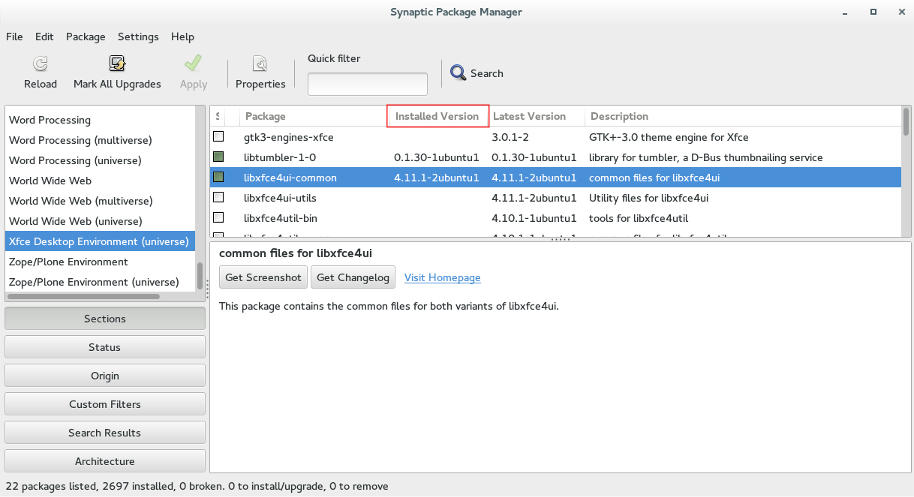
Now I was running Cinnamon alone on my computer, and immediately I notice why it was dubbed as “Buggy”..
It was true, Cinnamon was buggy! I noticed several issues right off the bat!
A minor video issue was resolved in one of the reboots (no fix for that sadly).
The power manager is acting up, either this fixed my battery somehow or it’s just not reading it right!
I had to fix Docky like I did after the partial upgrade. This time locked all parts of it.
I rearranged the Grub menu items, now Ubuntu is top, I Also renamed it from Xubutnu to Ubuntu on the boot menut using Grub Customizer.
I was left with a buggy but pretty interface, and the login was messed up! Next week I’ll post what I did next, stay tuned!
أنا الفائز بجائزة المدون المنتظم لعام 2025 من موقع مرجع التدوين
