Category: English Post (Page 91 of 97)

Export your firefox passwords with this Addon

Good day to you , here we have this easy tech tip

For various resons you might want to have your passwords where you can back them up . or simply transfer them to another place , in the old times you had to write them down manually , then enter them one by one .


That seems endless right ?

Until they we had this little addon .
It gives you extra options in the password menu to export and import your passwords , add it to Firefox and follow the steps , if you have any questions post them here .
Thank you for reading .

Update: For versions newer than 57, please use this method. 
FDM Best free download manager

Hi there and welcome to another tech tip

Today we will look at one of the best free download  managers , which allows you to speed downloads up to six times , stop and resume download (if permitted by the server you are downloading from) , bit torrent support , scheduling , and so much more .

You can check it out from here .
It can be integrated with Firefox , and so many browsers via settings , add on  Download the latest Firefox from here .

Alternativeto. Search through tons of software , free and commercial

Hello there , Good day to you
Have you ever wanted a software that works just like another software , but didn’t know how to look for it ?


Look no more , this website has tons of software for all platforms : Windows , Mac , Linux , Android, free and commercial , Freeware and open source , and many more features in this site

http://alternativeto.net/

It helps you find what you want , write the name of your software in the upper right corner , then choose what OS you want , and enjoy 🙂

Did you find what you were looking for on this site?

FSL Great Start Menu Launcher

Hello There , welcome to another techtip
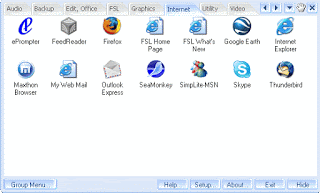
Today we will be discussing the FSL Launcher , a Start menu type launcher that Displays your short cuts , files and other data in a tabbed dock .

Rating

My review of it is 4/5 , it’s good , but can go better , for example some functions are limited only for the subscribers , but even the free version can be very handy .

 Another notice

I also noticed that it does not handle Program Files Shortcuts right away, in 64 bit you have two of them but the program only launched the ones installed in the same program files with it , in that case  program files (x86) , so you need to edit that shortcut manually , when it does not launch it freezes until you press the OK under the Icons , and the icon is displayed without the Picture .
That bug was on Windows 7 64 Bit
Tell us what you think 🙂

Download Link 

« Older posts Newer posts »