Category: Linux (Page 27 of 33)

A fix to many of ubuntu’s boot problems!

Ubuntu's Logo

Hey there you guys, How are you keeping?

I hope you are doing good!
I’ve been quite busy these days! Many things happening and I am struggling to keep up. One of these things is my brother’s laptop!
My brother is a new Ubuntu user. He spent all his life using Windows then he decided to take the jump. I advised him to take his time and study it thoroughly. Because using a new operating system takes time to get used to. He did what I told him and he was more than happy to have Ubuntu, but that’s when problems started to happen!!

At first. It was the “Press S to escape problem”. The option I didn’t do anything and the usually bullet fast Ubuntu boot took 10 minutes! And none of the fixes I came across on Askubuntu fixed it. There I had to do the unforgivable!

I formatted the drive and reinstalled Ubuntu! I thought that would fix the problem. Sadly I was mistaken!
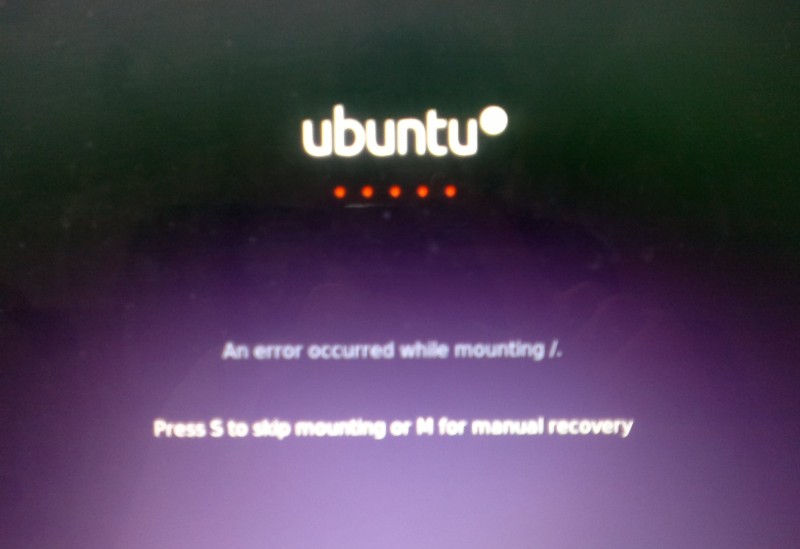
Press S to skip mounting or M for manual recovery!

A new problem emerged! This time it was the dreadful ”error reading sector 0xx Problem in HD 0” . I ignored it and tried a workaround! (That’s after checking the drive using Gparted) I was faced back with the “Press S to escape problem” again!!
At this point, I was losing it totally!!
I tried some fixes and the problem went away! Soon after he came to me and said he couldn’t install anything!
For the third time in two weeks I took the computer to repair it. And after a day and a night I was hopeless!
The system isn’t responding to any repair attempt. And it’s driving me insane.
After some lucky Googling it turns out that the problem was in the HDD itself! A quick test using Partedmagic boot disk confirmed my doubts! We had to throw out the old HDD and get a new one.
Now I’m hoping that this would finally solve his problem! So I can find some time to do other things, say post to this blog maybe 😉
Anyway while I worked on it I learned many things and tricks that will help me with Ubuntu even more. And it made me consider re-writing a post I made some time back. Can you guess what it was?
Ubuntu is a great system, and all these problems didn’t make me lose faith in it. I felt like sharing what was I up to so you guys know!

And if you get any of the error code mentioned above. Take a look at the HDD. It could save you tons of time!!


What did you think of this post?  Did you ever have these problems?
Let me know what you have in mind in the comments section below!


The Apple cult

Hey there you guys

I hope you are having a good day Following the hype from my last post. I want to talk about the Apple craze, and try to link it to Linux! I wanted to see if that applied to an idea I have been formulating for a while. But first, let’s take a look at Apple!

Apple craze

It has been around for quite some time. The fascination about Apple is out of control! Many people are running around with their iPhones and iPads sitting around sipping Starbucks and living the Apple life style..

You have to have the total package to be a part of the “click”

All the gadgets plus a life long commitment to buy whatever idea they throw at you, and to devoutly hate any other product or platform that doesn’t have the Apple on it! It’s easy for some people. It narrows down the choices. I guess it’s easier having someone tell you what to eat and how to pay your bills and what to use and not use! That sums it now, doesn’t it? I observe Mac from a far. I never owned any Apple devices yet. And I don’t see myself doing so any time soon. I like how they look. And the sale rates impress me! How can an operating system with such low support to anything or have any meaningful programs be so successful!? Gaming on Mac? I don’t think so! **Insert meme

Then why do people accept Apple and shrug at Linux? 

They share a similar origin. They are a lot a like (you can’t game on any of them!) and they are both non-Microsoft. Then why people adore Mac? Will we ever see Linux fan boys sitting in coffee shops sipping ”Java” while wearing whatever they like and chatting on Linux mobiles and stuff? Entering endless arguments on which OS is the better OS and flaming on line? Is that what it takes to make Linux on desktop mainstream?

Maybe we should cell overpriced hardware with pre-installed open source software and call it fancy names?

Like the L-Zod and the L-Top? I don’t fancy copying Apple’s success. But they have done it. Why shouldn’t we? I know that Linux is all about freedoms and sharing! But we can’t share clothes , coffee and cellphones! Could we? The Linux sub-culture? Is it even possible? Have you ever thought of this? Let me know what you have in mind!

How to Prevent RSI on Linux and Windows

Hi guys 😀
This post is really important for office workers. Programmers. Bloggers. Not gamers! Gamers would hate me forever for suggesting something like that!!

Sitting at the computer for prolonged hours is not good for you. It’s related to many back and neck pains, wrists too! And don’t forget the eyes now!
There are ways to prevent these pains. You need to get up every ten minutes or so. And move a little bit. But who will remind you of that? And who has the time for that really?

There are tools that remind you to get up and move! And that’s where my tip comes to play!

But the Internet is so tempting! I’m really focused here! I keep forgetting to get up

There are softwares for that you know!

These softwares will remind you to wake up, stretch and flex! So you comeback to your computer refreshed!

You must visit a doctor if symptoms arise. These are prevention measures only and CANNOT subtitle a doctor’s visit!!

Now that we understood the whole deal. Let’s look at the software. One for Linux and one for Windows.

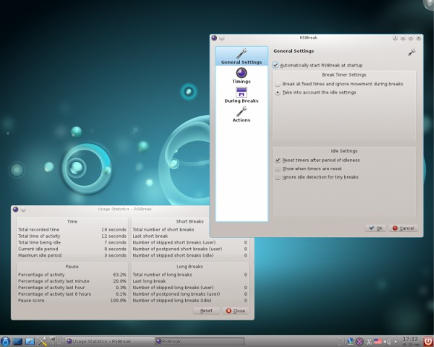
On Linux there were two choices available in Ubuntu Software Center, I went with RSIBreak. It worked better with Xfe. And the settings were much clear to me. It provides two intervals by default. The small on is 10 minutes of work with 20 seconds of brake. And the big one with 60 minutes of work and one minute of break counting idle times!

It’s really neat. And you must have it! It’s originally a Kde app but it will work fine on Ubuntu.

It’s the best I found so far. If I found anything easier I’ll update this post!

Download from the Ubuntu Software Center, RSIBreak.

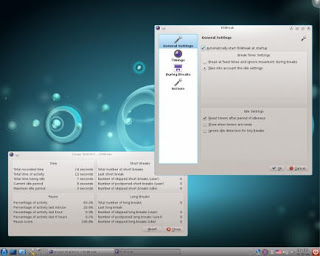
RSIBreak working on KDE

As for Windows, my favorite has been always Rest brake. It’s a light software that does what it says. Just set the timer and wait for the alarm, you can customize the message of course!

RestBreak Screenshot on Windows

RestBreak download link  Size: 1.2 MB

I don’t have a mac. And I only post about the stuff I test. If you have a good software send it and I’ll post it with credits.

I hope you find these useful. And please share them with your friends and family.

How long do you stay on the computer? Do you have any specific pains? Please comment below and let me hear what you have to say!

P.S: I couldn’t find anything for Android. Sorry 🙁

And didn’t even look for Symbain!!

Useful resources:

Wikipeda, as always!

Restbreak’s site. Very informative!

Rsi.Uni Got me through college!!

Increase Ubuntu Battery life with these easy tricks

Many new Linux users are surprised by the fact that their batteries don’t last as long as it did. On top of adapting to a new system, this comes along to add strain to them. At ease new Linux users and older ones a like. I have a trick up my sleeve that’s guaranteed to work!!

It’s called PowerTop. And what it does is pretty simple. It allows you to disable some services while unneeded to save battery.

To download power Top go to the terminal and type in: “sudo apt-get install powertop” without the quotes of course!! And enter your password to continue.

It’s really small. About 150KB. So it shouldn’t take long to download.


How to use Powertop to save power?

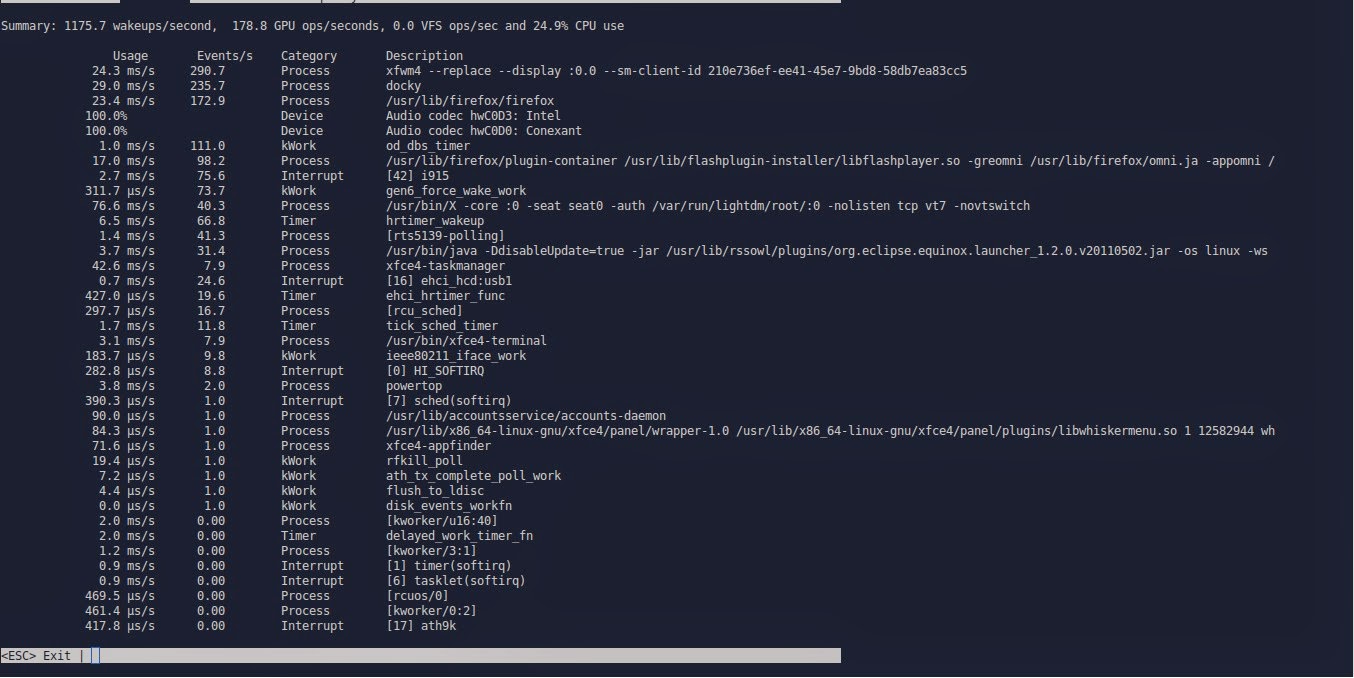
After it’s downloaded. Type in: “sudo powertop” to display the program.

It runs within the terminal. It doesn’t have a graphical interface. But it’s really easy to use.
That’s the main interface right there.

Powertop running in the terminal

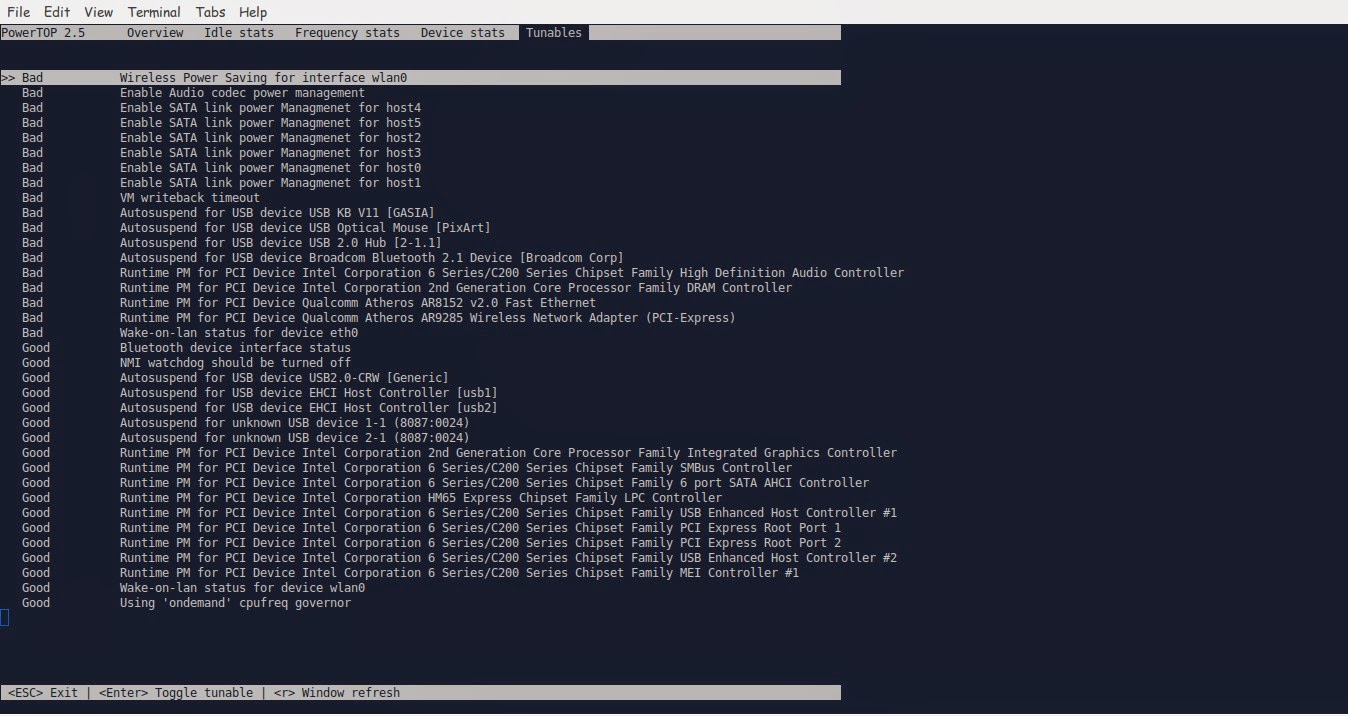
We move around using the TAB key on the keyboard. Until we reach Tunables. Now here things get interesting!!

Powertop Tunables tab

Here you see all the things you can “tune” in order to make your battery run better.
Notice that disabling some items might interfere with how your devices work (I left the mouse on because it kept “sleeping” every time I let go of it!
Click escape to exit. And there you have it!!
Note you might have to do the tuning again after you recharge the laptop.
I noticed a significant save in the battery life! Note that I use an external monitor. So that could be a factor! But in general, great tip!!

TLP

This scriptis very small and it keeps your computer under check, it controls the fanspeedCPU, all you have to do is:

sudo apt-get install tlp

Then to start it all you have to dois:

Sudo tlp start

You will see a message saying: TLP started in AC mode, meaning it’s working!

Another trick: Controlling the CPUfrequency

After we took care of the battery consumption issue it’s time to take a look at the CPU, as there is no option to control the performance from Powertop, that means we are going to need another application to do that.
We will do that by installing  CPU Frequency that will help cool down the computer and reduce fan noise when working with multiple applications at the same time.

Installing CPU Frequency

To Install CPU Frequency type this command into the terminal and hit enter.

sudo apt-get install indicator-cpufreq 

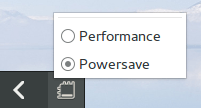
After installing CPU Frequency you need to restart in order it to work, after installing you will see the CPU Frequency’s indicator docked with the other indicators, and the using it couldn’t get any easier!


How to use CPU Frequency

CPU Frequency starts with the system minimized and has no splash or interface, when clicking on the CPU Frequency’s icon you will see two modes, power save and performance, use the power save coupled with Powertop to achieve maximum results! And leave the Performance mode for those times when you need extra juice!
It helped me reduce the fan noise greatly and I couldn’t be happier with it!

Final words

How did your computer perform after these tricks? Hopefully charged and happy with no noise whatsoever! Until next time!
Have a nice day!!
Remember to give kudos. Comment and share this post please.

« Older posts Newer posts »