Category: Dual Boot (Page 4 of 4)

Recover some files after a Chkdisk. The easy way

Hey there you guys. How are you doing today?

You inserted a USB drive to your computer. And you were asked to do a check ( and with Windows 8 that happens with all USB’s!!) And when you checked there were errors and files recovered! Is that bad?

Not really. That can be a really good thing!

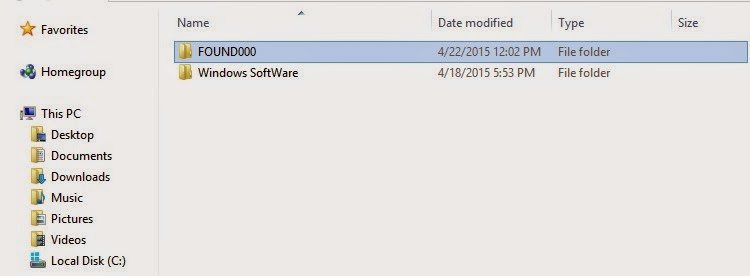
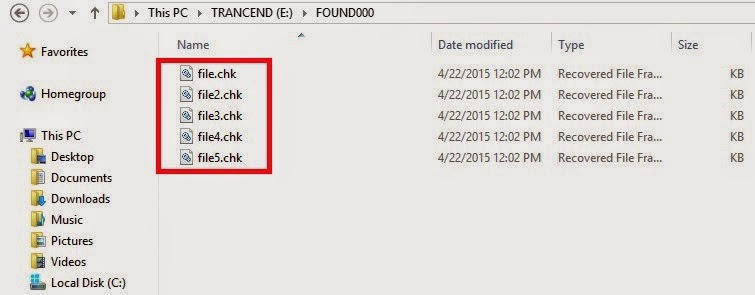
When the check is completed (depends on drive size and files in question) you will find the FOUND.000 folder. With plenty of .CHK files. So far so good!
Depending on the file sizes of the check files you might be able to restore the data.

If it’s in the same size as your lost data then you are in luck.
Just log into Linux and you will see then in thumbnails of the same type. All you have to do is to rename them to get them to work!

Pretty easy huh?

I found out a strange thing. That some of the web pages I downloaded in Linux are often lost when I boot to Windows. Because the names of the files and folders contain elements not allowed in Windows like “/“ and “?”.

In a next post I will be talking about fixing the empty but full drive with no format included!

I hope you found this post useful. Please comment below and let me know what you think?
Measure boot time on windows and see what is taking it so long!

Hey guys! How are you today?

I managed to shave some minutes off my boot time. It was taking 5-7 minutes to boot! And that’s a lot of time!!

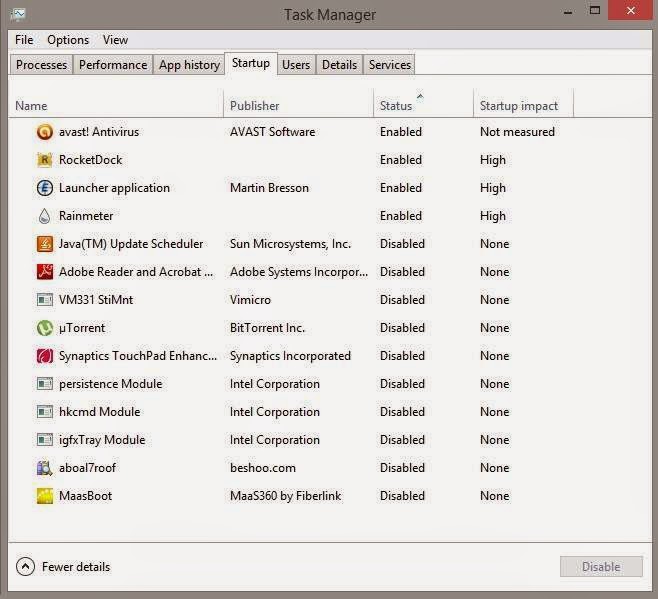
As I mentioned in the dual boot path, windows was really slow to boot. And it depends largely on what software you allow to start with windows. As you can see in the Task manager of Windows 8. You can see the programs starting with the system from the Startup tab. Enable them or disable them, and determine how much impact do they present to the overall boot.

As you can see some programs have high impact and those present the prime suspect to slow boot

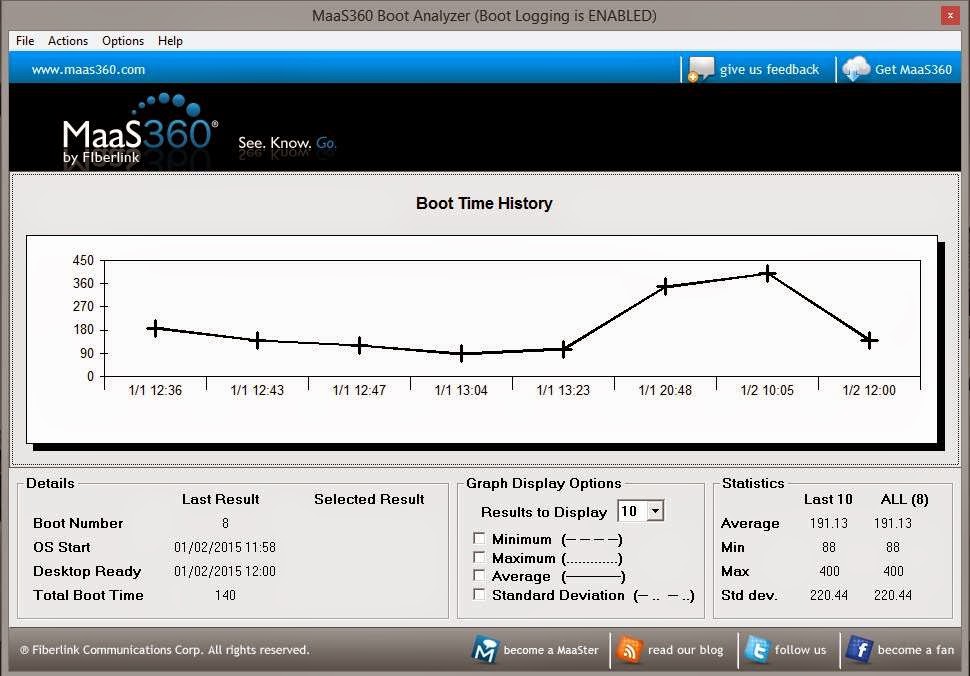
I installed Maasboot. A freeware that measures the boot speed of your computer boot and records it over time and creates a chart of it.


It’s really helpful to see the effects of programs on boot against time. By disabling and enabling some software (High impact of course ) and restarting, I was able to determine what was taking it so long!

what I did was uninstalling Nexus dock and Rainmeter And installing the amazing Rocket Dock.  And the boot time improved greatly, then a few days later I installed Rainmeter’s latest version. And the boot time was decent so I kept it.

To sum up. I had to let Nexus dock go! Sad as it may seem. But boot time matters more to me. And Rocket dock is a really good dock and favors performance!

I hope you find this post useful and it helps you with your daily life.

I’m looking forward to your feedback!

Was this post helpful to you? Post your last boot time and let’s see how is it faring!

Newer posts »