Category: English Post (Page 74 of 97)

Open an Access (2003-2007) database in LibreOffice base

Hey there you guys!

How are you doing today? I hope you are great!

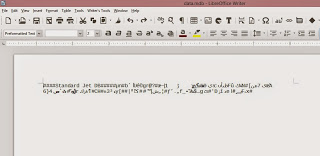
Have you ever tried to open a database file created by Microsoft only to find it looking like this: 
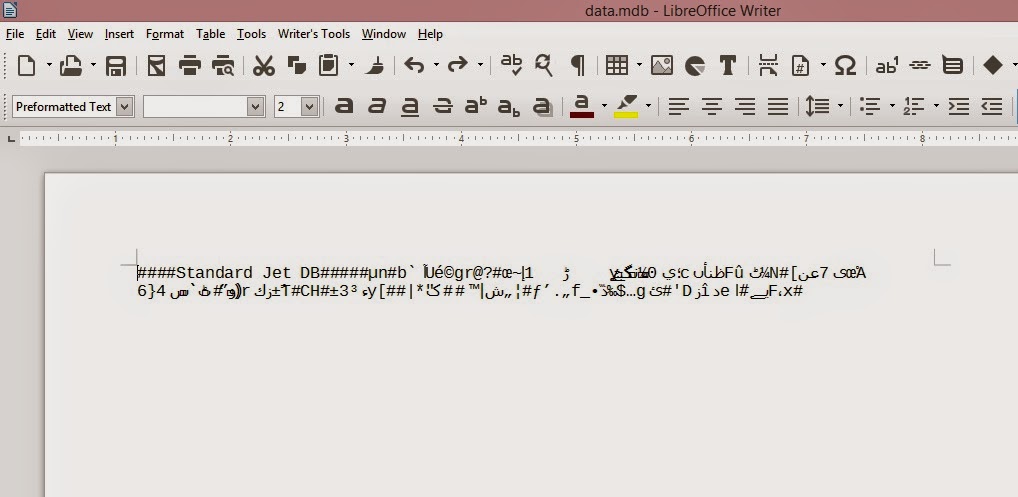


I have! And it sucks!

First of all this isn’t even Base! It’s Writer! And second of all: This is garbage!

Why does it look like this?

Luckily I was able to figure it out! It’s really simple! And it works for 2003 / 2007 (2010 doesn’t work, I tried :/).

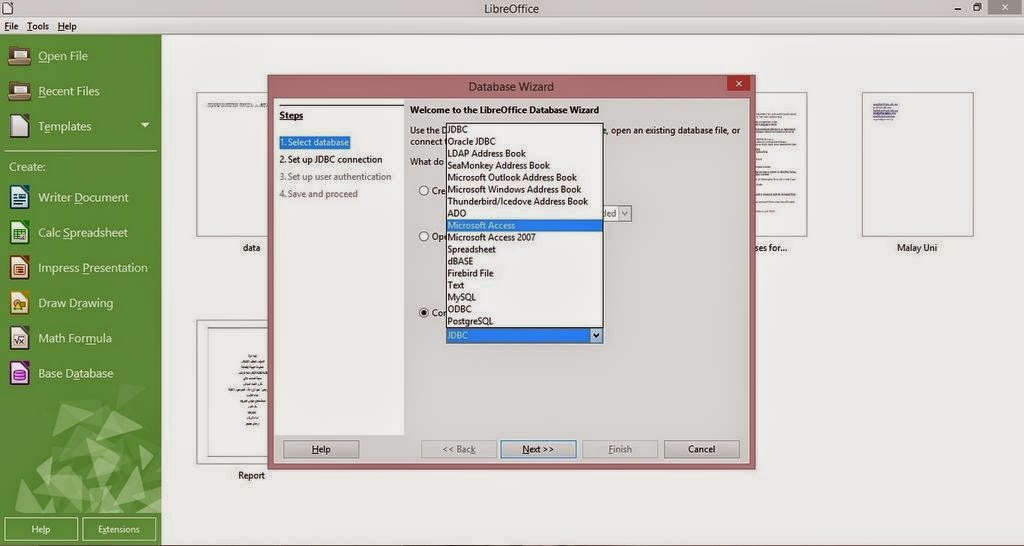
All you have to do is to navigate to File New Database
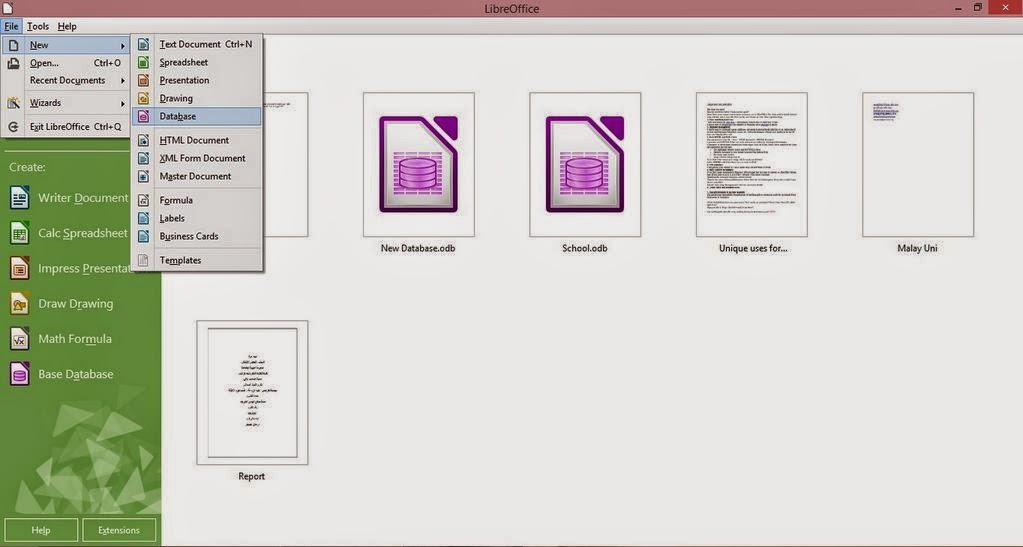


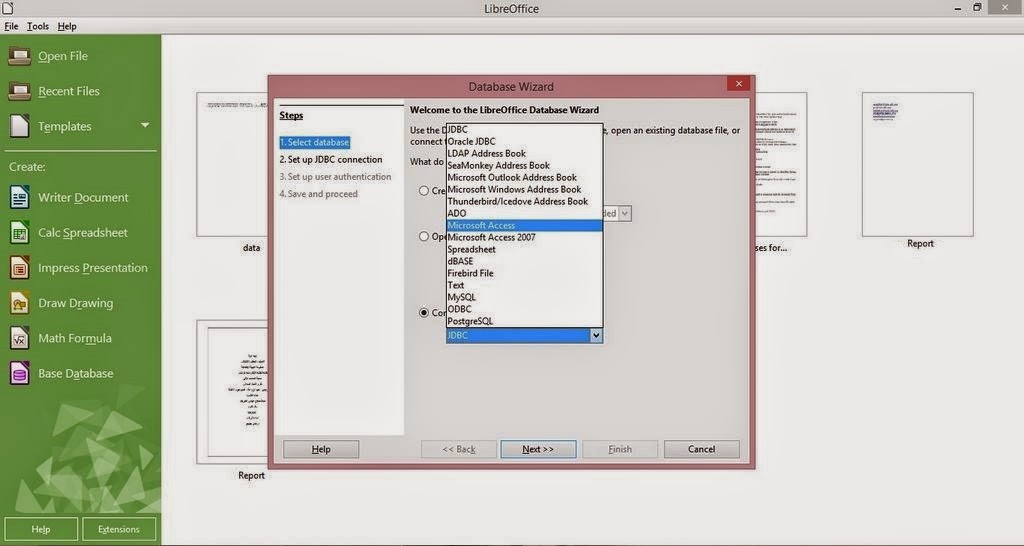
From this window select (Connect to an existing Database) and select Microsoft Access 2003 or 2007 ( in this tutorial it was 2003).


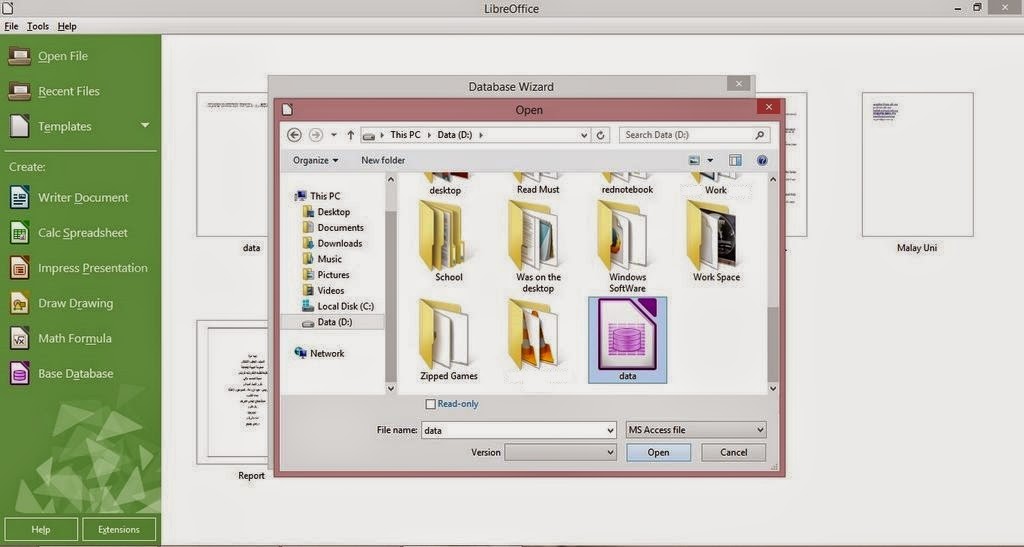
Browse to where your Database is located. In this tutorial it’s in the D:


Save and proceed just like you would do with a normal database. And it’s open!
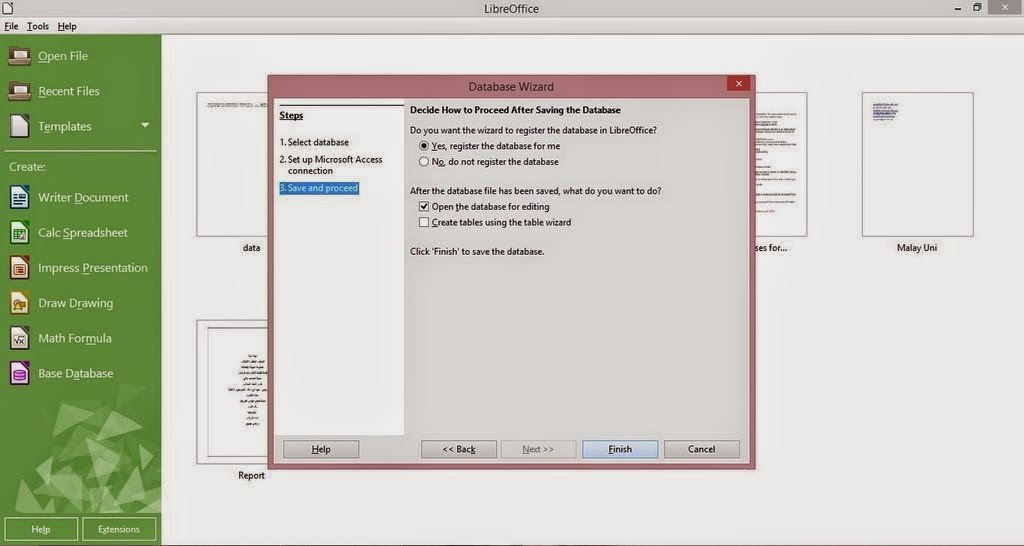


You notice that you saved an ODB database. Why is that?

Because you aren’t really opening an Access 2003 database. You are “Connecting” to it!

You must not delete the database. Or else you won’t be able to access your data!

But I want it to be opened just like a normal database. I don’t want to “connect” every time I edit my database!

Well there is a way for that too!

While this connected database is open, create a new database.

Copy the whole table. And paste it into the new database you just created!

You can keep the keys as is, or change them to meet your needs!

And save the newly created database!

As simple as that! Hope you like it. Drop a line below and let me know! Join my blog and subscribe to my mailing list so you don’t miss a post! NEW!!
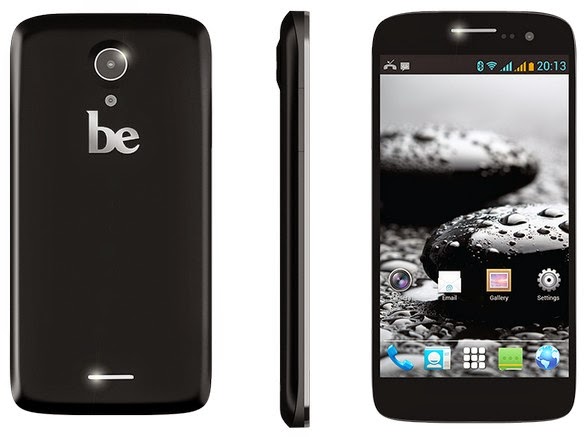
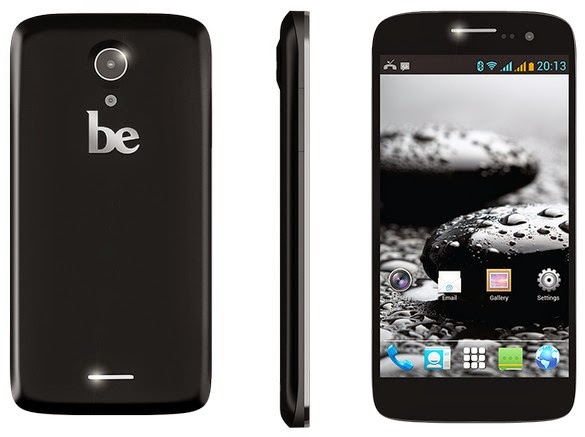
Be Elite 2 video review by me!

Hey there you guys!

How are you doing today? I hope you are great!
I made this review of the Be Elite 2 Smartphone by Bephone sometime ago! I wonder why I didn’t blog about it!

What is it?

It’s a mid ranged cellphone with mediocre specifications made by Bephone, much like the Ubuntu phone specs wise. but two years before it’s release! It was released in November of 2013

The phone sports a 1.3 quad core processor. 1 Gigabyte of RAM and 4 Gigabyte of storage with one available for user, 8 Megapixel rear camera. And a 2 Megapixel front camera.

The screen size is 5.0 inches IPS. Like the iPhone screen, and it’s not scratch resistant! Ouch!! Always use a screen protector! The operating system is Android Jelly bean 4.2.2 (Never updated since launch!) . And the battery is a 2000 MAh Lithium ion.

Box Contents: Screen protector, Handset, Battery, Charger, Cable, Hands free headset.

For more information download the manual from here. And go check it’s page on the company’s website. The site is down, and I don’t think it’s ever coming back!

My impression of the phone is great! It’s solid and preforms really good! Even with heavy multitasking. The battery backup is good but nothing to write home about! The screen can take a bump or two, just don’t go overboard!


Pros

It comes Pre-loaded with apps like BBM, Chrome and a flashlight out of the box!


  • Really cheap compared to it’s specs.
  • Charges really fast!
  • Leds tell you when it’s charging and full. Also notifications.
  • Sensors allow to lock & unlock the phone, take pictures and many fun tasks. Cons:

Cons

  • No support at all (including updates)
  • The camera is a little fuzzy.
  • The BBM is sometimes annoying ( It can be disabled!).
  • The screen is scratched easily ( Not gorilla glass).
  • No support for 4G and LTE
  • The user interface is a little dull and there isn’t much to do about it!

If you have any questions  feel free to ask me, but keep in mind I’m just an owner, and not associated to EMS or Bephone 🙂

Final words

The site has been removed from hosting, weird!

It can be found over at web archive if you’re so inclined.

Book review time: Building software products in a weekend!

Hey you guys, How are you today? How are things?
Today I am not talking about a software or a problem like I usually do. Today I’m talking about a book.


Who is Matthew Kremer?

I met this great guy online @Matthewkremer and he is just awesome!
He is a programmer with a heart warming success story. Has a site and a podcast. While doing his daily job and a side business! Let alone taking care of his family!
So I urge you to check his website. He writes down his experiences in life, programming, work and the daily challenges he faces. Which brings us to his book.
His book: Building software products in a weekend. It can’t be done you say? Well he wrote it in a weekend so.. Yeah!

How much does the book cost?

The e-book is free! And for the value that is a ripoff! It’s worth a lot. And if I ever went teaching I’ll use his book in the class room. It’s just that good! You will never learn stuff like that in school! (And I’m a college graduate. I know what I’m talking about!)

How to get the book?

So go to Matt’s website. Join the mailing list and get your copy of this amazing book!
I give it a five star rating. It’s truly amazing! You will enjoy reading it and re-reading it many many times!

Edit: The website no longer exists. You can download it from here.

Finally

I don’t usually do this! Maybe it becomes a thing!
So let me know what you think of the book!
I hope you enjoyed this post. Please let me hear your comments below!
Join my blog and subscribe to my mail-list NEW!

Gimp 2.10.14 won’t install problem solved!

Hey guys 🙂

It’s been ages since I posted anything about GIMP!! Not that I don’t like it or don’t use it anymore. It’s just I’ve been busy exploring other things while working with Gimp often.

I had gimp installed by default when I got Xubuntu 14.04 LTS. And to my greatest pleasure it is automatically updated. So I didn’t check the new versions for a while.

When I started reviewing some web design material. I had to have the Gimp on Windows too (For comfort 😛 ) and so I downloaded the latest version 2.8.14.1 from Filehippo.com t. And to my disappointment. It didn’t work ..

I double clicked and it didn’t progress pass the language selection option. It stopped responding many times.

I went to the official website and downloaded it via a bit-torrent client. Nothing ..

It did the same thing, no matter what I did it froze on the language selection and I had to end it from the task manager.

It was a bummer .. I downloaded it twice. Fiddled with many windows settings like:
Running as administrator.
Trying the compatibility options with every prior version of Windows.
I even installed the latest GTK library and Python ( Didn’t work).

And the funny thing no one reported that problem. I Googled all around. Nothing!!

When I installed it on a another Windows 8 computer. It went smooth!

Maybe the problem is with something in Windows 8.1?

What did I do to fix it?

Nothing!

I ran the installer. And let it running. After a few minutes it resumed installing like nothing happened.

I even uninstalled GTK and Python. And it didn’t affect how Gimp worked!

So here you have it. Be patient! It’s a Gimprtue !! Play on virtue!

That was today’s post. Please tell me if worked for you! And did it happen with you?

Please join my blog and subscribe to my mail list!

« Older posts Newer posts »