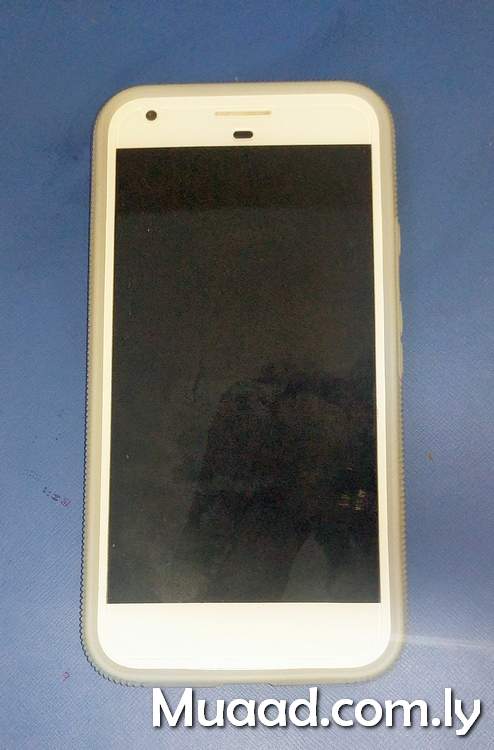
اشتريت هاتفي هذا منذ عامين في مثل هذا التاريخ. وعبر تاريخنا معًا وصلت لعدة إستنتاجات دونت عن كل منها بشكل منفصل.
التدوينة الأولى تحدثت فيها عن الأسباب التي تجعل هذا الهاتف خيارًا جيدًا للشراء في سنة 2020.
والثانية عن تجربة مع روم مخصص Lineage OS.
Category: Google Pixel XL (Page 6 of 6)
كنت قد دونت من قبل عن الأسباب التي تجعل اقتناء هاتف Google Pixel XL منطقيًا في العام 2020. فهو هاتف Flagship يمكن الحصول عليه بثمن زهيد مقارنة بالهواتف المشابهة له في المواصفات. وكما أن مزاياه لا تزال ملائمة حتى بعد مرور 4 سنوات على إطلاقه. إحدى هذه المزايا هي دعم نظام LineageOS له. بالنسبة لي الأمر مهم لدرجة أني أعده أحد معايير اختيار هاتفي التالي.
وهذا هو موضوع تدوينة اليوم. حول تجربة مع نظام LineageOS على هاتف Google Pixel XL
تحذير واجب: تجربة هذه الطريقة على مسؤوليتك.. تفليش روم مخصص لهاتفك لا يخلو من مخاطرة. وقد يتحول هاتفك الثمين لثقالة ورق فخمة! كما أنه لو حاولت تفليش “روم مخصص” ليس لهاتفك.. فمبروك عليك ثقالة الورق الجديدة!!
أيضًا هذه التدوينة لن تدخل في كيفية التنصيب. فقط سأقوم بتضمين مقطع فيديو يحتوي على الطريقة كاملة. وهو نفس المقطع الذي اتبعته لتنصيب نظام التشغيل..
علما بأن تدوينتي حول هاتف الهواوي بها نفس الخطوات، فقط لجهاز مختلف.
انطباعات أولية
- بعد تنصيب النظام بنسخته الأخيرة وحزمة تطبيقات Google Gapps لاحظت أن أداء البطارية تحسن مقارنة بروم غوغل السابق.
- المساحة الخالية المتوفرة للمستخدم زادت بما يقارب 3 غيغا بايت (هذا الهاتف لا يقبل إضافة ذاكرة خارجية).
- كل شيء يعمل كما هو متوقع منه. عادة تكون هناك تحذيرات حول إستقرار نظام التشغيل أو توافق العتاد (الكاميرا – المايكروفون مثلا) مع النظام الجديد. لكن هذا لم يحدث حتى الآن.
- إمكانيات التخصيص زادت بشكل كبير جدا. مثل الأيقونات في الشريط العلوي. موضع الساعة وشكلها. اضافة الثواني للساعة. شكل الساعة على شاشة القفل.
- تخصيص كل زر من الجهاز للقيام بوظائف إضافية. كما يمكن فتح وقفل الشاشة بالنقر عليها فقط (سابقا يمكن فتحها فقط بالنقر).
- شكل الأيقونات وألوان المؤشر (سابقا كانت بيضاء فحسب). ومن الممكن تحميل حزم أيقونات لتغيير شكل الايقونات كاملة.
- بالإمكان تخصيص لون ضوء الاشعارات حسب حالة الشحن والتطبيق المرسل. وعلى حد علمي لم تتوفر هذه الخاصية في روم المصنع.
- وأهم من ذلك كله. توافر تحديثات أسبوعية للنظام. حيث أن Google أوقفت دعم الجهاز رسميا في ديسمبر من العام الماضي.

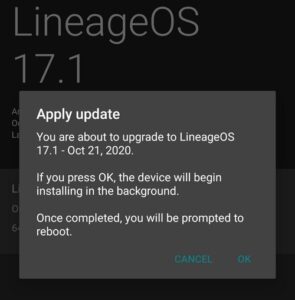
- بمناسبة التحديثات.. بمجرد تنصيب الروم المخصص يمكن البحث عن التحديثات من الهاتف وتحميلها وتنصيبها دون الحاجة لخوض الخطوات المذكورة في الفيديو وتفليش كل تحديث عن طريق ADB.
خلاصة التجربة
الأمر فعلا يستحق فقد منح هذا النظام شكلَا جديدًا وأداءًا أفضل للهاتف. وأضاف إليه مميزات لم يعد من الممكن الحصول عليها من Google .

هل سبق لك تفليش روم مخصص على جهازك؟ هل كللت تجربتك بالنجاح أم بالفشل؟ سبق لي تفليش روم مخصص على هاتفي الهواوي Y560 وإعادته لروم المصنع بنجاح. ويمكنك الاطلاع على التجربة من هذا الرابط هنا.
ملاحظة: تطبيق الكاميرا ليس بنفس جودة كاميرا قوقل، عدت لاستخدامها بعد أن لاحظت أن جودة الصور أقل.
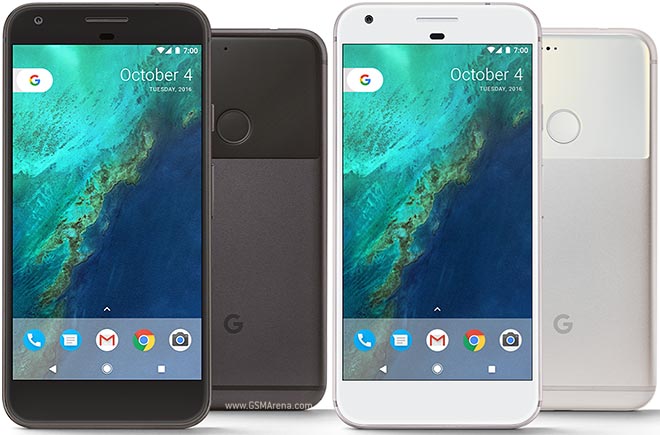
The Google Pixel XL was released in October of 2016. A revolutionary phone that set the stage for a series of high end smartphones made by Google. Despite the fact that the Pixel XL 4 was released a few months ago (October 2019 to be specific), the first one is still pretty much relevant for the following reasons:
1. The build and design
I really like how the bezels and screen look on this phone. I am not a fan of notches or big screens that are close to edges. They somehow make me anxious. This is a matter of personal preference of course.
The backside of the phone is really beautiful. I really like the color scheme and even the naming of the colors used.
2. Google
The software is optimized to work with this hardware. The apps are downright stunning. You are getting “Pure Android” without any manufacturer user interface or bloatware (unless you are into that sort of thing).
While some Google apps are available for other Android devices such as the Google assistant. I’ve never been able to harness the full power of it except on this phone. Also apps like lens have made my life easier.
Lens for example is a Swiss knife of knowledge and interesting features.
One app in particular “Record”. A record app with a unique twist. Stands out and is only available for pixel devices.
It can recognize what kind of sound is being recorded and type out a transcript. Which it then uploads to Google drive for you to make use of. It’s currently only limited to English but I have to say: I am impressed.
3. Software updates
I’ve bought it with Android 7.1.1 installed on it. As soon as I had internet it notified me that 8.1 was available. And a few hours later I was upgraded to another version of Android.
3 Android versions in 36 hours.. Wow
4. Flagship level of quality
From the Gorilla glass protection on the screen to the glass finish on the back. All the way to the tactile power button. The phone really feels like a high end phone and has aged well.
5. The camera
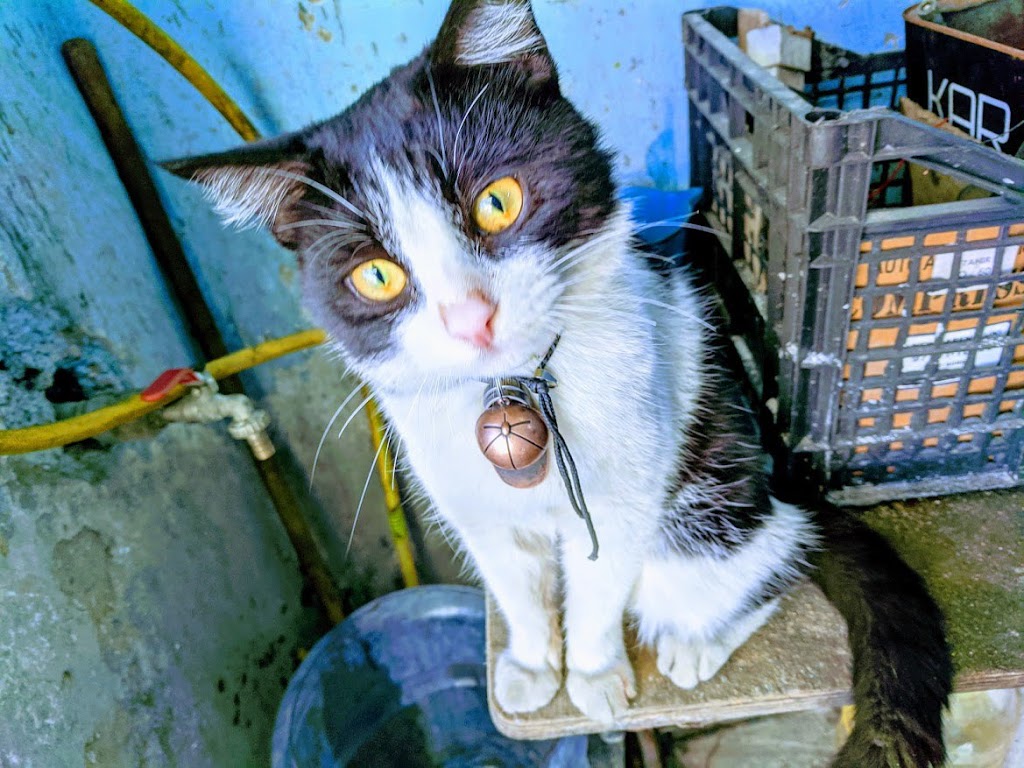
The quality of pictures is amazing. It doesn’t have the biggest megapixel count or the fastest shutter. But the colors are vibrant and all the elements are there. The result is an unplanned masterpiece! Here is an example I took that was edited by Google photos. Should I add photographer to my resume?
6. Accessories are available
Covers and screen protectors are readily available for this phone, and since it’s old the prices are slashed and they can be found in clearance bins around stores. A good thing for someone on a budget. I picked up a premium cover for a fraction of the original price!
As for the charger, it uses a USB type C (Female) and a standard charger that is capable of 3A. That’s to make use of the fast charging feature.
7. Third party operating system
I know that the Google Pixel XL’s support was discontinued this December. But do you know what’s not discontinued? Linage OS! Once I get bored of Google’s OS, I’m jumping ship to Linage OS. Breathing even more life into this old phone!
8. It fits my standards
Sometimes it’s the little details: Like tapping the screen twice to unlock the phone. Or being able to update your system to a more recent version of Android (unlike many crappy mid range phones I owned). Or simply being able to flash a custom rom on the device and be able to experiment with it a bit more.
9. The price
Without burning a hole in my pocket I got this phone on the cheap. I got it used and with no accessories to be fair. But the initial price was too tempting. Less than any mid-range phone on the market, and far better than it by a far stretch!
10. Android 10
I’ve left the best to the very last. The biggest selling point of this phone to me was the ability to upgrade to Android 10. A feature many phones on the market don’t have and some high end phones are still lining up to get. (This post was written in November of 2019)
I managed to upgrade to Android 10 from Android 8.1 without issues. Once the update was done I was faced with the best version of Android I’ve ever used. Everything is complete and organized.
Final words
To me this was a bargain. Being able to get a high quality phone on the cheap. I recommend to anyone who is looking for a phone to check the Pixel lineup of phones. Not necessarily this one; The Pixel XL 2 is an excellent choice and the more recent you get, the longer support you receive.
Do you own a Pixel? Ever thought of getting one? I hope this post helped you make the jump to the Pixel world.
It’s worth your time and money..
أنا الفائز بجائزة المدون المنتظم لعام 2025 من موقع مرجع التدوين
