
An update that does some damage!
However I’ve noticed that sometimes after an update, the saved passwords are erased, and I have to enter them manually, which is a real pain!
How to import and export passwords without an add – on?
There is a very simple way which is creating a Firefox account and using that to sync your information across different devices: Passwords, bookmarks and history.
You must have more than one device for this method to work: Your phone and your computer for example. Or two computers: Your work computer and your house computer.
The fix
From the main menu go to: Edit Preferences Sync
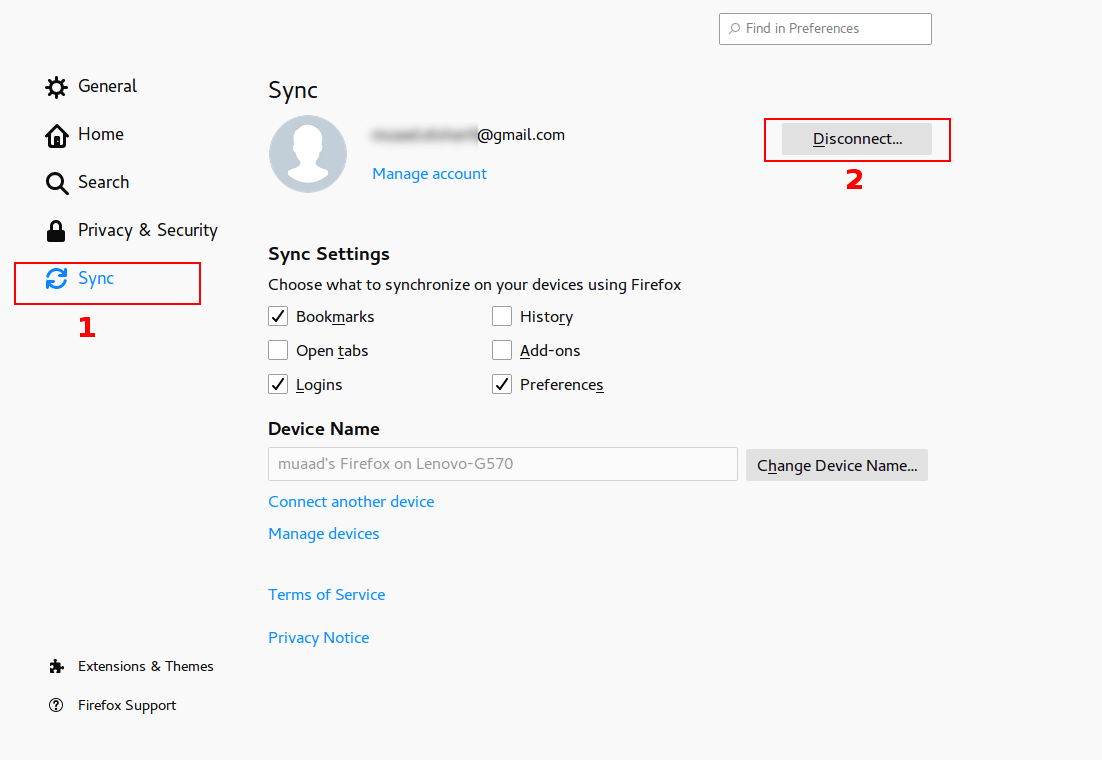
Click Disconnect, then sign again with your login information. Firefox will sync the information from the other device and you will get back your passwords in no time!
Please note that clicking disconnect would erase any data you had stored in Firefox, so watch it!
Final words
That’s how you restore saved passwords and bookmarks for Firefox Quantum. I hope you found this post useful. Please leave a comment if you have a question.