I’m happy to announce that I found a way to get back to Windows 8.1! Not from the rollback option or the recovery! My way is uninstalling Windows 10. And reinstalling Windows 8.1 using the same license!
It’s not a rollback.
I had Windows 10 for over a month, plus I removed the Windows.old and reinstalled Windows 10. So no recovery options were available. What I did was an old fashion uninstall / reinstall job with some license work.
The method is very simple. I’m going to list somethings you need first:
- Make sure your Windows 10 works.
- Make sure you are using the same version of Windows 8.1 you had before.
- You must be online the whole time. Your Windows 10 has to work because we are going to “Uninstall it”. If it doesn’t work for any reason DON’T INSTALL WINDOWS 8.1 RIGHT AWAY. I warned you!!
You need to repair or fresh install your version of Windows 10 in order to complete this tutorial. I made a post about it so feel free to check it out!
Uninstalling Windows 10
The first step is running the command prompt in administrator privileges.
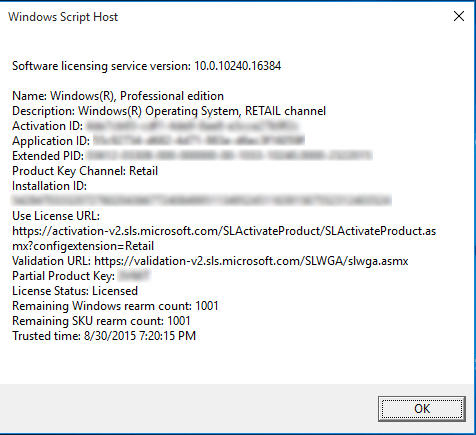
and type in the commandslmgr /dlv
You will get an information box about your computer. What we need from here is the Activation ID.
- After getting it we are going to uninstall that product key (so we can use it after reinstalling 8.1). Type in :
slmgr /upk 181520dd-3fc4-4df2-81f5c513467ad56d –
- Iblurred out my key, so just put in yours-
- If a box comes out saying your product is uninstalled. You done it right.
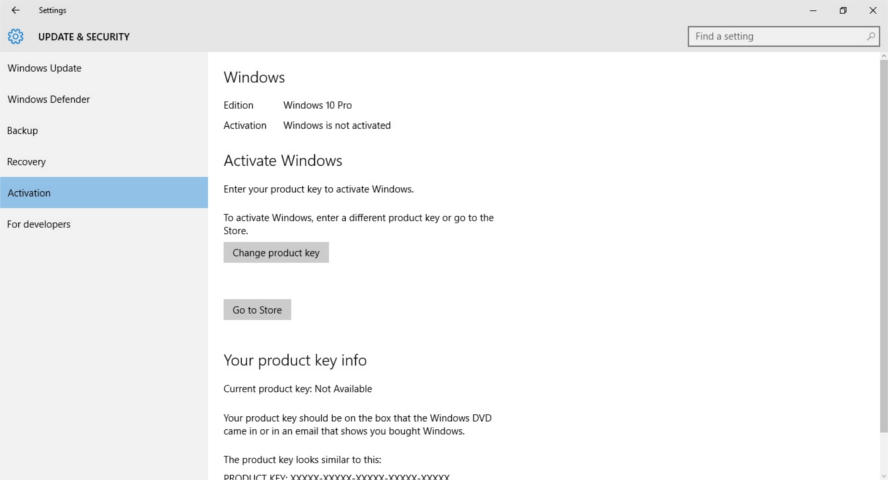
- Go check the activation. If it says it’s not activated, then you are free to move into the next step.
Installing Windows 8.1
Follow the installation procedure, format the drive Windows 10 is on and install Windows 8.1 there.
Make sure you are connected to the Internet when prompted.
Activating Windows 8.1
When Windows 8.1 is up and running, run the command prompt in administrator privileges and type in the command
slmgr /ipk XXXXX-XXXXX-XXXXX-XXXXX-XXXXX
Where XXXXX is your serial number, which you will find on the label of the disk or in the e-mail sent to you.
You will get a box saying key XXXXX-XXXXX-XXXXX-XXXXX-XXXXX installed successfully.
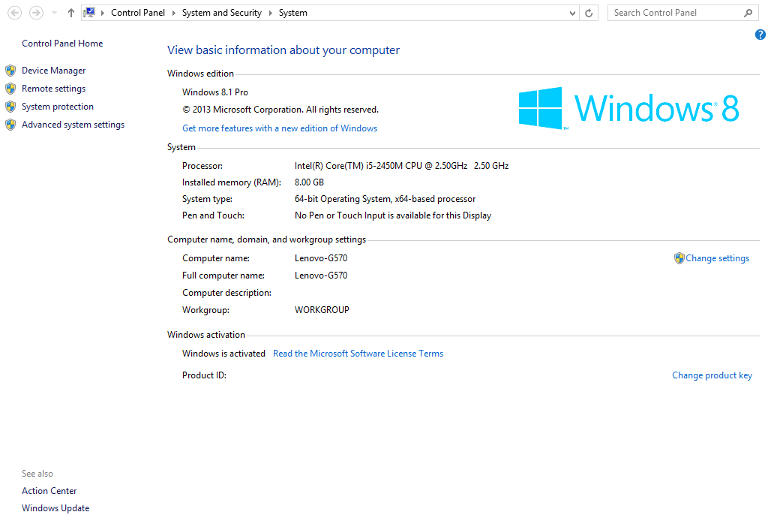
When checking the Windows activation, I found that the key used to activate was the same I had before upgrading to Windows 10. (I blurred mine for obvious reasons).
Important Notes
If you use a different version of Windows other than you used, it won’t activate and you would have to reinstall Windows 8.1.
You must be online the whole time.
If you are unable to find your license key use the software
in this post.
I was forced to download all of the updates released for Windows 8.1. A total of 1.5 GB download on top of the 3 gigabyte download!