Month: February 2016 (Page 4 of 4)

Openshot 2.0.6 beta 3 review

Openshot is a free and open source video editing program, known for it’s ease of use, it’s popular on Linux (frankly there aren’t many other options in that division) and it has been on version 1.4.3 for quite sometime now!
Recently Open shot 2.0 was released as a Beta for people who funded the kickstarter campaign back in 2013, and today it was released for the public. I downloaded it and gave it a spin.

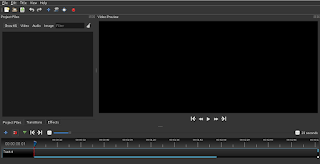
Openshot 2.0 main interface 
Openshot is cross platform, which means you can enjoy it on any platform you work on, and it’s also free of charge, I’ve been using the older version 1.4.3 and it’s easy to use, all you have to do is read the included help file and you are good to go. The new version is even easier to use!

What’s new with the new version?

t comes with it’s fair share of improvements, and if you like to read them all you can go to the announcement page on the developer site, I think the most important feature is the autosave and recovery after crashes, it’s been quite a hassle to lose your work between saves, so saving automatically is something good!
t still crashes, a lot! It crashed several times while testing for this post! It’s a beta and I understand work needs to be done, but crashing like that is very bad..
‘m planning to post more about open source multimedia tools, this was the video editing tool, it’s still needs work to do but I think it’s a good project and a good effort!
hope the final version is ready in time for the release of Ubuntu 16.04, that will be awesome! 

Download 

I wouldn’t recommend installing

it now being a beta and all,  but if you want to give it a go, I’ll be sharing the links!

Download for Windows, an installer

(Direct download). 

Download for Mac, a dmg file.

(Direct download). 

Download for Linux provided a PPA:

sudo add-apt-repository ppa:openshot.developers/libopenshot-daily

sudo apt-get update && sudo apt-get install openshot-qt

The road to Ubuntu 16.04

Ubuntu 16.04 is just around the corner with only 2 months till the much anticipated release! Read below to find out what makes 16.04 so special?
I’ll be posting a special cover getting whatever information I could get and post it here, until the release date.


Ubuntu 16.04 is an LTS (long term support distribution) which means it will have a longer support time than usual distributions (which usually gets around 9 months).

  • At the end of last month, the second alpha was released, while being far from ready, the real die hard fans will get it for sure! (not me, not on this connection!) it’s not ready for use, but you can get a pretty good idea on how it’s going to be! Many flavors skipped this like Ubuntu Gnome!
  • It’s going to have the Kernel 4.4 which is in my opinion a huge jump from the last 3.19 shipped with the last LTS (14.04). Which will bring better 3D support and drivers for new hardware!
  • Many improvements and new versions of tools will be shipped, and unity will have some new features, most notably canceling the on-line search when inside the unity launcher.


You can tell I’m pretty excited, this is the real news, a system for humans!
You can notice I added  a counter for the release date, almost 73 days to go! (at the time of this writing), and with the launching of the new Ubuntu tablet, the momentum is real!

Ubuntu 16.04, please don’t disappoint us!

Ubuntu Tablet! Also a PC!

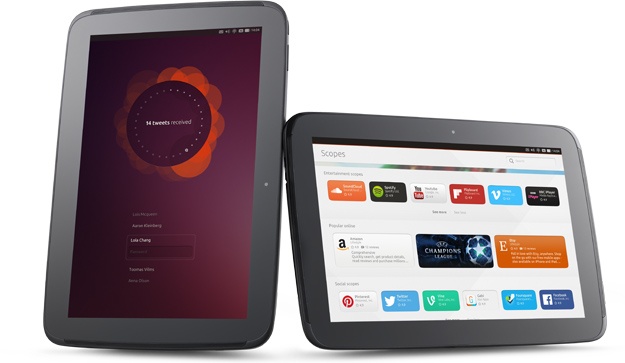
Ubuntu has been teasing a marketing campaign under the logo Reinvent, people have been speculating for days on what could it mean? Now we know there is a Tablet in the works, and it’s out very soon!

The tablet is made by Spanish carrier BQ much like Ubuntu Phone, BQ Aquaris M10 will be available all over Europe directly from the manufacturer, unlike Ubuntu phone which was sold in flash sales..


ubuntu tablet

The specifications of the Tablet are the following

  • 10.1 inch display.
  • 16GB internal memory plus MicroSD slot
  • Full HD video camera
  • 2GB RAM
  • 8 megapixel rear camera with autofocus and 5 megapixel front camera
  • Frontal speakers
  • Micro HDMI slot
  • Dimensions: 246 x 171 x 8.2mm
  • Lightweight at only 470g

Convergence

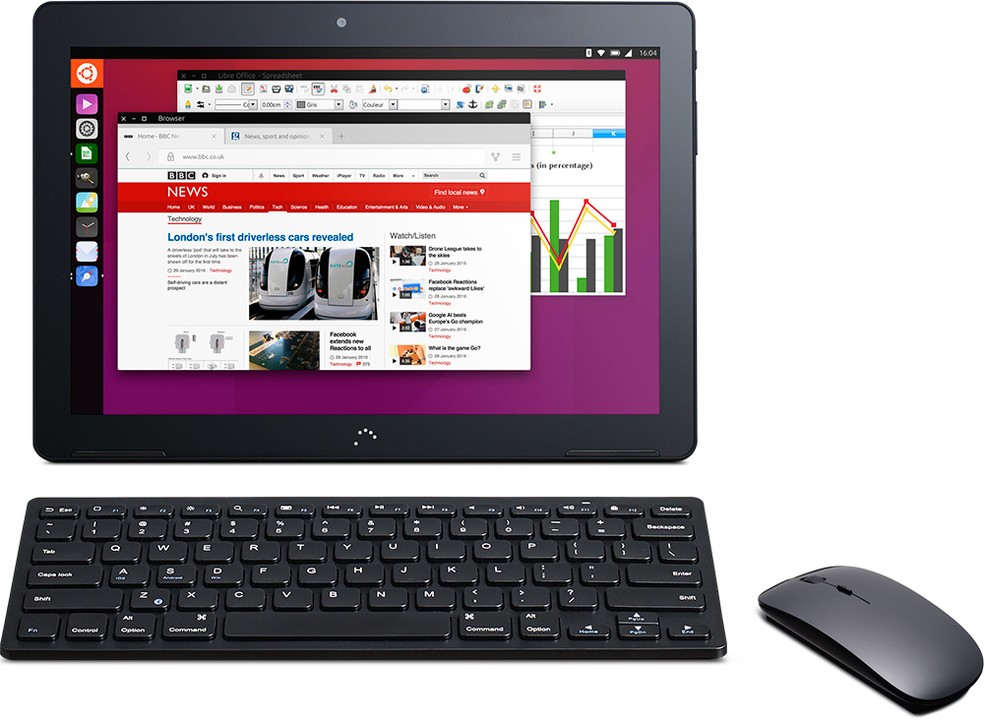
One of the killer features of this Tablet is convergence, the ability to turn it into a PC once connected to a wireless mouse and Keyboard, with the ability to work on the tablet at the same time for true multi-tasking! 
This also means that the apps developed for the tablet are the same as the desktop.

 Ubuntu tablet convergence

Ubuntu Scops

 It’s a new concept that allows you to get services without downloading apps on your tablet.

Final word

The Ubuntu tablet could be a true game changer, being the first ever to run the open source OS, with nice specifications and convergence, could it break into the mainstream market and attract attention outside the open source world? Only time will tell!

Android-X86 on PC!

If you want to have a version of Android running on your PC, you came to the right place!
Android is a very popular platform with hundreds of millions (if not billions) of devices running it world wide, today we take a look on how and why to have Android on your computer!


To be able to install Android on your computer you need to download Android-X86, which is a project to port Android into the PC architecture, then prepare it for installation on your computer since Android is Linux at heart.
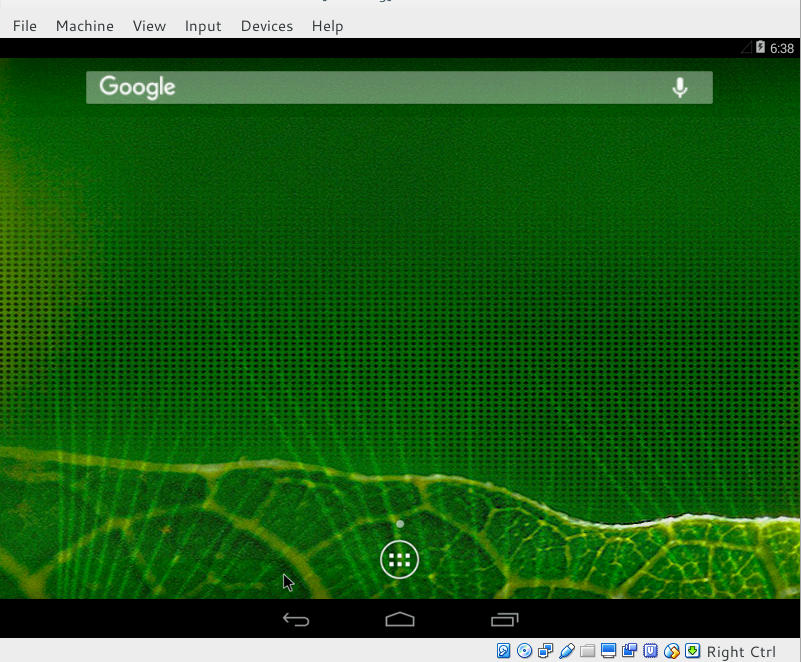
In this post we shall install it in a Virtual machine so we can test it safely, and if you find it suits your needs you can install it directly on your PC.


Installing Android on PC is easy, with a couple of extra steps added to the usual installation, you can find the steps in here.

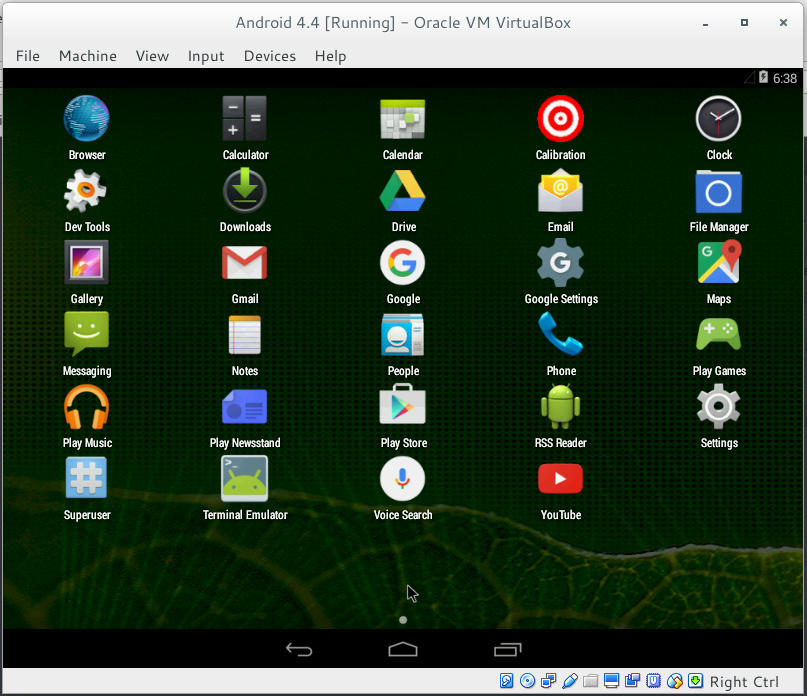
Once you install it, it looks something like this!


Remember to disable the mouse from input integration to be able to use the mouse as touch input!

now that we covered the how, let’s take a look at the why!

Why to use Android on PC

There are several reasons to use Android on PC: You could be a developer and want to test your applications in a safe environment, or you want to have another account on the VM other than your main account installed on your phone. Or you are like me, you don’t have an Android phone anymore but feel like messing with some applications 😛
It’s a fun project to try! Download the ISO and give it a test drive!
Would you install Android-X86 on an old PC of yours? You think it can be your everyday machine?

Continue reading

Newer posts »