Category: battery life

لماذا يجب أن تحتفظ بهاتف نوكيا قديم لديك؟

الهاتف الذكي هو رفيقي في حلي وترحالي. والخصائص التي عليه تجعله أداة لا غنى عنها بالنسبة لي. لكن هذا لا يمنع من تقدير الخصائص التي تمتلكها أجهزة أقدم وأقل حداثة. وتطويعها بالشكل الأمثل لخدمة مصالحي الشخصية والتجارية. فلننظر معا لعدة خصائص تمتلكها الهواتف القديمة.

1. سعة البطارية

لدي هاتف قديم من طراز نوكيا 1600 أستخدمه للعمل. وأشحن هذا الهاتف مرة كل عشرة أيام تقريبًا. بالمقارنة أنا أشحن هاتفي الذكي يوميًا مرة على الأقل! هذه الأجهزة القديمة يمكنها المكوث دون شحن لفترة طويلة جدًا!

2. تغطية الشبكة

تتأثر تغطية شبكة الهاتف النقال بمؤثرات مثل انقطاع الكهرباء. لكن هذه الأجهزة القديمة من نوكيا لديها هوائيات مميزة. ويمكنها الاحتفاظ بالتغطية في أسوأ الظروف. إذا كان البقاء متصلًا أولوية بالنسبة لك فربما يجب أن تفكر في هاتف من هذا النوع.

3. قوة التحمل

هواتف نوكيا القديمة مشهورة بقوة التحمل. أستطيع أن أشهد بهذا لأنني استخرجت هاتفي هذا من تحت أنقاض جدار مدمر. وبعد تنظيفه من الغبار والحصى كان لا يزال يعمل!
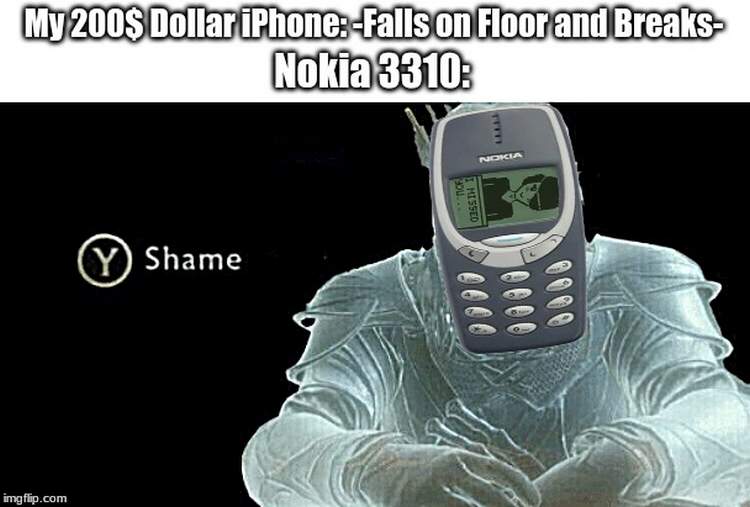
هناك ميمز بلا حصر على الشبكة حول قوة تحمل هذه الأجهزة ومدى صمودها ضد السقطات والصدمات.
4. سبع صنائع والبخت ضائع!

الهاتف مهما تعددت خصائصه فهو في النهاية .. هاتف. الهواتف القديمة كانت جيدة جدًا في كونها هواتف ولكنها لم تكن شيئًا آخر. صحيح أن بها بعض المميزات البسيطة كمنبه وتذكير لكنها ليست ذكية. الشيء الجيد والإنتاجي هنا أن الهاتف يقوم بوظيفته الوحيدة التي صمم من أجلها بشكل ممتاز.

5. إذا ضاع أو سقط ليست نهاية العالم!

ليس هناك صور خاصة عليه، لأنه لا يحتفظ بالصور. وليس به ذاكرة ولا كاميرًا. وهو قديم جدًا ورخيص الثمن لدرجة أنه بدون قيمة تقريبًا. إنه رخيص لدرجة أن شفرة الهاتف (الشريحة) التي عليه أغلى ثمنًا منه! أي أن استخدامه يخلو من المخاطرة..

6. صغير الحجم وسهل الحمل

بالمقارنة مع أي هاتف ذكي شاشته ذات خمس بوصات أو أكثر. مثل هذا الهاتف نعمة! رحمة بجيوب بنطلون الجينز. لن يتمزق سروالك من تحت الجيب بسبب هاتفك. وستجد مكانًا لوضع أغراض أخرى به.

7. التبسيط

هناك توجه نحو التبسيط والعودة لهواتف الأزرار. خاصة لمن يشعر أن الهاتف الذكي يتحول إلى إدمان بالنسبة له. هاتف نوكيا قديم قد يكون هو العلاج لإدمان الأجهزة الذكية. ولو لبعض الوقت.

8. وأخيرا .. لعبة الأفعى!

من يمكنه نسيان لعبة الأفعى الأيقونية؟! إنها لعبة مسلية جدًا ولا تجدها بصورتها هذه إلا على الهواتف القديمة. وكانت سمة مميزة لهواتف نوكيا من منتصف الألفية.
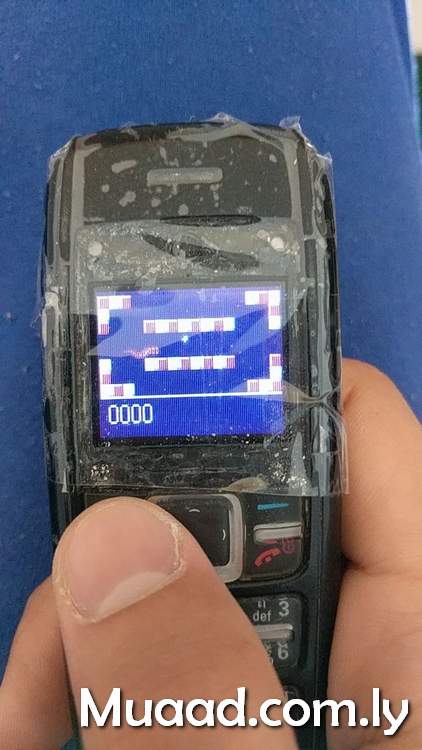
تعديل: قمت بقياس كم يبقى هذا الهاتف دون حاجة لإعادة الشحن. ووجدت أنني شحنته لأخر مرة منذ ثلاثة أسابيع. علما بأني أقفله في الليل.

تعديل 2: اشتغل الهاتف لست أيام كاملة قبل أن ينطفئ.

ختامًا

هذه الهواتف ليست جهاز كمبيوتر في جيبك. لكن يمكن الاستفادة من خصائصها التي جعلتها أكثر الهواتف مبيعًا في الألفية السابقة الآن. إن كان لديك جهاز ملقى في أحد الأدراج أو تفكر في شراء هاتف. فربما يجب أن يكون هاتفًا قديما من نوكيا، عوضًا عن جهاز أبل الأخير.

هل لديك مثل هذا الهاتف؟ ما هي قصتك معه؟ هل لا تزال تستخدم هاتفًا غير ذكي؟
شاركني في قسم التعليقات.


Increase Ubuntu Battery life with these easy tricks

Many new Linux users are surprised by the fact that their batteries don’t last as long as it did. On top of adapting to a new system, this comes along to add strain to them. At ease new Linux users and older ones a like. I have a trick up my sleeve that’s guaranteed to work!!

It’s called PowerTop. And what it does is pretty simple. It allows you to disable some services while unneeded to save battery.

To download power Top go to the terminal and type in: “sudo apt-get install powertop” without the quotes of course!! And enter your password to continue.

It’s really small. About 150KB. So it shouldn’t take long to download.


How to use Powertop to save power?

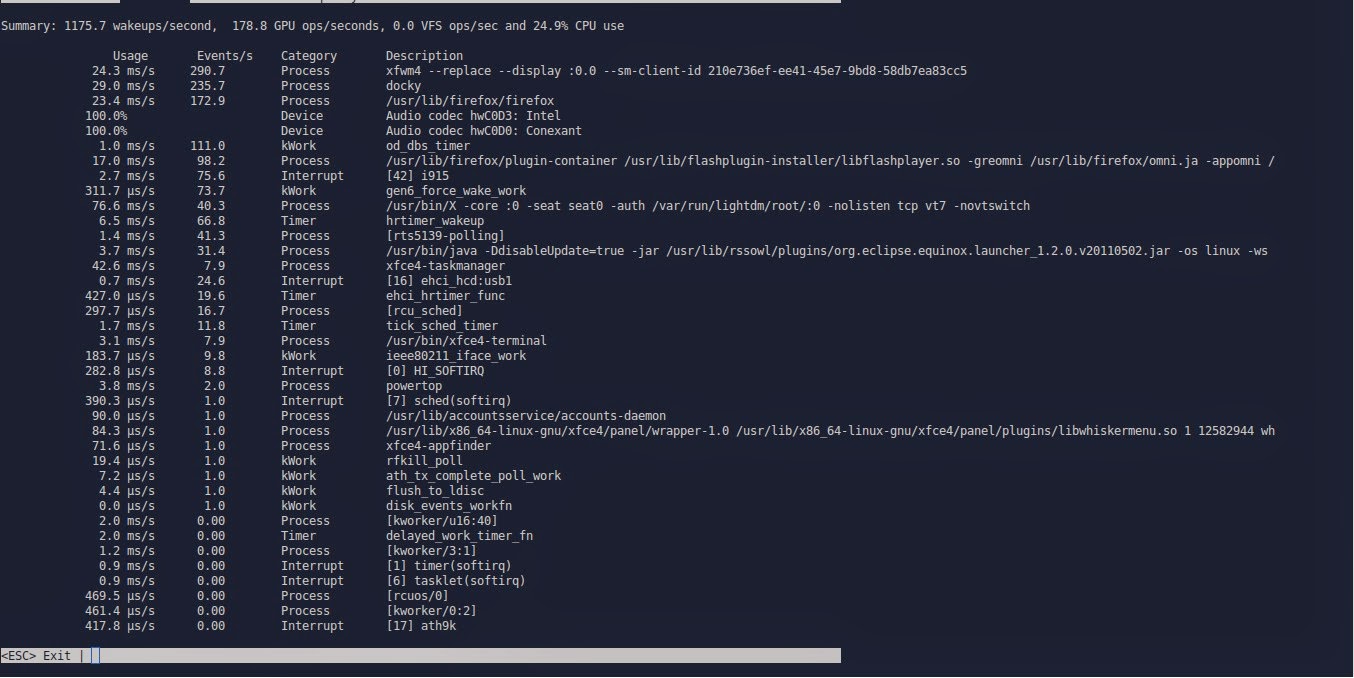
After it’s downloaded. Type in: “sudo powertop” to display the program.

It runs within the terminal. It doesn’t have a graphical interface. But it’s really easy to use.
That’s the main interface right there.

Powertop running in the terminal

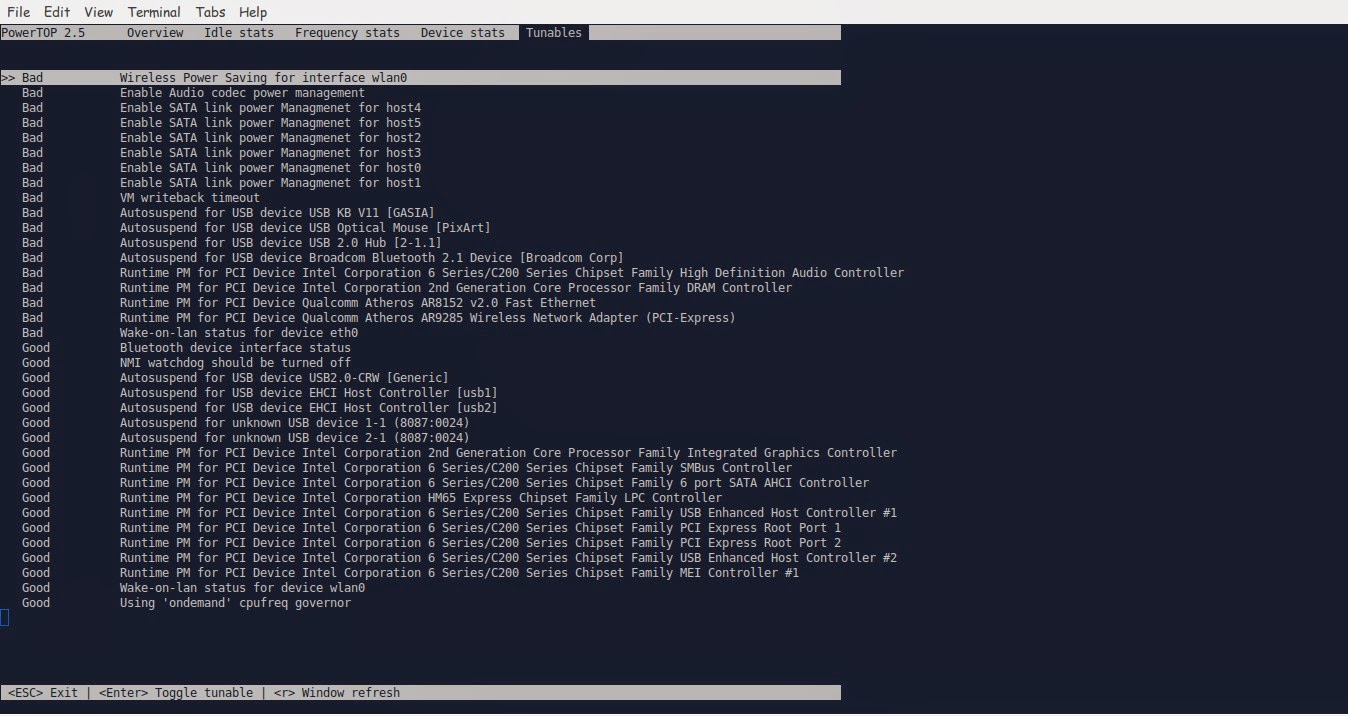
We move around using the TAB key on the keyboard. Until we reach Tunables. Now here things get interesting!!

Powertop Tunables tab

Here you see all the things you can “tune” in order to make your battery run better.
Notice that disabling some items might interfere with how your devices work (I left the mouse on because it kept “sleeping” every time I let go of it!
Click escape to exit. And there you have it!!
Note you might have to do the tuning again after you recharge the laptop.
I noticed a significant save in the battery life! Note that I use an external monitor. So that could be a factor! But in general, great tip!!

TLP

This scriptis very small and it keeps your computer under check, it controls the fanspeedCPU, all you have to do is:

sudo apt-get install tlp

Then to start it all you have to dois:

Sudo tlp start

You will see a message saying: TLP started in AC mode, meaning it’s working!

Another trick: Controlling the CPUfrequency

After we took care of the battery consumption issue it’s time to take a look at the CPU, as there is no option to control the performance from Powertop, that means we are going to need another application to do that.
We will do that by installing  CPU Frequency that will help cool down the computer and reduce fan noise when working with multiple applications at the same time.

Installing CPU Frequency

To Install CPU Frequency type this command into the terminal and hit enter.

sudo apt-get install indicator-cpufreq 

After installing CPU Frequency you need to restart in order it to work, after installing you will see the CPU Frequency’s indicator docked with the other indicators, and the using it couldn’t get any easier!


How to use CPU Frequency

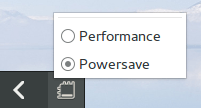
CPU Frequency starts with the system minimized and has no splash or interface, when clicking on the CPU Frequency’s icon you will see two modes, power save and performance, use the power save coupled with Powertop to achieve maximum results! And leave the Performance mode for those times when you need extra juice!
It helped me reduce the fan noise greatly and I couldn’t be happier with it!

Final words

How did your computer perform after these tricks? Hopefully charged and happy with no noise whatsoever! Until next time!
Have a nice day!!
Remember to give kudos. Comment and share this post please.

Hotspot connectifiy may cause a Battery problem

Hello , good day to you
We reviewed the Hotspot connectifiy in post recently and we gave it the thumbs up , but if you notice that your battery is acting weird you might suspect it the first thing .


As we saw in this post about the Energy Management the only thing added to my Laptop before the problem happened.
It may cause the Please consider to change your laptop battery on older models . 
So my tech tip will be to try it after setting a System restore point, if you notice any change in performance , and restore your system immediately .
It’s a good software , but your hardware is more important .
Thanks for reading , comments below please .