Category: Blogger (Page 7 of 8)

70,000 views!

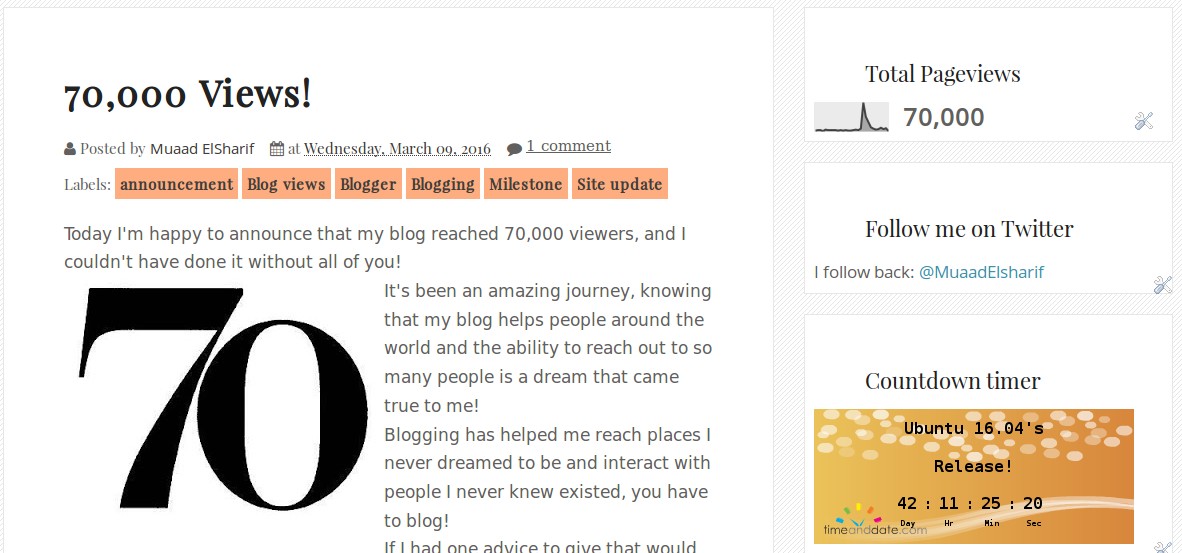
Today I’m happy to announce that my blog reached 70,000 viewers, and I couldn’t have done it without all of you!
70,000 views!

It’s been an amazing journey, knowing that my blog helps people around the world and the ability to reach out to so many people is a dream that came true to me!
Blogging has helped me reach places I never dreamed to be and interact with people I never knew existed, you have to blog!
If I had one advice to give that would be open a blog and start sharing your experiences and knowledge with the world!
Now that I have reached 70,000 views! I want more!
Next stop, 80,000 views. Building up to 100,000 views.
70,000 views!

I promised a surprise when I reach 100,00 views, and I shall deliver 😉
Mainstream attention!

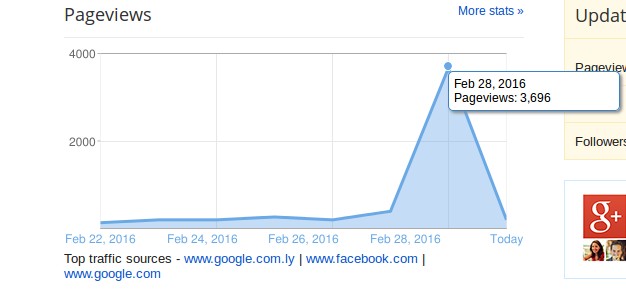
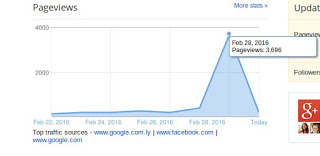
It so happened that I gained a ton of mainstream interest. I blogged about Libyan passports before and every time the registration opens my views spike, today it reached a record of 3696 views in one day! It took me months to get to that number back when I first started blogging! I’m glad all that hard work is finally paying off!


My blog reaching record views!

And then the coolest thing happened, the wonderful Mrs. Khadija Teri mentioned my blog in one of her blog posts!
I was a part of three Libyan interesting blogs, a true honor and a real traffic source! I feel blessed!
Mrs. Khadija says she wants to pickup on her blogging and return the golden age of blogging before social networks took over, I’m all in for that, and being the Anti-Facebook blogger that I am, I encourage everyone to start blogging and making some effort rather than being used by Facebook!
 I’ve written a series of posts talking about the dangers of facebook, and I would like for you to check them out, the information in these posts have made me take the decision of leaving the site once and for all. And I don’t regret it one bit!

I’ve decided to prepare a little surprise for my readers once my blog reaches 100K god willing.
Stay tuned. 

Fix the p { margin-bottom: 0.1in; line-height: 120%; }a:link { } problem in your blog

It happens more often with me than ever, maybe because now I write my posts outside of blogger and then paste them (and there is nothing wrong with that by the way!). It makes my blog look bad and a lot less professional.

I tried so many things including font play and adjusting the breakers, nothing worked! I was able to fix it so easily, so read on to learn the complete fix!
My old fix was to delete the post and post it again, and I’d lose the comments, and a lot of time. But thankfully I was able to fix it on my own. I looked the problem on line and found nothing.

The Fix

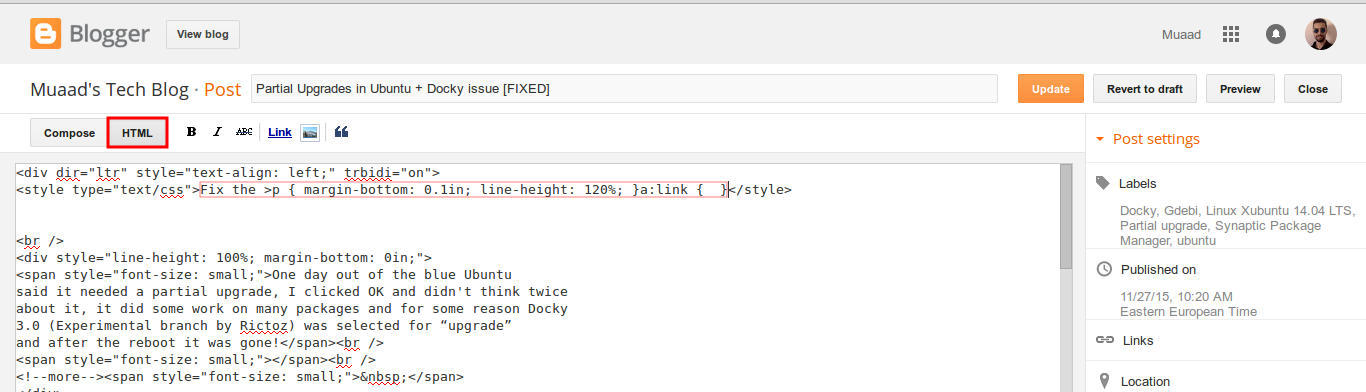
First of all if you publish your post and notice the Fix the p { margin-bottom: 0.1in; line-height: 120%; }a:link { } line where it shouldn’t be then go to blogger and edit the post.

The post has that line

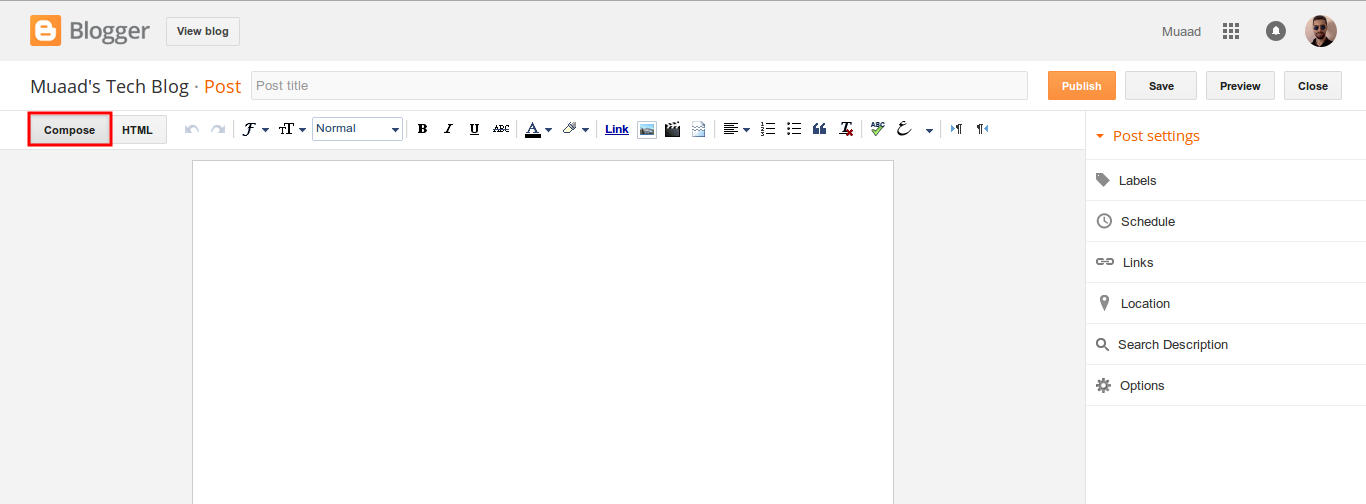
On the edit menu you will see the button to the far left called “Compose”

Compose view

  and a button next to it called “HTML”, click on HTML.

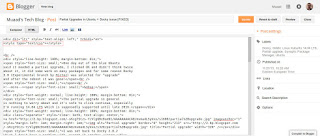
HTML view

Even if you had zero knowledge with HTML, this fix is really easy (And I recommend you as a blogger to learn some HTML as it’s so easy to learn!).
What are we going to do is to remove the Fix the p { margin-bottom: 0.1in; line-height: 120%; }a:link { } line from the post, it’s highlighted in red so it should be easy.

The line to remove is highlighted in red

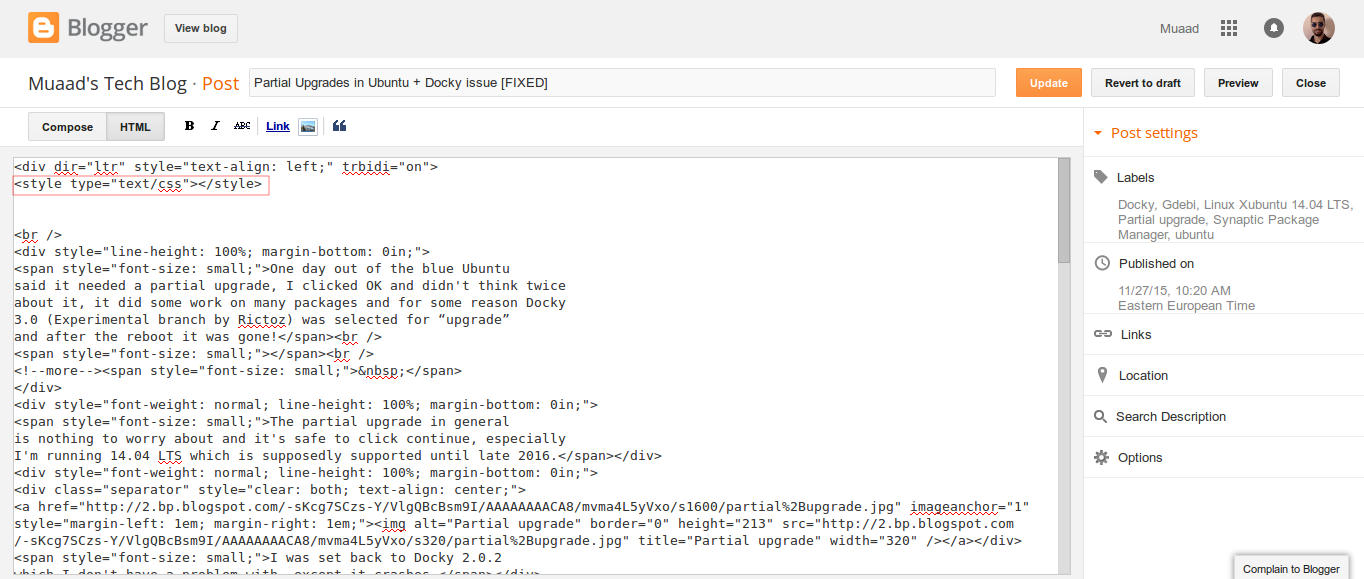
From the HTML view click find and search for “p { margin-bottom: 0.1in; line-height: 120%; }a:link { }” and you will find it looking like this <style type=”text/css” p { margin-bottom: 0.1in; line-height: 120%; }a:link { }</style
Delete only the line maintaining the brackets or you will result in an error, it needs to look like this after delete <style type=”text/css” </style
go back to compose and update, the problem will be fixed right away!!

So what’s the cause of this annoying bug anyway?

I discovered that it is caused by “Rich text formatting”, as I use LibreOffice to do all of my writing work, I tend to copy and paste directly into blogger, that caused these characters to appear inside the posts!

How to avoid it?

The only way is to strip the text of formatting before pasting it into blogger’s text editor, you can do that by clearing format from LibreOffice’s right click menu. Or by pasting it into a plain text editor like Notepad or Atom.

I hope you found this useful, how often did this happen to you? And how did you deal with it? Please let me know what you have in mind in the comments section below.

P.S: This post itself was infected with this issue, glad I could get it fixed eventually. 

26,000 views :D

Hey there dear fans 🙂
Yes. Thanks to Allah then to you my site reached 26,000 views 😀
So keep calm and check my site often. I feel the 30,000 is up soon 😀
P.S: I’m downloading something interesting! Want to make a guess?
It’s going to be featured. But I don’t know when exactly 😀
Have a nice day you all 😀
Please let me know what you think in the comments section below!

« Older posts Newer posts »