Category: English Post (Page 50 of 97)

CodeLobsterPHP Edition 5.8 is out, supports Arabic!

CodeLobsterPHP Edition continues it’s active development cycle by launching version 5.8 which brings many improvements to the  IDE, most notably an improvement long anticipated by Arab developers, Arabic support.

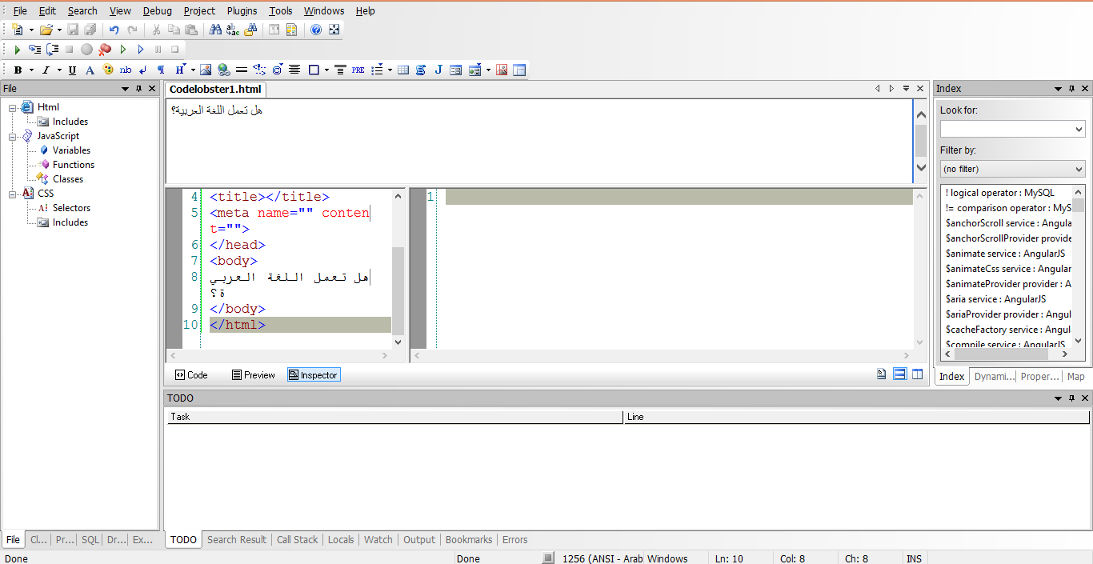
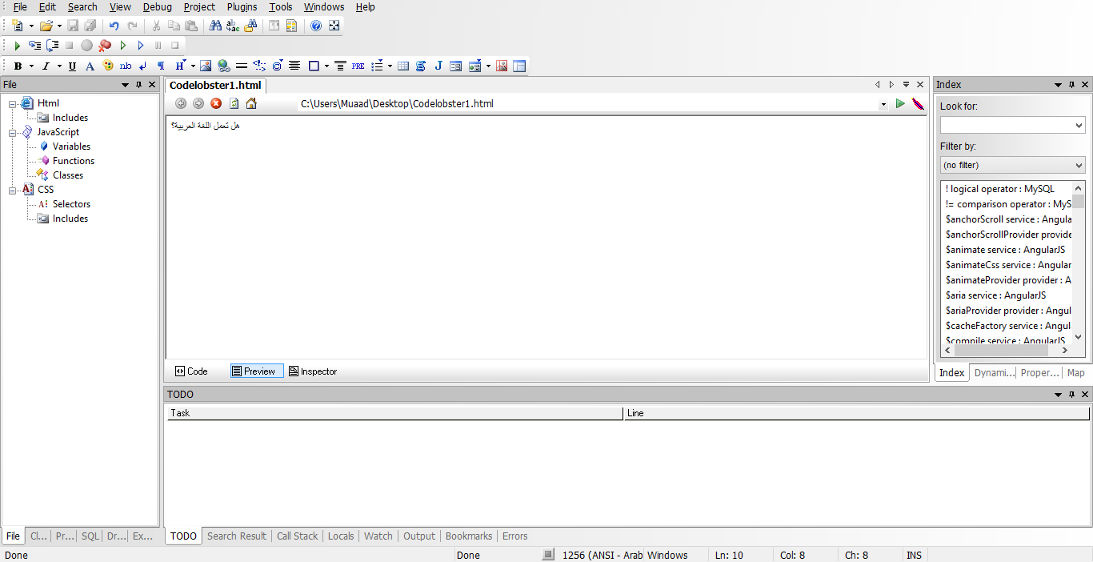
In my review of CodeLobsterPHP IDE I listed not supporting Arabic as a con of this software, now I can proudly say that it supports Arabic, and I was asked by the company to test for Arabic support, here are the results:
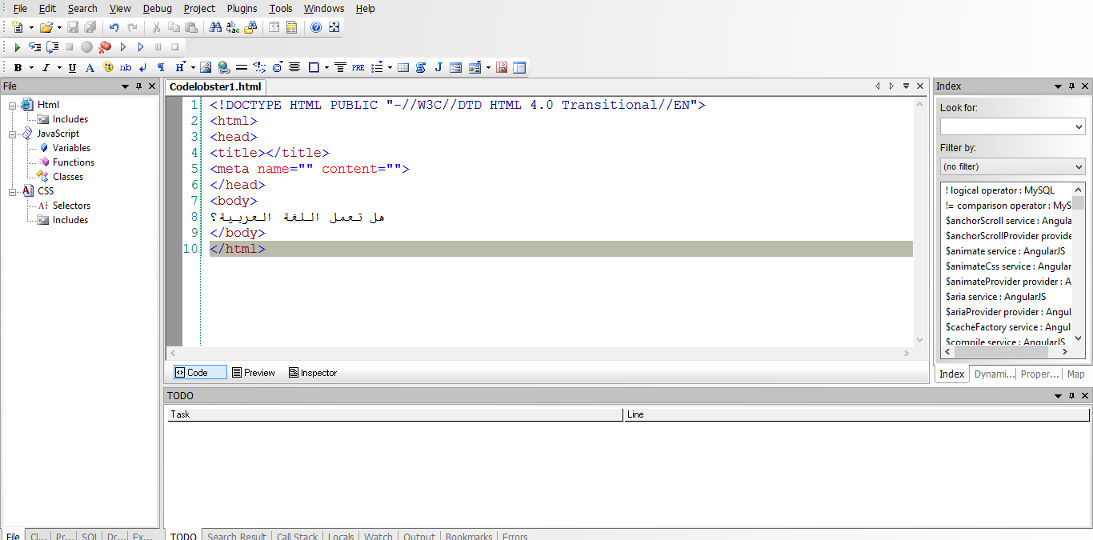


Arabic language working on the code pane


Arabic language working on the preview pane


Arabic language working on the inspector pane

For a complete list of features and bug fixes on version 5.8 click here.

Many Arab developers like this IDE and they are interested in purchasing a license, the only thing stopping them is that CodeLobsterPHP Edition doesn’t support Arabic. Starting of version 5.8 that’s a thing of the past!

I listed in my review of CodeLobsterPHP Edition that it has a friendly and responsive community, check the request I posted asking for Arabic language support, they are as good as I said they were!

So here you have it!  It supports Arabic now!
As an Arab developer, is having Arabic support in the tools a problem? How do you feel when Arabic is supported on such an amazing IDE? Would you try it? It has a free version you know 😉
Let me here what you have to say, and expect an Arabic post about CodeLobsterPHP Edition soon!
 

Windows 8.1 losing free space [FIXED]

After installing Windows 8.1 and doing all the updates. I was getting ready to create an image (in case anything happens) so I did the usual steps of cleaning and optimizing. Shortly after creating the image I noticed 12 GB of free space occupied!
Where did my free space go?

I had just finished cleaning it! Didn’t install a thing! Where did the space go?


I decided to use a handy tool called foldersize to determine where the largest folders were, and I wasn’t surprised when Windows was the biggest.
I went in and there was a folder called WinSxS which had 16 GB of size! That’s your culprit right there!

So what is WinSxS? And how does it work?

As it turns out Windows uses this folder to save backups and images alongside backup files (citation needed). There was no need to worry, as there is a monthly cleaning task scheduled that should take care of it.

But what if I want to clean it now?

Doing a disk clean (even enabling system files won’t get you those extra files you are looking for) you need to use the command line.

Run cmd as an administrator and type in:

Dism.exe /online /Cleanup-Image /AnalyzeComponentStore
To see how much space you have, only then you can get to clean by typing:

Dism.exe /online /cleanup-image /StartComponentCleanup 

Finally type in: 

Dism.exe /online /Cleanup-Image /StartComponentCleanup /ResetBase
Important notes:

  • These commands will take some time working, up to an hour, so take your time with the cleanup!
  • This might not work right away. I had to do it a couple of times with a restart. Then it cleaned it.


Warning: NEVER EVER TRY TO DELETE FILES MANUALLY. IT COULD RUIN YOUR COMPUTER AND MAKE IT UNUSABLE..

Any other space hogs?

Another place to look is the page file, if you want to set the size manually (or disable it all together) then that’s a good start!
Last thing to check is the hibernate file (which can go anywhere from 4-7 GB) and is completely useless if you don’t use the hibernation option. Check this tutorial to disable it.
We looked at three ways to taking back space that Windows occupied. I hope you find it useful!

Finally

How much did Windows take, was it more than 12 GB, share the space and let see who has the most loss!
If you liked this post share it with your friends, sharing is caring 🙂

Wifi not connecting on Ubuntu 14.04 LTS 2 [FIXED]

After that partial upgrade and the annoying Docky issue finally fixed, I thought I was safe, but another annoying issue appeared,  and this time hitting closer to home!

One of the issues that occurred after the partial upgrade is that the wifi breaks after putting the computer to sleep. Bluetooth worked fine but the wifi won’t connect!
After a failed connection this message would appear:

Connection Activation Failed

(4) did not receive a reply. Possible causes include: the remote application did not send a reply, the message bus security policy blocked the reply, the reply time out expired
or the network connection was broken.

I tried fixing the issue, switching of the Wi-Fi did not work.

Looking on-line I found that the most suitable solution was to download Wicd. A graphical network manager that asked for the network’s name and password. And started the connection process until I had connection!

So there you have it! Install Wcid to fix the Wi-Fi breaking issue on Ubuntu 14.04.

Did you like this post? Share it with your friends. Sharing is caring!

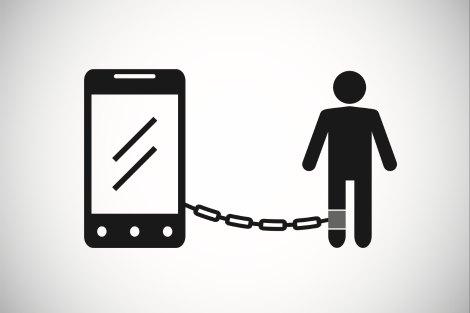
Are people being sucked into the network?

Anywhere I go. People are staring into smartphones, even while driving yes! And I’ve avoided that idiot barley!

People are interacting less, staring more. Many more apps appear daily. I’m known for an Anti-Facebook attitude but it seems that there are other sites that suck people to that dark hole.


I’m writing this on a smartphone, so I am contradicting myself?

Is the Internet rewiring our brains?


I think it did already!

There are some people who don’t bother remembering things anymore as Google remembers everything now days.

People always wondering if there is “an app for that”! I’m sure toy have this friend on every social platform but barley meet?
You get upset when the Internet is down more than anything?
I see many people taking pictures of everything and anything! They stopped living the moment and began looking to the world through the smartphone!

“Phones are smart, but people are getting dumber” – Unknown

In the 90s it was an impossible dream to provide individual monitors for everyone. Let alone a computer. If you see any sci-fi movie from the late eighties you will see a smartphone like device. Probably that’s the S10 or 10S (depending on your smartphone fandom).

What I am saying it. Unplug and live the now. Don’t take pictures. Look with your eyes, don’t text, talk!

Thanks for reading this. Stay safe!

Do you think this is true? What do you think should be done? Let me know what you think in the comments section below 🙂

« Older posts Newer posts »