Category: English Post (Page 51 of 97)

My blog reached 45K views!

It’s been a while since I posted one of these posts, so I decided to leave them for the special occasions, this happens to be one of them!

I have reached 45 Thousand views on my blog, which is a really good place to be, and a good progress since the last milestone of 40K. Meaning I got 5 thousand views in less than two months, not bad at all!

I have been busy working on myself and keeping myself busy with many projects, it’s a time of change, and I have to be at my best.

I got the chance to experiment with many great applications and ideas I’ll be posting about throughout the winter, many fall within my passion subjects, Linux and open source.

I noticed I grew as a blogger and I am making consistent effort to grow and improve each day, and I hope you can see that in my posts and style of writing.

I still believe that the sky is the limit and I hope to grow even more as a blogger and help more people while learning and having fun doing what I love.

Until the next stop of 50K, have a good day, and keep visiting my blog!

The death of the laptop

I tend to follow the tech news, and lately laptop sales are dropping and companies are losing money, isn’t that something!

It struck me! Who uses a laptop anymore? When was the last time you used your laptop to do your daily tasks? I am writing this on my phone!

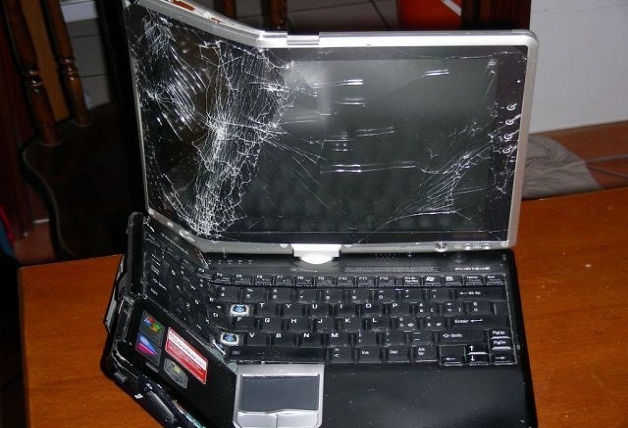
Dead laptop!

Alternatives 

Many people find smartphones and tablets to be more comfortable to use. And the manufactures make devices bigger and better, better than some computers. Check the specs of the latest smartphones and compare it to your computer 😉

What’s wrong with laptops?

Laptops are heavy and consume much more power compared to smartphones. And can do most of the daily tasks laptops (and PCs before it) did like browsing the web and sending / receiving e-mails, even gaming is becoming very popular on smartphones. There are some sites that need a smartphone to register and participate, Instagram for one requires users to sign-up using an app, then use the same app to post and interact. Does that mean you should throw your laptop in the trash? Absolutely not!

When the “smart” ones fail!

Laptops are best suited for business purposes like word processing and web development. Tasks that would be difficult to perform on smartphone or a tablet. In my humble opinion smartphones are a great PC companion. And haven’t matured yet to fully replace it. But if your computer use is for social media and chat it’s best you pick a smartphone.

Do you use your laptop more often? Or are you a smartphone type of person, let me know what you think in the comments section below.

Fix the p { margin-bottom: 0.1in; line-height: 120%; }a:link { } problem in your blog

It happens more often with me than ever, maybe because now I write my posts outside of blogger and then paste them (and there is nothing wrong with that by the way!). It makes my blog look bad and a lot less professional.

I tried so many things including font play and adjusting the breakers, nothing worked! I was able to fix it so easily, so read on to learn the complete fix!
My old fix was to delete the post and post it again, and I’d lose the comments, and a lot of time. But thankfully I was able to fix it on my own. I looked the problem on line and found nothing.

The Fix

First of all if you publish your post and notice the Fix the p { margin-bottom: 0.1in; line-height: 120%; }a:link { } line where it shouldn’t be then go to blogger and edit the post.

The post has that line

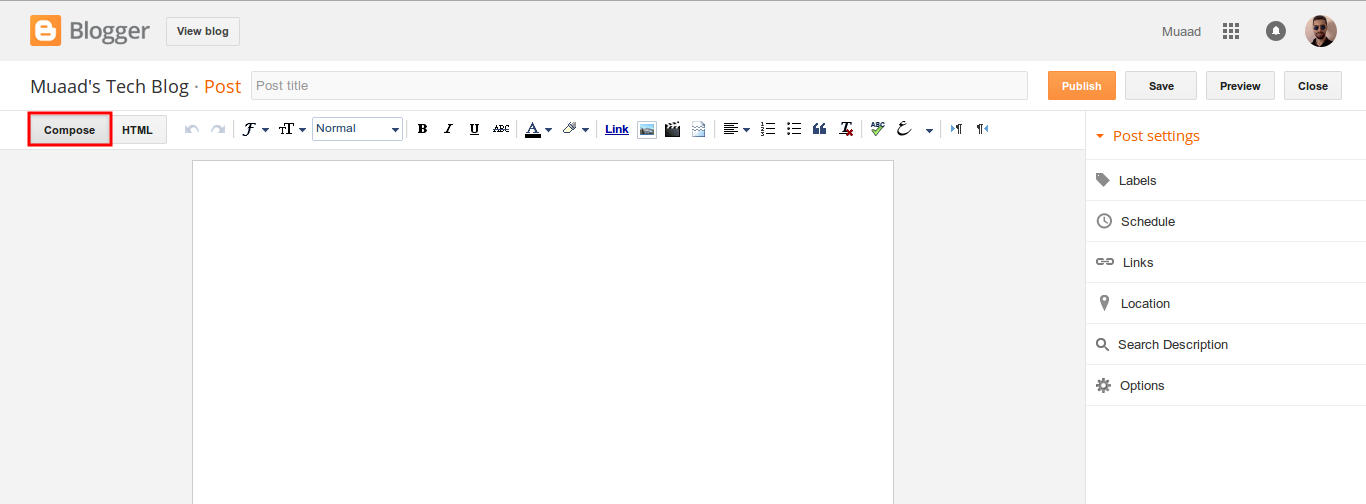
On the edit menu you will see the button to the far left called “Compose”

Compose view

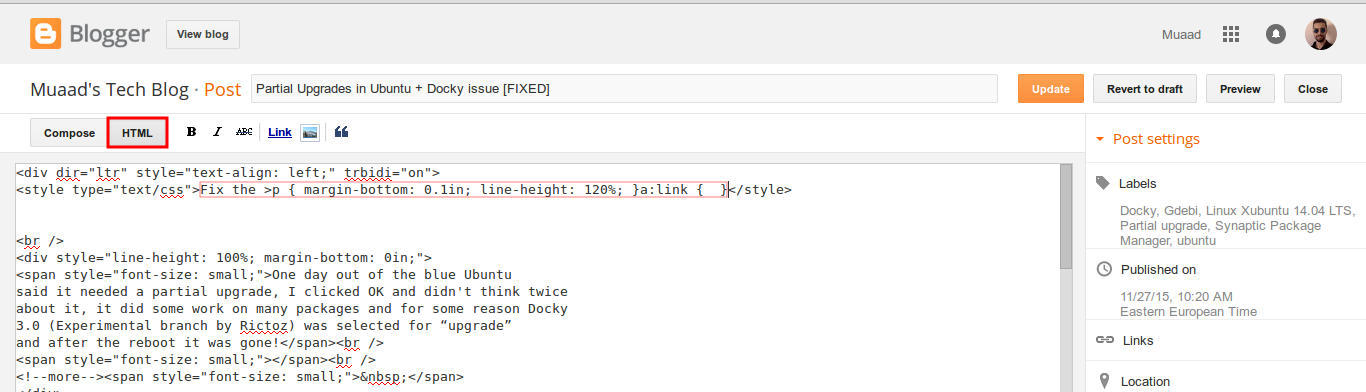
  and a button next to it called “HTML”, click on HTML.

HTML view

Even if you had zero knowledge with HTML, this fix is really easy (And I recommend you as a blogger to learn some HTML as it’s so easy to learn!).
What are we going to do is to remove the Fix the p { margin-bottom: 0.1in; line-height: 120%; }a:link { } line from the post, it’s highlighted in red so it should be easy.

The line to remove is highlighted in red

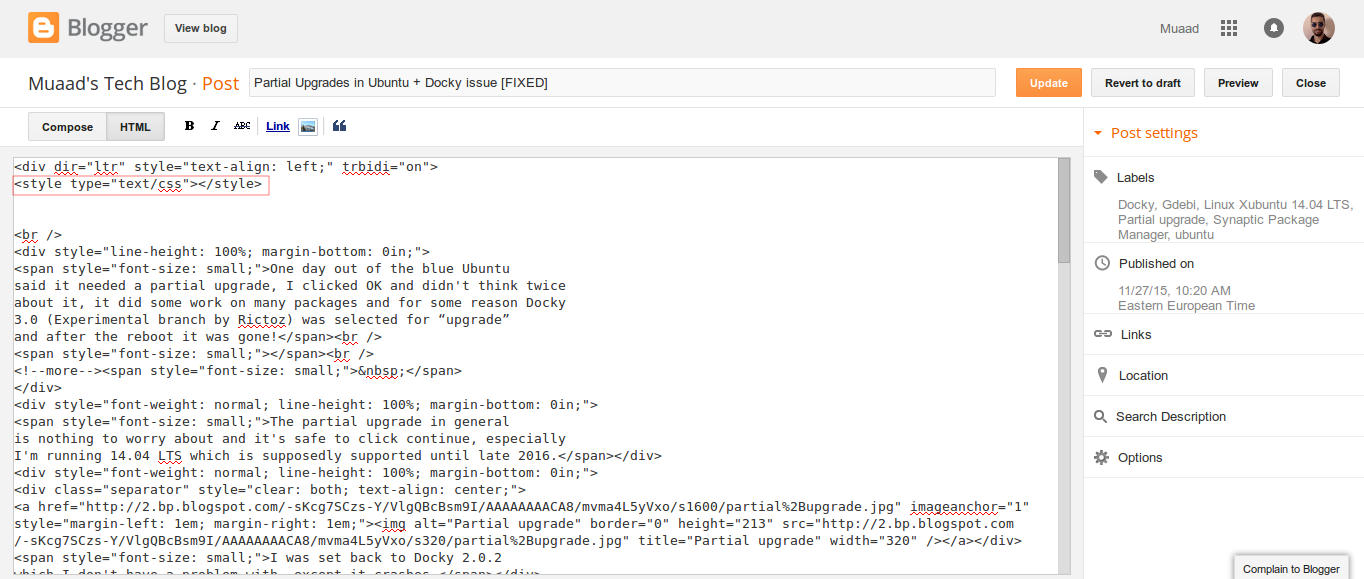
From the HTML view click find and search for “p { margin-bottom: 0.1in; line-height: 120%; }a:link { }” and you will find it looking like this <style type=”text/css” p { margin-bottom: 0.1in; line-height: 120%; }a:link { }</style
Delete only the line maintaining the brackets or you will result in an error, it needs to look like this after delete <style type=”text/css” </style
go back to compose and update, the problem will be fixed right away!!

So what’s the cause of this annoying bug anyway?

I discovered that it is caused by “Rich text formatting”, as I use LibreOffice to do all of my writing work, I tend to copy and paste directly into blogger, that caused these characters to appear inside the posts!

How to avoid it?

The only way is to strip the text of formatting before pasting it into blogger’s text editor, you can do that by clearing format from LibreOffice’s right click menu. Or by pasting it into a plain text editor like Notepad or Atom.

I hope you found this useful, how often did this happen to you? And how did you deal with it? Please let me know what you have in mind in the comments section below.

P.S: This post itself was infected with this issue, glad I could get it fixed eventually. 

Partial Upgrades in Ubuntu + Docky issue [FIXED]

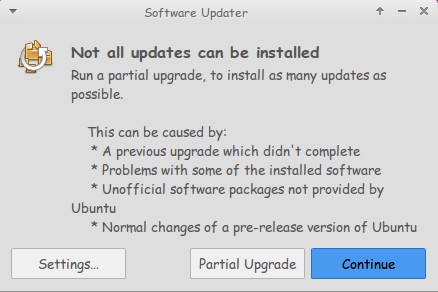
One day out of the blue Ubuntu said it needed a partial upgrade, I clicked OK and didn’t think twice about it, it did some work on many packages and for some reason Docky 3.0 (Experimental branch by Rictoz) was selected for “upgrade” and after the reboot it was gone!
The partial upgrade in general is nothing to worry about and it’s safe to click continue, especially I’m running Ubuntu  14.04 LTS which is supposedly supported until late 2019.

I was set back to Docky 2.0.2 which I don’t have a problem with, except it crashes.

(If you read my Docky post you know that I chose Docky 3.0 over 2.0.2 because it’s more stable and doesn’t crash randomly all the time. Despite Docky 2.0.2 having cool “Docklets” that added to it’s functionality.)

I couldn’t install Docky 3.0 due to package dependency issues, and therefore I was stuck with Docky 2.0.2 for a while, only then I realized how much I depended on it to get my things done!

The fix was super easy!

I went to the downloaded files I had which were three files: Docky, Libplank, and Libplank common.

Using Gdebi I installed Libplank common the first, then Libplank and finally Docky 3.0, it replaces the old one and no need to uninstall.

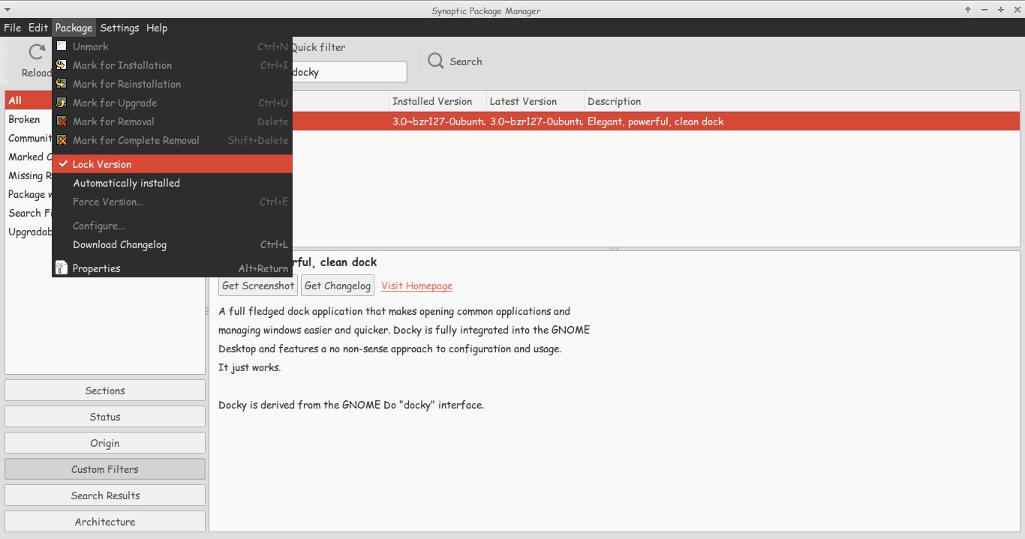
Thing is every time it looks for updates it wants to remove Docky, and that happens daily, I found a way to fix that by simply “locking” the version.

I went to Synaptic and searched for Docky, selected it and clicked lock version under package. Now even when it looks for updates it greys out Docky and doesn’t update it. I have a detailed tutorial on how to use Synaptic that you can find here.

That’s how I got Docky 3.0 back after it was ruined by the partial upgrade, I hope you found this useful, please let me hear your feedback and have a nice day.

« Older posts Newer posts »