Category: English Post (Page 77 of 97)

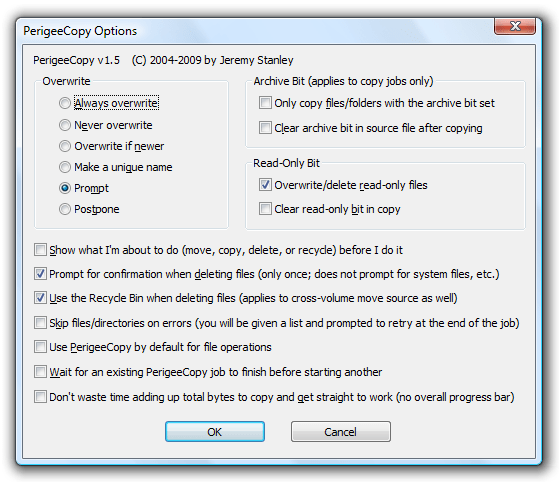
I had to let PerigeeCopy go!

Hey there you guys 😀 How you are doing?
I don’t know if it’s Windows 8.1! But many trusty software stopped working the way the used to. Or maybe it’s me ..


Anyway I had to retire it after a 4 year run. It was perfect for me! And I felt like I am on top of the world the day I found it! Open Source, fast and gets the job done!

But without an upgrade? Even the Mona Lisa is falling apart! :'(


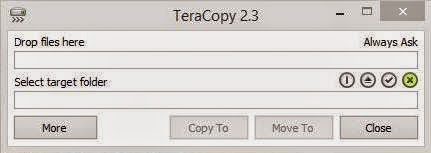
Now I’m using TeraCopy 2.3 lite. It is good! I don’t like the fact it’s not totally free and there is a paid version of it .. It comes with more features.

I have a soft spot for Open Source. That’s why it’s hard for me to let it go. Any softwares you cherish?
Share them with us 🙂 I hope you find this useful 😉

Viber 2.1.512 .sis for E6 Dierct download ( Not from Nokia Store ) Update

Hey there you guys!

I hope you all doing OK
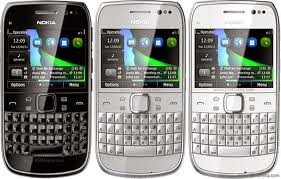
I have a confession to make: I love QWERTY phones! And I think the best phone is the Nokia E6. It has a clean operating system. (Symbian Anna) And the dual input makes it so awesome! It has boosted my blogging so much!


Viber no longer supported

Anyway, since Nokia has killed off the Nokia store there is no way to get softwares like Viber, even the Viber website redirects to the store!
It should be mentioned that the opera store offers apps ( I couldn’t find Viber among them)

So I took matters into my own hands and got it from another site (obsolete version) and updated it from an official channel. And uploaded it here for you guys!
It should work on many S60 phones too! Latest update was 2.1.512

**Update: The Opera store took the Nokia store place. You can download it from there for E6.

Checkout the device list and see if your phone supports it 😀

Nokia s60v3

Nokia 3250, 5500, 5700, 6110, 6120, 6290, E50, E60, E61, E61i, E62, E65, E70, E90, N71, N73, N75, N76, N77, N80, N91, N92, N93, N93i, N95 Samsung i400, i520 | LG KS10 n73 n96 n85 8gb n95 e66 e90 e71 e63 e51 n82 n81 6290 6120 5700 N86 Samsung GT-i8510


Nokia s60v5

Nokia 5228, Nokia 5230, Nokia 5233, Nokia 5235, Nokia 5250, Nokia 5530 XpressMusic, Nokia 5800 XpressMusic, Nokia 5800 Navigation Edition, Nokia C5-03, Nokia C6-00, Nokia N97, Nokia N97 mini, Nokia X6, Samsung i8910 Omnia HD,[57] Sony Ericsson Satio, Sony Ericsson Vivaz, Sony Ericsson Vivaz Pro.Pro


Nokia S^1 S^3 Anna Belle

Nokia N8, Nokia C6-01, Nokia C7-00, Nokia E7-00, Nokia E6, Nokia X7, Nokia 500, Nokia 603, Nokia 700, Nokia 701
I do have an Android phone too! The E6 is still my favorite. PS: Viber for E6 doesn’t support calls. Just texts.

**Update: This would be the last version of Viber for Symbain :'(

Download Here

I hope you enjoyed this Retro post! Please let me know in the comments section!
What are screenshots? And what tools to use?

Hey there you guys 😀 How are you today?

Continuing from this post on tools to help you be more productive.
It’s a handy tool! From remote tech support to making presentations and internet arguments! Ever wished to take a picture of the screen without whipping out your phone?


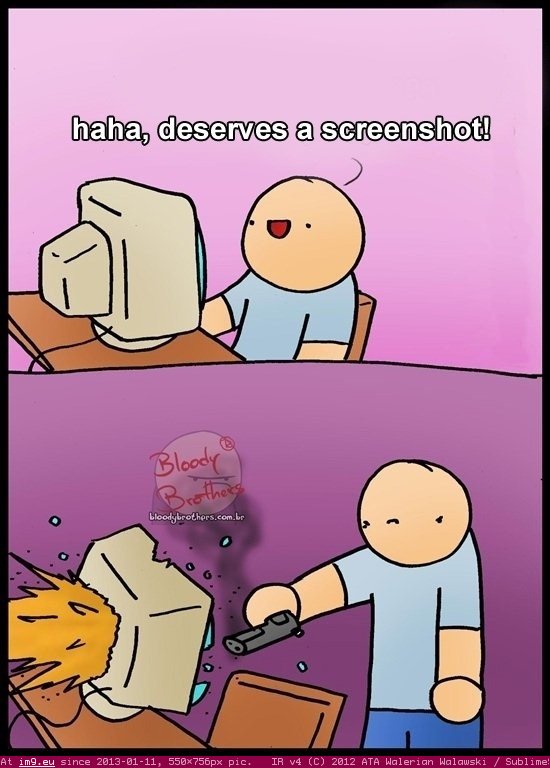
Screenshots are the way to go! And no! Not like that! *funny pic

It can be done on many platforms! It’s worth mentioning that you don’t need software in Android 2.2 and above! Just hold the power button and volume down and bam! Screenshot saved!

But what about the computer?

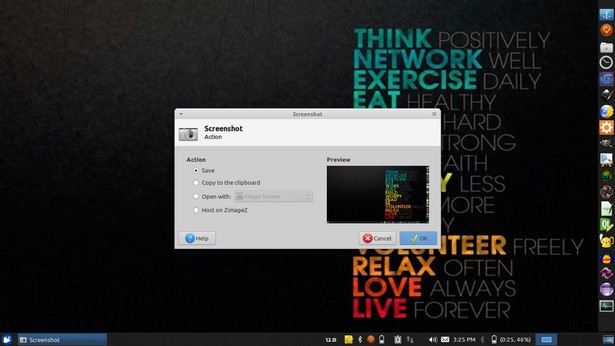
In Linux you don’t need a software! Just hit the PrtScr key on your keyboard ( Or add Fn if you are using a laptop) And you will have the program take it for you and offer to open it or save it.

This is the utility used in my Xubuntu. Makes working with screenshots much easier!

But what about Windows?

In windows it’s not that easy.. You have to take the screenshot and manually paste it in a drawing program like paint. Then you have to optimize it because it’s pretty big ( 3MB if your screen resolution is 1368*768) And you have to repeat it every time you take a screenshot :/
There has to be an easy way to do so! Or is there :3
There are tons of screenshot software out there. Some are free, some are not. But all share the same concept! Making taking screenshots easy.
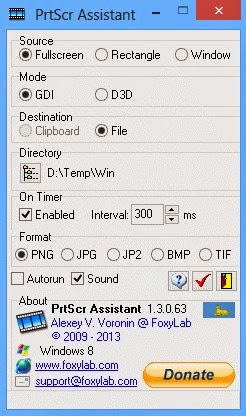
I use PrtScr Assistant for my daily needs! It’s easy and free!


Features:


  1. It starts minimized so it gets out of the way.
  2. Runs with the default key (PrtScr key) and saves the file to a folder of your choosing.
  3. It names files by time stamp so there is no chance of over writing your previous shots.
  4. It optimizes the screenshot size ( Third of the size taken by paint ) And by choosing the format of the screenshot.

Plus many other features 🙂 so feel free to download it and explore it fully!
What are the tools you use to screenshot? Will this article promote you to screenshot more?
Please share it with us 🙂 And have a lovely day 😀

Clipboard managers for Ubuntu and Windows will boost your productivity!

Clipboard managers are a very handy tool and a total must have for anyone working on a computer.

Office workers, students, and even bloggers!

It’s a pain! It feels like juggling!

Ubuntu clipboard managers

Well with Clipboard managers we can minimize this pain!

There are many great applications both paid and free! But I’m going to talk about two, one for Linux and one for Windows.

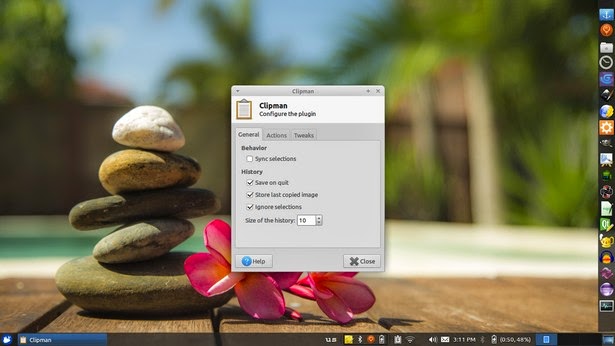
The one I used with Linux came with Xubuntu is panel plugin called Clipman Which is a huge help and can be added as a plugin on the panel. It’s light weight and super effective!


Windows clipboard managers

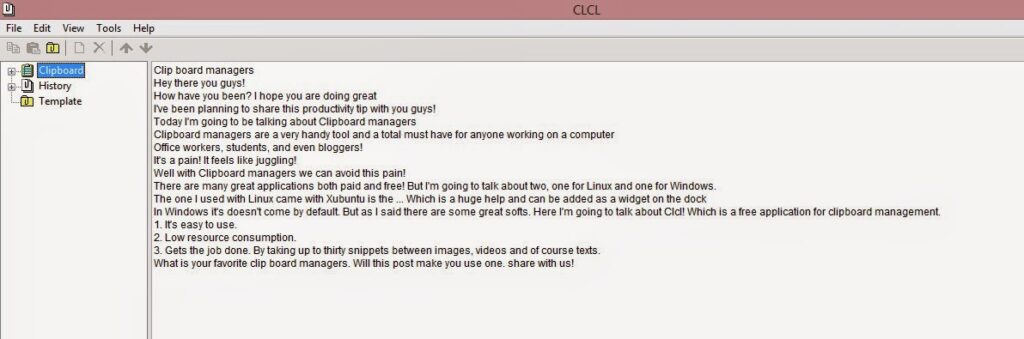
In Windows it’s doesn’t come by default. But as I said there are some great softs. Here I’m going to talk about CLCL! Which is a free application for clipboard management.


Advantages of using CLCL

1. It’s easy to use.

2. Low resource consumption.

3. Gets the job done. By taking up to thirty snippets between images, videos and of course texts.
Download it from here

What is your favorite clip board managers. Will this post make you use one. share with us!
Our next post will discuss screenshots! Stay tuned!


« Older posts Newer posts »