Category: English Post (Page 76 of 97)

Top free Dock (for Linux and Windows)

Hey there you guys 🙂

How are you doing today? How are things?Today we are going to take a look at some great dock software. These docks are great to customize your desktop and make you more productive and your desktop much more organized!
Some of these are so great, I need to dedicate a whole blog post for it! !!First of all: We have to mention what a dock is, For people who don’t know what it is. Then we list our top docks :)A taskbar or dock is a bar displayed on an edge of a GUI desktop that is used to launch and monitor running applications. Source

It’s used to minimize the clutter on your desktop. As you use it to collect shortcuts to software and tools. And you can hide it or set it to disappear after a period of time.

 

This is the Mac OS X bar.

The first to launch the dock we know today was Apple. Most docks are inspired by the design, take rocket dock for example. It’s made after the Mac OS X dock.

Now lets look at the top docks:

1. Cairo Dock

Cairo-Dock is a desktop interface that takes the shape of docks, desklets, panel, etc

It’s a real eye candy but takes a bit to get used to it. Especially if you migrated from another dock.

My rating 3.5/5

 

This is Cairo dock

Platform: Linux only. Website


2. Docky

Another dock just for Linux is Docky. The finest dock money can’t buy! And it’s up to it’s proclaimed status! It’s lean and powerful. You won’t even know it’s there! It’s simplicity is purely awesome!

My rating 4.5/5

This is Docky

Platform: Linux only. Website

3. Rocket Dock
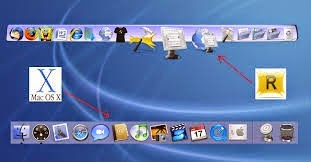
 

RocketDock is an awesome dock for windows. Developed by two hardcore Mac lovers who wanted to bring a piece of Mac to windows!

This is RocketDock compared to the Mac OS X bar

You can put almost anything on it. Customize it in anyway you like, plus it’s super fast and

doesn’t affect the performance at all, let alone the boot 😀 (This is a sneak peak to my next post :D)
My rating 5/5

Platform: Windows only. Website


4. Nexus Dock

It’s made by Winstep and it’s a freeware. There is a paid versions for upgrade too.

It has many skins and widgets. And it’s pretty stable.

This is Winstep Nexus Dock

It has a medium memory print, and requires more minimum requirements. (This is a sneak peak to a future post :D)

Nexus dock has a larger installation size compared to other docks (30 MB roughly ).

There is a paid version with many more features. Check it out!

My rating 4/5

Platform: Windows only. Website

So there we have it. 4 awesome docks. Two for each OS.

Which one are you using? And if you aren’t using docks. Which one of these will you choose?

Can’t wait to hear your feedback. And remember the next posts will be dedicated to two of these docks. Read again and try to figure which ones I’ll be writing about.

Have a nice day 🙂
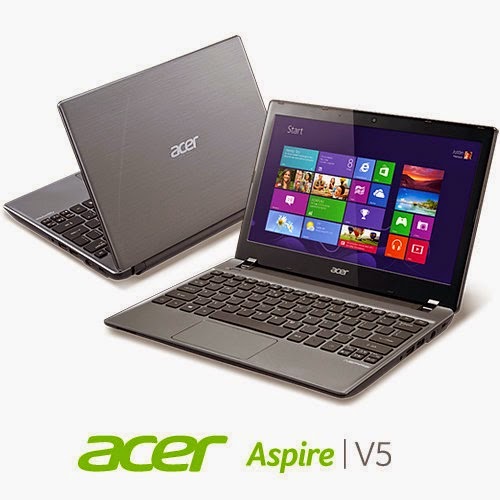
Acer Aspire V5-P122 boot problem FIX !! OEM saved!!

Hey there you guys 🙂
I’m happy to report I was able to fix the Acer Aspire V5-P122 boot problem!

I must emphasis that this tutorial is at your own risk and I can’t be held  responsible for any damages that occur from it! I’m not even sure this is 100% legal and that it doesn’t void Acer warranty! In this case we don’t have an Acer service in our country (It was imported) and therefor I had to take action (To save the OEM license) ..

After the long introduction, let’s get down to business:
As you remember in this post we managed to make the Acer boot under Linux by changing the boot settings. And we could access the hard drive after accessing the repair mode under windows and writing some commands. For the full steps go to this post.
At this point we have our data at hand (since we booted under Windows for repair. Then under Linux for data recovery), we could easily backup the data to an external hard drive, but can we restore Windows?

Sadly I couldn’t manage to use any of the options to make the laptop work again!

  • I couldn’t refresh the system.
  • I couldn’t use the repair utility from the setup.
  • I didn’t have an image ( and I doubt that would have done anything ).
  • It won’t restore to a previous restore point.

Well a mistake happened with us and it totally wiped the hard drive! What happened was instead of booting Linux into live mode I installed Linux on the whole drive! Wiping the data and partitions completely !! ( Deleting the system partition, data partition, the recovery partition. And all of Acer’s bloatware!)

A fresh start

With nothing at hand, I knew that I needed to format! My main concern was the Windows license!  Now I have to go shopping for another Windows version! But I just got this laptop! And it has OEM Windows already on it! Isn’t there a way to keep the license?
Well .. There is 😀
Luckily the new Windows license is stored in the BIOS. Meaning it won’t be lost even if the hard drive was replaced!

Next step

The only thing left now was to install windows again, it’s pretty basic. Checkout the detailed method in this post I made sometime ago 🙂
Again I was stressing, will the license be picked by the setup?
I couldn’t find that version of Windows to install with anywhere! All I could find was the Pro version! Does that mean I have to buy it again? Or I should transfer the license from my other laptop and use it here. Keeping that device a Linux machine?
Anyway I begun the installation via USB ( The Acer doesn’t have a DVD-Rom).
After the setup was complete it noted that windows wasn’t activated, but it was reading the license file!

Viewing the License

I knew that because I downloaded the Nirsoft license viewer tool and tested it on my other device, 100% accurate!
It showed when I used it on the Acer Netbook that indeed the OEM bios has a license. It was yet to be activated.

Powerful command

I used this command and restarted the computer. After the restart I clicked Activate Windows
Windows was activated (With the O.E.M license!!). And it was downgraded to Windows 8 ( The setup was 8 Pro)!!
It was a total success!
I postponed creating a system image until upgrading to 8.1 (it’s equal to a format).
And that was it!
Maybe you need to call Microsoft after the format! And if you have an Acer reseller. Go to them! ( As I said, we have no means of support. I tried to make this as legal as possible. I hope it doesn’t violate any laws)

Final words

To sum the whole post in a paragraph: I reinstalled Windows 8 Pro and activated windows via the O.E.M bios, downgrading it to Windows 8.
Of course I lost all the Acer tools, guides, drivers and even bloatware!
Again I must insist to resort to this as a final solution knowing it may void your warranty!
I hope you find this post useful. Please tell me what occurs with you!
Have a nice day 🙂
Make sure to follow my blog and join my mail-list NEW

Measure boot time on windows and see what is taking it so long!

Hey guys! How are you today?

I managed to shave some minutes off my boot time. It was taking 5-7 minutes to boot! And that’s a lot of time!!

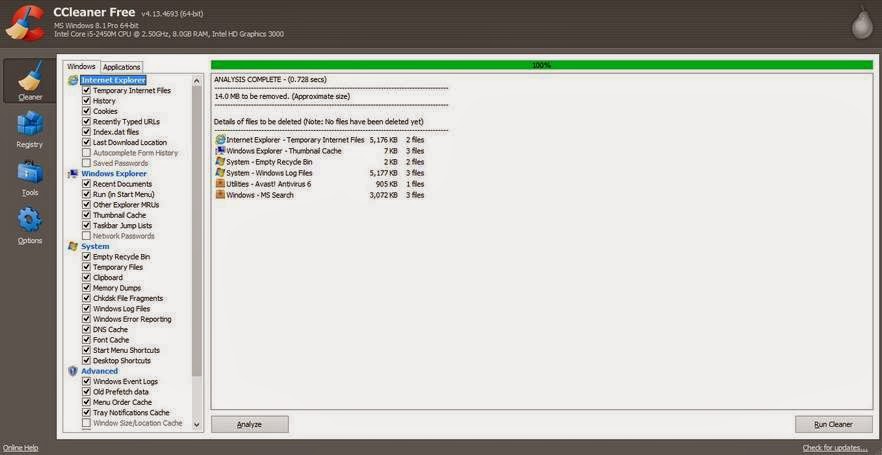
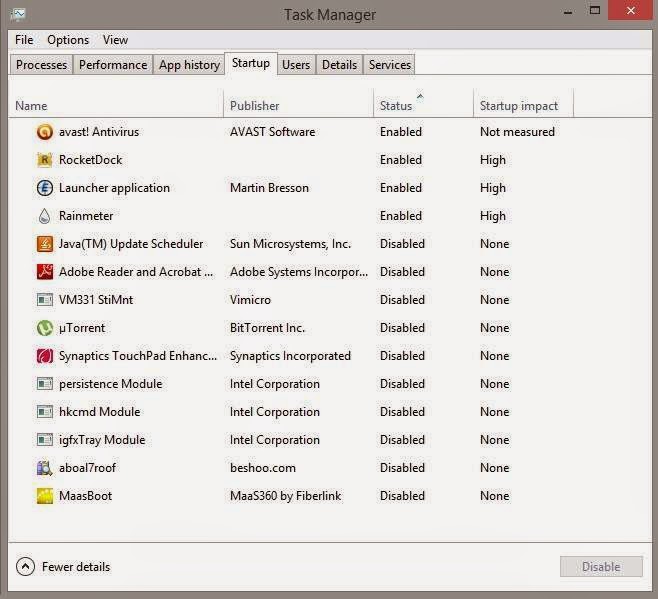
As I mentioned in the dual boot path, windows was really slow to boot. And it depends largely on what software you allow to start with windows. As you can see in the Task manager of Windows 8. You can see the programs starting with the system from the Startup tab. Enable them or disable them, and determine how much impact do they present to the overall boot.

As you can see some programs have high impact and those present the prime suspect to slow boot

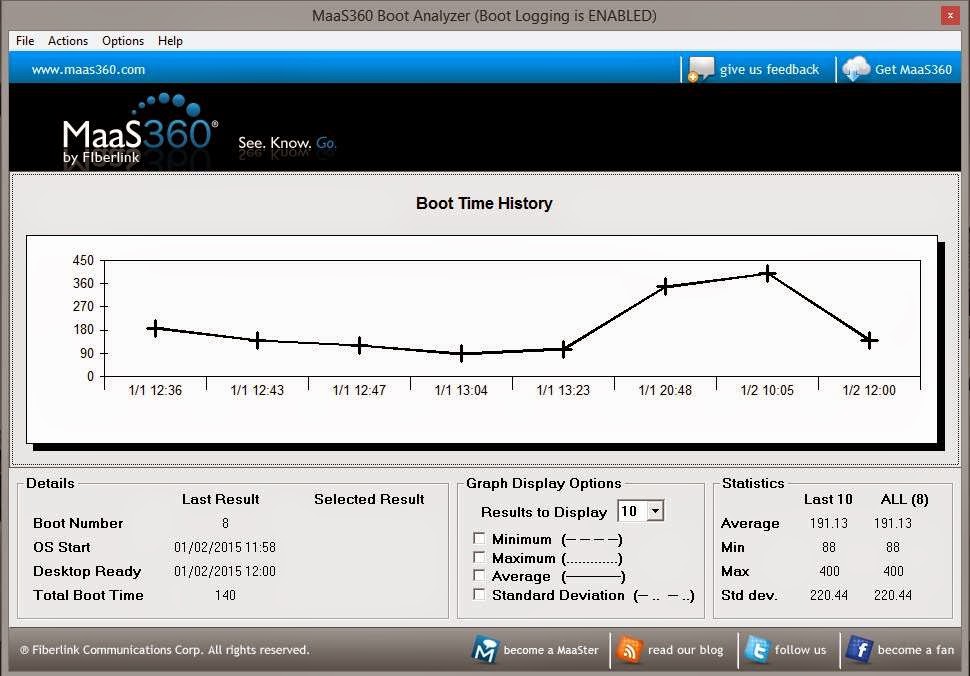
I installed Maasboot. A freeware that measures the boot speed of your computer boot and records it over time and creates a chart of it.


It’s really helpful to see the effects of programs on boot against time. By disabling and enabling some software (High impact of course ) and restarting, I was able to determine what was taking it so long!

what I did was uninstalling Nexus dock and Rainmeter And installing the amazing Rocket Dock.  And the boot time improved greatly, then a few days later I installed Rainmeter’s latest version. And the boot time was decent so I kept it.

To sum up. I had to let Nexus dock go! Sad as it may seem. But boot time matters more to me. And Rocket dock is a really good dock and favors performance!

I hope you find this post useful and it helps you with your daily life.

I’m looking forward to your feedback!

Was this post helpful to you? Post your last boot time and let’s see how is it faring!

« Older posts Newer posts »