

Category: lightweight

Focuswriter not starting stuck on loading sounds fixed

Focuswriter is a free and open source (FOSS) cross-platform distraction free writing software that is lightweight and easy to use. Today I’ll show you how to bypass the loading sounds bug and fix it completely!


Focuswriter logo

The problem

It all started when I tried to enable the typing sounds on my Netbook running Antix Linux, the program froze and I had to shut it down manually. After that whenever I try to start the program, it won’t start!


Attempted fixes

Trying to uninstall the program and install it again didn’t work! Even removing configuration files from Synaptic didn’t work, no matter how many times I install and uninstall it again, the problem persists!

The fix

Using your file manger of choice, navigate to /home/[username]/.config/GottCode/ and in it you will find one file only: FocusWriter.conf
Delete it and restart the system, after it starts again, you will have Focuswriter running like it should.
A new configuration file will be created automatically, no need to worry about the file being deleted. 

Focuswriter interface

Final words

Going for a lightweight mixture of a Netbook, Antix and Focuswriter can be a winning combination, and as a slight compromise bucklesrping can be installed individually for an aesthetically pleasing writing experience. And if you are typing at night, enable the leds on your keyboard!

Do you use any of these tools? Do you find this tech tip useful? Please leave your opinion in the comments section below, and I’ll see you in the next one.
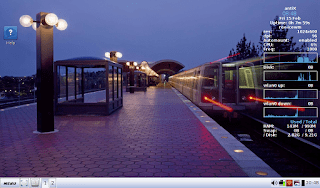
Antix Linux on my Netbook

Antix Linux is a free and open source operating system that focuses on a light weight desktop experience and ease of use, one of it’s main goals is to promote a “system-md” free approach to Linux.
Based on Debian, it provides both a rich repository of software, and a sense of reliability.

Debian origins

The fact it’s based on Debian is a huge plus, a lot of the software I use is in .deb form, and I fully understand how to work with repositories to add and remove software, it was a pleasant surprise to find that Synaptic was shipped by default with Antix.

Light weight

When it boots into GUI, it’s using less than 100 MB, that’s an impressive feat for a modern operating system.
  • Even lightweight flavors of Ubuntu (Xubuntu and Lubuntu) can’t reach that level of lightness.
  • Low minimum system requirements, needs about 256MB of RAM and a Pentium 3 processor to work.
That makes it perfect for older computers, and Netbooks.

Why Antix on my Netbook

I found that my Netbook had a performance issue, even when choosing a lighter interface i.e: XFCE. And trying to browse the web with an updated version of Firefox was impossible.
Ubuntu 14.04 is nearing End of Life, I’ve used it on and off since it’s release in 2014, but it’s time to say goodbye. 
Seeking a lightweight alternative that was both easy to use and somewhat familiar led me to using Antix.

Antix Linux Pros

  • Looks good, has a bottom bar and a menu similar to the start menu, not alien.
  • Download size was small, less than 700MB (for the base version), can be put easily on a CD, something Ubuntu can’t achieve anymore.
  • Low hardware requirements, would work on most computers old and new.

Antix Linux cons

  • It can be confusing at first, the window manager used is clumsy and like nothing I ever used. (You can toggle between them by pressing F1 on the login screen).
  • Customization isn’t easy,, won’t be everyone’s cup of tea.

An update

Updating the system changed the default file manager to Spaceman FM, which is more customizable and can access NTFS partitions with one command, a much welcomed update!  

I was able to add items to startup by editing the config file found under: Control Center Session User desktop session.  
Same goes for adding the terminal shortcut, it was under Control Center Desktop  
And from there I added the lxterminal to the key combination: Ctrl + Alt + t.

    Final words

    With a mix of lightweight performance and a sense of aesthetics, this unique distro made it’s way to my Netbook as the first non-Ubuntu distro I ever use. 
    For more feel free to visit the project’s website at https://antixlinux.com/