Category: recover

النسخ الاحتياطي للبيانات، ماذا تفعل عندما تحدث الكارثة؟

يقول المثل الليبي: بعد ما أتخذ دار بندقة. ويعني أن الشخص تجهز وتسلح بعد أن فات الأوان لفعل ذلك. اليوم سأروي قصة “اتخاذي” و “بندقتي” مع السادة القراء. لأخذ العظة والعبرة. وأيضا كدرس لي لا أنساه.

كل من قرأ مدونتي في الفترة الأخيرة يعلم أنني مررت بظرف قاهر أدى لترك البيت وما فيه. ومن ضمن ما فقدت كان عددا من البيانات الغالية والتي لا يمكن استبدالها بأي حال من الأحوال .. كيف حصل هذا؟ وكيف قمت بإصلاحه؟ وما هي البندقة التي اتخذتها؟

البداية

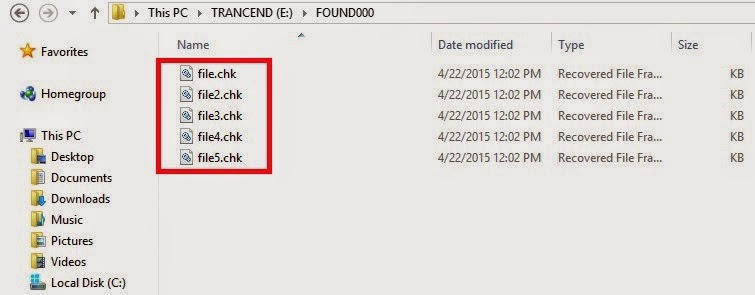
لظروف العمل تخليت عن نظام أبونتو الحبيب واستبدلت جهازي بأخر يعمل على ويندوز 10. عند نقل الملفات وبسبب اختلاف طريقة التسمية بين النظامين أنفي الذكر تم تصنيف عدد من المجلدات القادمة من أبونتو على أنها متضررة، وقام ويندوز بوضعها في مجلد الموجودات .found ثم قام بحذفها.

احتمال ضعيف جدًا

كنت مشغولا بالعمل فلم أنتبه لما فقد مني. لم أستيقظ حتى فات الأوان. لم أنتبه لضياع البيانات حتى نزحنا من البيت وتركت العمل. ويالها من خسارة. حاولت عدة مرات استعادة الملفات المفقودة من كل الأقراص التي كانت بحوزتي، دون جدوى! ظل الاحتمال الأخير الذي لا يزيد عن 1%. قرص قديم كنت أستعمله وأجريت له إعادة تهيئة بعد نقل ملفاتي منه!

عودة بغصّة

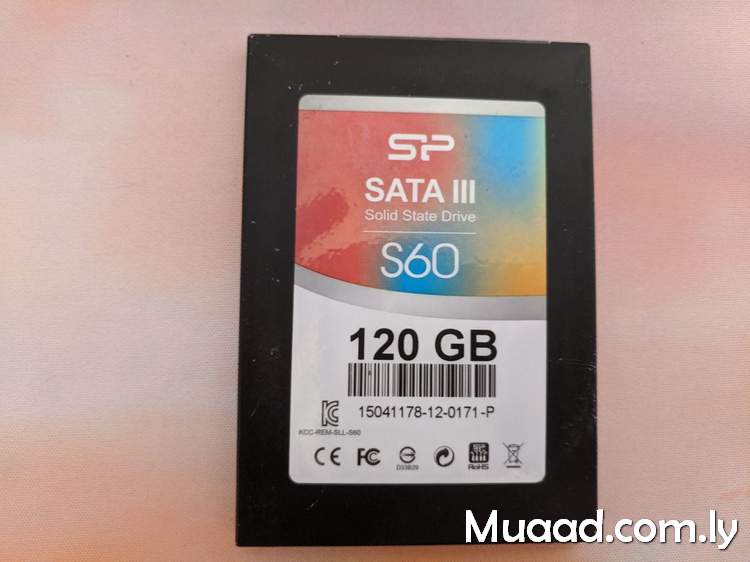
مرت الأشهر وعدت لزيارة البيت لأول مرة لأجده على الحال الذي وجدته فيها والله المستعان. وعثرت وسط أغراضي المبعثرة على قرص SSD كنت أستعمله وتركته خلفي في عجالة. وضعته مع أغراضي ولم أفكر به كثيرًا.
عندما حصلت على بعض وقت الفراغ قمت بتشغيله ولسعادتي فقد عمل فورًا مخالفًا توقعاتي! وعملية استرداد بيانات بسيطة كانت كل ما أحتاج إليه لاسترداد ما ظننت أنه ضاع للأبد. هذه قصة – من وجهة نظري الخاصة – تنتمي لكتاب القاضي التنوخي (الفرج بعد الشدة) والذي أورد فيه أخبار أناس كثر تعرضوا للشدائد وشهدوا فضل الله تعالى بإخراجهم منها. وهذا من لطفه وكرمه سبحانه الذي يحيط بنا في كل حال.
حسنا، أين “البندقة”

بعد أن استعدت البيانات الهامة التي ظننت أنها ضاعت للأبد قمت بعمل استراتيجية للبيانات.

1. قمت بدعم كل البيانات (مشفرة) على حسابي على دروب بوكس.
2. تنصيب برنامج AOMEI Backup Standard وعمل نسخ احتياطي محلي على القرص الصلب الخارجي.
3. تنصيب Backup and Sync from Google لمزامنة الملفات فور تعديلها (مع التشفير) على حساب قوقل.

هذه هي البندقة.

ختاما

تعامل مع فقد البيانات على أنه حتمية، وليس احتمالا إحصائيا ضعيف الحدوث. قم بتطوير استراتيجية لدعم بياناتك التي لا يمكن تعويضها.

يمكن عمل صورة كاملة لنظام التشغيل أبونتو من هنا.

هل حصل لك ظرف قاهر مشابه؟ كيف تتعافى من حدوث خسارة مثل هذه؟ هل لديك نصائح تضيفها لإستراتيجية (البندقة)؟ شاركني بملاحظاتك في قسم التعليقات.
Recover some files after a Chkdisk. The easy way

Hey there you guys. How are you doing today?

You inserted a USB drive to your computer. And you were asked to do a check ( and with Windows 8 that happens with all USB’s!!) And when you checked there were errors and files recovered! Is that bad?

Not really. That can be a really good thing!

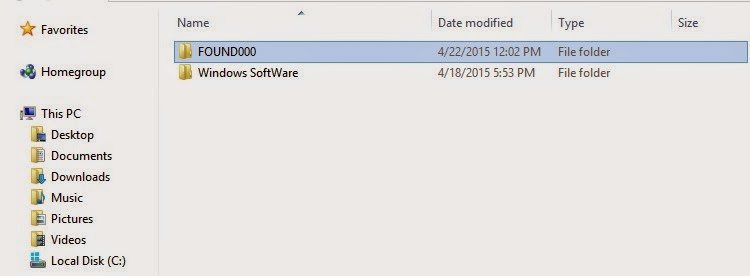
When the check is completed (depends on drive size and files in question) you will find the FOUND.000 folder. With plenty of .CHK files. So far so good!

Depending on the file sizes of the check files you might be able to restore the data.

If it’s in the same size as your lost data then you are in luck.

Just log into Linux and you will see then in thumbnails of the same type. All you have to do is to rename them to get them to work!

Pretty easy huh?

I found out a strange thing. That some of the web pages I downloaded in Linux are often lost when I boot to Windows. Because the names of the files and folders contain elements not allowed in Windows like “/“ and “?”.

In a next post I will be talking about fixing the empty but full drive with no format included!

I hope you found this post useful. Please comment below and let me know what you think?

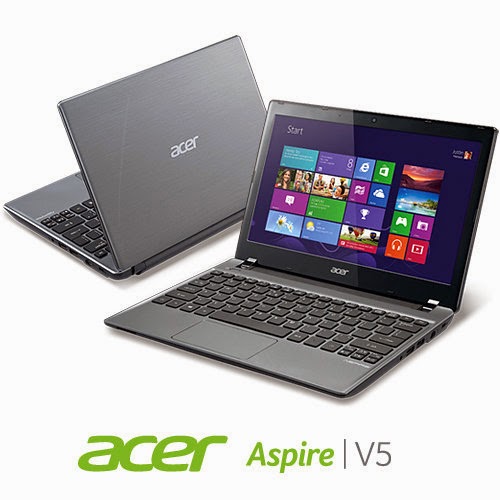
Acer Aspier A5 11 inch Windows 8 boot problem + fix so far

Hey you guys
You probably checked out the slick notebook by Acer. Acer Aspier A5 11 inch. It comes with neat features compared to price. Most notably a touch screen and Windows 8 OEM, sadly it has a fatal bug!!


The issue

As I searched the web ( including the Acer help ) I noticed a lot of people talking about it online and no one has a clear answer .. 🙁

What happens is: After a short while the computer refuses booting!!

No matter what you do, It won’t boot!

Since it doesn’t have a DVD-ROM there isn’t a way for you to insert the disk to restore Windows !

Even if you were slick enough to use a USB drive. It’s hopeless..

Any and all settings lead to nothing at all ..

So I was fiddling with it. Being an open source fanatic I decided to give my Linux live USB a go. I wasn’t able to boot as well!!

My fix was really simple, all you need us the windows USB and the Ubuntu USB. I’ll make a post on how to make bootable media next year 😉 notice the date 😉

**Update the tutorial for windows can be found here

**Update 2 the tutorial for Linux can be found Here

Steps are as follows

1. Insert the Windows USB installer.

2. Go to advanced options and then to command prompt.

3. Insert the following command to disable hibernate ( I’ll tell you why in a minute ) powercfg /h off then shutdown /s /t 0

4. After rebooting go to bios and change boot type from UEFI to Legacy. Save the changes and restart.

5. Make sure the Ubuntu flash is connected, boot from it.

6. Select try Ubuntu and in a minute you will get the desktop. Click the hard drives to gain access to your media and recover it.

7. The commands you entered from step two is to access the drive under Ubuntu, or else you will receive an error message saying you can’t access the drives. Because windows 8 doesn’t really shutdown, it hibernates to save boot time.

Also note that the BIOS moves very fast so make sure you press really fast too 😀 and if it doesn’t work check the boot order from the f2 menu putting USB as the default boot device ..

This is how to recover the media. And frankly this is what I was asked to do on the Acer Aspire A5 11 inch. I hope it helps. And if I make any changes I’ll post a new post referencing this one 🙂

*Update!! Problem fixed!

Check this link for full details 😀