Hey you guys 😀 How are you today?
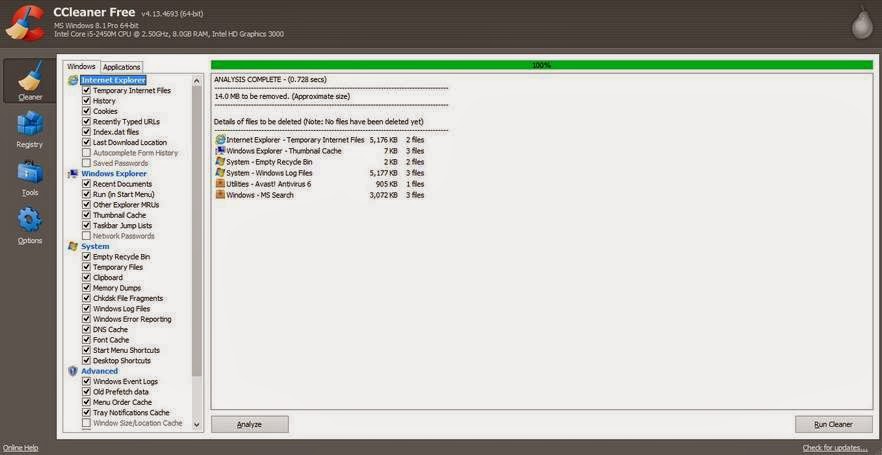
Today we are going to discuss the easiest way to do an image backup on Windows 8.1
This way applies to Windows 7 and Windows 8.0 too!
Category: Windows (Page 17 of 22)
Hey there you guys 😀 How are you today?
Continuing from this post on tools to help you be more productive.
It’s a handy tool! From remote tech support to making presentations and internet arguments! Ever wished to take a picture of the screen without whipping out your phone?
Screenshots are the way to go! And no! Not like that! *funny pic
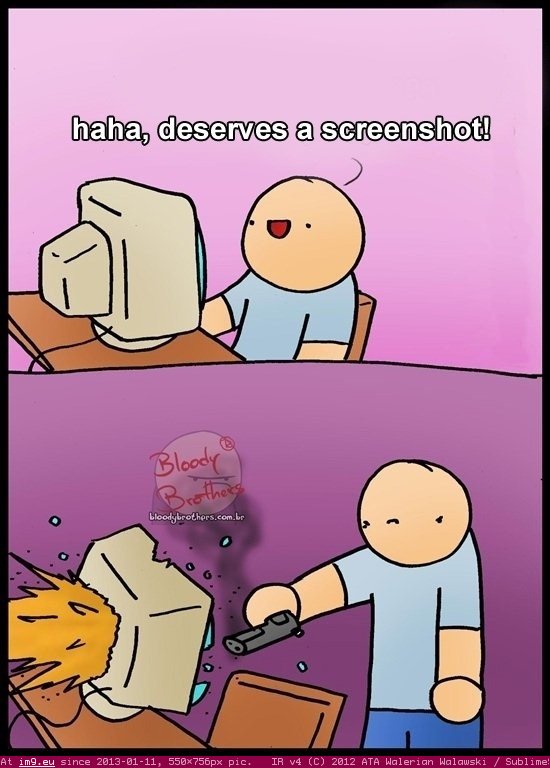
It can be done on many platforms! It’s worth mentioning that you don’t need software in Android 2.2 and above! Just hold the power button and volume down and bam! Screenshot saved!
But what about the computer?
In Linux you don’t need a software! Just hit the PrtScr key on your keyboard ( Or add Fn if you are using a laptop) And you will have the program take it for you and offer to open it or save it.
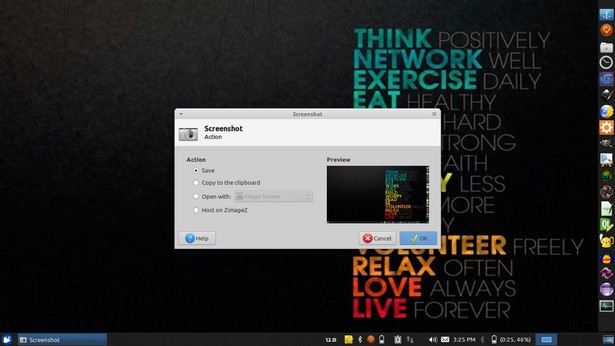
This is the utility used in my Xubuntu. Makes working with screenshots much easier!
But what about Windows?
In windows it’s not that easy.. You have to take the screenshot and manually paste it in a drawing program like paint. Then you have to optimize it because it’s pretty big ( 3MB if your screen resolution is 1368*768) And you have to repeat it every time you take a screenshot :/
There has to be an easy way to do so! Or is there :3
There are tons of screenshot software out there. Some are free, some are not. But all share the same concept! Making taking screenshots easy.
I use PrtScr Assistant for my daily needs! It’s easy and free!
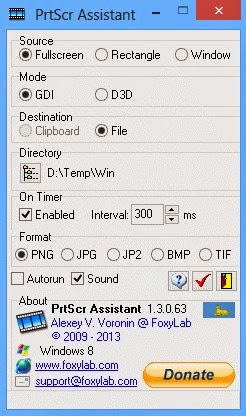
Features:
- It starts minimized so it gets out of the way.
- Runs with the default key (PrtScr key) and saves the file to a folder of your choosing.
- It names files by time stamp so there is no chance of over writing your previous shots.
- It optimizes the screenshot size ( Third of the size taken by paint ) And by choosing the format of the screenshot.
Plus many other features 🙂 so feel free to download it and explore it fully!
What are the tools you use to screenshot? Will this article promote you to screenshot more?
Please share it with us 🙂 And have a lovely day 😀
Clipboard managers are a very handy tool and a total must have for anyone working on a computer.
Office workers, students, and even bloggers!
It’s a pain! It feels like juggling!
Ubuntu clipboard managers
Well with Clipboard managers we can minimize this pain!
There are many great applications both paid and free! But I’m going to talk about two, one for Linux and one for Windows.
The one I used with Linux came with Xubuntu is panel plugin called Clipman Which is a huge help and can be added as a plugin on the panel. It’s light weight and super effective!
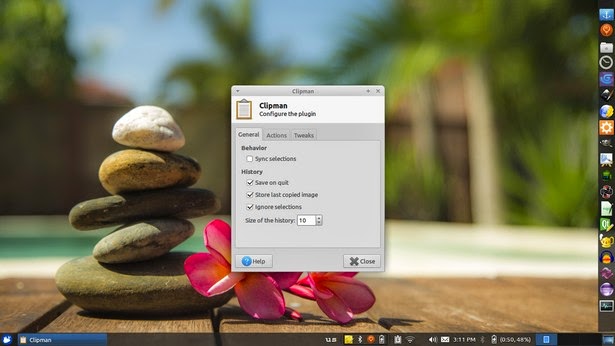
Windows clipboard managers
In Windows it’s doesn’t come by default. But as I said there are some great softs. Here I’m going to talk about CLCL! Which is a free application for clipboard management.
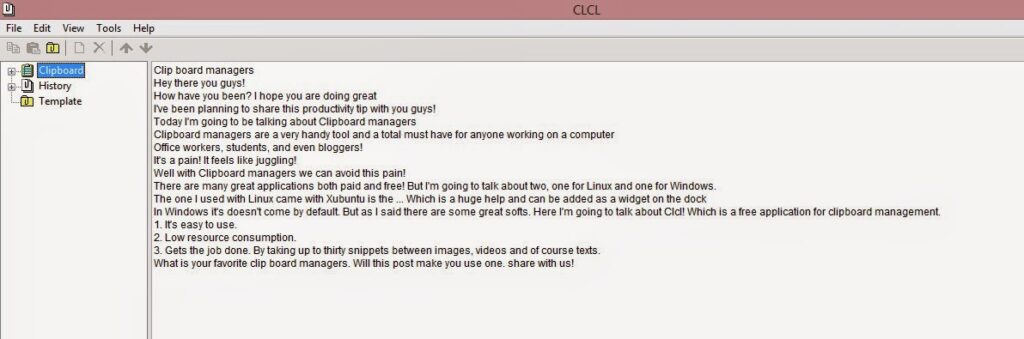
Advantages of using CLCL
1. It’s easy to use.
2. Low resource consumption.
3. Gets the job done. By taking up to thirty snippets between images, videos and of course texts.
Download it from here
What is your favorite clip board managers. Will this post make you use one. share with us!
Our next post will discuss screenshots! Stay tuned!


Hey guys, how are you doing?
I decided to be more consistent with my blog! I will be posting weekly at least~!
So this week. I need to address the topic of cracked software.
I know how corny the title is. It’s an intended pun .. !
And when I say cracked software I mean every aspect of software piracy ( and any kind of piracy as well)
There are some things you need to know about these softwares:
1. Nothing is for free
Do you think that some people are kind enough to buy a software, go into the trouble of hacking it, then post it online for free? Wow! They are so noble and selfless, the robin hood of digital age ..
Wrong!!
The price of this so called free software is you downloading a black box. It could contain a virus ( if you are lucky) or a keylogger to record your every keystroke. Including password and credit card information.
Or simply they hack your computer and black mail you with whatever they have ..
2. It’s illegal
These softwares so called free are protected by copyright law. And the violation of these laws can lead to major consequences!! Huge fines and serious jail time included!!
You might think that these softwares are free and full as the links suggest! But you are sadly mistaken!
3. Software isn’t free ..
Windows costs around 250$, Office costs around 200$ And Photoshop costs around 700$. So cracking these would mean stealing them from the companies who made them!
Making software is a rigorous process that consumes time and effort, And a lot of money! The least thing you can do is pay for the software.
4. You get no updates. No support what so ever ..
Everyone knows that if you “crack” a software you need to disable the update feature. Or else the company will disable the software, block the IP. and in some extreme cases burn the computer into pieces!!
No such thing as “Knock off software”
It’s really hard for some third world folks to understand what it means to pay for software. They think the cost is in the hardware. And any software can be downloaded free of the internet. Or purchased through pirated CDs or so called “knock off” software!!
It’s disgusting how people are selling these for really cheap prices. And people don’t have a clue!
They think it’s a wondrous thing that they can buy all of photoshop editions for 5$
Sad thing is these are sold in whole sale by people who have no idea what are they selling!!
My next piece will be for those who can’t afford to buy software. And feel bad for using “Knock off” software.
Please share your thoughts with me. And hold on for the next post ..
أنا الفائز بجائزة المدون المنتظم لعام 2025 من موقع مرجع التدوين
