Category: Windows (Page 6 of 22)

CodeLobsterPHP Edition 5.9 is out, Arabic interface is here!

CodeLobsterPHP Edition 5.9 is out finally, and comes with a ton of bug fixes and security features, this version is special to me because it includes my translation from Arabic to English. (ost is in Arabic).


CodeLobsterPHP Edition 5.9 logo

CodeLobster 5.9 comes with a number of bug fixes and features, I quoted these from the news section on the company’s site:

Codelobster PHP Edition FREE Version 5.9 released!
New version has the following new abilities:

  • Drupal plug-in:
  • Now supports Drupal version 8.x

  • Symfony plug-in:
    • Now supports Symfony version 3.x

  • Phalcon plug-in:
    • Now supports Symfony version 2.x

  •  Improved PHP help and tooltips
  • Autocomplete for PHP functions that return mixed values
  •  Improved Node.js autocomplete
  •  Debuger for PHP version 7.x
  • Arabic interface has been added (Translated by Muaad Elsharif). 
  •  Bugs fixed:
  • For more information visit the website.  I’ve made a blog post with a fully detailed review which you can find on this link.

    uGet downloader

    A download manager is a must have tool for any computer user, and there are many options to choose from, my favorite is FDM that only exists on Windows (was recently ported to Mac and soon to Ubuntu). But until FDM is available for Ubuntu, let’s take a look at another popular option, that’s uGet, I chose it over the rest of the bunch for many reasons.


    uGet logo

    Uget is a light weight fully featured download manager available for many operating systems, Linux (Arch, Debian, elementary OS, Fedora, Gentoo, Linux Mint, Mageia, openSUSE, Semplice, Slackware Sparky, Ubuntu), Windows (XP – 10), BSD, Mac OSX And Android. 


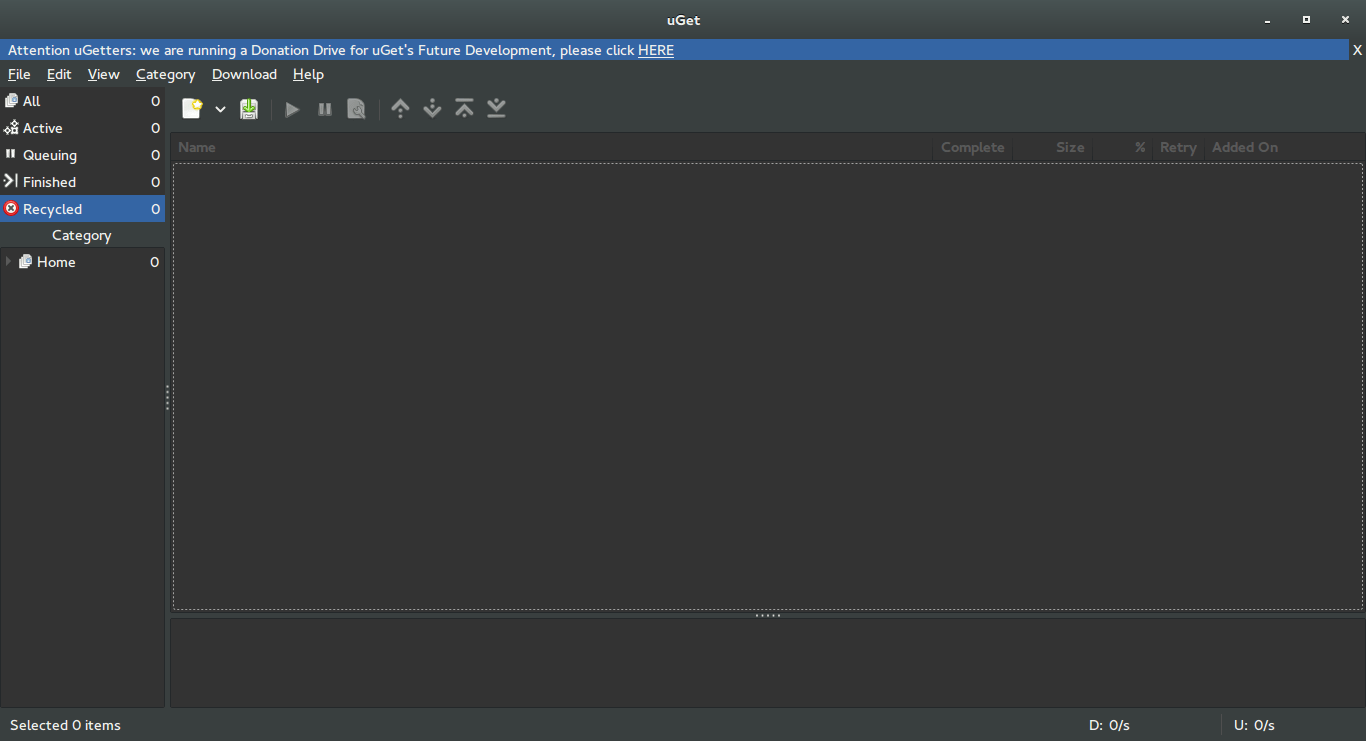
    uGet interface


    Uget is free and open source and available in 29 languages. It has many features like: Mutil mirrors, Pause/Resume, Speed Limits, Clipboard Monitor, and many other features you can check from here.


    Despite being a powerful downloader, Uget is very light weight, here I quote from the feature page as it goes: “Uget is a VERY Powerful download manager application with a large inventory of features but is still very light-weight and low on resources, so don’t let the impressive list of features scare you into thinking that it ”might be too powerful” because remember power is good and lightweight power is Uget!”.

    Download

    Visit the download page and click on your operating system to get specific instructions on download and install.

    I recommend using this download manager with Ubuntu, it’s a good one!

    Did you like this post?  Would you consider downloading uGet? Let me know wha you think in the comments section below.

    LibreOffice 5.1 is out! New features in here

    LibreOffice 5.1 was released after months of anticipation, it’s a milestone release following the big 5.0 and it comes with it’s fair share of improvements!
    Actually the list is so long I don’t know where to begin! for a full list of improvements read the list on this link.
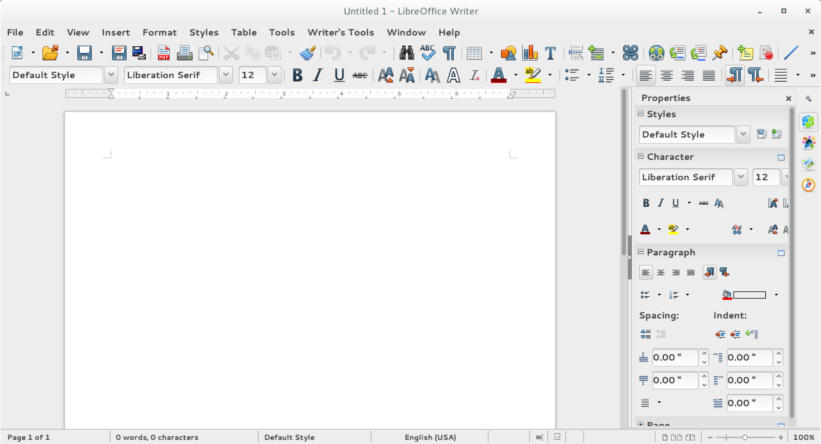
    The new interface looks remapped, and I like how it can handle remote files like the files saved on Google drive, there has been work all over, I can see that.
    One of the big changes I noticed was the styles menu, which you had to navigate to under format and styling in older versions.

    LibreOffice 5.1 writer menu

    Adding sheet menu to calc with related functions, and image control in impress, with the redesign of master sheets.

    Did you install LibreOffice 5.1? Did you like what you saw?

    *Update: I had to delete the configuration file of the old versions to fix some old issues like the webpage wizard crash, and to see the changes in looks.

    Openshot 2.0.6 beta 3 review

    Openshot is a free and open source video editing program, known for it’s ease of use, it’s popular on Linux (frankly there aren’t many other options in that division) and it has been on version 1.4.3 for quite sometime now!

    Recently Open shot 2.0 was released as a Beta for people who funded the kickstarter campaign back in 2013, and today it was released for the public. I downloaded it and gave it a spin.

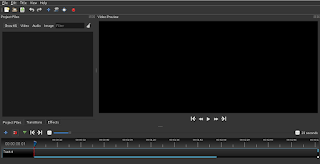
    Openshot 2.0 main interface 
    Openshot is cross platform, which means you can enjoy it on any platform you work on, and it’s also free of charge, I’ve been using the older version 1.4.3 and it’s easy to use, all you have to do is read the included help file and you are good to go. The new version is even easier to use!

    What’s new with the new version?

    t comes with it’s fair share of improvements, and if you like to read them all you can go to the announcement page on the developer site, I think the most important feature is the autosave and recovery after crashes, it’s been quite a hassle to lose your work between saves, so saving automatically is something good!
    t still crashes, a lot! It crashed several times while testing for this post! It’s a beta and I understand work needs to be done, but crashing like that is very bad..
    ‘m planning to post more about open source multimedia tools, this was the video editing tool, it’s still needs work to do but I think it’s a good project and a good effort!
    hope the final version is ready in time for the release of Ubuntu 16.04, that will be awesome! 

    Download 

    I wouldn’t recommend installing

    it now being a beta and all,  but if you want to give it a go, I’ll be sharing the links!

    Download for Windows, an installer

    (Direct download). 

    Download for Mac, a dmg file.

    (Direct download). 

    Download for Linux provided a PPA:

    sudo add-apt-repository ppa:openshot.developers/libopenshot-daily

    sudo apt-get update && sudo apt-get install openshot-qt

    « Older posts Newer posts »