Category: Windows (Page 5 of 22)

LibreOffice is more than just a MS office alternative

The timing couldn’t have been more prefect, with Libreoffice convention just ending and as we enjoy the freshly released LibreOffice 5.2, this post has been siting as a draft for quite some time! It’s about Libreoffice taking the lead as a unique word processing suit.

Many websites that claim to be expert on software label LibreOffice as a “drop dead alternative” for MS office, some are down playing LibreOffice by calling it: the best of the “free” bunch, those are still a little better than the guys who can’t tell LibreOffice apart from Apache OpenOffice (I am afraid that OpenOffice might be dead already)!
Those are the people who rather use a pirated MS product than to use LibreOffice, for shame!
The only thing that LibreOffice has in common with MS office is the “word processing” part, and other than that, LibreOffice is a different project completely!

If you think that LibreOffice is just a meek second for MS office, then you need to think again!

LibreOffice is not a MS office copy cat!

Some people download LibreOffice thinking it should look and feel like MS office and should even act the same, and when it doesn’t they get frustrated and blast the entire open source movement for not copying MS office’s look and style.
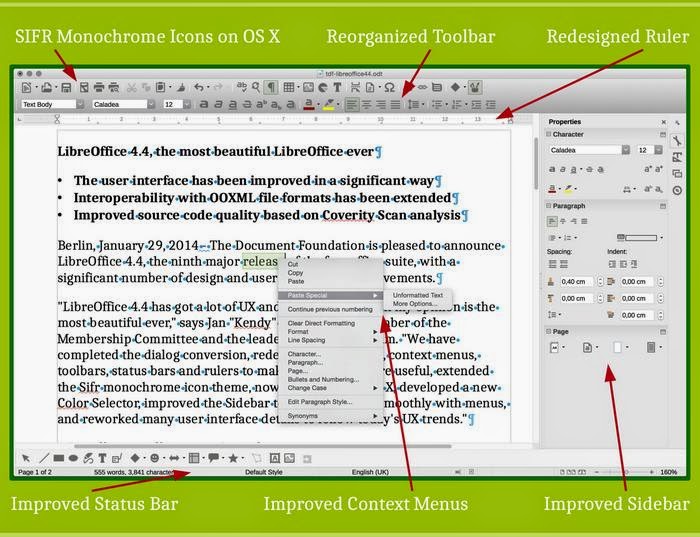
 

The unique interface on LibreOffice write explained

A lot of that frustration comes from the fact that the buttons aren’t arranged in the same way, or that the theme doesn’t look the same as it does on MS office, it doesn’t look like MS office, here is a little shocker:  It’s not supposed to look like MS office. It’s a completely different product! LibreOffice wasn’t made to be MS office lite.

There are numerous word processing suits that look and feel like MS office for a fraction of the price, but if you want the MS look and feel I suggest that you invest in a licensed copy of MS office, plain and simple!! 

Other than looks, there are some serious complaints regarding compatibility.

Compatibility issues broken down

Another major complain is that documents edited in MS office don’t look as it should on LibreOffice, and that has a reason as well, let’s look at the first reason.

ODT vs OOXML

LibreOffice uses ODT file format by default, which stands for open document text, while MS office uses the OOXML standard, which is used and imposed by Microsoft as the standard for all documents, it is changing gradually as many countries are adopting the ODT standard and started to impose it on companies, even Microsoft!
Now that we covered the document standard, it’s time to look at another huge issue, is the fonts!

Fonts

Fonts used in MS office are a part of the office license, you can’t simply download them and use them on another computer that doesn’t run MS office, that wasn’t discovered until later! And the document foundation are doing what they can to help replace the fonts effortlessly within LibreOffice.
So when that .docx document looks horrid on LibreOffice, remember who to blame!

Let‘s take a look at some of the features that make LibreOffice a unique suit.

Cross platform and portable

While MS office is only available to Mac users and Windows users (since it’s a Microsoft product), LibreOffice is available to almost every computer platform out there, no matter what kind of system you have, you can enjoy LibreOffice’s power!

And, you can use a portable version of it, if you don’t want to mess your current settings, or you are in a domain and can’t install software, you can have LibreOffice on a USB and run it from there, I’d like to see MS office do that!!

A swiss army knife of tools 

  • LibreOffice can do so much more than meets the eyes, it has a lot of hidden menus that can preform so many awesome tasks, I’ve blogged about it in detail in this post.
  • LibreOffice can be used to write and layout books easily, with adding a few extensions and using some features the right way, I’ve also blogged about it in this blog and you can find it here.
  • Finally, I’ve managed to improve a way to use LibreOffice draw to design mind maps, I suggest you check it out from here.

Pricing

This is an obvious one, but it had to be mentioned!
I stopped following MS office news a while ago, but the last I know is they have two payment plans: One time, and a monthly subscription with many license forms like student, home, etc. While LibreOffice comes free of charge, and all donations are welcomed!

Development speed

While you get one product per year from Microsoft, one cloud and one regular, the Document Foundation rolls out a version of LibreOffice every month, that fixes bugs and adds features, with a major milestone every six months. That’s on the Fresh branch, but if you don’t like living on the fast lane, you can go with the Stable branch and enjoy stability, it provides updates not as often as Fresh but quicker than MS office!

With these obvious advantages explained, let’s look at the organization behind LibreOffice

The Document Foundation

The document foundation is an independent self-governing meritocratic entity, created by former leading members of the OpenOffice.org Community, in the form of a charitable Foundation under German law (gemeinnützige rechtsfähige Stiftung des bürgerlichen Rechts).
It continues to build on the foundation of ten years’ dedicated work by the OpenOffice.org Community.
The Document Foundation logo

It was created in the belief that the culture born of an independent Foundation brings out the best in contributors and will deliver the best software for users.
It is open to any individual who agrees with our core values and contributes to our activities.
It welcomes corporate participation, e.g. by sponsoring individuals to work as equals alongside other contributors in the community.
The Document Foundation is proud to be the home of LibreOffice, the next evolution of the world’s leading free office suite.
Please support our efforts: Your donation helps us to deliver a better product!

The team

LibreOffice is a community project by the document foundation, with thousands of programmers and volunteers working on the project passionately around the world to make LibreOffice a better product, who is the MS team responsible for MS office? I don’t know either!

One might argue the age old Open Source VS closed source argument that has been around since the dawn of computing, well.. It’s here also!

Community

The LibreOffice community like many open source communities is the place to get support, with friendly people willing to help and share their knowledge and help fix bugs and issues. It’s also available in many native languages, without extra fees.
It’s one of the best – if not the best – open source communities out there!

LibreOffice has been around for six years, how much impact did it have globally?

Global Impact

LibreOffice exceeded Apache Openoffice record download of 100 million in a few years! It took Open Office over a decade to achieve this record number of downloads, and LibreOffice is been around for six years!
 
People from all over the globe are using LibreOffice on daily basis, entire cities are converting to LibreOffice to reduce licensing costs.
LibreOffice communities are emerging all over the world, spreading the culture of open source and promoting the use of LibreOffice, chances are there is one where you live!

Other projects

Here are some other projects that aren’t directly linked to LibreOffice, but a part of the on going development at the Document Foundation.

LibreOffice cloud

There are efforts to make LibreOffice is available in the cloud, to be able to use LibreOffice inside the cloud without the need to install it on your computer! A lot like Google Docs!

LibreOffice Android viewer

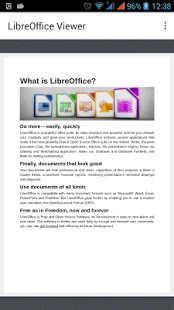
This app is terrific for viewing documents you created on the go from your smartphone, it’s available on the store for android.
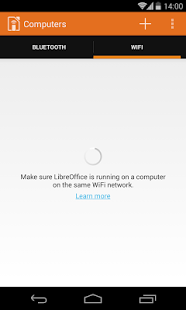
Impress remote 

it can be used as a remote to navigate through your presentations without added software! Brilliant for students, teacher and office workers alike! You can download it from here for Android.

Conclusion

So there you have it, LibreOffice, the open source project with over 20 years of heritage from the Star office days, taking the pure open office soul you loved, and turning it into something spectacular! One of the best open source projects out there if not, the best! Much more than a “word processing suit”, it’s truly a lifestyle!
Feel free to download, create, and share with your friends and family, and please don’t forget to give back to the wonderful people behind LibreOffice to keep it going!
if you aren’t sure how much to place, think of how much MS used to cost you and pay a part of that to the document foundation.

How did you like this post? Tell me what you think in the comments section below. 
And share it on your social media please!

LibreOffice Draw to design Mind maps! (Template inside)


LibreOffice Logo

There are many free and commercial tools to create mind maps, I for one prefer a bit of minimalism, and who can’t be a minimalist when the Document Foundation develops such an amazing software package such as LibreOffice! I use it personally to do many day to day tasks, and I just added one more thing to my list of uses!

Today’s post doesn’t require you to be a master LibreOffice Draw user (even when making the map is so easy!) all you have to do is to download the template and edit it to suit your needs! I’ve put the download link at the bottom of the post, so read on!


The Map

The template I prepared is a three level map with six main topics ordered in counterclockwise order, with each topic having three sub topics, you can increase them easily by copying and pasting then using the proper connector type from the tools.


Mindmap created with LibreOffice Draw

You can easily customize the colors of topics and font types to suit your needs, this is just a template after all! And feel free to remove the attribution I put -feel free to visit my blog tho ;)-

I’m sharing this template under creative commons CC BY you can use it freely as long as you mention I made it when asked so.


CC BY

I was going to make this post a detailed one on how to make this mind map, but I realized that it’s basic skills and no need to repeat them, especially that I’m sharing the mind map template itself so everyone can use it.

To download the mind map template, please click here.

So here you have it! We used the versatile LibreOffice to create a great looking mind map! Let me know what do you think in the comments section below, and remember to share with your friends and family.

Happy mind mapping with LibreOffice!

Tech news digest June 2016 (Linkedin sale, OnePlus3, snaps for Linux and more)

This week had many interesting news happening all over the tech world!
Let’s take a look at this digest and catchup really fast!
Microsoft is said to buy the enterprise social media site Linkedin for a record 26.02 Billion dollars in cash, the deal is trending worldwide with people shocked over the size of the acquisition, it’s a bold business choice to say the least!
The current S.E.O of Linkedin Jeff Weiner will report to Satya Nadella the C.E.O of Microsoft, as Microsoft is looking to reach to the 433 million users of Linkedin to expand it’s business and products such as Office 365 and cloud solutions.


Microsot’s logo

In other Microsoft news the Windows 10 “free upgrade” will expire on July the 29th, so if you are planning to update you better put that on your checklist and fast!

OnePlus is ready to launch the third smartphone of it’s famous “flagship killer” series: OnePlus3, the highly anticipated phone will come with a 64GB internal memory and 6GB of RAM! (specs according to GSMarena).
The countdown is almost done and the launch event will be presented in virtual reality via a The Loop. A special App available on the Google store.
More details will be available as soon the smartphone is released.
Here is the official unboxing video.


Apple’s logo

Apple annonced at WWDC 2016 the release of it’s latest update to iPhone and iPad: iOS 10. Which brings many improvements to iPhones such as a redesigned message app, lock screen and the ability to delete many pre-installed apps, the update will be shipped this fall. (for more details check the Apple site from here)


It’s not a Snap! Just a package icon!

Now we take a tour of the Linux world:  Sanps are the hottest thing in the Linux world today and for a good reason! Snaps were first announced as a feature of Ubuntu 16.04 that installs programs easily without needing to install dependencies (as it’s packed with the binary) or use command lines to install, these snaps can run virtually on ANY Linux distro! Meaning you can use Ubuntu apps anywhere you go on Linux: Desktop, server or cloud!

The main advantages of Snaps are security, speed and ease of use as they are easier to create, install and update! And many of the major open source projects like LibreOffice and Ubuntu will use them very soon as the standard way to deliver software.

This has been a dream for Linux users for many years because different distros use different package managers, meaning that Debian software won’t work on Fedora and vice-versa.
I’m glad to see that happening finally, learn more about this awesome new technology!

Fedora’s latest release: Fedora 24 was supposed to be released today, but due to some bugs not being fixed it was postponed, Fedora is ready when it’s ready! Checkout the bug list if you can’t wait!

Finally the Linux oriented blog it’sfoss is celebrating it’s fourth anniversary (does it ring a bell?) by throwing a giveway, the prise is the awesome Raspberrypie3.

It’s F.O.S.S’ logo

Here is my lucky link for you to enter and help me win, because if I did I’ll make a video review of it and many posts about it! 😉

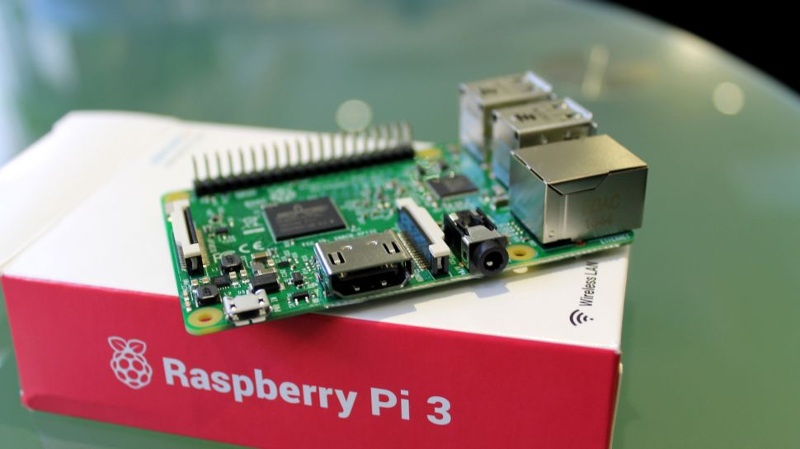
Raspberry Pi 3
The Raspberry Pi 3 as shown on the giveaway site!


That was the tech news of the week segment, I hope you enjoyed this quick digest, let me know what you think in the comments section below!

BlueGriffon 2.0 is out, And 2.1 is just around the corner!! 2.1.2 Has .DEB!!

Four months of hard work and fixing bugs have brought us to this highly anticipated release of BlueGriffon 2.0

I have posted about the Alpha and gave it a review and been following the development closely on Twitter, the beta release was just two days before the official release, so it was nearly impossible for me to download, test and finally post about it. Let’s take a look at BlueGriffon 2.0

An introduction

BluegGriffon is  a product of Disruptive Innovations SAS, a French software company founded in October 2003. Based in Saint-Germain en Laye, France, Disruptive Innovations SAS delivered in the past premium products like the popular editor Nvu (the indirect predecessor of BlueGriffon).

A total overhaul

  • This version is a total overhaul for the program, as it changes the addins system and even the licensing platform!


  • All the add-ons from the previous versions won’t be compatible with this one so you need to download the new ones.
  • There are features that are only available for those who purchase a license, BlueGriffon is still open source and the basic features

can be used freely.

  • The manual is also up for purchase, this is in order to support the development of BlueGriffon as it says on the website (the manual isn’t open source and can’t be distributed freely).
  • It will only support Windows 7 and higher, Mac OSX 10.8 and up, and the only Linux distribution supported is Ubuntu.
  • The overhaul included the BlueGriffon site, and yes! It was designed using
  • BlueGriffon! It matches the interface and looks fantastic!


Interface

It brings the darker theme that was first shown in the alpha version, complete with all functions and menus.

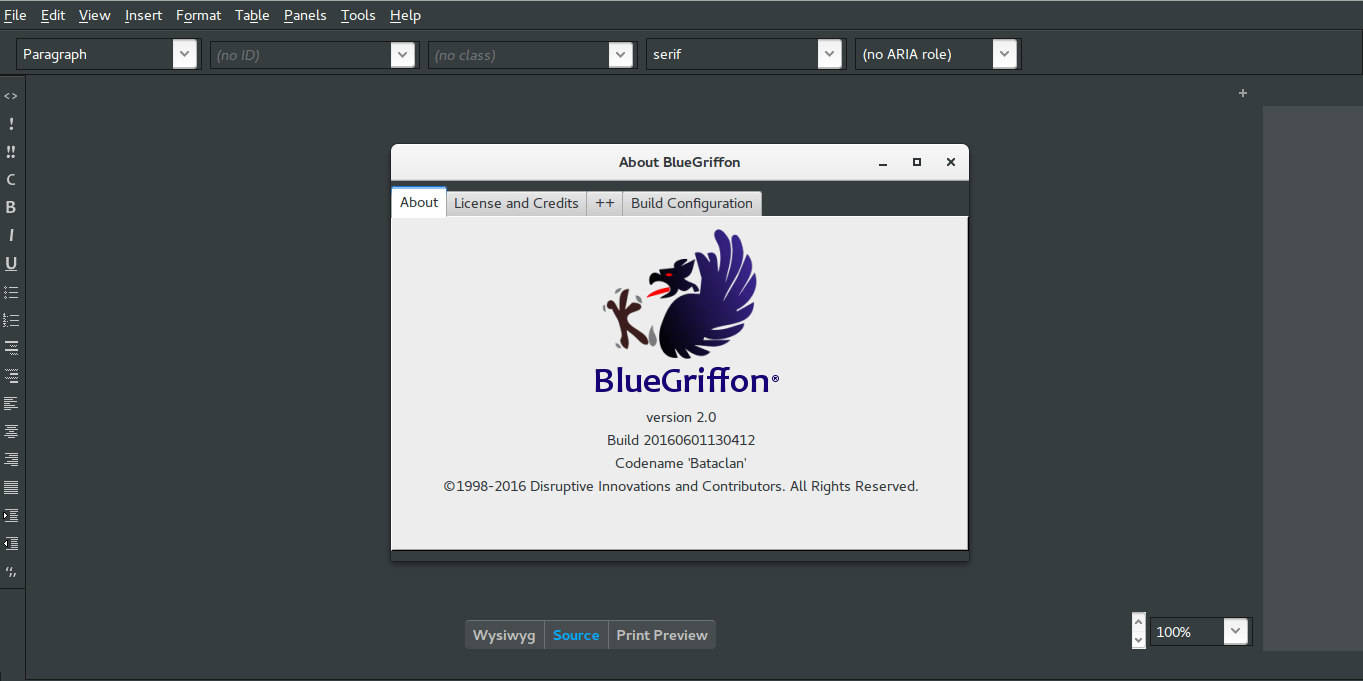
BlueGriffon Version 2.0 interface with help menu


  • It feels smoother and lighter,

image management is much better than version 1.8 and same goes for tables.

  • I do miss the function buttons

as now I have to do everything by menus!

  • I didn’t experience

any random shutdowns of BlueGriffon so far.

Download 

BlueGriffon is cross platform and is available to download for:

Windows (Windows 7 and above). And a ZIP file is available too.

Mac (OSX 10.8 and above).

Linux Ubuntu 64 BIT.   

Click on any of the links to start downloading from the official server.

Languages supported

English (USA), Čeština, Deutsch, Español (Castellano), Suomi, Français (France), Galego,
, 日本語 한국어 中文 ), 繁體字 ), Magyar, српски.

Here you can download the available dictionaries for these languages.


Final words

A version 2.1 is in the works and the developer is taking note of some fan suggestions like: a hide-able dock and a clear theme, I’m really impressed with the comeback BlueGriffon has made, as I said before it was marked as discontinued by alternativeto.net, it’s really good to have a frequently developed open source HTML editor available! I as a blogger can’t keep up with how fast this application is being developed! And that doesn’t happen often!


Update on 06/08/2016

Version 2.1 is out and you can check the change list from here!

P.S: The site is inaccessible at times, I couldn’t download it so far, and it wasn’t packed as .deb (  I suggested that several times without hearing back from them).

They aren’t very responsive to e-mails, I’ve been writing to them since the BlueGriffon was frozen at 1.7.2 back in 2013 and they haven’t replied to me once! Even on Twitter I never got to hear back from them, seriously? How hard is it to send a tweet?

Update on 06/12/2016
Version 2.1.2 is out and FINALLY it’s packed as a .DEB
You can thank me later! 😉
Download

I hope you like this post, please give me your thoughts in the comments section below, will you download BlueGriffon? And if you did, what do you think?

Have a nice day!

« Older posts Newer posts »