Page 283 of 325

لماذا نستعمل الليونكس؟

لماذا نستعمل اللينكس؟

سؤالي اليوم هو لماذا نستعمل اللينكس؟ لماذا لانكتفي بما هو لدينا فقط؟ وفي أغلب اﻷحوال هذا يعني الويندوز.

الويندوز نظام تشغيل مستقر يستحق كل الإحترام، والإحترام هنا هو أن تدفع ثمن المنتج، لا أن تسرقه!

 

في بلادي الكثير من الناس يجهل أو يتجاهل حقيقة أن للتراخيص ثمن، مثل ثمن اﻷكل والشرب والملبس، بل ويسخر من من يدفع ثمنا للتراخيص، ويتفنن في شراء النسخ المقرصنة أو تحميلها من الإنترنت بطريقة غير مشروعة.

أنا شخصيا مقتنع بإن هذا سيتغير قريبا جدا..

من كان يتابع نسخ البرامج سيلاحظ أن أغلب الشركات بدأت تتجه للحوسبة السحابية، وهي موضوع يطول شرحه، لكن هذه التقنية فيما أظن ستصعب عملية سرقة البرامج لأن الدفع بنظام شهري وليس بنظام الترخيص التقليدي..

البرامج التي لا غنى للمستخدمين والشركات الصغيرة عنها لن يتمكنوا من الحصول عليها لا بطرق مشروعة ولا غير مشروعة!

الكثير منا لا يستطيع دفع 60 دولارا في السنة ترخيص لنسخة أوفيس 365 أو 50 دولارا ثمنا لسحابة أدوبي الإبداعية شهريا، ولن يستطيع عمل باتش أو كراك شهريا! إذن ما العمل؟

هنالك العديد من البرامج الرائعة التي تنتظر تجربتك لها، وبمنحنى تعلم بسيط يمكنك إتقان ليبر أوفيس الحزمة المكتبية المجانية، وجيمب حزمة تعديل الصور المجانية كذلك. أيضا نظام تشغيل متكامل يتنظرك أن تجربه. 

أشجعك على إحترام التراخيص، وعلى تجربة كل جديد أيضا، حمل لينكس على جهازك ولا تلقي بويندوز اﻷصلية التي لديك في سلة المهملات!

أما إن كانت مكركة .. فذلك حديث أخر 🙂

شكرا لقراءتك تدوينتي، رجاء تفاعل معي بالتعليقات.
Transfer Windows 8 licence to a new machine (Dual Boot Saga)

This is the third episode of the Dual Boot Saga. In the last two episodes we talked about installing Windows 8 and restoring the Grub menu so we can actually dual boot.
In this episode we will be covering the most important aspect of the whole saga, Transferring Windows license. 


What was the situation at the time?

I was informed that the key was installed on an another computer (Which is something I already know!) but the old HDD was “fried” and the laptop is thrown on some dusty shelve somewhere! How to let Microsoft know that? I was given an activation ID and was instructed to call my local Microsoft support number. No response.
I Googled half a dozen of local support numbers (Libyan) and none of them even replied. The last one said that the license cannot be transferred. And started giving me pricing and offers. I wasn’t going to give up just yet (Which is true if the license was OEM, mine was PRO which I got separately).


I wasn’t about to give up just yet!

I read on the Microsoft answers site that if you call the support center and provide the installation ID. (You will see it in the Activation settings when your Windows is not activated) They will give you an activation code you use to activate your Windows. I looked up the nearest support number and it was in Kuwait! And the minute prices were high! I couldn’t call them via any VoIP service  like Viber or Skype. And Windows was still not activated!

This is how the actual call went

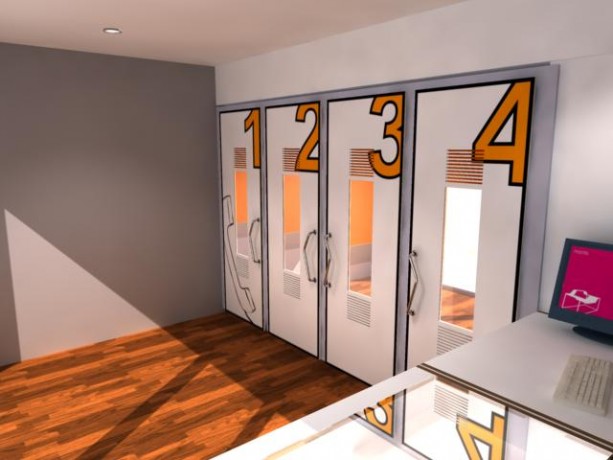
I called a good friend of mine who worked in a call shop who said he can help me. I went to him and I was surprised he moved business. And took me to a shop across the street to a friend of his! The guy was so nice. He took the number and gave me a decent working phone (most of the phones were dirty and smashed) I called the number and it was an automated response. I navigated through the options until I reached the most important part. I entered the ID with shaking fingers on the phone. Then the machine dictated a number sequences. I entered that to the computer. And Windows was activated!! The guy won’t take a penny for a 10 minute call to Kuwait! God bless him!


This is what a callshop looks like


Finally!!

I drove home so happy! I had activated Windows and proven the local salesmen wrong (the customer is always right? Not in Libya that is!!)
I had a good idea about the call process because I read this tutorial before going there, it would save you some time and money to do so!

Now that I had my Windows running side by side with Linux. I had one more thing to do before ending this saga, and that is to update Windows 8.1
But this will have to wait for the next episode of our Dual Boot Saga!!
How are you liking these posts so far? Let me know in the comments below!

LibreOffice 5.0 hanging on Ubuntu, can’t highlight fix!

While messing around with LibreOffice Writer 5.0 on Ubuntu I discovered that I can’t highlight text, and trying to highlight text made the whole program freeze! I managed to fix it and this is how I did it..

I always download two versions of LibreOffice, one for Linux and the other for Windows, usually the one with the issues it the Windows version, but in this case it worked fine, while the Linux version was acting off.

I assumed that the main culprit is the Java machine, because in Windows it refused to work with the 32 Java machine I had installed which ran version 4.4 well. So installing a 64 bit Java machine did the trick, and the reports worked fine!
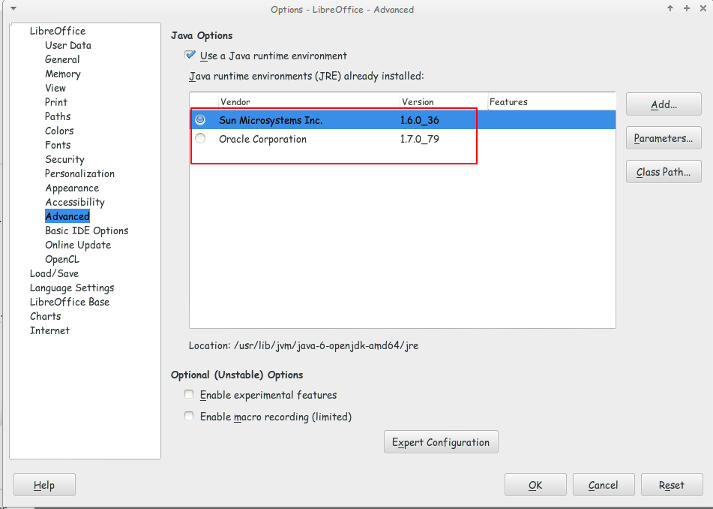
I looked at the machines I have installed and they were: and none of them made the problem go away!
You can access them by clicking: Tools Options Advanced


Java machines on Ubuntu

They were both excepted by LibreOffice but the problem persisted even after restarting over and over again!

I’ve finally been able to fix the problem that made LibreOffice hang and freeze when highlighting a text.

All you have to do is to navigate to:

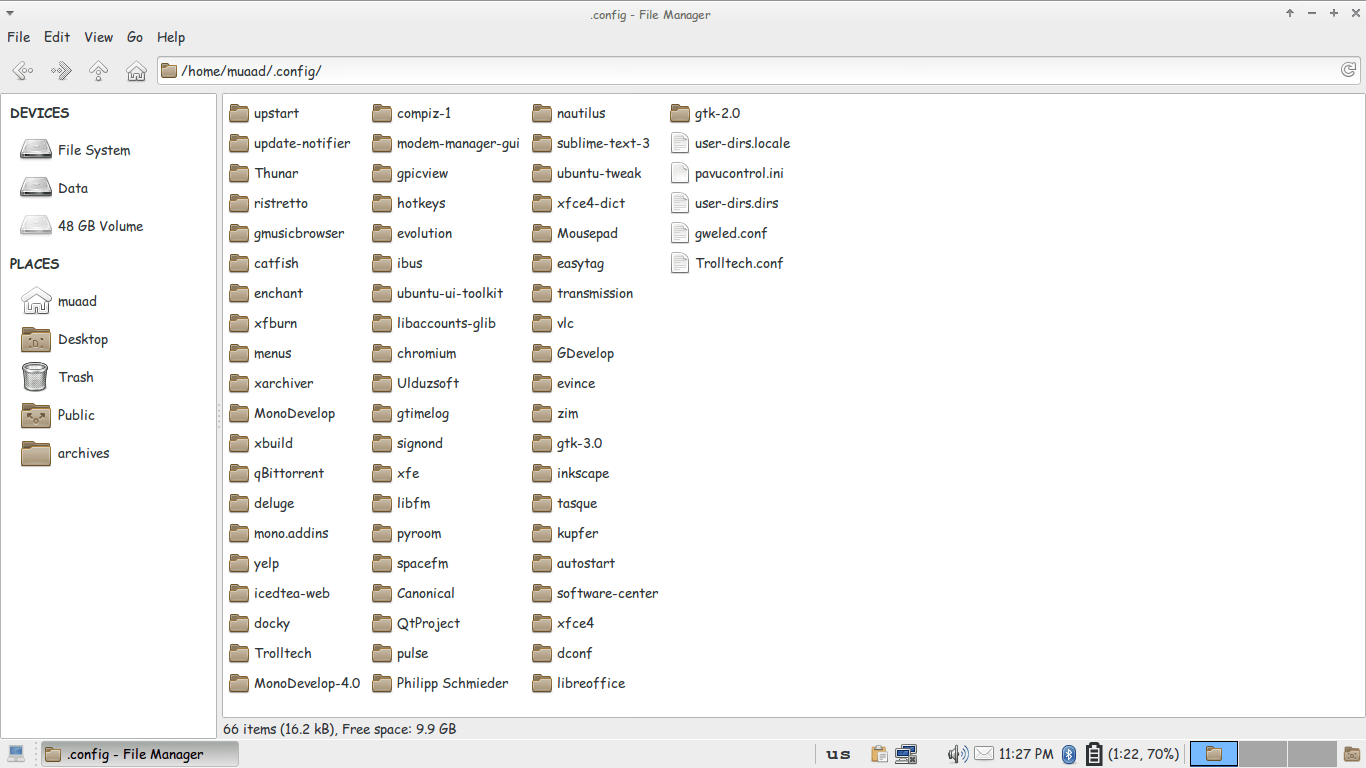
/home/”User name”/.config/ and delete the folder LibreOffice.

It will work fine after that!!

Thunar confing file unhidden to delete LibreOffice config

You might have to unhide the folder in your file manager!

It’s not a Java machine problem. But I don’t think it would hurt if you download the latest version.

لماذا نستخدم الویندوز؟

ولم لا ؟ فهو الذی وجدناه فی جهاز البیت عندما إشتریناه، وهو الذی یوجد بكمبیوتر المدرسة و العیادة. وكافی الانترنت. وهو الذی أخذنا علیه دورة الكمبیوتر التی أهلتنا للوظیفة التی نحلم بها، وهو الذي يحوي عشرات اﻷلاف من اﻷلعاب التي تمتعنا وتسلينا،  وهو الذی أصبح ملازما للكمبیوتر ولایفارقه بإضافاته العدیدة، وإصدارات برامجه التی تصدر كل سنة..

ميكروسوفت تجبر شركات العتاد أن تحمل اﻷجهزة بأنظمة تشغيلها، دون أن ننسى أنها صارت مصنعة عتاد تحمله بنسخة ويندوز (الأخيرة) و بعد شرائها شركة نوكيا صارت اﻷمور أوضح.
سیاسة میكروسوفت الاحتكاریة تتلخص فی أنك:

  •  تدفع ثمن البرنامج.
  • التحدیث.
  • دورات التدریب.
  • الدعم الفنی والصیانة.

مجددا هذا فی الدول المتقدمة. أما فی الدول الأقل تحضرا فإن نسخة الويندوز المكركة لا تكلف شيئا، وكذلك اﻷوفيس، والفوتوشوب، واليد العاملة رخيصة، والعتاد رخيص..

ولكن؟
كم من مرة حصل إنهيار شامل للجهاز؟ غزو فيروسي رغم وجود مضاد فيروسات وغيرها من برامج الحماية المكركة كذلك!
كم من مرة تلف الهاردسك بالكامل وخسرت سنوات من الملفات؟
هل تعلم أن الجهاز الموجود به برامج مكركة أكثر عرضة بكثير للإختراق من أجهزة ويندوز العادية؟
كم مرة تقوم بالفورمات في السنة؟ من تجربة شخصية كنت أقوم بالفورمات مرتين أو ثلاث في السنة (في ظروف مثالية) ووصلت معي الى مرة في اﻷسبوع!!
ليس من المفترض أن ينهار الويندوز هكذا، وحتى وإن إنهار فهنالك طرق أكثر ودية لتصليحه دون اللجوء للفورمات وإعادة تنصيب كل برنامج مكرك تستعمله.
هل تعتقد أن كل هذه مصادفات؟
إن ويندوز يمكنها حظر كل النسخ المقرصنة ولكنها سمحت بها حتى لا تتجه إلى سواها، فهي تعلم عاجلا أم أجلا أن أموالك ستقع بين يديها!
أنا لست ضد أن تتربح ويندوز من المستخدمين، أنا ضد القرصنة وضد الإحتكار..
من حق كل مستخدم أن يستخدم البرامج التي تلائم إحتياجاته، شريطة إحترام التراخيص.
أتمنى أن تكون هذه التدوينة أفادتكم، وأتمنى ردودكم التفاعلية.

« Older posts Newer posts »