Page 303 of 325

Gimp 2.10.14 won’t install problem solved!

Hey guys 🙂

It’s been ages since I posted anything about GIMP!! Not that I don’t like it or don’t use it anymore. It’s just I’ve been busy exploring other things while working with Gimp often.

I had gimp installed by default when I got Xubuntu 14.04 LTS. And to my greatest pleasure it is automatically updated. So I didn’t check the new versions for a while.

When I started reviewing some web design material. I had to have the Gimp on Windows too (For comfort 😛 ) and so I downloaded the latest version 2.8.14.1 from Filehippo.com t. And to my disappointment. It didn’t work ..

I double clicked and it didn’t progress pass the language selection option. It stopped responding many times.
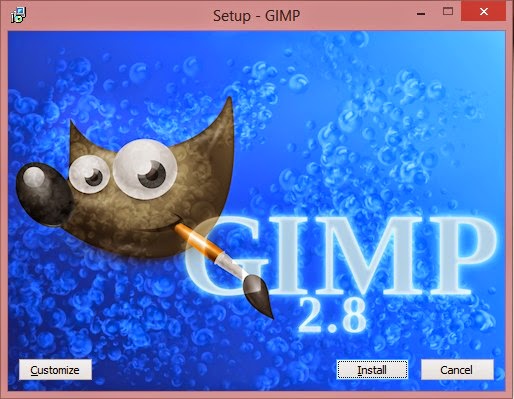
I went to the official website and downloaded it via a bit-torrent client. Nothing ..

It did the same thing, no matter what I did it froze on the language selection and I had to end it from the task manager.

It was a bummer .. I downloaded it twice. Fiddled with many windows settings like:
Running as administrator.
Trying the compatibility options with every prior version of Windows.
I even installed the latest GTK library and Python ( Didn’t work).

And the funny thing no one reported that problem. I Googled all around. Nothing!!

When I installed it on a another Windows 8 computer. It went smooth!

Maybe the problem is with something in Windows 8.1?

What did I do to fix it?

Nothing!

I ran the installer. And let it running. After a few minutes it resumed installing like nothing happened.

I even uninstalled GTK and Python. And it didn’t affect how Gimp worked!

So here you have it. Be patient! It’s a Gimprtue !! Play on virtue!

That was today’s post. Please tell me if worked for you! And did it happen with you?

Please join my blog and subscribe to my mail list!
What’s registry defrag and how often do you need to do it?

Hey there you guys, how are you today?

Today we are going to talk about registry defragging. And what benefits it may bring you?
It’s very similar to normal defragging. Instead of working with files and folders. It works inside the registry
Over a long period of time the registry becomes clustered with useless keys and unused values. Which affects the overall system performance.


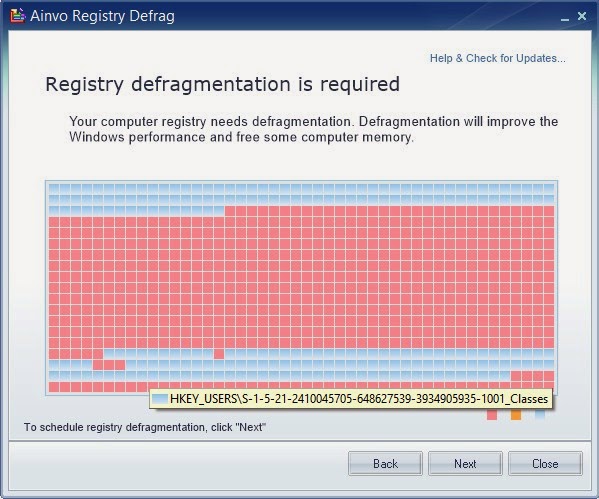
It’s pretty safe to do with the right tool. Ainvo Registry Defrag is an easy to use tool and really effective. It’s free for non-commercial use. So make sure to check the license before getting to work! It’s compatible with Windows XP, Vista and 7. Useless on Windows 8 / 8.1 (Trust me. I tried it several times).

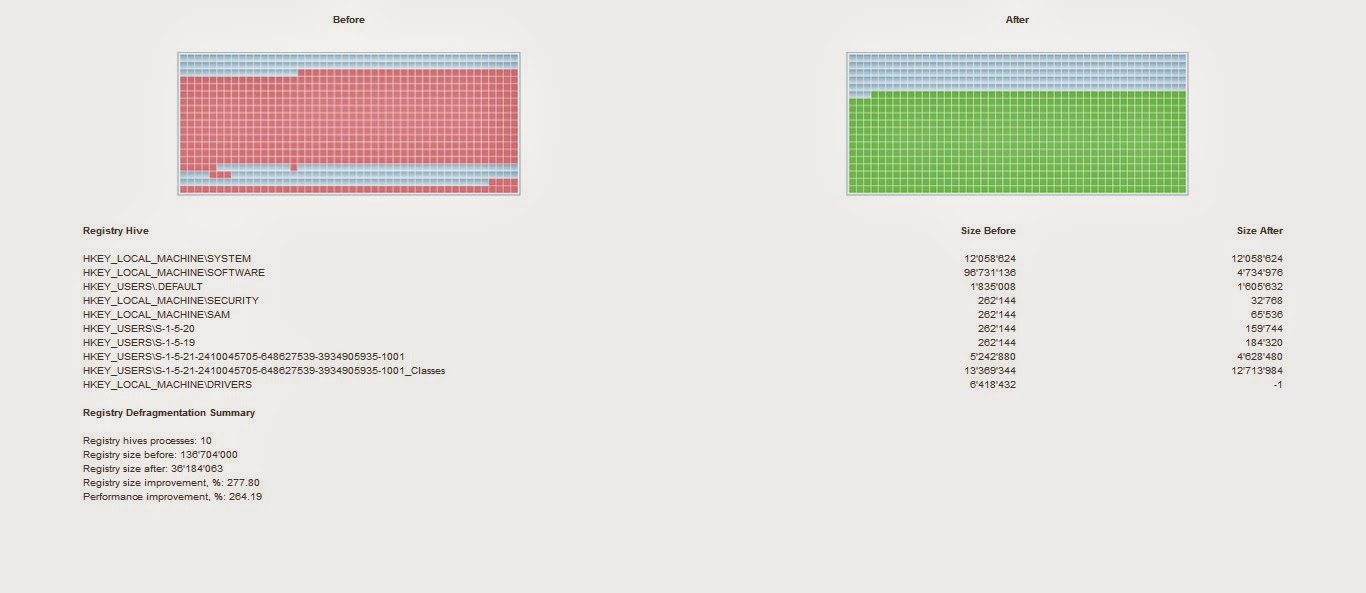
The tool itself is pretty straight forward. It’s a wizard that calculates the registry defragment. If you don’t need defragment it will tell you so.At first it will run an analysis of the system to determine how fragmented is the registry. As you can see here it’s pretty fragmented!

You need to reboot for it to work. When you reboot a black screen will appear (Don’t be scared!!) and you will see the progress. Then you have to reboot again to the system.
The reason is: It cannot work on the system files while they are in use. It works outside of windows (Pre-boot).

Then after the second reboot you are shown the defrag results in your default browser.
The detailed results show where the tweaks were made and the sizes before and after.


Feel free to check it out and give your system an overhaul.
Now I must warn you: Don’t attempt to do anything to the registry on your own, unless you know exactly what you are doing, it can cause some serious damage to your system.
I hope you enjoyed this post and found it useful. Feel free to comment below!
Also join my blog and subscribe to mailing list so you don’t miss a post!

Doesn’t work on Windows 10.

A quick fix to many Windows 8 – 8.1 bluescreen issues

Hey you guys 🙂

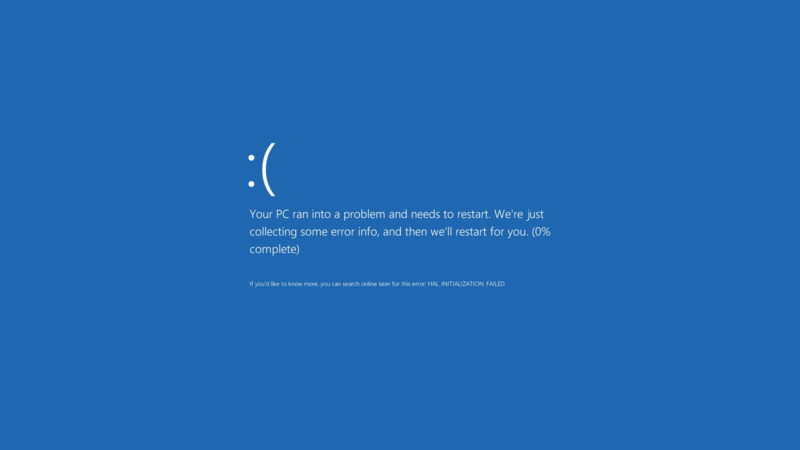
If you are using Windows 8 / 8.1 You would notice an awful lot blue screen of death screens BSOD. Now windows advices you to search online for the error .. (Da! Thanks for the tip captain obvious!)


What’s the cause of these errors?

Some of them are driver related. Others occur when you standby or lock the screen. Some after you install certain software..
The fix to all these causes and more is a simple command!
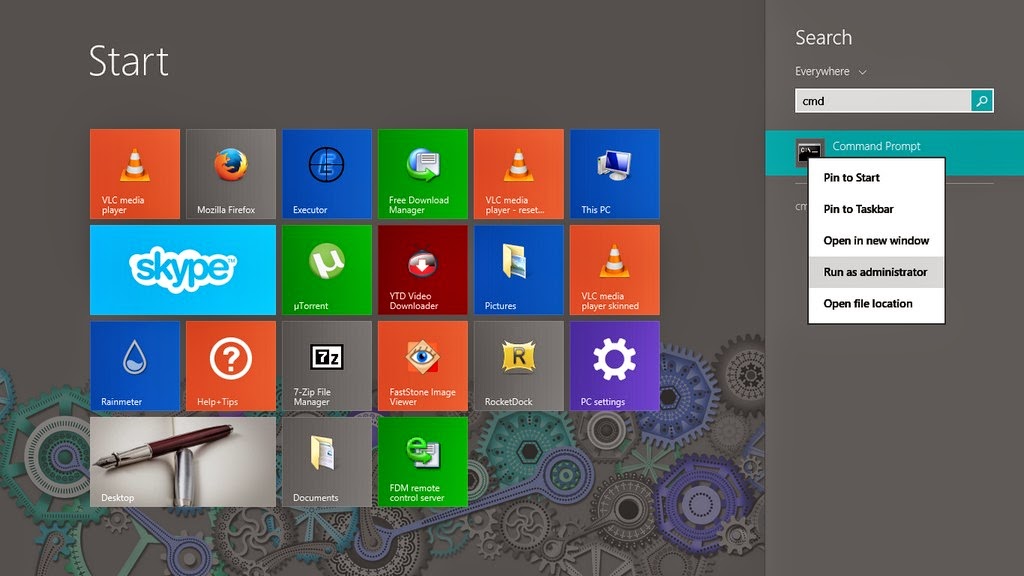
1. Go to the start menu and type CMD

2. When you see command prompt. Right click on it and choose: Run as administrator (Very important!)

3. The command prompt windows will show up. There right this command: “sfc /scannow”

This command checks the system files and attempts to fix the errors.
The process will take some time ( in my case it took an hour to complete)
After it’s done you will be prompted to restart once or twice. After that you are all good!

How easy was that? 🙂

Try it and let me know what you think. Did it fix your problem?
I hope I managed to turn the “frown” upside down 😀
Make sure to follow my blog and join my mail-list NEW

Windows 10 FREE FOR ALL!! What’s the catch?!

Hey you guys! I have some breaking news!!

Windows 10 will be launched this summer. Free for all Windows machines ( Genuine and pirated!) Running Windows 7, 8.1 And it will be available in 190 countries and in 111 languages!

New browser 

They also plan on retiring the famous Internet explorer and to replace it with a new web-browser!

More on the story as it develops!

Sources: 1, 2

Opinion piece

Since when does Microsoft give anything for free? Wouldn’t this be a trick to bust all the pirated users of Windows?

I’d say to wait and see how this develops. And don’t use pirated software!

« Older posts Newer posts »