Page 315 of 325

Best free way to organize your files and folders in windows

Hey guys, checkout this awesome little known software:


“This application simply reads the given directory and it’s sub directories, and produces .htm file basing on a given template. The result file can be used to print out the contents
of the folder, or as a sitemap of your website.


Note: this program can’t read your website online, it also doesn’t understand external URLs, like: https://muaad.com.ly//, it only reads and exports a folder.


Also, this application was created for myself, then I only added this help doc. and a few other things, and published. This means it is not very strongly tested, but it worked for me fine, so I assume it will work for you too.


So, there are two ways you can use this program: creating sitemaps (for websites) and simply getting a contents of a folder.”
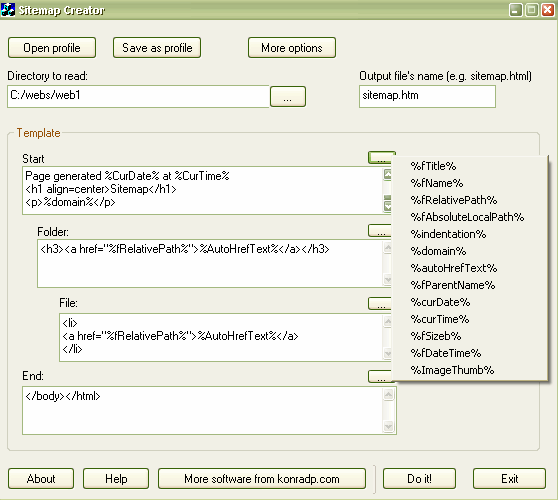


Very handy for creating label disks or organizing huge collections of software for example
Download
FDM can continue a broken download when the server does not support that!!

Hey guys, I feel super because I was able to continue a download from a server that does not allow you to continue the download, if your download fails for any reason you start from the beginning which is pretty bad especially when the internet connection is slow and the file size is big.

Here is what happened

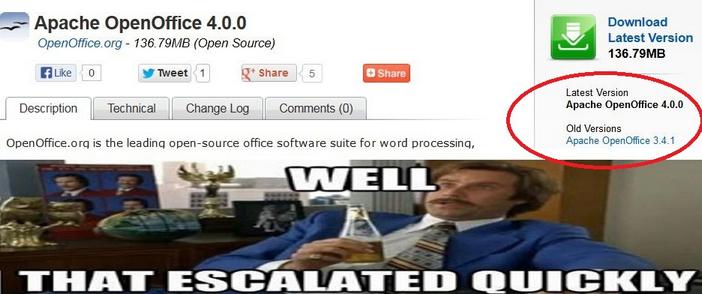
I was downloading Apache OpenOffice 4.0.0 which is 137MB, I used FDM to download the file because it’s faster, even if the servers in filehippo didn’t support resuming downloads.

When the download reached 99% the lights were out!! And since my modem is AC powered i lost the connection and the download.

I went to the directory and marked the file as visible the file and did a test using 7zip, the archive was corrupt.

When the lights were back on I tried starting the download again (Right click and then start download), that didn’t work, i was given the message: File no longer existed on server.

So here is what I did to resume the download and save the time and Internet quota:

  • I went to FDM and right clicked the file and went to download properties, or hit the shortcut key Alt + Enter

  • Go to the second tab from the left “Mirrors” and click the button add to add the same link you used to download the file.

  • Hit OK then OK.Wait for the download to resume and Continue from where it stopped. Go to the download, check it using 7zip, you have yourself the file ..!

Hope you liked it, please recommend me on Google+ & subscribe to my RSS feed.

Suggested Edit for making Gimp look like photoshop cs3

Hey there dear fans 😀

Today am thinking of something old but new, making my most notable work more readable and easier to understand, of course I am talking about this post on how to make Gimp look like PS CS3.


I have been told it’s hard to follow, which may explain why is it viewed so many times!!

Even I had a hard time following it, and am the one who made it!!

So please if you read and followed my tutorial successfully then suggest me some edits and I will give you credits for it.

Thank you, that is all.

Have a nice day 🙂

« Older posts Newer posts »