Day: January 30, 2016

BlueGriffon 2.0 first preview

BlueGriffon is back to a steady path of development after being marked inactive by Alternativeto.net this time version 2.0 is in the works and recently a first preview version was posted on-line.


It released 1.8 in October and now 2.0 is under development!

I’ve downloaded the version and tested it on Ubuntu, what I noticed immediately is hat the color scheme is different, and that the toolbar that has been carried along since the days of nVU (one of the earliest open source web author systems).
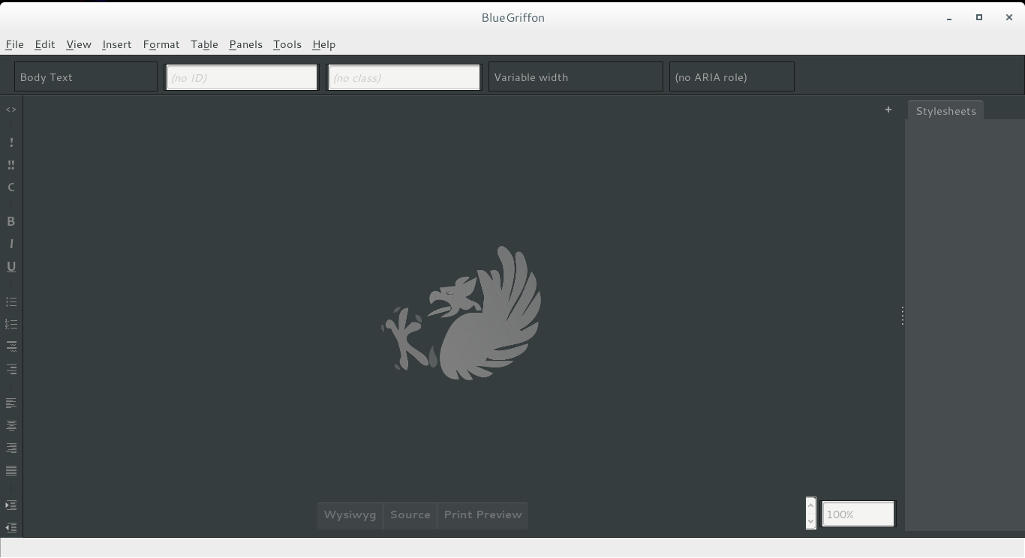
 

BlueGriffon 2.0 interface

It enhanced the way that panes are displayed, instead of being awkward pop-up windows now it implements tabs which make better use of the screen.

This version isn’t fully functional and far from complete, but I had to break in the good news!
What I really hope for (and I suggested this to the developers already) that a PPA would be used (personal package archive) that way BlueGriffon will be isntalled easily and updated with the system automatically, and catograized peroperly within the applications (it’s now a portable App that needs to be extracted to the root of your computer).

I think the version 2.0 will be the best one yet, and I hope it fixes all the bugs from 1.8

Will you download the test version? What do you think?

Update: Version 2.0 and 2.1 are released! Check the review from this link!!
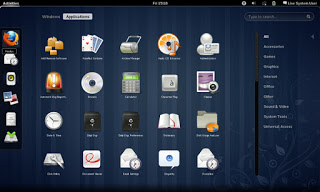
Removing Cinammon and Installing Gnome 3.12.2 on Xubuntu 14.04

Over the course of the last weeks I’ve been making change happen by playing around with interfaces, now I’m left with the buggy Cinammon interface and the two login screens bug.


I began downloading Gnome 3.12, it took a while using these commands:

$ sudo add-apt-repository ppa:gnome3-team/gnome3

$ sudo add-apt-repository ppa:gnome3-team/gnome3-staging

$ sudo apt-get update

$ sudo apt-get dist-upgrade

$ sudo apt-get update

To add some extras:

sudo apt-get install bijiben polari gnome-clocks gnome-weather gnome-maps gnome-music gnome-photos gnome-documents gnome-contacts epiphany-browser gnome-sushi gnome-boxes gnome-shell-extensions

That didn’t work. Then I realized I need to download Gnome full from Ubuntu software center

That I did, a total of 436 MB


The lock screen thing wasn’t resolved, one page suggested a full uninstall of lightfm-gtk-greeter
I did that, and it won’t log in any more!!
I had to open the system live mode and it didn’t fix it, even by downloading the package manually
The repair option did the trick after enabling the network and choosing the right login manager, I was back to square one
sudo apt-get install lightdm-gtk-greeter
sudo update-alternatives –config default.plymouth
logo/ubuntu-logo.plymouth, afterwards run this command
sudo update-initramfs -u
For the login screen, run this command :
sudo dpkg-reconfigure lightdm
I did the change from under ubuntu after login, from lightdm to gdm, and it worked!

Gnome 3.12.2 Is the last supported Gnome version that Ubuntu 14.04 can handle, that’s one of the drawbacks of running LTS, you can’t always have the latest software.

Work it in

The double password bug was fixed.
I download LightDM-GTK-greeter to fix the deletion of it. And even that didn’t fix it fully. I had to enable it from the commands.
Then I chose Greeter after login to change the ugly Xubuntu login style.
I had to download Ubuntu’s boot animation as it won’t show it.