Month: February 2017 (Page 2 of 2)

Streets of Rage 5 Remake review and download

It’s been ages since I last posted the game of the week segment! It’s where I highlight an awesome free / open source game for the readers to enjoy.
Over the past few years I started gaming a lot less and focusing more on writing and other things, later I learned the hard way that all work and no play makes jack a dull boy! So gaming is back and by force!
This game is a remake of the hit series of the early 90s made by SEGA, it’s a completely separate project done from scratch by bomber games.

 

The streets of rage series was a trilogy of games made by SEGA in the classic beat em up style that was so popular at the time. The game had 3 original characters: Axel, Adam and Blaze. Three young police officers who take it to the streets to save the city from the gangs of Mr.X . The game had a player one and two player mode co op, a second game was made in 1992 and the final game was released in 1994, as a player I felt the game was incomplete and for years I wanted more of SoR but SEGA went out of business and no game was released, until ..
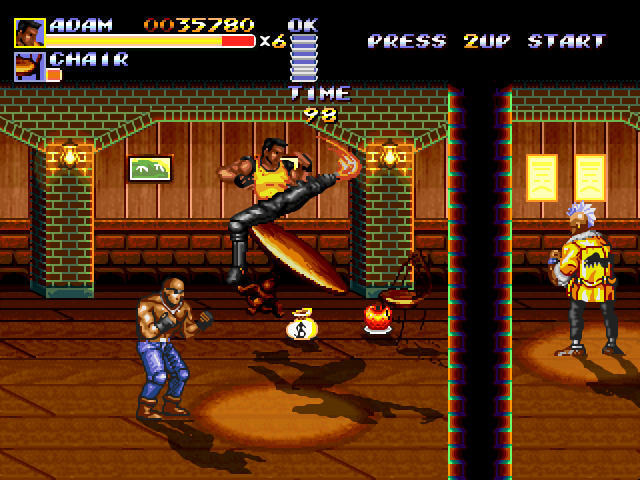
 

They first started with Sor4 in 2010 after 10 years of hard work and it was published for free! It’s quite an amazing effort! Two years later Streets of Rage 5 was released with all the stages, bosses and characters from the original games, bigger in size and really a game to enjoy.
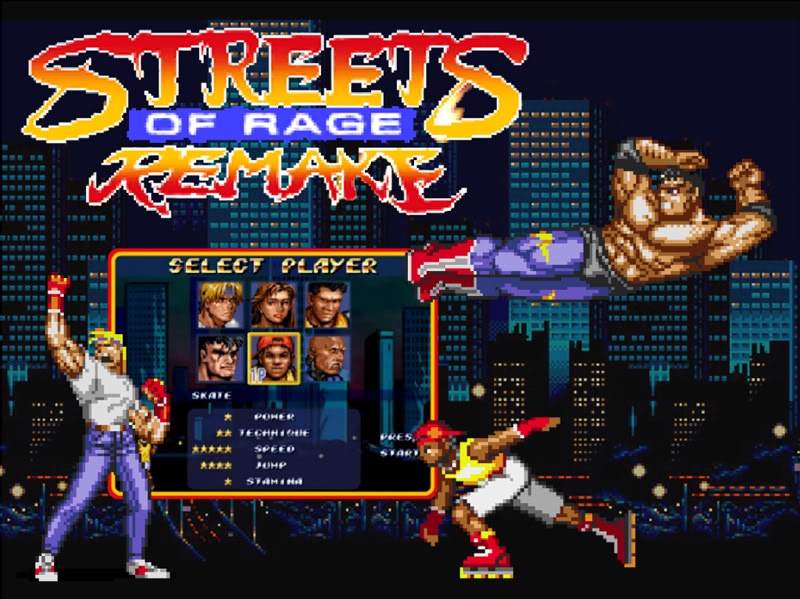
 

The latest version is 5.1 which features bug fixes and patches of the game, the final chapter of the streets of rage series that was never made by SEGA.

What’s so special that I finally got a hold of a .deb version that works 100% on Ubuntu, no need for wine or a virtual machine!

The game is available for download from here for Windows. – Sadly the file has been deleted, so I’ll link 5.2 instead.
And from here for Linux. (deb file from google drive).

What do you think of this post? Share your memories with this awesome game here in the comments section below! And share it with fellow retro gamers too.

LibreOffice 5.3 is out, Enable the Notebook bar in 3 easy steps!

The much anticipated LibreOffice 5.3 is out, the tech world and open source community welcomes the latest milestone release of LibreOffice, which brings many improvements and bug fixes, this release is on of the most feature rich in the history of LibreOffice.


LibreOffice 5.3 Logo


Whats new in LibreOffice 5.3?

LibreOffice 5.3 is packed with new features that make it easier to use and familiar to new users.

  • Improved text layout engine for a consistent look cross platforms using HarfBuzz.
  • Preserving table looks when applying edits in Writer.


  • Improvements to default cell styles in Calc.


  • A template selector when opening in impress to choose templates from, and a new slides properties deck in the sidebar when in master slide mode.


  • Many “under the hood improvements for easier development.


  • Experimental UI features, a notebook bar can be added that is similar to MS office ribbon, this feature is completely optional while the sidebar can be docked to the side with a single click.


  • LibreOffice online, the collaborative document editing service provides the
    the first source code as a docker image.

For more details please visit this page.


How to enable the notebook bar in LibreOffice 5.3?

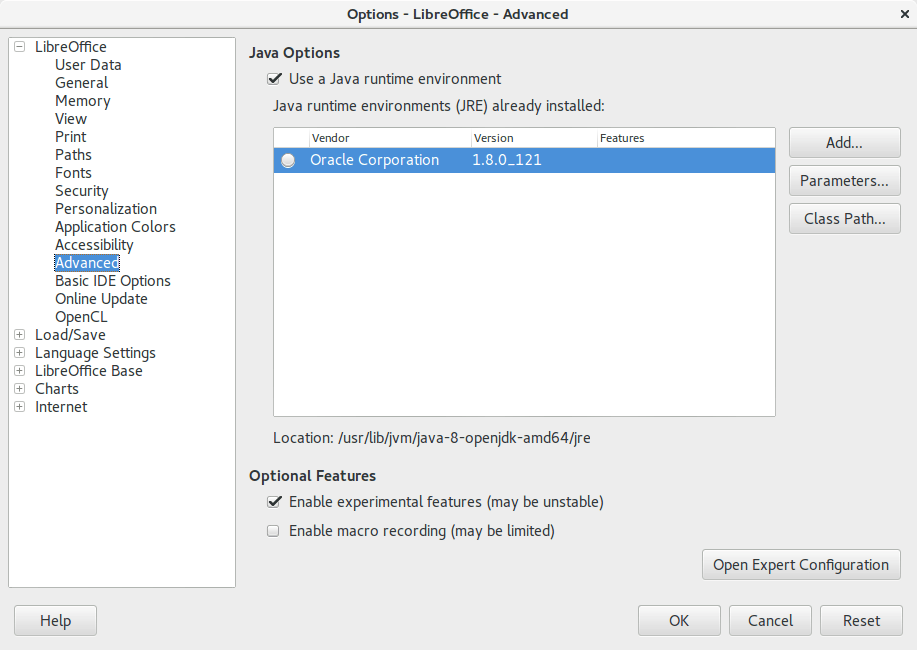
1. It’s actually very easy to enable this “experimental feature” of LibreOffice, you need to go to the options and choose advanced, from there check the experimental features, and restart the program.


Enable experimental features in LibreOffice 5.3
Enabling experimental features in LibreOffice 5.3

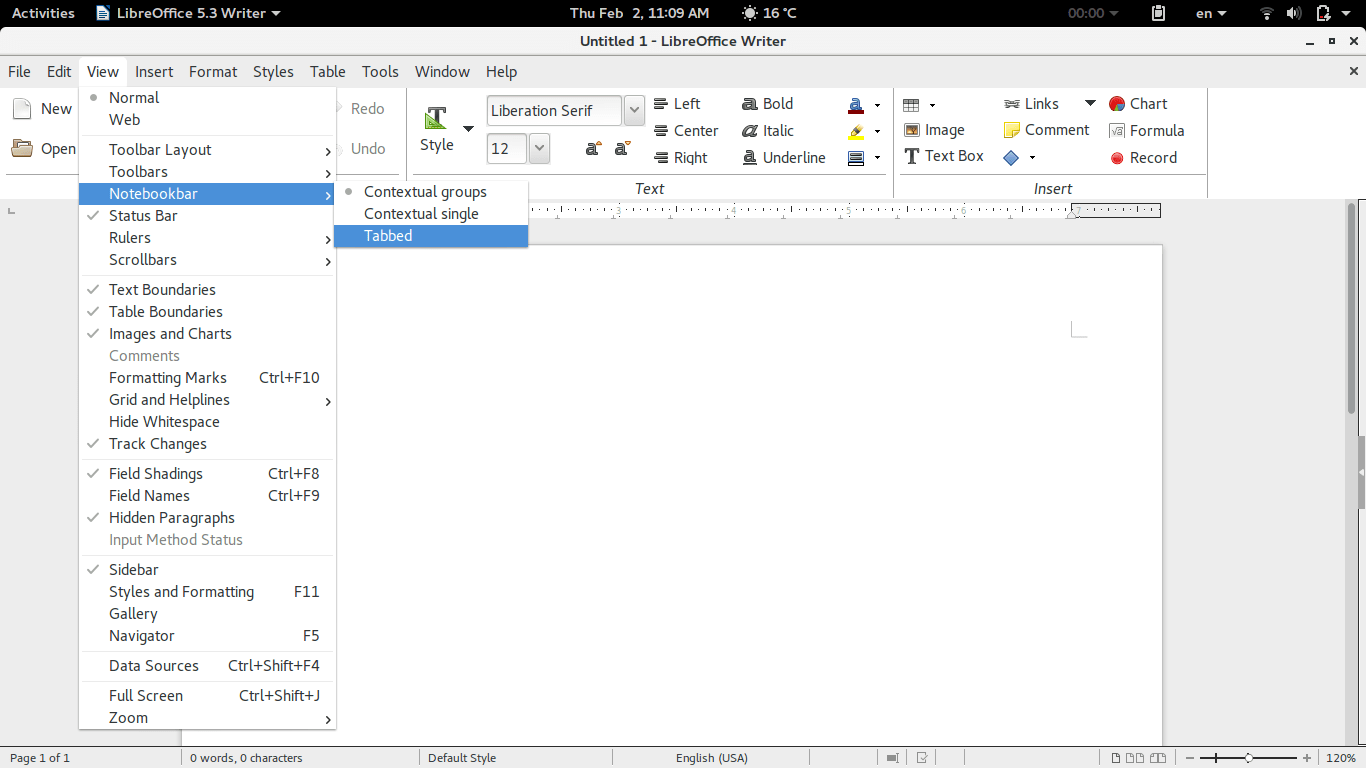
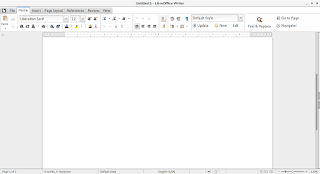
2. Then open Writer, navigate the menu to the Menu View> Notebook bar > Tabbed


Enabling the notebook bar in LibreOffice 5.3

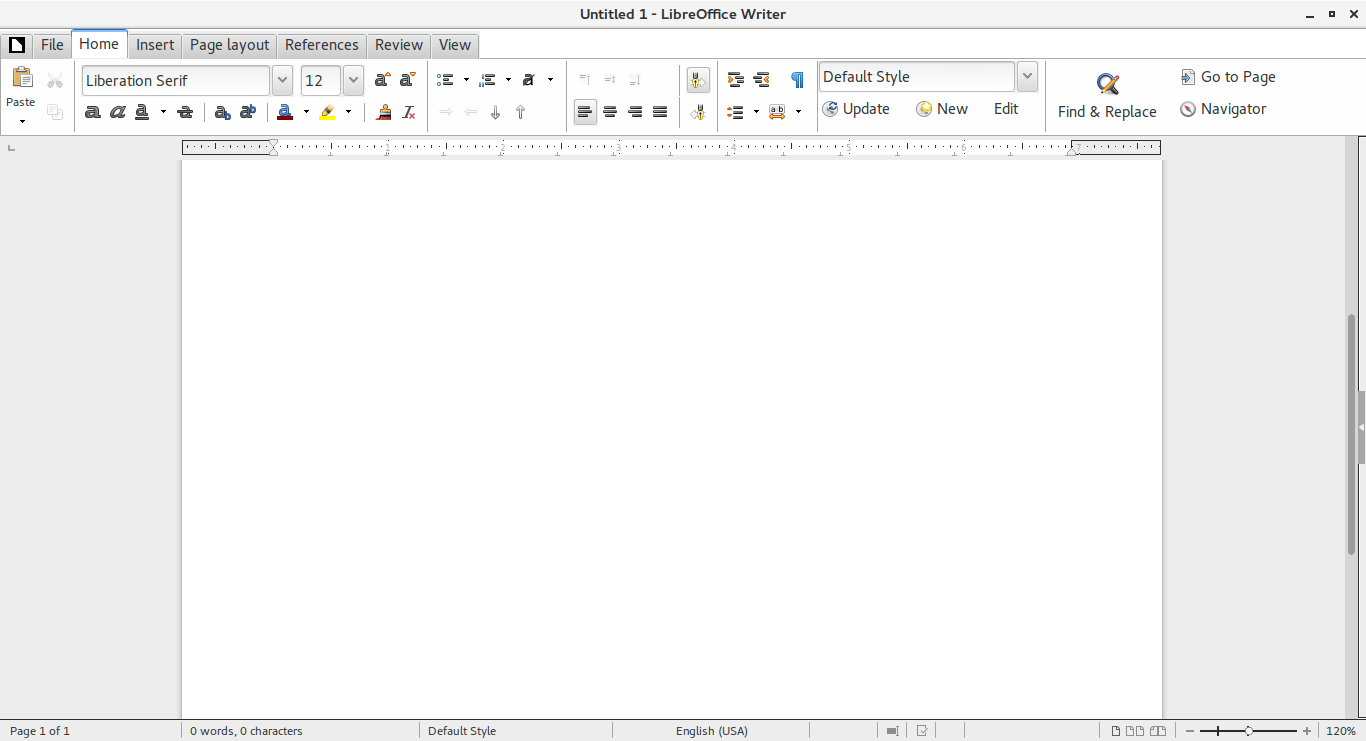
3. And it will change into a tabbed style!


The notebook bar in LibreOffice 5.3
The final look of the Notebook bar in LibreOffice 5.3

Doesn’t it look great? Let’s not forget it’s experimental so it needs a little polishing!

Download LibreOffice 5.3

To download LibreOffice 5.3 go to the download page and choose your operating system and begin downloading, you might even consider using a torrent and seeding as well to help people download faster!

And consider placing a donation as well, it’s what keeps the foundation going!


Last words

Will you download LibreOffice 5.3? Do you like the Notebook bar? Please let me know what you think in the comments section below!

Thank you for reading this post, please share it on your social media and help my blog grow.

In more recent versions, follow this help guide.

Newer posts »