Category: Android (Page 15 of 16)

Whatsapp for Android now supports voice calls! (Screenshots)

Hey there you guys!

How is it going? How are things?

Whatsapp has announced that it will bring voice calls since late 2013 beginning of 2014. And only now they have brought that feature to Android!
Whatsapp has been widely popular ever since. And lost some fans after being purchased by Facebook over security concerns. But this step will increase it’s popularity among users. And create rivalry with the current Voip app out there, Viber.
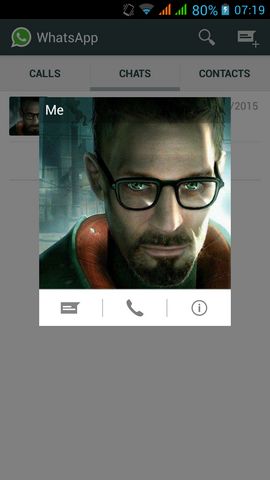
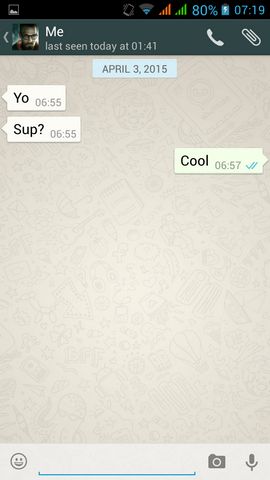
The update number is 2.11.560. You have to update your application to receive the voice call update.

As you can see. They added the call button to the contacts. Tap a contact to view it.

Or from the chat itself you can call the contact you are chatting with.

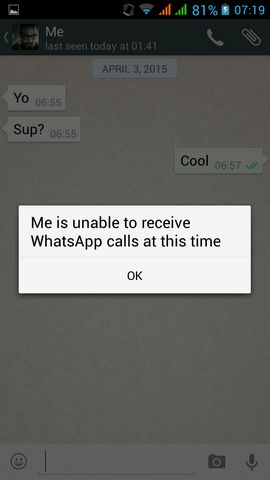
If the receiver doesn’t support calls. You will get this message:

The call was to my Symbian phone. It doesn’t support Voip (I should be grateful it still has Whatsapp text support anyway)!

As for other platforms as iOS and Windows Phone. It’s coming in the near future.

As a last word, don’t use any other applications other than the official Whatsapp you get from the store. Other apps can be risky. If not sure check the website.

Thanks for checking out my post! Please comment below. I’d love to hear your input!

Join my blog and subscribe to my mail for more posts like this 🙂
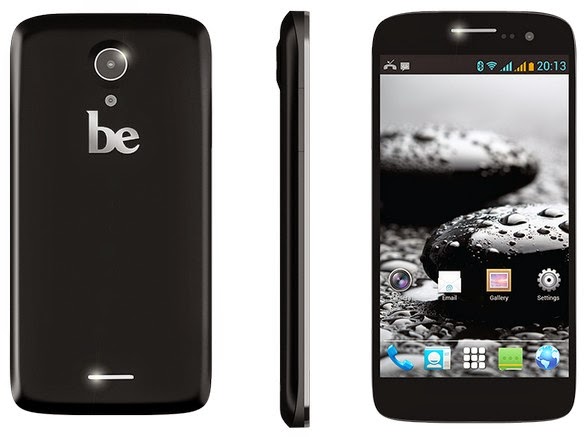
Be Elite 2 video review by me!

Hey there you guys!

How are you doing today? I hope you are great!
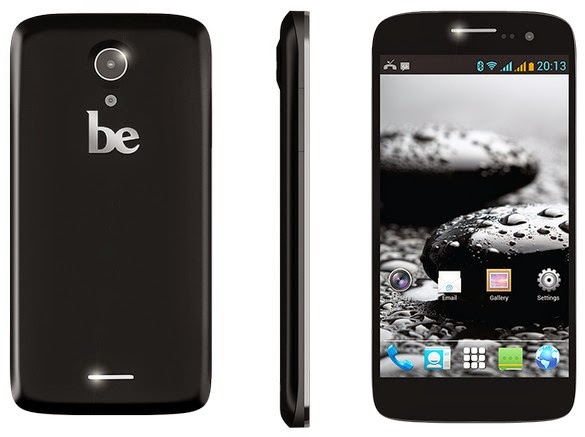
I made this review of the Be Elite 2 Smartphone by Bephone sometime ago! I wonder why I didn’t blog about it!

What is it?

It’s a mid ranged cellphone with mediocre specifications made by Bephone, much like the Ubuntu phone specs wise. but two years before it’s release! It was released in November of 2013

The phone sports a 1.3 quad core processor. 1 Gigabyte of RAM and 4 Gigabyte of storage with one available for user, 8 Megapixel rear camera. And a 2 Megapixel front camera.

The screen size is 5.0 inches IPS. Like the iPhone screen, and it’s not scratch resistant! Ouch!! Always use a screen protector! The operating system is Android Jelly bean 4.2.2 (Never updated since launch!) . And the battery is a 2000 MAh Lithium ion.

Box Contents: Screen protector, Handset, Battery, Charger, Cable, Hands free headset.

For more information download the manual from here. And go check it’s page on the company’s website. The site is down, and I don’t think it’s ever coming back!

My impression of the phone is great! It’s solid and preforms really good! Even with heavy multitasking. The battery backup is good but nothing to write home about! The screen can take a bump or two, just don’t go overboard!


Pros

It comes Pre-loaded with apps like BBM, Chrome and a flashlight out of the box!


  • Really cheap compared to it’s specs.
  • Charges really fast!
  • Leds tell you when it’s charging and full. Also notifications.
  • Sensors allow to lock & unlock the phone, take pictures and many fun tasks. Cons:

Cons

  • No support at all (including updates)
  • The camera is a little fuzzy.
  • The BBM is sometimes annoying ( It can be disabled!).
  • The screen is scratched easily ( Not gorilla glass).
  • No support for 4G and LTE
  • The user interface is a little dull and there isn’t much to do about it!

If you have any questions  feel free to ask me, but keep in mind I’m just an owner, and not associated to EMS or Bephone 🙂

Final words

The site has been removed from hosting, weird!

It can be found over at web archive if you’re so inclined.

What are screenshots? And what tools to use?

Hey there you guys 😀 How are you today?

Continuing from this post on tools to help you be more productive.
It’s a handy tool! From remote tech support to making presentations and internet arguments! Ever wished to take a picture of the screen without whipping out your phone?


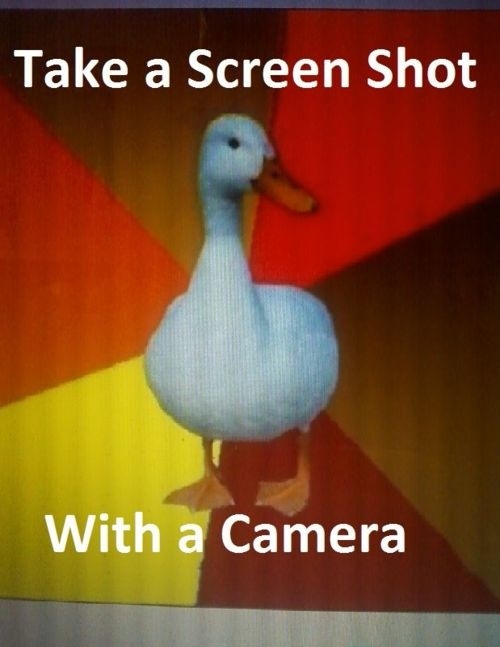
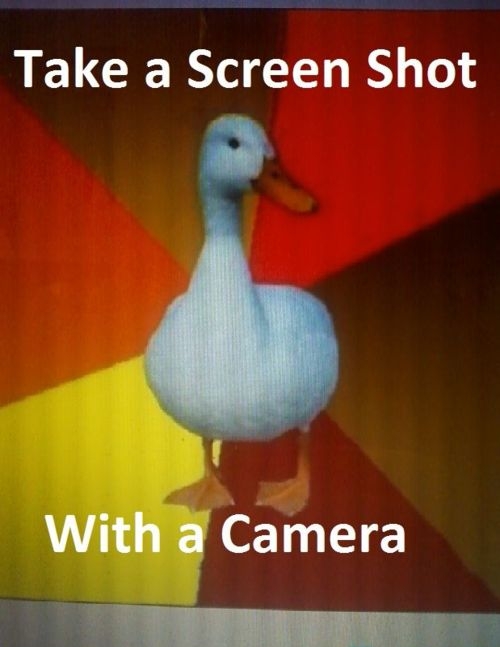
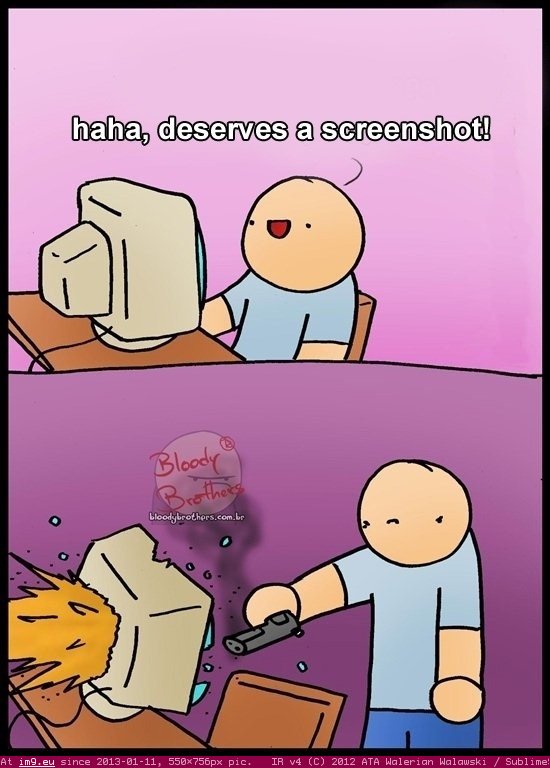
Screenshots are the way to go! And no! Not like that! *funny pic

It can be done on many platforms! It’s worth mentioning that you don’t need software in Android 2.2 and above! Just hold the power button and volume down and bam! Screenshot saved!

But what about the computer?

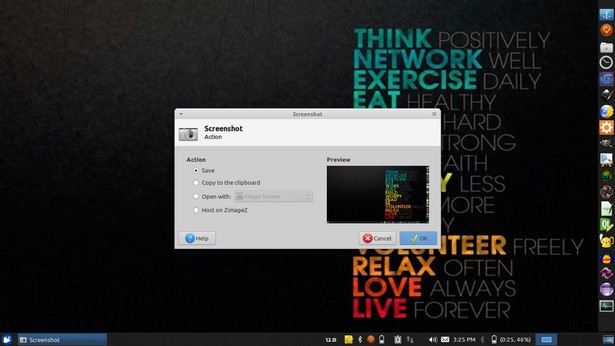
In Linux you don’t need a software! Just hit the PrtScr key on your keyboard ( Or add Fn if you are using a laptop) And you will have the program take it for you and offer to open it or save it.

This is the utility used in my Xubuntu. Makes working with screenshots much easier!

But what about Windows?

In windows it’s not that easy.. You have to take the screenshot and manually paste it in a drawing program like paint. Then you have to optimize it because it’s pretty big ( 3MB if your screen resolution is 1368*768) And you have to repeat it every time you take a screenshot :/
There has to be an easy way to do so! Or is there :3
There are tons of screenshot software out there. Some are free, some are not. But all share the same concept! Making taking screenshots easy.
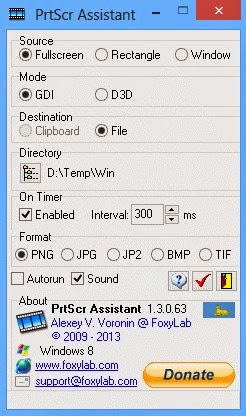
I use PrtScr Assistant for my daily needs! It’s easy and free!


Features:


  1. It starts minimized so it gets out of the way.
  2. Runs with the default key (PrtScr key) and saves the file to a folder of your choosing.
  3. It names files by time stamp so there is no chance of over writing your previous shots.
  4. It optimizes the screenshot size ( Third of the size taken by paint ) And by choosing the format of the screenshot.

Plus many other features 🙂 so feel free to download it and explore it fully!
What are the tools you use to screenshot? Will this article promote you to screenshot more?
Please share it with us 🙂 And have a lovely day 😀

First ubuntu phone coming next week by BQ!

Hey you guys 🙂

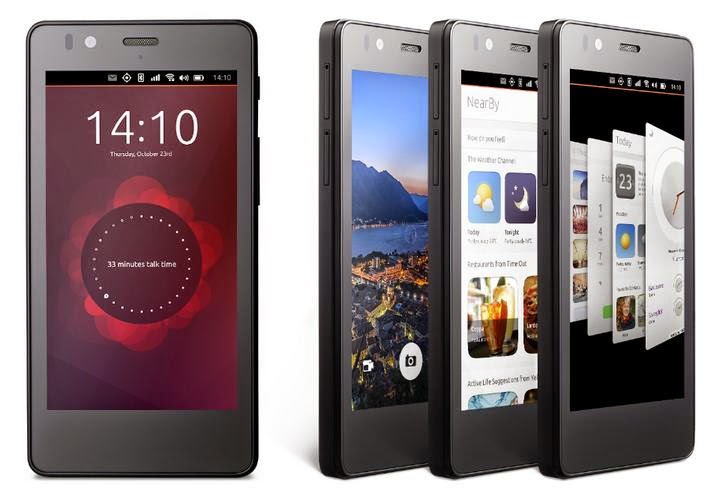
I’m so excited! The Ubuntu phone is finally lunching after two long years since it was announced!

The specs are mid-ranged! It’s built on the BQ Aquaris E4.5 that normally ships with Android. And it’s nothing special.

Specifications

The phone sports a 1.3 quad core processor. 1 Gigabyte of RAM and 8 Gigabyte of storage, 8 Megapixel rear camera. And a 5 Megapixel front camera. ( Apeerently the specs were chosen upon the announcement two years ago! )

Impression

Over all looks pretty nice and solid. BQ will be providing it online in flash sales in Europe only! ( Similar to Chinese phone companies like Xiaomi ) ..

Weird sales strategy!

The question I had for nearly two years remains!

Will Canonical provide the operating system for download? Could normal Android smartphones be flashed to run Ubuntu? Only time will tell.

I hope you enjoyed this update. Have a nice day

Feel free to share your opinion in the comment section 🙂

« Older posts Newer posts »