This week had many interesting news happening all over the tech world!
Let’s take a look at this digest and catchup really fast!
Microsoft is said to buy the enterprise social media site Linkedin for a record 26.02 Billion dollars in cash, the deal is trending worldwide with people shocked over the size of the acquisition, it’s a bold business choice to say the least!
The current S.E.O of Linkedin Jeff Weiner will report to Satya Nadella the C.E.O of Microsoft, as Microsoft is looking to reach to the 433 million users of Linkedin to expand it’s business and products such as Office 365 and cloud solutions.
 |
| Microsot’s logo |
In other Microsoft news the Windows 10 “free upgrade” will expire on July the 29th, so if you are planning to update you better put that on your checklist and fast!
OnePlus is ready to launch the third smartphone of it’s famous “flagship killer” series: OnePlus3, the highly anticipated phone will come with a 64GB internal memory and 6GB of RAM! (specs according to GSMarena).
The countdown is almost done and the launch event will be presented in virtual reality via a The Loop. A special App available on the Google store.
More details will be available as soon the smartphone is released.
Here is the official unboxing video.
 |
| Apple’s logo |
Apple annonced at WWDC 2016 the release of it’s latest update to iPhone and iPad: iOS 10. Which brings many improvements to iPhones such as a redesigned message app, lock screen and the ability to delete many pre-installed apps, the update will be shipped this fall. (for more details check the Apple site from here)
 |
| It’s not a Snap! Just a package icon! |
Now we take a tour of the Linux world: Sanps are the hottest thing in the Linux world today and for a good reason! Snaps were first announced as a feature of Ubuntu 16.04 that installs programs easily without needing to install dependencies (as it’s packed with the binary) or use command lines to install, these snaps can run virtually on ANY Linux distro! Meaning you can use Ubuntu apps anywhere you go on Linux: Desktop, server or cloud!
The main advantages of Snaps are security, speed and ease of use as they are easier to create, install and update! And many of the major open source projects like LibreOffice and Ubuntu will use them very soon as the standard way to deliver software.
This has been a dream for Linux users for many years because different distros use different package managers, meaning that Debian software won’t work on Fedora and vice-versa.
I’m glad to see that happening finally, learn more about this awesome new technology!
Fedora’s latest release: Fedora 24 was supposed to be released today, but due to some bugs not being fixed it was postponed, Fedora is ready when it’s ready! Checkout the bug list if you can’t wait!
Finally the Linux oriented blog it’sfoss is celebrating it’s fourth anniversary (does it ring a bell?) by throwing a giveway, the prise is the awesome Raspberrypie3.
 |
| It’s F.O.S.S’ logo |
Here is my lucky link for you to enter and help me win, because if I did I’ll make a video review of it and many posts about it! 😉
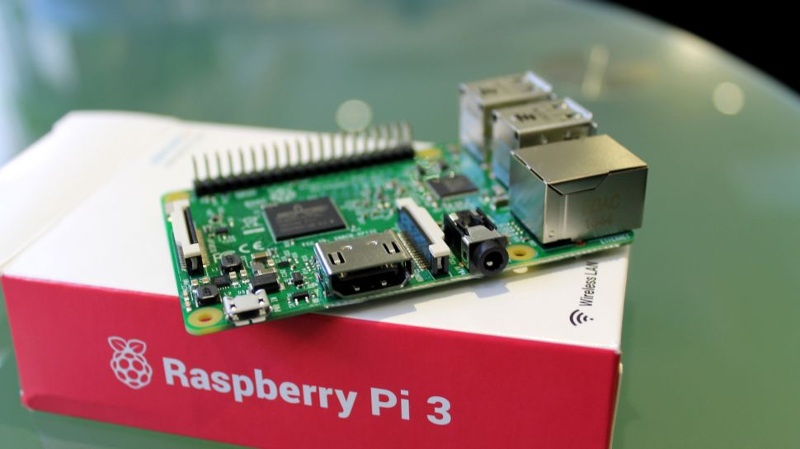 |
| The Raspberry Pi 3 as shown on the giveaway site! |
That was the tech news of the week segment, I hope you enjoyed this quick digest, let me know what you think in the comments section below!