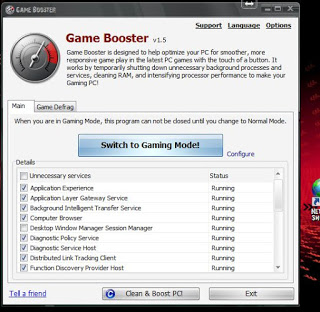
Hey guys, how are you doing today?
Today I want to talk to you about making your day more productive, and getting more done in a simpler way, we start with the first software:
RSS Feeds
 You know how much time checking your favorite blogs take, and that loading time is just not what you need right now, if you feel this way then i suggest that you start looking for RSS feeds and you will see how will you master all of your favorite blogs and site all in one place!
E-mails manager

The second software is even more important and productive, it helps you with your scattered emails across the web, if you have several emails on multiple domains you might find it useful to round up the day using Thunderbird.
Pester application
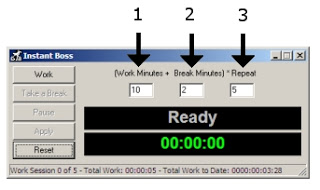
As a free lancer it maybe hard to focus and getting things done, and often you fail in meeting deadlines, instead of working you are Facebooking or watching an old episode from The Simpsons on Hulu! For that I recommend this little fellow !
Working hard or hardly working? This guy will tell you the scoop 🙂

The perfect method to stop slacking and getting to work seriously.
Total Organizer
And to master everything and stay on top of all your daily needs I recommend this software as a PIM manager that is light and easy.
The awesome combo
 You can’t be productive on Windows without having Executor and Everything search play side-by-side!
While Executor automates almost every aspect of your computer, Everything search makes sure that every file and folder on your drive is accessible within seconds of searching it! Check out the full post from here.

I hope these softwares can help make your day more productive , all free and down-loadable with no issue, if you have any comment or like to add to the list.
I’d be more than happy 😀