Hey guys 🙂
It’s been ages since I posted anything about GIMP!! Not that I don’t like it or don’t use it anymore. It’s just I’ve been busy exploring other things while working with Gimp often.

I had gimp installed by default when I got Xubuntu 14.04 LTS. And to my greatest pleasure it is automatically updated. So I didn’t check the new versions for a while.
When I started reviewing some web design material. I had to have the Gimp on Windows too (For comfort 😛 ) and so I downloaded the latest version 2.8.14.1 from Filehippo.com t. And to my disappointment. It didn’t work ..
I double clicked and it didn’t progress pass the language selection option. It stopped responding many times.
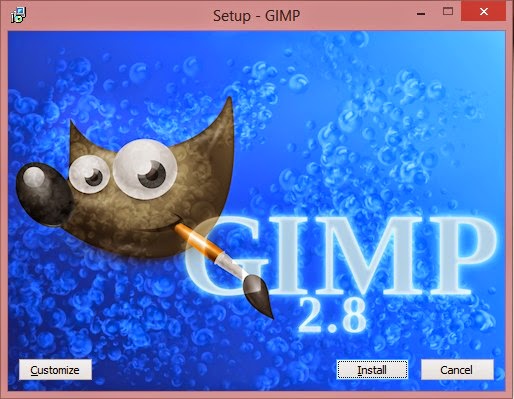
I went to the official website and downloaded it via a bit-torrent client. Nothing ..
It did the same thing, no matter what I did it froze on the language selection and I had to end it from the task manager.
It was a bummer .. I downloaded it twice. Fiddled with many windows settings like:
Running as administrator.
Trying the compatibility options with every prior version of Windows.
I even installed the latest GTK library and Python ( Didn’t work).
And the funny thing no one reported that problem. I Googled all around. Nothing!!
When I installed it on a another Windows 8 computer. It went smooth!
Maybe the problem is with something in Windows 8.1?
What did I do to fix it?
Nothing!
I ran the installer. And let it running. After a few minutes it resumed installing like nothing happened.
I even uninstalled GTK and Python. And it didn’t affect how Gimp worked!
So here you have it. Be patient! It’s a Gimprtue !! Play on virtue!
That was today’s post. Please tell me if worked for you! And did it happen with you?
Please join my blog and subscribe to my mail list!