Category: Open source (Page 19 of 20)

Tux Cart review and download

Hey guys 😀
A new corner to this blog: Game of the week.

We visit a free / open source game you didn’t know existed, and we give you the download link to it !!

Today’s game is a twist on the Mario cart series , Tux cart 0.8Tux is Linux’s mascot and he can be found in many open source games , this racer features him and many other mascots from softwares and operating systems !

Impression

the game is really fun , it’s professionally built and it has many aspects to be admired , unlike some other free games who lack this direction , it has a sweet sound track and a add-on feature allowing you to download extra tracks and other fun things

License : Free – Open source

Size : 141 MB

Os: Windows (XP – 7 – 8)

You can download it from here, click for the download to start.

Check out the awesome gameplay video


Note: Site views reach a special number 11111, thank you all.
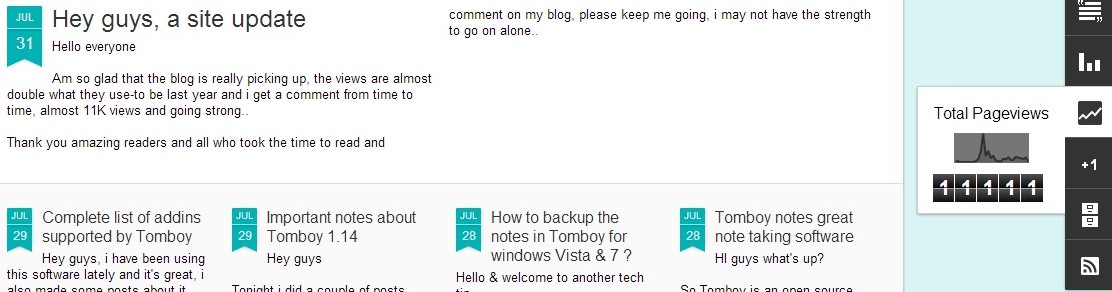
Please subscribe to my feeds and follow the blog itself, and comment as often as possible, you don’t even have to Login to anything, i made it possible for anonymous people to comment on my blog, you are welcome anytime, and don’t forget to recommend me on Google+

Have a nice day 😀
Thunderbird email manager

Hey you guys, am super excited to announce that I solved one of the major pet peeves in my life.

Every morning I wake up and open my internet to check my emails scattered across the web.


So I was looking for solution for this issue and tried everything but to no avail :/

Finally I got this super easy way to check all emails at once using Mozilla Thunderbird which is an open source mail client that will come in handy for this problem.

All you have to do is to download and install the software then do the following steps:

  • Click on create a new account.
  • In the box click skip this and use my existing email.
  • Enter your first name, Email, password, then click continue.
  • Wait for the program to load, then choose the protocol of the Incoming, outgoing, this is very important step.

If your email is Hotmail or Gmail go for POP3, If you are a Yahoo user select IMAP.
Click done and you will be taken back to the main menu of the program, with all the Inboxes you configured, I have 8 Emails: 3 Gmail, 3 Yahoo, and 1 hotmail all working with no problem.

Of course you need to download Mozilla Thunderbird, really small only 18.9 MB for Windows

OK and you are good to go, that’s it!

I hope you liked it and made use of this Techtip, and if you have any question don’t hesitate, post a comment and I will be on it asap 😀

Have a nice day 😀

FDM Best free download manager

Hi there and welcome to another tech tip

Today we will look at one of the best free download  managers , which allows you to speed downloads up to six times , stop and resume download (if permitted by the server you are downloading from) , bit torrent support , scheduling , and so much more .

You can check it out from here .
It can be integrated with Firefox , and so many browsers via settings , add on  Download the latest Firefox from here .

« Older posts Newer posts »