Page 324 of 325

Fix the Resolution problem on netbooks

Hello everyone, and welcome to another tech-tip.
Today we will be talking about the Resolution problem that occur with Netbook while trying to run some programs.
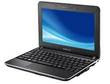
OS: XP SP3, Netbook type HP Compaq CQ10-100
 

I was not able to find anything useful on this issue so I decided to work it out myself, and this is what I have found:

First of all lets see the error message that comes when this problem happens:

Your system does not meet the minimum requirements for Handbrake.

Your Screen is running at: 1024×600

Screen resolution is too low. Must be 1024×620 or greater.

Cause of the issue

The cause of this problem is that the program cannot run under the Netbook’s resolution, in this case is 1024×600.

You can’t change the resolution because the Intel graphic chipset installed in the Netbook does not support larger resolutions.

Some of the applications that had this problem on my Netbook:

The common thing among these software and games that they are all licensed as Open source, it happened with one Freeware: “dspeech”, but why it targets Open source, this I don’t know (maybe because of OpenGL?).

Now we got two very simple fixes for this problem:

The First Fix

  • Connect your mini computer to a monitor, then change the computer’s resolution to a larger resolution, for example 1024×724, and then when the computer asks you to restart, Restart.
  • Use the function keys to alter between the آetbook monitor and the other monitor, on my Netbook for example is Fn+F2.

The Second Fix

  • Download the following Freeware, less than 100k (NRC10Beta2 Netbook Resolution Customizer) from here, and run it (on some computers it may trigger an antiviurs alarm, but it’s clean).
  • You will find an icon in the tray area (small orange monitor).
  • Right click the icon and click the top choice (which is your current resolution) to display a list of resolutions, and then click the bottom checkbox to the left saying: Enable Downscaling then click OK.
  • Repeat the last step to have the resolution you want, and the scaling means you can’t see the whole screen at once, you must move the mouse at the top and the bottom of the screen to see the rest of it.
  • The resolution will remain until you restart the Netbook, exiting the program will not change it back, a simple restart will put things right on track.
  • So this was today’s tip, we learned how to overcome the disadvantage of the small Netbook screen, for any comments please post below, I will be delighted to answer an questions regarding the matter.
Have a lovely day.


Gimp 2.8 Problem solved!!

Hey there you guys?
How are you today?
hope you are doing great!

Tested OS: Windows XP SP3  MS Office 2003 Enterprise, Gimp 2.8 RC1
If you installed the amazing Gimp 2.8 and enjoyed working on it as much as I did, you would be interested in reading this, Gimp 2.8 crashes, loads for a split second and then vanishes, even if you view the process in task manager, you will see it for a split second and then it goes out..

What is causing this?

The Reason for this is Office 2003, apparently there is a font issue that is causing this bug, and it’s yet to be fixed (at the point of the post), so if you are a die-hard gimp fan you will be forced to make a choice between the two, (That is office and Gimp)
Tip: You can use Open Office, almost as good, absolutely free of charge.
As soon you uninstall the Office 2003 suit and reinstall gimp 2.8, it will work normally.
And That is it..
Please Comment and thank you for reading.
Have a wonderful day.

Deep freeze 7.0 not showing in notification area, Help!!

Hello There and Welcome to a new tech tip, this time we will be addressing Deep Freeze 7.0 and how to fix the icon not showing in the Notification Area, and the solution is not related to the Notification Area at all.


OS Windows 7 Ultimate 32 Bit, Faronics Deep Freeze 7.0

First of all take a deep breath and don’t panic, it’s really easy!!


  • Navigate to C:Program filesFaronicsDeep Freeze Standard (not sure of the last folder name..
  • Check for the folder -$DF, if it’s there, we are almost done, if not copy it from another machine.
  • Double click the frzstate2k.exe, the icon should jump to your Notification Area.


Important notes

This problem happened to me when my Anti-virus interrupted my installation of the software, so the folder was not copied, and I had no control over Deep freeze.

I must add that it does not fix the frozen partition problem, as far as I know of course.

It worked with me, I hope it works for you, please try it and tell me.

Have a wonderful day.

Folders in Windows XP “forgetting” their Preset View

Hello There, and welcome to another tech tip

If you ever notice that your folders are reverting to their default without you changing them, you came to the right place.
Tested OS: Windows XP SP3, Priform CCleaner

This bug occurs if you use the popular cleaning software CCleaner to clean your PC, and to keep cleaning and keep your folders the way you like to see them, Follow these steps:

In the advanced tab in CCleaner you find windows size/location cache, unchek it in order for explorer to remember your folder settings.
Also Notification area “forgets” whats on and not, because of ccleaner’s setting called Tray Notification cache.

All the tests were conducted by changing a few settings at a time, then restarting.

Hope this Tip solved your bug.

Have a wonderful day.

« Older posts Newer posts »