Month: July 2015 (Page 3 of 4)

إصنع لعبة فيديو بنفسك ومن دون كود

مارأيك أن تصمم لعبة الفيديو التي تحب بنفسك؟
وقبل أن تمتعض وتتذمر بشأن تعلن لغات البرمجة المعقدة وسطور الشيفرة البرمجية أريد أن أخبرك أن هنالك برامج يمكنها تصميم الالعاب البسيطة ثنائية الأبعاد دون الحاجة الى تعلم الكود!


كما ذكرت الأسبوع الماضي في مقالة اللعب على لينكس
سنستعرض معا مجموعة منها، مجانية ومدفوعة، ولك أن تختار منها مايناسب ذوقك وإحتياجاتك.

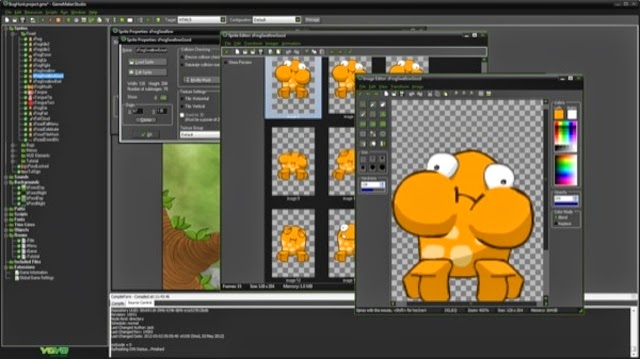
1. برنامج Game Maker يعتبر البرنامج اﻷشهر والأكثر رواجا في السوق،. يوفر مجموعة من التراخيص تتراوح في السعر بين $50 و 800 دولار، يوجد منه نسخة مجانية محدودة المميزات. للويندوز فقط.
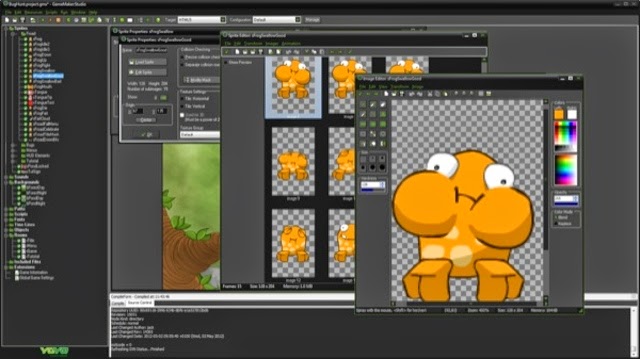
2. برنامج Jump Craft من شركة First Productions ويتميز بأنه شديد السهولة ويمكن حتى للأطفال إستعماله، يعيبه ضعف الدعم الفني وقلة التطوير، سعر الترخيص 50 دولارا، يوجد منه نسخة مجانية محدودة المميزات. للويندوز فقط.

ملاحظة حول هذا البرنامج أنه لم يعد متوفرا للتحميل والشراء. ومنذ تاريخ كتابة هذه السطور في 2015 توقف دعمه بالكامل وتم حذف الموقع من الشبكة.

في مايو 2021 قام مطور البرنامج Andrew First بطرحه كبرنامج مفتوح المصدر.
3. برنامج Game Develop هو برنامج مجاني من شركة Compile Games يتميز ببساطة الواجهة وتنوع المخرجات، يمكنك من تطوير ألعاب للويندوز والماكنتوش واللينكس وألعاب المتصفحات وقريبا أندرويد و iOS وهو مجاني الترخيص بالكامل ويعتمد على التبرعات، يتوافر على الويندوز واللينكس.

تجتمع كل هذه البرامج في أن المصمم لايحتاج إلى كتابة الكود، بل يجده في “مكعبات” جاهزة هو يقوم بإضافتها بالفأرة ولوحة المفاتيح.

وفي النهاية أحب أن أخبرك أنني قمت بتصميم لعبة من قبل، على الويندوز ودون خبرة مسبقة في التصميم بإستخدام Game Maker وكانت بالفعل تجربة مرضية و قمت بنشرها مجانا في المجتمع ولاقت بعض الرواج 🙂 وإذا أردت أن تعرف عنها أكثر أدخل على تدوينتها، ويسرني أن تقوم بتحميلها D:

مارأيك فيما قراءت، هل تفتحت شهيتك لتصميم اﻷلعاب؟ مارأيك في مصممي اﻷلعاب العرب؟ وهل ستدفع مالا لقاء لعبة من تطوير عربي؟


How to add LibreOffice to PPA in Ubuntu, Latest version install

I once advocated Apache OpenOffice in favor of LibreOffice, I even had this tutorial where you can remove LibreOffice all together and install Apache OpenOffice to your computer. If you like doing so, that’s a personal choice.


I had to study both softwares and make a decision that will affect me for a very long time. I chose brains over heart and here we are with LibreOffice 4.4.4 waiting for the 5.0 milestone, again not saying that Apache OpenOffice is bad, read more about my choice from here.
Now we come to an important part, Adding LibreOffice to Ubuntu again

Since we used the command purge to remove LibreOffice, we have to install it all over again adding PPAs ( Personal Package Archives) to the system.

We can simply do that by opening a terminal window Ctrl + Alt + T and entering the following command

sudo add-apt-repository ppa:libreoffice/libreoffice-4-4

Update

And there is the GUI way for users who don’t feel comfortable around the terminal!

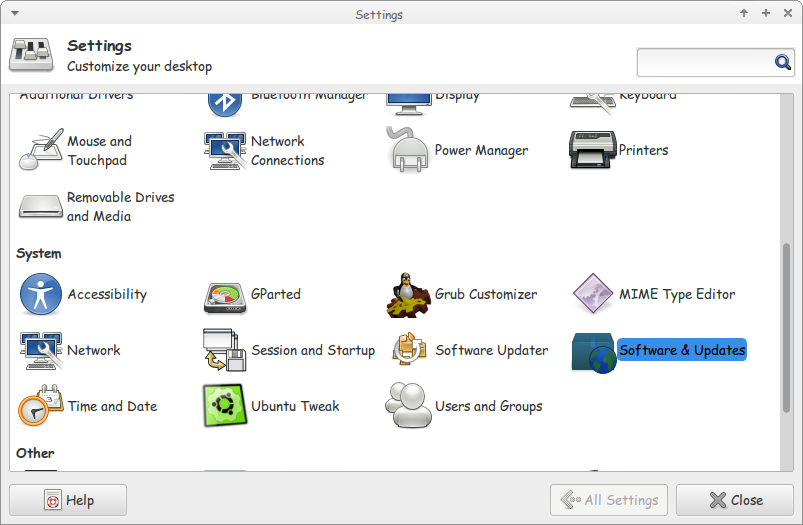
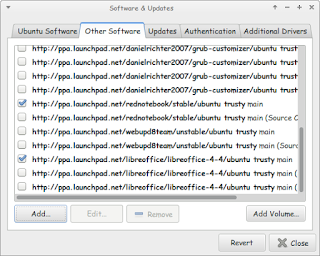
Go to Settings Software and Updates


Settings menu

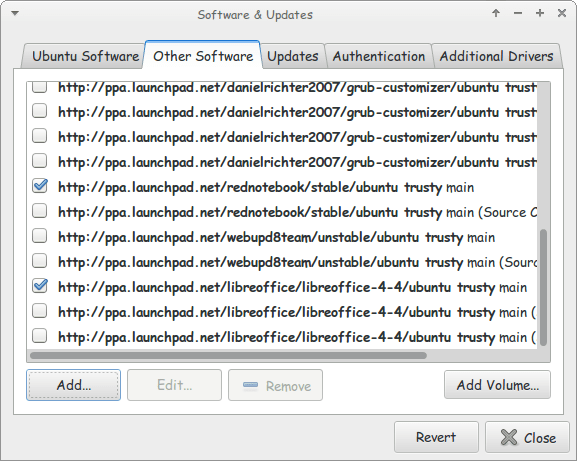
Go to Other Software and click add


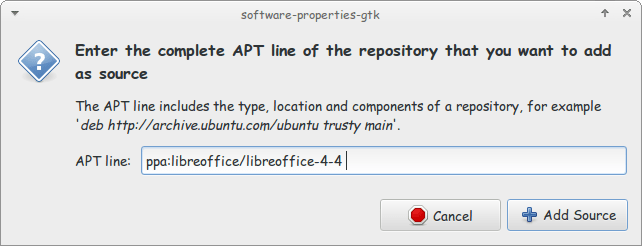
Enter the PPA name in the field and click add source (Copy and paste)

Adding the PPA

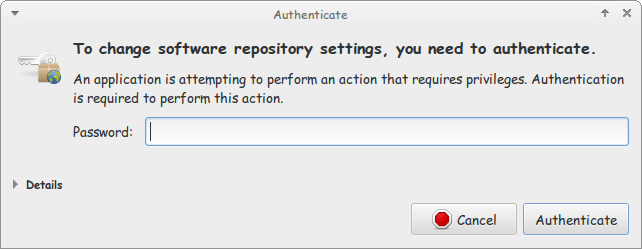
Enter password to confirm

You need the password to confirm

You will see that the source is added (In my case I took both screenshots after adding).


The PPA has been added!

This way we added the LibreOffice PPA to the software sources so the system can fetch automatic updates (we don’t have to update manually every time)

After we added LibreOffice PPA, Let’s install the latest version!

Use the command sudo apt-get purge libreoffice-* and confirm with y to remove the current version (if it’s really old).

Now we continue by downloading LibreOffice from the site and extracting it to the desktop, please note that the tar.gz file is just an archive and doesn’t need any compiling, just extract with your default archive manager!

Extract the folder DEBS to your desktop

In terminal enter cd Desktop

Then write cd DEBS (Hint: If you have the option Right click and choose Open Terminal Here).

Write the command sudo dpkg -i *.deb to install all the debs in the folder (Batch install).

After it’s done. You have LibreOffice fully running!

Finally

The first step I’m not really sure it’s necessary. I’ll have to wait till the next update to confirm that installing a new one removes the old (Can anyone confirm this to me?).

That was how to add LibreOffice PPA and install it to keep it always updated. Have a good one!

30,000 views today!

Hey there everyone, you know what? This blog reached 30,000 views!

30 is a time to reflect

It’s been a wonderful journey. I met fantastic people and learned so many things, I plan on going on forward delivering great content in an easy context!
Three years, Thirty thousand views 🙂
To all my readers, I value your support and appreciate your following. Let’s move forward towards a new milestone.
What’s the future of this site?
I’ve been working hard on many posts that will come soon ( in cha Allah ) in the following days and months (I wrote a lot!).
I hope that the best is yet to come ..
 Stay safe and be blessed

LibreOffice 4.4.4 launched. 5.0 postponed

The document foundation announced on it’s blog the release of LibreOffice 4.4.4 (Code named triple four) and it’s the third minor release of the LibreOffice 4.4 family, coming with over 70 fixes over 4.4.3
Feel free to read the full information about this release from here


The next major release LibreOffice 5.0 is postponed from late July into early August of 2015.
You can download this version from here

Will you download this update? What version are you running at the moment / platform?

Did it fix your bugs? Share with me in the comments below. Have a good one.

P.S: I posted in delay because I thought the next one was 5.0 and they would drop the plans for 4.4

« Older posts Newer posts »