Day: December 31, 2015

Turning the page on 2015

It’s the end of 2015 which has been an excellent year for me, I did my biggest year blogging so far!
I posted 233 posts (this post is counted too) which totals up to 64% of my entire blogging!!

Goals

In 2015 I decided to take blogging seriously and take my blogging skills to a new height, glad to say I did it!
I’ve reached 48,000 views on my blog, a little short than my original 50,000 mark, but I knew that was unachievable!
I also started blogging in Arabic, which was a huge draw on some topics!
With the new domain and sitemap and awesome templates, adding podcasts and better posts all around, I just raised the bar so high, I don’t think I could do what I did the next year!

Social media gains

I also gained closer to 8000 twitter followers! That helped my blog grow, a lot!
But do numbers really matter when it comes to blogging?
I do believe that if my blog is helping people solve daily problems, and inspiring them  and showing them the way to success, that I achieved my goal blogging!
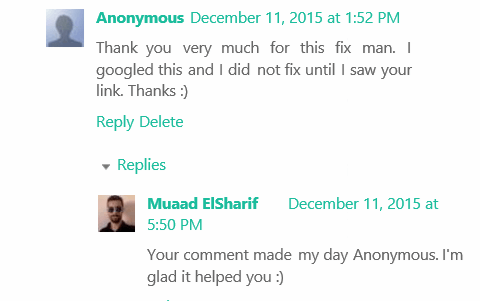
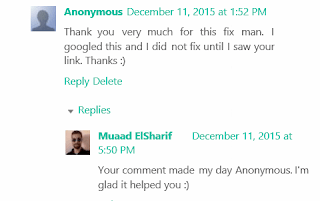
Replies like that remind me why I became a blogger 

Shout out

I also like to thank my brother Alaa for providing Facebook traffic, I don’t use Facebook at all and he is sharing my posts and bringing in valuable stas!!

Summing up

This year it will be quality over quantity, I might deliver less posts, but these posts will be detailed and presented in a different way, that’s my 2016 goal!
Thank you for being a part of 2015, and lets take 2016 on!!
Idea taken from: KhadijaTeri
VirtualBox NS_ERROR_FAILURE (0x80004005) [FIXED]

It’s a common problem of VirtualBox and I looked through tons of pages and didn’t find a fix, maybe because there isn’t? Good think I found a fix!!

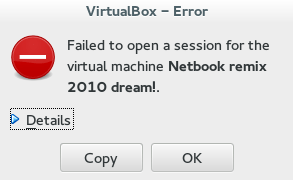
That’s the error message:

Could not open the medium ‘/drive/username/partition/virtual_machine_name.vdi’.
VD: error VERR_FILE_NOT_FOUND opening image file ‘/
drive/username/Data/virtual_machine_name.vdi.vdi’ (VERR_FILE_NOT_FOUND).


NS_ERROR_FAILURE (0x80004005)

More details on the error:

Result Code:
NS_ERROR_FAILURE (0x80004005)
Component:
MediumWrap
Interface:
IMedium {4afe423b-43e0-e9d0-82e8-ceb307940dda}

It happened with me because I have the virtual machine on a different partition, and I started it without mounting it, that ruined the installation.

How to fix it?

I had to uninstall VirtualBox and install from scratch..

That’s the only fix, uninstall VirtualBox.

When you reinstall it, it should work fine, No need to delete the virtual machine.
Did you have this problem before? How did you fix it?

I know this didn’t “fix” the problem, and maybe you aren’t running Ubuntu and it happened with you.

I’ll post more if I found anything.
Did you find this post useful? If you have share it with your friends. Sharing is caring you know 🙂