Author: Muaad Elsharif (Page 263 of 324)

Installing Gnome 3.12 on Xubuntu 14.04

In my effort to make some change into my daily work flow, I decided to install a new interface, and then found myself hopping between interfaces, now I had Cinammon running alone on my computer but..
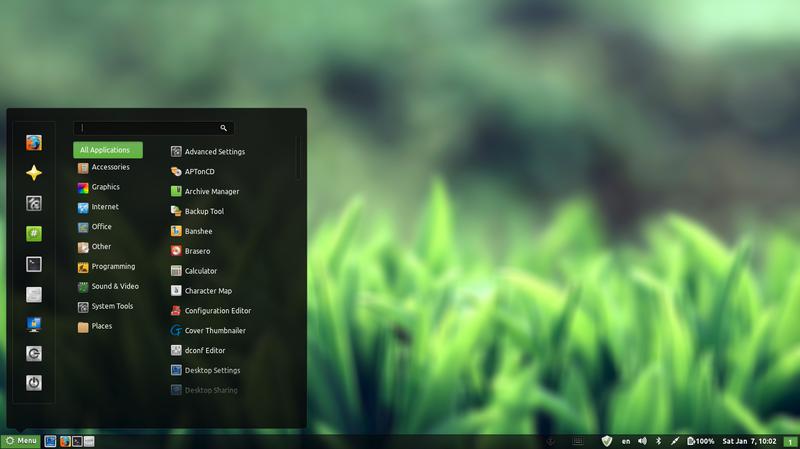
 

Cinammon interface

Since I had a thing for Gnome, I decided to install it on my system.

 Gnome was Ubuntu’s default interface until 2011, where it was replaces with Unity, if you go to Ubuntu.com and download it, you will be getting Unity, there is a fork of Ubuntu (alternative version) that runs the Gnome interface called Ubuntu Gnome.

Gnome has a loyal following and many people prefer it over Unity, turns out I do too! (Cinammon is built on Gnome 2).

Installing it was very easy as it was in the software center!
After adding the packages from the software center, I was able to login to Gnome 3.12.2 (last version supported by Ubuntu 14.04).

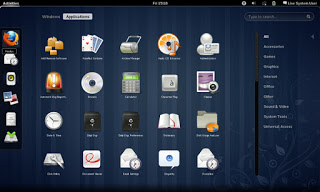
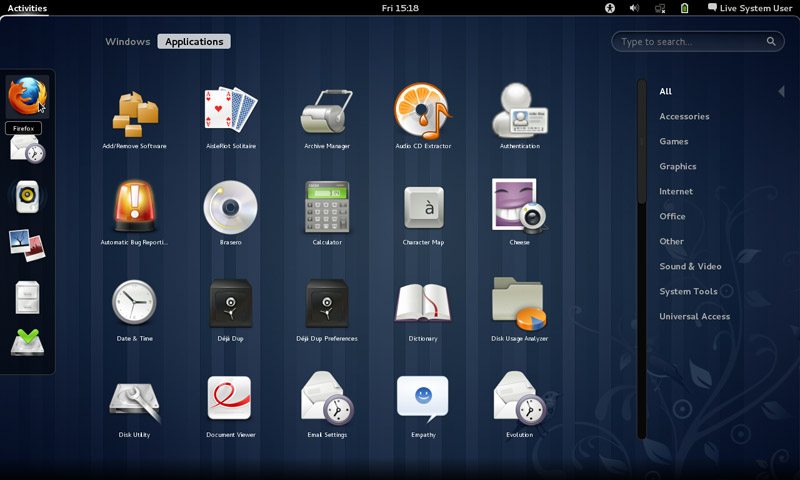
Visually I wasn’t disappointed at all! It was so good I dropped Docky and Kupfer to enjoy the native features it has!

So good I uninstalled Cinnamon the next day! Now I was running gnome alone on my computer, which isn’t bad at all. I noticed that Gnome classic didn’t load any interface items what so ever, but I’ll update this section as soon as I figure it out. Hopefully.

I have a ton more games now (all were added with Gnome):

  • AisleRiot Solitaire
  • Chess
  • Five or more
  • Four-in-a-Row
  • Lango
  • Klotski
  • Lights off
  • Mahjongg
  • Mines
  • Nibbles
  • Quadrpassel
  • Robots
  • Sudoku
  • Swell Foop
  • Tali
  • Tetravex
  • Xboard

The only thing I didn’t like was the message tray, it looked big and annoying ( it responds to every mouse gesture no matter how small) and even the extension that is supposed to make it less sensitive resets on reboot.

It’s also very big in size, it took 5GB more than XFCE took, even with cleaners like Bleachbit, I was running low on space. (Had a really creative fix for that one 😉

Resetting the interface could fix it. But it will erase any customizations I made.
I decided to remove cinnamon on the biases of being buggy, so I used the command:

 sudo apt-get remove cinnamon

Then ran the command:

sudo apt-get autoremove

To get rid of the unneeded packages and save some disk space.

Alternatively you can use Synaptic and search the word “Cinnamon” and remove any package installed.

I managed to clean the system from cruft using Bleachbit, over 2GB were reclaimed!!

So I had Gnome running on my computer, and you have to wait till the next post to see how I discovered it!

Let me know what you think in the commentst section below.
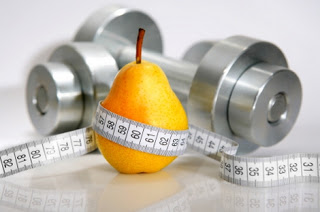
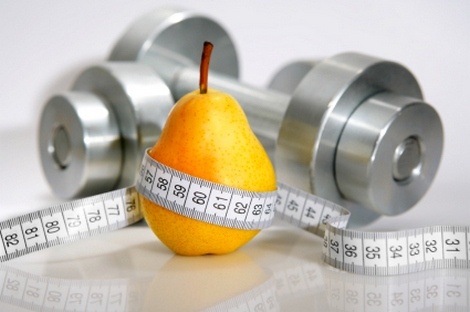
اللياقة لمهندس الحاسوب

مع دخول الحاسوب إلى كل مكتب وكونه أهم أداة تعمل عليها (والوحيدة للكثيرين) فإن استعماله الأمن ظاهريا ينطوي على عدة مخاطر منها إصابات الإجهاد وإرهاق العينين، ولكنني سأتحدث عن ضرر يحدث بشكل بطئ وتقريبا غير ملاحظ للكثيرين!

تأثير كرة الثلج

يحدث الأمر تدريجيا، يبدأ الشخص في استعمال الحاسوب بكثرة، للعمل وللترفيه، كمشاهدة الأفلام مثلاً ويتناول أثناء ذلك وجبات سريعة، أخطرها شرائح البطاطا والشوكولاته والبيتزا، ومع مرور الوقت يلاحظ ضيق ملابسه عليه وكثرة رحلاته إلى محلات الملابس (تتناسب طرديا مع حلقات صراع العروش التي يشاهدها يوميا مع عدة قطع شوكولاته جردينه وزجاجة مشروب كولا!!) لتعويض النقص في خزانته من البنطلونات التي لم تعد تتسع لوسطه المتسع باستمرار!

مع استعماله للسيارة في كل المشاوير (الطويلة والقصيرة) وإهماله للمشي تماماً!!

مالذي يحدث معك عزيزي المهندس؟

كل أصدقائك وعائلتك لاحظوا تغير جسمك وازدياد وزنك عن أيام الدراسة، وتلاحظ أنت كم تعاني حين صعود الدرج أو المشي لمسافة قصيرة، لو كان هذا أنت، فتابع القراءة باهتمام!

هذه أمارات الخطر، زيادة الوزن تعني السمنة وهي مرض العصر، عدد الوفيات بالسمنة ثلاث أضعاف عدد الوفيات من الجوع!

وهي من أعلى مسببات الوفاة في العالم، إن كنت مدخنا فأنت في دائرة الخطر كذلك!

أعلم أن الأعمار بيد الله ولكنك إن بحثت ستجد نصوصا تشجع على حفظ النفس والاهتمام بها، لا تتعارض مع حقيقة أن الأعمار بيد المولى سبحانه وتعالى.

نصائح لزيادة اللياقة

  • أنصحك بشدة بزيارة الطبيب وتعديل نمطك الغذائي.
  • إن كنت تدخن فتوقف فورا ودون تأخير..
  • تبني رياضة المشي سواء لقضاء المشاوير أو المشي لغرض المشي، توجد تطبيقات عديدة للأجهزة المحمولة تساعدك على حساب المسافة وعد الخطوات أثناء المشي، ميدان أبو ستة مكان جيد للبداية وأتمنى من السادة القراء اقتراح أماكن أخرى لممارسة المشي في مدينة طرابلس.
  • الإقلاع تماما عن المشروبات الغازية وشرائح البطاطا المقلية (ستكرهني الآن وتشكرني لاحقا) واستبدالها بوجبات خفيفة صحية.
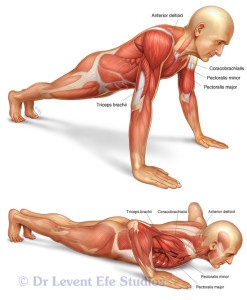
  • الالتحاق بصالة رياضية إن أمكن ذلك (ولا أعني من النقيض للنقيض أن تصبح مدمن بروتينات وتمارين وتمشي متبخترا في ملابس ضيقة تكشف تفاصيل جسمك، لا تفعل أرجوك..) الاعتدال مطلوب في هذه المسائل.
  • لا تطل الجلوس أمام الكمبيوتر، توجد تطبيقات كثيرة تنظم استعمالك للجهاز وتمنحك فرصاً جيدة للراحة والاسترخاء.
  • مارس الرياضة بانتظام وعرض نفسك لأشعة الشمس.

ختامًا

لا تستعجل، سيستغرق الأمر وقتا لعكس الضرر الذي حصل لجسمك وأنت غافل، ربما كنت تعتقد أنك “لا تسمن” وأنك تحرق الطعام بالتفكير والهم و”حرق الدم” وكم أنت واهم!!

هذا المقال لمصلحتك عزيزي مهندس الحاسوب وقصدي به سلامتك وليس هنالك أحد محدد مقصود بالمقال، بل هي ملاحظة عامة للجميع.

مع تمنياتي للسادة القراء بدوام الصحة والعافية وطول العمر في طاعة الله.

تحديث: تجربة مع نظام غذائي من هذه التدوينة.

LibreOffice 5.1 is out! New features in here

LibreOffice 5.1 was released after months of anticipation, it’s a milestone release following the big 5.0 and it comes with it’s fair share of improvements!
Actually the list is so long I don’t know where to begin! for a full list of improvements read the list on this link.
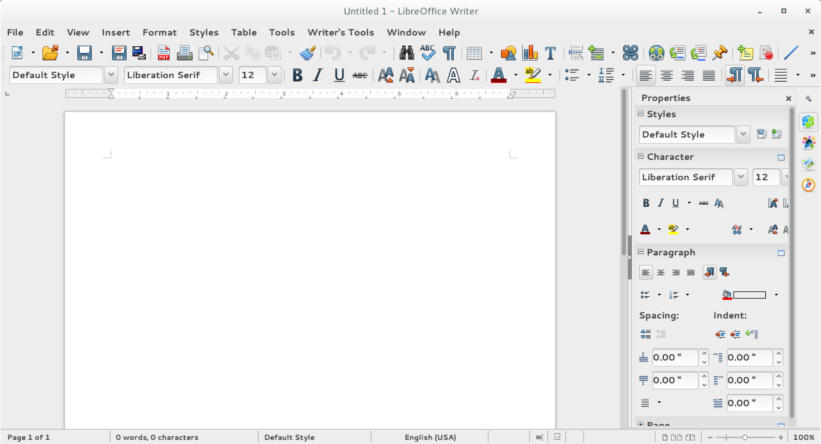
The new interface looks remapped, and I like how it can handle remote files like the files saved on Google drive, there has been work all over, I can see that.
One of the big changes I noticed was the styles menu, which you had to navigate to under format and styling in older versions.

LibreOffice 5.1 writer menu

Adding sheet menu to calc with related functions, and image control in impress, with the redesign of master sheets.

Did you install LibreOffice 5.1? Did you like what you saw?

*Update: I had to delete the configuration file of the old versions to fix some old issues like the webpage wizard crash, and to see the changes in looks.

Openshot 2.0.6 beta 3 review

Openshot is a free and open source video editing program, known for it’s ease of use, it’s popular on Linux (frankly there aren’t many other options in that division) and it has been on version 1.4.3 for quite sometime now!

Recently Open shot 2.0 was released as a Beta for people who funded the kickstarter campaign back in 2013, and today it was released for the public. I downloaded it and gave it a spin.

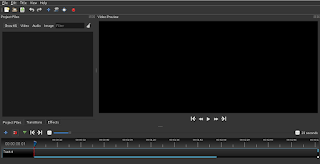
Openshot 2.0 main interface 
Openshot is cross platform, which means you can enjoy it on any platform you work on, and it’s also free of charge, I’ve been using the older version 1.4.3 and it’s easy to use, all you have to do is read the included help file and you are good to go. The new version is even easier to use!

What’s new with the new version?

t comes with it’s fair share of improvements, and if you like to read them all you can go to the announcement page on the developer site, I think the most important feature is the autosave and recovery after crashes, it’s been quite a hassle to lose your work between saves, so saving automatically is something good!
t still crashes, a lot! It crashed several times while testing for this post! It’s a beta and I understand work needs to be done, but crashing like that is very bad..
‘m planning to post more about open source multimedia tools, this was the video editing tool, it’s still needs work to do but I think it’s a good project and a good effort!
hope the final version is ready in time for the release of Ubuntu 16.04, that will be awesome! 

Download 

I wouldn’t recommend installing

it now being a beta and all,  but if you want to give it a go, I’ll be sharing the links!

Download for Windows, an installer

(Direct download). 

Download for Mac, a dmg file.

(Direct download). 

Download for Linux provided a PPA:

sudo add-apt-repository ppa:openshot.developers/libopenshot-daily

sudo apt-get update && sudo apt-get install openshot-qt

« Older posts Newer posts »