Category: download (Page 11 of 19)

BlueGriffon 1.8 is out!

As a free lancer web developer / designer on Linux. I strive to find the tools that make my work easier and more fun! In terms of web development there aren’t many YSIWYG tools to use, with Nvu and Kompozer being discontinued and BlueGriffion’s seemingly end of life (marked as discontinued by Alternativeto.net), LibreOffice has shown some WYSIWYG potential and I noted that in a previous post.
It’s no where near Adobe DreamWaver or Muse – let’s not forget that LibreOffice is a word processing suit and not by any means a web design tool. The wizard technique crashes the whole program often too.
I use text editors like Atom to get my design done. And any decent designer needs to know his code inside out, I don’t mind a little help from a WSIWYG tool to help me see what I do and help arrange stuff a little bit.

I even emailed BlueGriffon asking them for an update, I didn’t get a response so I assumed the project died.

I then stumbled upon the latest update 1.8 I was so excited!! (nerd fit)!
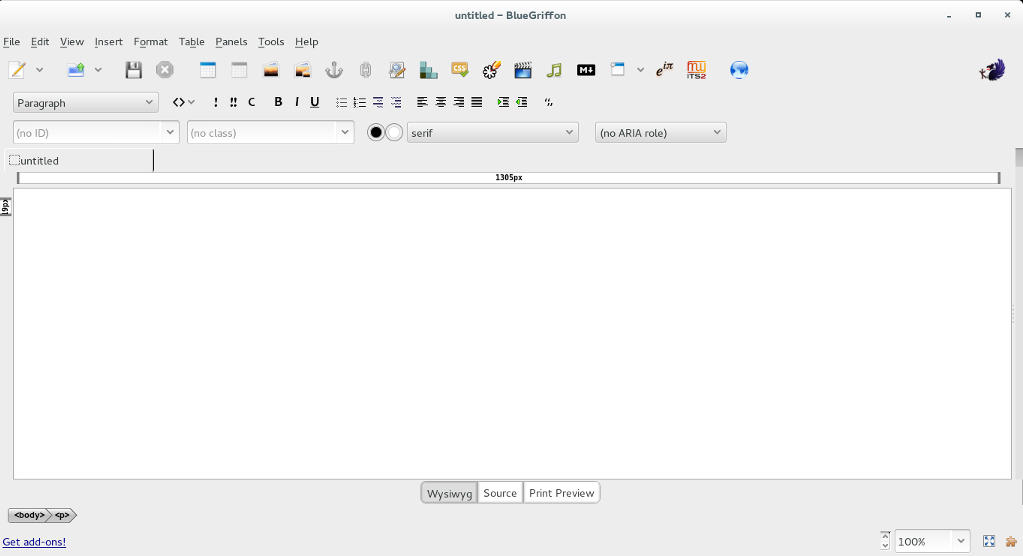
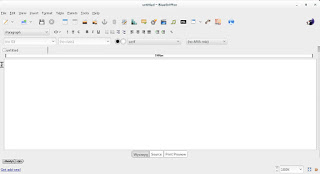
BlueGriffon's main interface

I downloaded it and gave it a quick run, it works well so far.

I was able to find a manual on-line which you can find here, it’s not for version 1.8 but it works fine (the GUI is exactly the same).

Working with BlueGriffon makes the job easier especially working with CSS attributes and values, it also makes the page web complaint by filing all the fields from the beginning.

To download BlueGriffon 1.8 go to this link.

Give it a try and see what you think.
Did you like this post? If you did share it with your friends, sharing is caring 🙂

GIMP 20 years of awesome!

Last November, GIMP celebrated it’s twentieth anniversary, becoming the official Open source image editing suit.

 GIMP stands for GNU Image Manipulation Program, and through out it’s age GIMP went through a lot of development and improvements, and drew it’s fair share of comparisons and controversy.
GIMP has many scripts and filters to enhance it’s productivity and it’s rage is simply amazing, it can be used for a wide range of work from basic editing to professional grade photography and everything in between. It became my to go-to suit that I use for everything! And this blog has many GIMP tagged posts. In fact my best viewed posts are usually about GIMP! Feel free to check these posts from this link.
GIMP is now at version 2.8.16 (the birthday version) and it’s better than ever, go download it from GIMP.org for your system, it’s cross platform.

It’s never too late to join the movement of open source, even if it’s been 20 years since the first GIMP build. It shows how much passion and experience behind this awesome project.
Besides code, GIMP has a great community that is our there to help and give support for new users and experienced users as well.
Also there is a ton of scripts out there that will make your life much easier, as one of my readers replied to the Obamicon post: “I love it, saved my a ton of work with Illustrator, thank you so much”.

Even if you are an Adobe master and can’t imagine using anything other than PS, download GIMP and give it a spin (even on a virtual machine) and see what all of these people are excited about, you will go back to using it. I guarantee it!

Did you download GIMP? What did you think? Let me know what you have in mind in the comments section below!

You liked this post? Share it with your friends! Sharing is caring.

Ubuntu 15.10 is out

Canonical has released Ubuntu 15.10, the latest version of Ubuntu is out and available for download.

Every six months Canonical releases a distribution (April and October), this month was the highly anticipated Ubuntu 15.10 code named (Wily Werewolf) with an interesting feature set, several improvements and bug fixes.

Ubuntu logo

Ubuntu comes ready out of the box, it comes preloaded with the apps you know and like.
Ubuntu is a single code base, it runs on many device and inside the cloud.
You can download the latest version from here.

« Older posts Newer posts »