Category: download (Page 13 of 19)

LibreOffice 4.4.4 launched. 5.0 postponed

The document foundation announced on it’s blog the release of LibreOffice 4.4.4 (Code named triple four) and it’s the third minor release of the LibreOffice 4.4 family, coming with over 70 fixes over 4.4.3
Feel free to read the full information about this release from here


The next major release LibreOffice 5.0 is postponed from late July into early August of 2015.
You can download this version from here

Will you download this update? What version are you running at the moment / platform?

Did it fix your bugs? Share with me in the comments below. Have a good one.

P.S: I posted in delay because I thought the next one was 5.0 and they would drop the plans for 4.4

Atom 1.0, you have let me down..

Hey there you guys

I’m about to breakdown my experience with Atom editor 1.0

Introduction

Atom 1.0 was released yesterday and for those who just joined me here are some basic facts about it.

It took me over an hour to download it for Linux & Windows. As it detects your platform, I had to reboot just to download it and install it!;
What I liked is that it remembered all my customization and even reopened some files I was working on! Also all the packages I downloaded were preserved!
In my initial review of Atom I had 3 major draw backs. So I won’t turn the thumbs up until I see some serious improvements!

1. Resource consuming

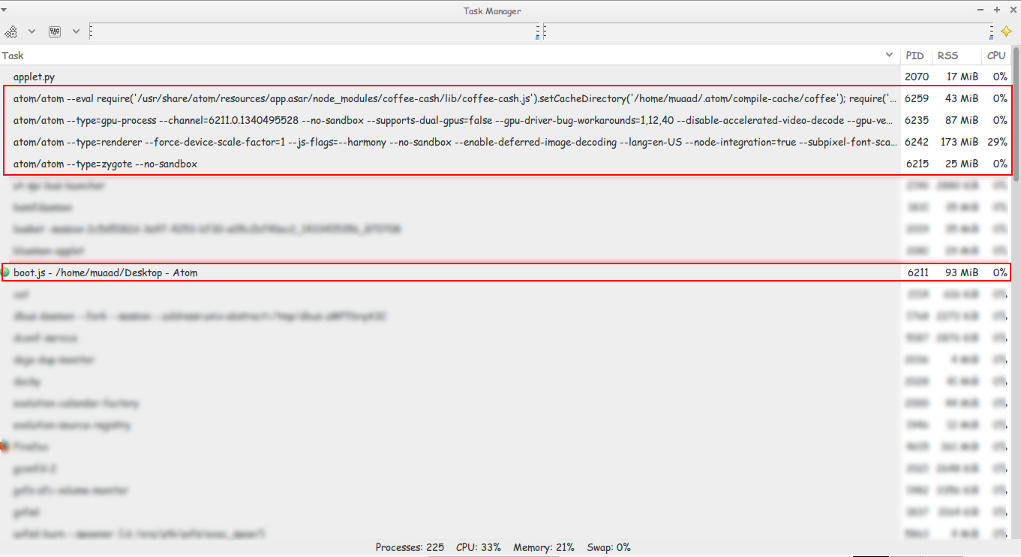
Still pretty much resource consuming!!

Look at those processes!
Screenshot of my system monitor


2. It takes a long time to load

It takes about 10 seconds to load on both Linux and Windows (no mac data so far!).


3.File size restriction of 2 Mega byte file size

It took several minutes to be responsive with a 2248 line .js file less than 2MB!!
I took sometime to test it. It took several minutes to render .JS files under 2MB, hung on and totally crashed with other scripts all less than 5MBs. And the computer was under so much stress I though I was gaming at 4K!
I tested on both (Linux and Windows) while Linux was slightly better. Windows was a catastrophe with Atom.
I tried opening some larger .jar archives, it didn’t have a huge issue with those. And a 39MB .sql file that killed it on Windows.
How can .JS files crash it if it’s made out of JavaScripts?

4. Doesn’t recognize Arabic by default!

Still doesn’t recognize Arabic ..**Arabic update: I managed to make Arabic work on Ubuntu by downloading language support and changing the fall back language in Firefox to Arabic. I’ll post more when I test on Windows.;
Also done on Windows.

So far.. It has let me down 🙁
PS: I used the same computer to test Atom now and then ..

Final verdict

Until they take it seriously. I’m not using Atom anymore! It has a nice look and some neat tricks. But I need something serious to work with..

Atom 1.0 is released!!!

 This just in: Atom 1.0 is released!!

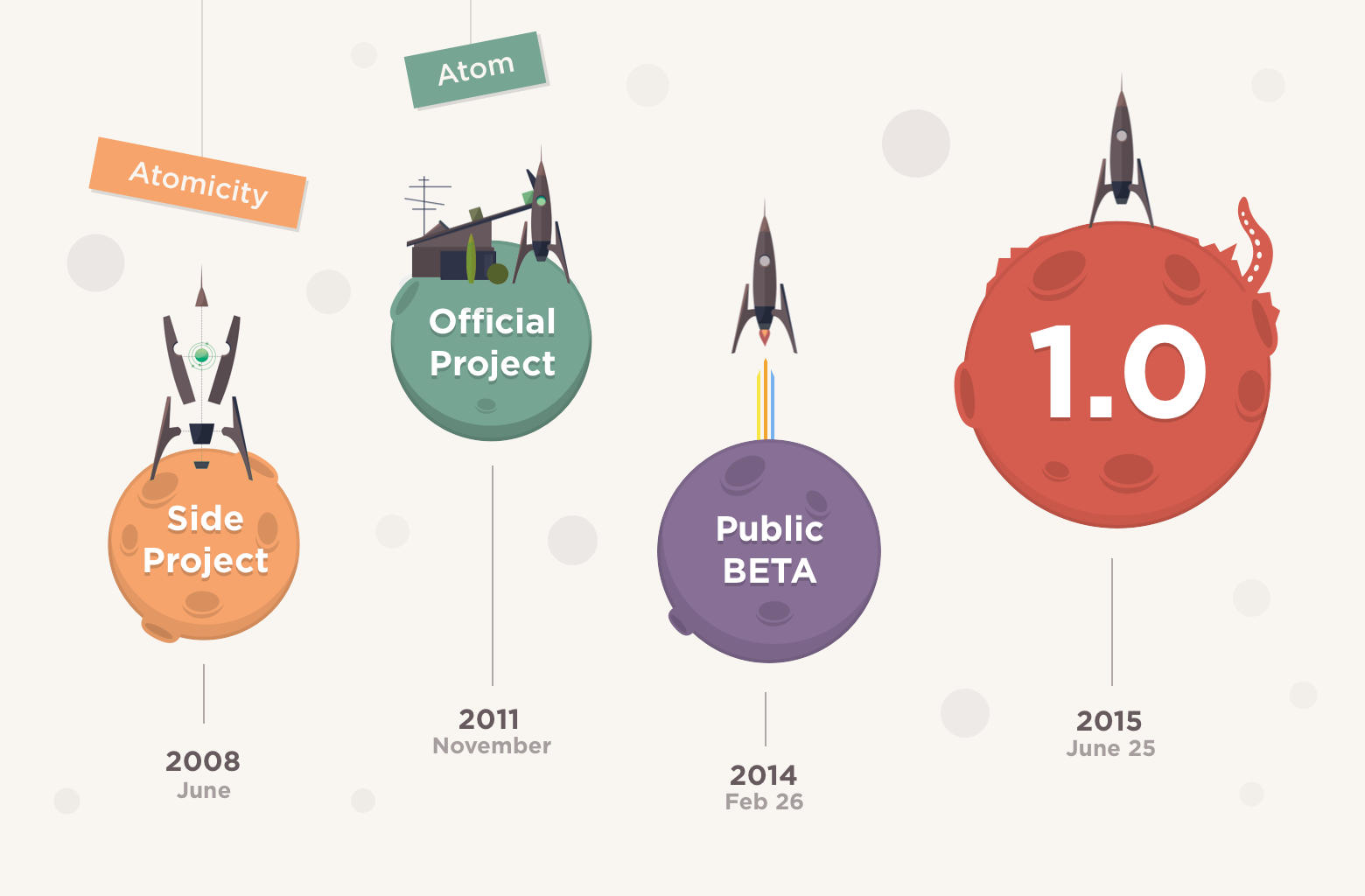
Atom Editor, 7 years in the making! Hey there you guys! I’m surprised to see that Atom has released the 1.0!!! They moved from 0.211 to 1.0 so fast?!
 I had my doubts about the deadline! But they made it!!
As I was checking the releases page every hour or so.
So that was a really pleasant surprise!
One of the notable changes is that “Atom 1.0 has been released and Atom will be semantically versioned going forward.”
I’ll let you enjoy the introduction video while I dig into Atom 1.0
I’ll be posting more soon!!

So retro!!


How to Prevent RSI on Linux and Windows

Hi guys 😀
This post is really important for office workers. Programmers. Bloggers. Not gamers! Gamers would hate me forever for suggesting something like that!!

Sitting at the computer for prolonged hours is not good for you. It’s related to many back and neck pains, wrists too! And don’t forget the eyes now!
There are ways to prevent these pains. You need to get up every ten minutes or so. And move a little bit. But who will remind you of that? And who has the time for that really?

There are tools that remind you to get up and move! And that’s where my tip comes to play!

But the Internet is so tempting! I’m really focused here! I keep forgetting to get up

There are softwares for that you know!

These softwares will remind you to wake up, stretch and flex! So you comeback to your computer refreshed!

You must visit a doctor if symptoms arise. These are prevention measures only and CANNOT subtitle a doctor’s visit!!

Now that we understood the whole deal. Let’s look at the software. One for Linux and one for Windows.

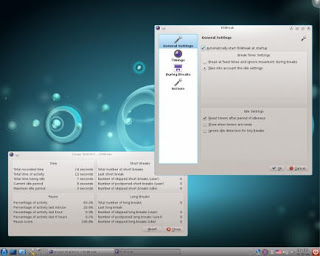
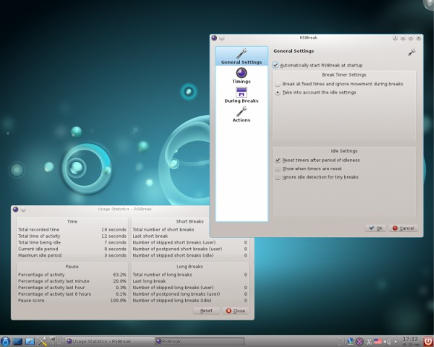
On Linux there were two choices available in Ubuntu Software Center, I went with RSIBreak. It worked better with Xfe. And the settings were much clear to me. It provides two intervals by default. The small on is 10 minutes of work with 20 seconds of brake. And the big one with 60 minutes of work and one minute of break counting idle times!

It’s really neat. And you must have it! It’s originally a Kde app but it will work fine on Ubuntu.

It’s the best I found so far. If I found anything easier I’ll update this post!

Download from the Ubuntu Software Center, RSIBreak.

RSIBreak working on KDE

As for Windows, my favorite has been always Rest brake. It’s a light software that does what it says. Just set the timer and wait for the alarm, you can customize the message of course!

RestBreak Screenshot on Windows

RestBreak download link  Size: 1.2 MB

I don’t have a mac. And I only post about the stuff I test. If you have a good software send it and I’ll post it with credits.

I hope you find these useful. And please share them with your friends and family.

How long do you stay on the computer? Do you have any specific pains? Please comment below and let me hear what you have to say!

P.S: I couldn’t find anything for Android. Sorry 🙁

And didn’t even look for Symbain!!

Useful resources:

Wikipeda, as always!

Restbreak’s site. Very informative!

Rsi.Uni Got me through college!!

« Older posts Newer posts »