Category: download (Page 14 of 19)

Backup your installed Android apps as .Apk files

Hey there you guys. How are you today? Today I’m going to be talking about backing up Android applications to your computer. It’s very simple and really handy!
This way you can create a personal backup of your application


I’m going to be using a software called Myphone Backup. Which comes in two parts: Android app. And Windows installation.
It’s a software used to manage your phone over a connection. And backup contents. I used version 1.8.3 for the tutorial while the links on the site are the latest 1.8.6
It’s freeware, if you like it then consider posting a donation to support the development!
Install the app on your phone and the software on your computer.
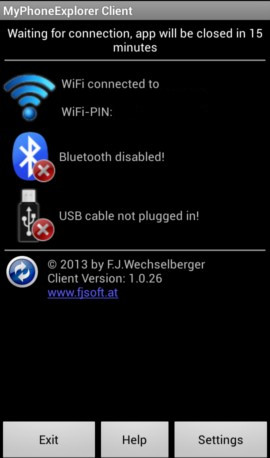
Now open the app on your mobile and select the way to connect. Let’s use Wifi.


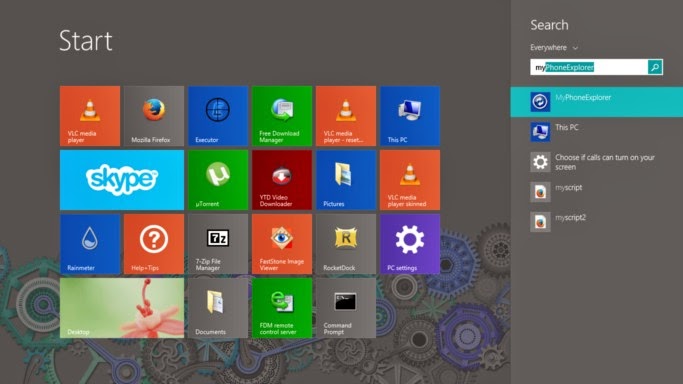
After installing it. Go to the start menu and type” Myphone” to have it appear in the search results.
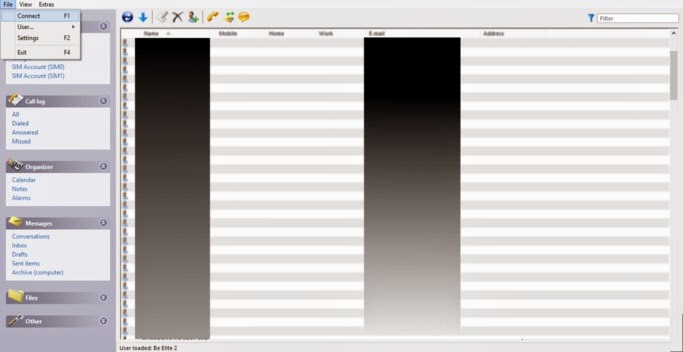
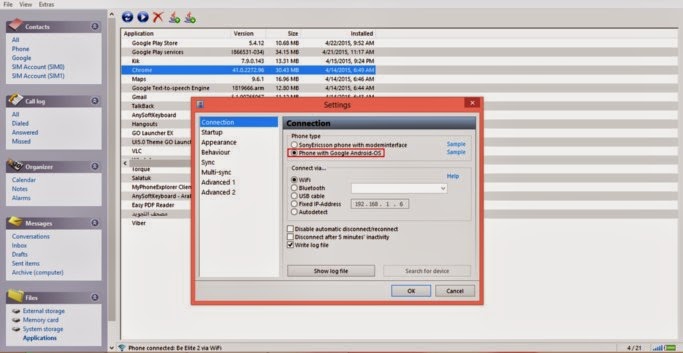
Then let’s run the computer software. And connect to the phone by going to File Connect. Or pressing F2.

After connecting to the phone go to the pane files. Then choose apps.
Hide system apps for safety.
You can install apps via side loading by pressing upload, save them by pressing download,  And many other useful functions!
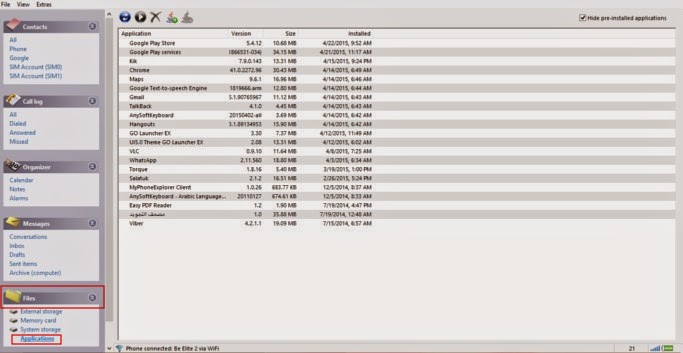

From here you can backup the applications one by one. Click on the desired app and select download.
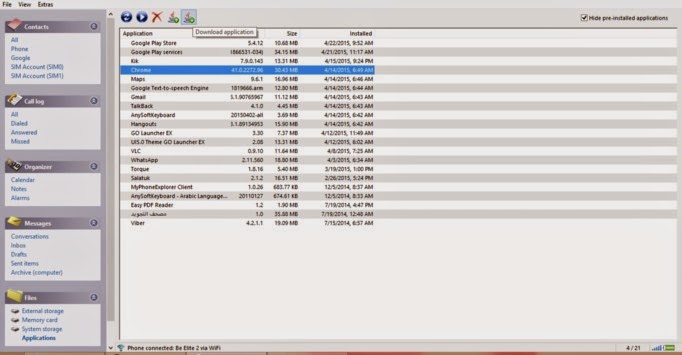
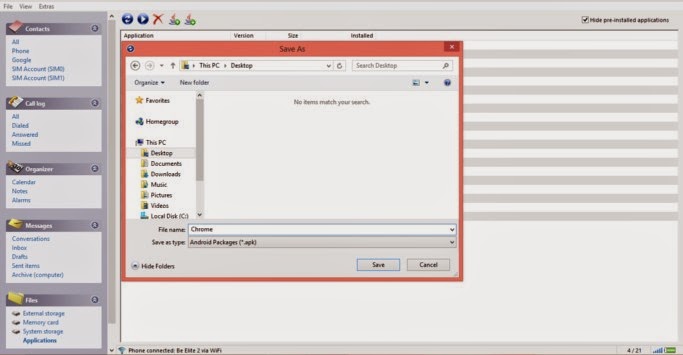
It will prompt you to select a location to save it. Wait a little, and the app is saved to your computer in .apk form 
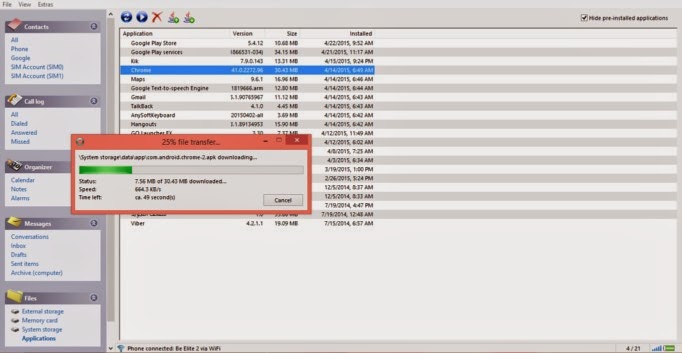
  Wait for the progress to finish. And there you have it!
The most common way for this method to fail is the connection between the computer and the phone. So make sure you do it properly. And choose Android from the settings.
I hope you enjoyed this post! Please comment below and let me know what you think?
Do you have an easier way to backup apps. Let me know it 🙂

LibreOffice 5.0 announced. 4.4.3 is out for download

Hey there you guys, how are you today. I hope you are having a good day 🙂
I continue to bring the latest news about the stuff I built the site upon, one of the major points is LibreOffice.

LibreOffice released it’s minor update 4.4.3 for fresh branch on May 7th. And it brought 80 fixes according to document foundation blog. It’s immediately available for download from this link. And you are advised to update for security reasons?!

and it continues to push towards the 5.0 milestone. Expected in late July.
Back to version 5.0.0
It was first mentioned as version 4.5 is currently under testing for the purpose of “bug hunting”. You are welcome to join them and start debugging. Read all about it from here. And download V5.0 early from here.
I’m personally really excited. I think I’m going to download V5.0 today!!
How did you like this post? Please let me know in the comments below 🙂

Atom.io v1 Atom facts + 1 year of open source!

Hey there you guys. I hope you are doing well on this fine day

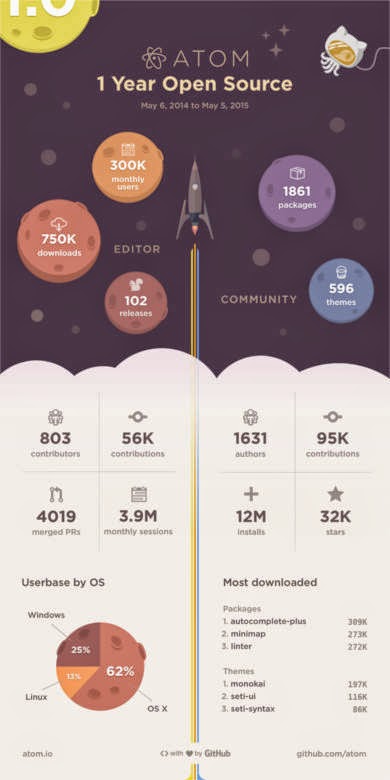
Atom celebrated it’s first year as an open source on the 6th of May by releasing an info-graphic. It contains facts and numbers that are truly interesting!!

Interesting facts

I never would have guessed that most Atom users were Mac users! Or that it has been downloaded 750.000 times!! for full info click this post over here.

Great read

As I was browsing the Atom blog I came across this rather interesting announcement: That the support for deprecated API’s will end on June 1st.
(Sounds really exciting huh? No! Not really!) but the other part of the announcement is what really matters. Announcing that V1.0 milestone will be released sometime later that month (June).
Atom v1.0 will be released in June. That’s according to the official atom blog.

Future hopes

I’m hoping that update brings the removal of the file size restriction. Which has been a real drawback for Atom. I’m also expecting some under the hood improvements. I hope they work the Arabic language problem (it’s shown as scrabble). And maybe the icon. I don’t like it very much :p. Other than that I’m quite happy with the program’s features and performance (on Linux! Of course) Windows boot is almost as long as the Windows boot itself!!

Promised bug fixes 

They have published a list of bug fixes to include in the 1.0 milestone. Some of them as you might have guessed were boot time and file size restriction. The rest can be checked from here.
Let’s see if the Atom team can pull it together. I wasn’t in favor of comparing them to industry titans as I kept saying it’s in Beta. But now the play time is over!

Final words

I really wish them the best. As they put together what could impact the coding world!
What do you expect out of V1.0 of Atom? Are you excited as I am? Please let me know in the comments section below. Don’t forget to give Kudos. Share this post and help the blog grow! Have a lovely day 😀

Tasque. The to-do list app you need

Hey there you guys!
How are you today? I hope you are doing good!

Today we are looking at an awesome task list app. Tasque.
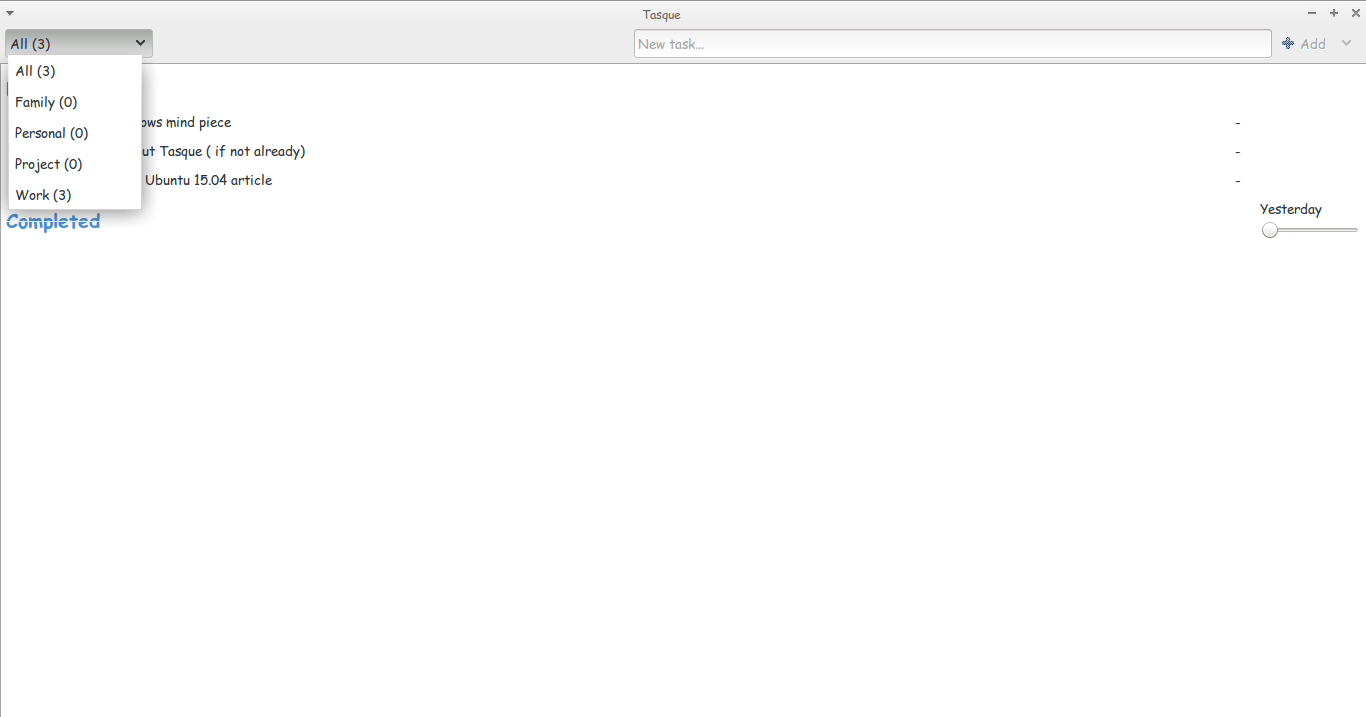
Tasque is a little to-do list that gets the job done. What I like about it is that it’s simple and minimalist. No unneeded features. Just the pure simple core of getting tasks done.

According to Wikipedia the name was partially inspired by the French village by the same spelling. “Tasque” in French is pronounced the same as the word “task” is in English

It’s available from the Ubuntu software center, or via this link as a tar archive. And it can be downloaded for Windows too! Latest stable version is 0.1.12

Reception

It has the rating of 3.5 stars on the Ubuntu software center. True shame. I believe it deserves a 5 star rating. Please up vote it.
How did you like this post? Did you find it useful? Please comment below and let me hear what you have in mind.
Have a nice day. Please give kudos. Share this post and leave a comment!

« Older posts Newer posts »