Category: English Post (Page 72 of 97)

Giving back to the Open Source community

Hey there you guys!

How are you doing today?

Today I’m going to talk to you about the Open Source initiative.

As you see in this lovely poster. We enjoy open source software. And we want to help it grow. But how?

By joining the Open Source Initiative and becoming an active member. You are able to help the movement spread open source, reach people all over the globe. And help redefine the business.

There are many ways you can help by: A donation is always welcome. And you can become a member and enjoy discounts and benefits!

I hope you enjoyed this short message! Please let me know what you think!

OpenOffice transitioning to LibreOffice

Hey there you guys

How are you today. I hope you are doing great.

Today we are going to talk about

Apache OpenOffice. It’s been a while since we spoke about it!

I’ve used it for over five years and it has been nothing but good! Then I transitioned to LibreOffice. You can see all about it in here. If you are thinking like me you are probably wondering: Is there a learning curve for me? My answer is: Not at all!

They quite similar. You won’t have a problem at all. Everything you knew and liked in Apache OpenOffice you will find in LibreOffice plus much more!

You might ask: Why are we still mentioning Apache OpenOffice?

Well for a very simple reason! It has been around for much longer than LibreOffice. And many people still use it. After all it was downloaded over 100 million times!!

If you are out there and still using Apache OpenOffice. You might want to check the new LibreOffice. It’s simply the best!

I hope you enjoyed this post! Please let me know what you think in the comments section!

Have a nice one!

Backup and restore Rednotebook journal

Hey there you guys. How are you? How are you doing today?

I have reviewed Rednotebook before here on this blog. As a great journal and note taking software.
I have been using it for years now and it hasn’t failed me once!

Today we will see how to backup the journal folder (where you kept your notes) and restore it!
And how to share this awesome software across systems on the same computer (Dual Boot)

Since RedNoteBook has become an important tool of mine. I needed to backup and restore my notes in case something happened. I tried using the Zip folder but that failed badly and I lost tons of data!

Until I came up with a really easy fix!

By default the directory for rednotebook on Windows (7, 8 ,8.1) is:
“C:Users<User Name .rednotebook

And on Linux is: “/home/<User Name /.rednotebook/”.

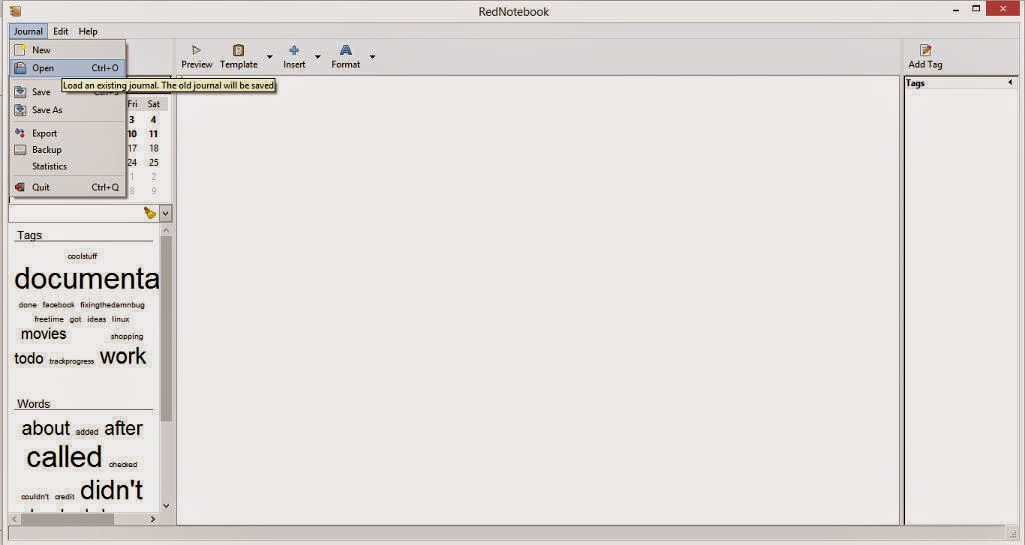
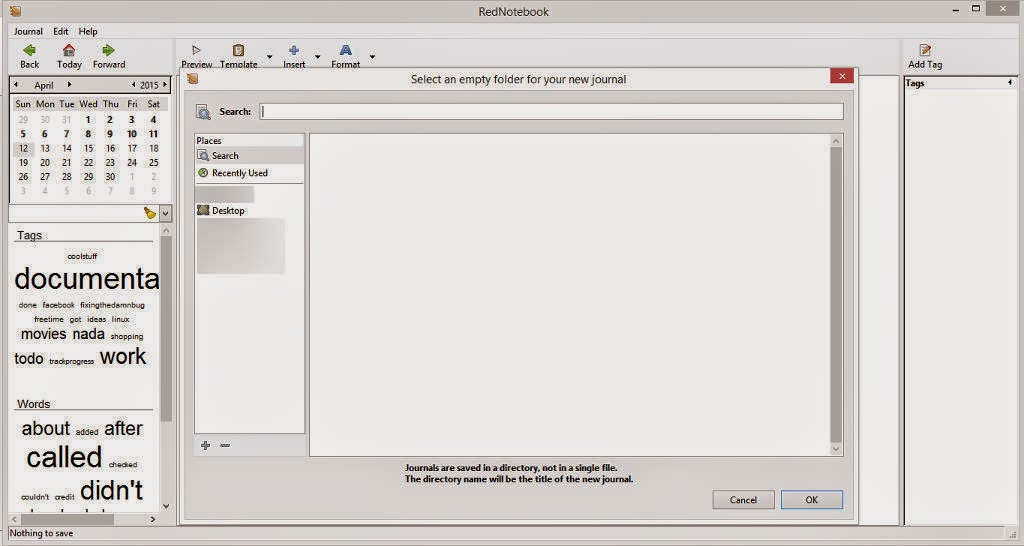
From the main interface click File Open to change the directory to the one you created

Navigate to the folder where you put the “Rednotebook” folder (Restoring notes)

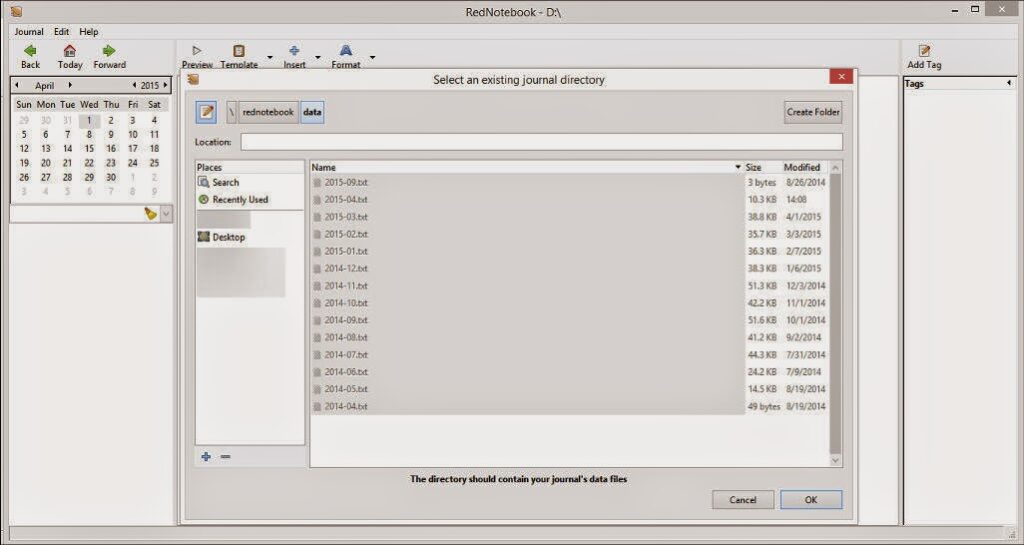
Go inside the folder and choose “Data

You will find the notes you already entered.

Click OK and you are done! Make sure to do it on both systems and select the same folder for both systems. And it’s very important to choose a folder both Linux and Windows can “See”.
How did you like the post? I hope you find it useful. Please leave a comment!!

LibreOffice 4.4.2.2 is out. Fixes base issue. More!

Hey there you guys!

I hope you are having a good weekend!

I just downloaded the Fresh LibreOffice 4.4.2.2, I have to say it’s looking good!
What I noticed that the install size is still the same at 213.93 MB.

With some improvements.

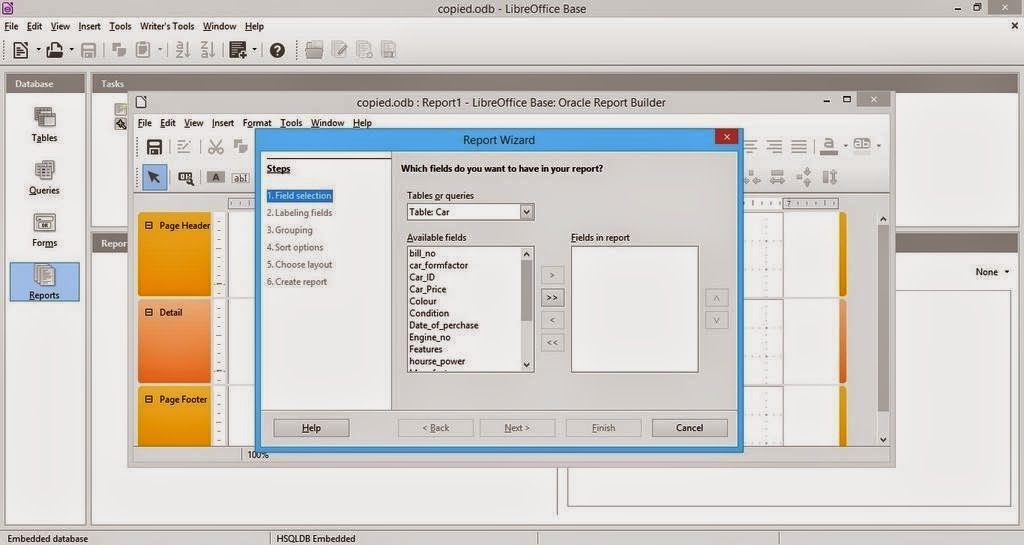
1.I noticed I was able to run reports on data bases after it used to crash the program on 4.4.0, I haven’t changed a thing in my settings. The boys did it <3
And yes. That’s the database from the conversion post that has mainstream attention.

2. I wasn’t able to create a web page via wizard. But the program didn’t crash. So I guess it’s an improvement, I think it will be fixed in a later update. And I’ll report about it (God willing).

So with these improvements I urge you to take a look at the great work done on LibreOffice. And view it as a serious productivity suit with plenty of potential and hidden power rather than an MS-Office clone ( Which is not!!).

Will a clone run from a browser? Does Office do that? That’s right!! LibreOffice done it again!! Check the wiki for more!

Finally. I’d like to thank the guys at @LibreOffice for re-tweeting me.
Consider donating to keep the project going. It’s an amazing movement and it can’t continue for free you know.. The download page has the donation in it. Make sure to leave something there 🙂

I hope you liked my post. Please leave a comment and let me know what you think. Have a nice one!!

« Older posts Newer posts »