Category: English Post (Page 71 of 97)

Xbox live. Where did modren gaming go?

Hey there you guys

How are you today? I hope you are doing well.
We had a 12 hour power cut in here. from 7:30 AM and until 20:00. Talk about a decent day! And it was hot!


Anyway. We are here to talk about Xbox live. It’s more of an opinion piece than it being an actual tutorial or a tip to anything. So here goes:
After a while of playing the offline mode. I decided to try the Xbox live gaming network. I had everything I needed. Or thought so. The gold card. A game I want to download (They give a free game or two every month for gold subscribers).

Redeeming the card took four tries?! And every time I get a different result! In the end the card was redeemed! But for what use?

I couldn’t choose a payment method. (Libya has no credit card system. No paypal. no debut card, yeah. Read above, 12 hour blackouts!).

So the card was useless. And to make things worse. The game I wanted to download, Child of Light. Was for the Xbox one. And what I have in hand now, is an Xbox 360.
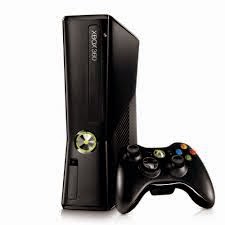
And to make things worse. The console was bought from Germany, meaning the Xbox live was German, with no way to change it. I can’t read German! So ..

Till here the experience ends. And the rant begins!

How much does a game really cost?

  • You buy the console. You buy the game for 30 ~ 50$ + Shipping (DLC not included) and I’m expected to download and update every two weeks?
  • I’m on a metered connection. Where you pay per Gigabyte. (A Gigabyte of Internet is more expensive than a gallon of gas?!) and pay for subscription?!
  • OK. I’m a die hard gamer who is willing to throw his money at you like that. Would you make these options a tad easier?
  • Not to mention some games are simply huge. Could take days to download in “perfect conditions”. So it’s all a real pain!

I miss the simpler days of gaming. 16 bit cartridges were an addiction to me. Pop in and play. Blow it if it didn’t work. Works every single time *sigh <3

What’s wrong with indy and free games?

This goes out to all the people who criticize great titles like Tuxcart or Mario Forever 2012 . Both games featured in the blog as games of the week. Free. Simple and amazing. No drama!!
I’m not saying modern gaming is bad. I’m saying it’s not for me. At least now!!
I hope you liked this post. If anyone who has an Xbox 360 and likes to chime in some help. I’m more than happy to receive!!

Leave a comment below. And remember to give kudos. G+, Tweet and share!!

5 Reasons why I still use my Symbian phone at this day and time

Hey there. Good day to you

How are you doing today. I hope you are doing fine and well!

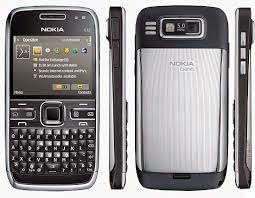
I still use a Symbian phone to this day. Why you ask?


Knowing that Android has the biggest market share today. And that Symbian was put to rest by Nokia in 2011 in favor of Windows Phone. That all didn’t change my mind! Here are the reasons why I still use my Symbian phone:

It looks professional!

It’s kind of a shallow reason. But the look of a Symbian phone to me is professional to my eyes٫ do you agree with me?

E72 doesn’t look 10 years old. It’s screaming business and seriousness!!

It’s stable No annoying update messages for programs or OS. Smooth riding!! If you look at it that way of course.

Battery backup

No matter what you think, the battery life of Android is really bad. Even with tweaks and all. While Symbian has lower specs and consumes less power.

It feels like a phone!

Phones now days are growing larger and larger. And becoming less like a mobile phone and more like tablet, some of them doesn’t have a single button on it! While Symbian keeps it together. Better phone reception and more focus on the phone!

More efficient!

The apps you need. And nothing more! Being far behind means lack of support! No Distractions from Snapchat or Twitter! Less means more focus. More productivity. It’s another way to look at the restrictions of the Symbian phones. So if you have one. Get it out. Shake off the dust. And use it too disconnect a little from the noise of the digital world around you! How do you like this post? Do you still own a Symbain? Let me know what kind is it?

Physical QWERTY keyboards

To me really it comes down to QWERTY input. Which I admit I’m addicted to. It makes me much more productive. There aren’t many QWERTY phones anymore. That’s why I went for an E6-00 Have a nice day. Please give kudos. G+ and share with your circles.

This is an outdated post, I sold my Symbian phone a long time ago.

Recover some files after a Chkdisk. The easy way

Hey there you guys. How are you doing today?

You inserted a USB drive to your computer. And you were asked to do a check ( and with Windows 8 that happens with all USB’s!!) And when you checked there were errors and files recovered! Is that bad?

Not really. That can be a really good thing!

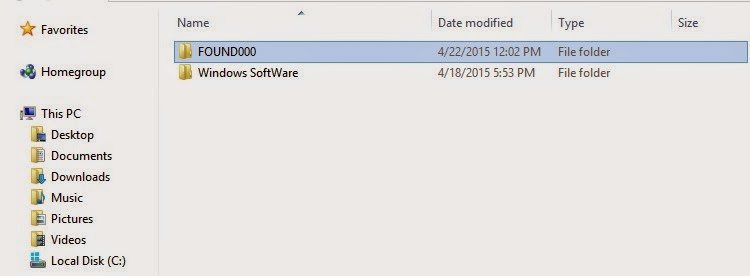
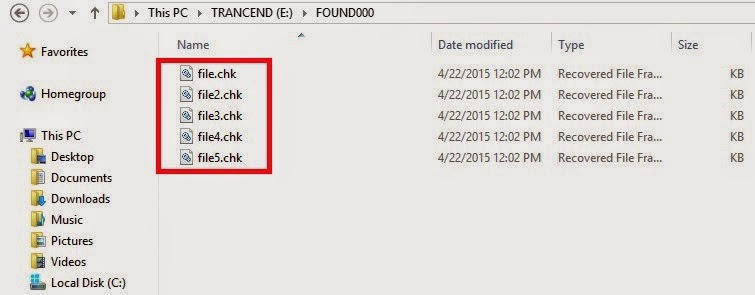
When the check is completed (depends on drive size and files in question) you will find the FOUND.000 folder. With plenty of .CHK files. So far so good!

Depending on the file sizes of the check files you might be able to restore the data.

If it’s in the same size as your lost data then you are in luck.

Just log into Linux and you will see then in thumbnails of the same type. All you have to do is to rename them to get them to work!

Pretty easy huh?

I found out a strange thing. That some of the web pages I downloaded in Linux are often lost when I boot to Windows. Because the names of the files and folders contain elements not allowed in Windows like “/“ and “?”.

In a next post I will be talking about fixing the empty but full drive with no format included!

I hope you found this post useful. Please comment below and let me know what you think?

Atom text editor review

Hey there you guys!

How are you today? I hope you are doing good

Today we are going to look at an amazing text editor. Free and open source, Atom.
GitHub presented it’s text editor and made it open source under the MIT license in mid 2014. Available for Linux and Windows. “A Hackable text editor for the 21st century!”

It’s made by GitHub. The biggest code repository online.

Lets take a look at the awesome features of Atom.

1. It looks amazing!


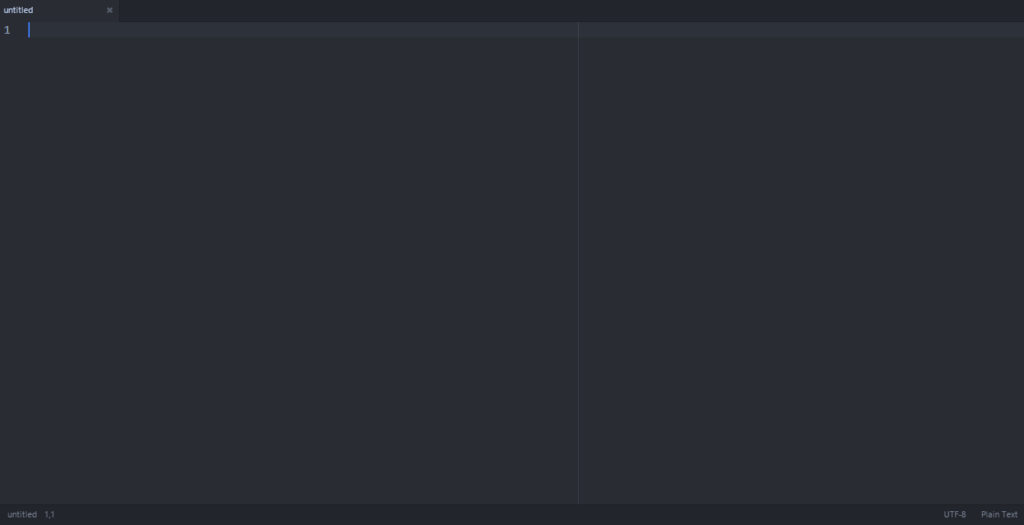
Atom’s main interface. Two panes

No more black text on a white background. (Unless you are into that thing. There is a white theme 😛 ) it has the look and feel that made Sublime text the favorite text editor of many developers. It’s divided into panes for ease of use.

2. It has many plug-ins for you to choose from.

It comes preloaded out of the box with many plug-ins and the syntax support of many languages, and you can add as many as you like and need!

3. Great community support

As it is being developed by GitHub you are bound to receive great support and many plug ins and themes to your liking.

4. Cross – Platform

It’s available for Linux (Ubuntu / RedHat). Windows and OS X 10.8 and later. I must note that the version for Windows and Mac checks for Auto update. While in Linux you need to check for it manually!

5. If you didn’t find it. Make it yourself!

You can customize Atoms to your liking and needs by “Hacking it”. That’s right! You can edit parts of the interface and look using your knowledge of CSS & html.

As everything else there are some draw backs to it, let’s check them out:

1. Resource consuming

It’s takes around 200 MB more less. Separated into background services and the program itself (which is 20 MB). In comparison it takes a LOT more than Sublime text.( Same load on Xubuntu)

2. It takes a long time to load

It takes around 19 seconds to load. Compared to Sublime text which takes seconds to load. While when I installed it on Linux Xubuntu. It loaded in 2-3 seconds!!

3.File size restriction of 2 Mega byte file size 

I’ve read around the web that you can’t open files larger than 2 mega bytes. I am yet to test that. I’ll update this section when possible. *Update: Crashed with a 1.5MB .js file on Windows & Linux!

Download

The download page detects your system type and gives a timely link. So go check it out from here.
Also checkout the flight manual which gives you all the information you need to know like Keybindings.

Final words

I think it’s unfair to compare Atom to industry giants like Vim and Sublime Text. Simply it wasn’t around for as long. And it has room for improvement and plenty of potential!  It’s highly customizable, has a great interface and 100% free. Totally worth a try!

How did you like this post? Did you find it useful? Please comment below and let me hear what you have in mind.

Please give Kudos! Comment and share.

« Older posts Newer posts »