Writertools is an extension created to increase Open Office functionality (and later LibreOffice). The last version of Writertools 1.9.0 was released in September 2010.
Category: Fix (Page 2 of 11)
It’s well known that RSSowl is no longer supported. The current status of the project is discontinued since 2013. But the last build is still usable and if you are anything like me, you still use it to collect news and keep informed about the world. Even on Windows 10.
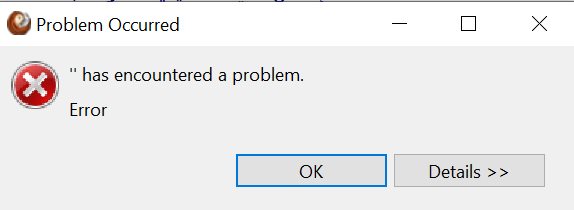
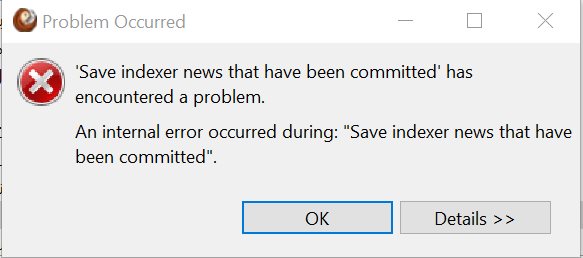
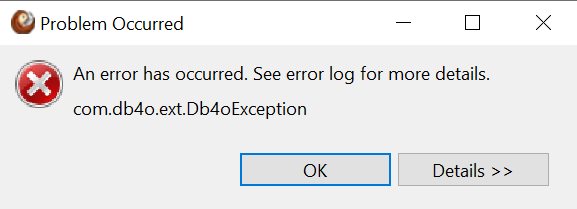
At times Rssowl tends to crash or refuse to show the feeds. Closing the program, restarting the computer and totally uninstalling the computer doesn’t work in this case.
What does work?
By going to the folder C:\Users\”User name”\.rssowl2 and deleting the folders .metadata and config221.
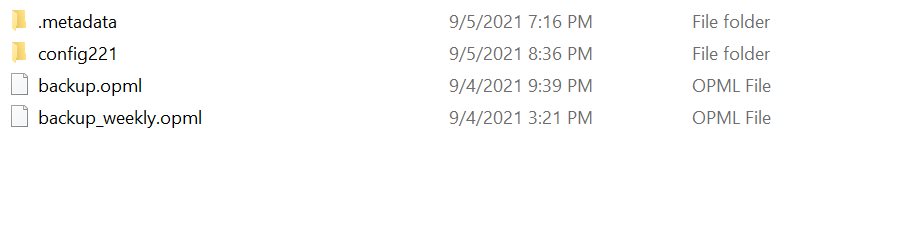
After restarting the program it will work fine.
Please keep in mind that all customizations and feeds will be lost. So make sure to back them up often.
Final words
Do you still use RSSowl, or you went to using the fork? Do you encounter these issues? Please let me know in the comments section below.
Like many people using WordPress as a blogging platform. I happen to use Contact Form7 to allow my readers a chance to contact me and reach out to me about all sorts of things. Sadly such a great feature can be abused by spammers. Despite me using a captcha and a plugin called “Honey pot”. I still got some spam into my inbox. In this post I will show you how to block these spammers once and for all!

Hosting company wasn’t helpful
After a lengthy exchange with my hosting company. Their support engineers concluded that the issue was from my contact form, not from their severs. And blocking the offending emails didn’t really work.
They did suggest using honey pot, which increased the amount of spam that got into my inbox. I think I must’ve made a mistake configuring the plugin!
The fix
I installed a plugin called “Spam Protect for Contact Form 7” and it works in a very simple way:
It adds a new tab to the contact form options called “anti spam settings” and allows you to block the offending spammers by name or domain. Creating a local blacklist inside the form. I tested it out and it seems to be working so far.
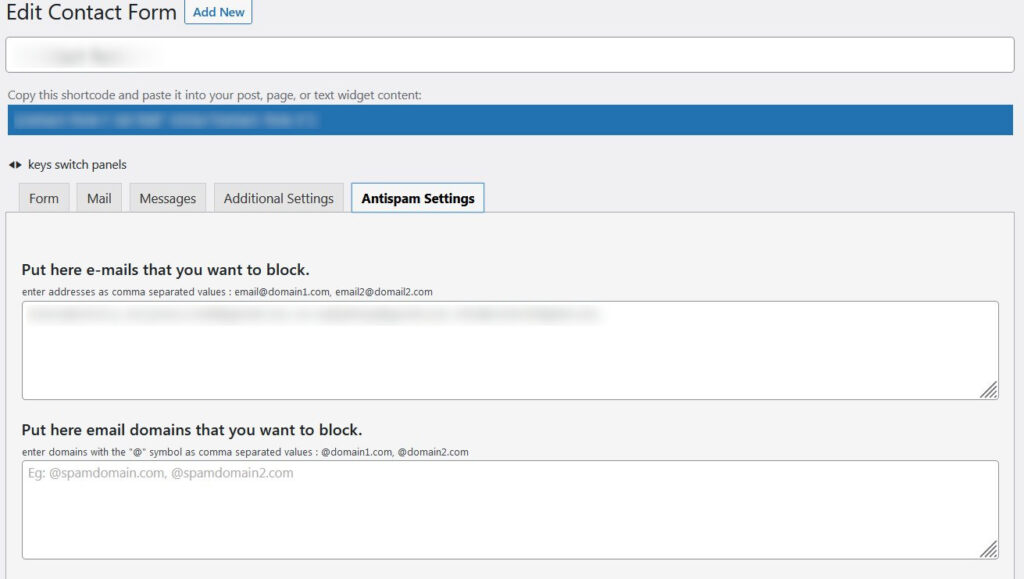
It’s very easy to use and effective. So far it’s the only thing that worked to combat spam on my blog. I’ve rated this plugin with a 5 star rating because I think it truly deserves it.
Final words
Are you suffering from this issue? Did you try out this fix? What solution worked out for you best?
Please let me know in the comments section below.
P.S: Bookmark the page, you’re going to need it!
If you happen to buy the ZKTeco iFace 950 equipped with Bio Time 7.0. You would know that it’s an excellent bio metric machine with plenty of options to track attendance. Facial recognition, fingerprint scanning, ID cards. A lot to choose from.
And it happens to be a nightmare to set up!

2. Can work directly with the machine or via a server
If your fingerprint machine is connected to a server and given an IP address, then there is no problem connecting to it using this software. On the other hand if you connect to it directly using a network cable you will also be able to download the log from it when you need it.
And it happens to be a nightmare to set up!
You see Bio time is really difficult to configure. I found a 40 minute video on Youtube that explains how to do it, and I still got it wrong.
Bio time = waste of time.
What was I doing wrong?
I’ve bought the machine, installed it on a wall and begun inserting the employee names into the machine and registering their information. Just like any regular machine would do, right?
No, this software is very different, it would require you to register all staff from a web interface, then put that into the machine. Overriding any information you had.
You could take a USB copy of the data, but that’s useless. I mean there are two tables that are impossible to link. One is for employees and the other is for attendance log. Trust me I’ve tried many times to create a database and it didn’t work..
So the web interface doesn’t work. Dumping information on USB doesn’t work. What does work?
ZKTeco Attendance Management
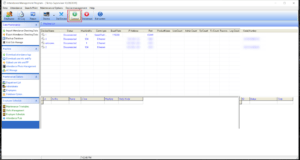
Enter ZKTeco Attendance Management. Which is the predecessor of Bio time made by the same company . It’s a stand alone software that’s installed on your computer and you can access the fingerprint scanner using the software interface.
Pros of using ZKTeco Attendance Management
1. Can work on multiple models and machines. In my case I’m using the aforementioned i950 and UT800.
My setup is composed of two finger print scanners of different models linked on the same network. This software has no problem reading them and downloading information from them.
My setup is composed of two finger print scanners of different models linked on the same network. This software has no problem reading them and downloading information from them.
Please note that this version of the software supports 2 default machines. If you have more than that then additional configuration might be needed.
2. Can work directly with the machine or via a server
If your fingerprint machine is connected to a server and given an IP address, then there is no problem connecting to it using this software. On the other hand if you connect to it directly using a network cable you will also be able to download the log from it when you need it.
3. Simple and easy to use
The interface is simple and intuitive. Unlike the abomination Bio time is.
Adding a machine
Adding a machine is very easy. All you have to do is click on “Add machine” .
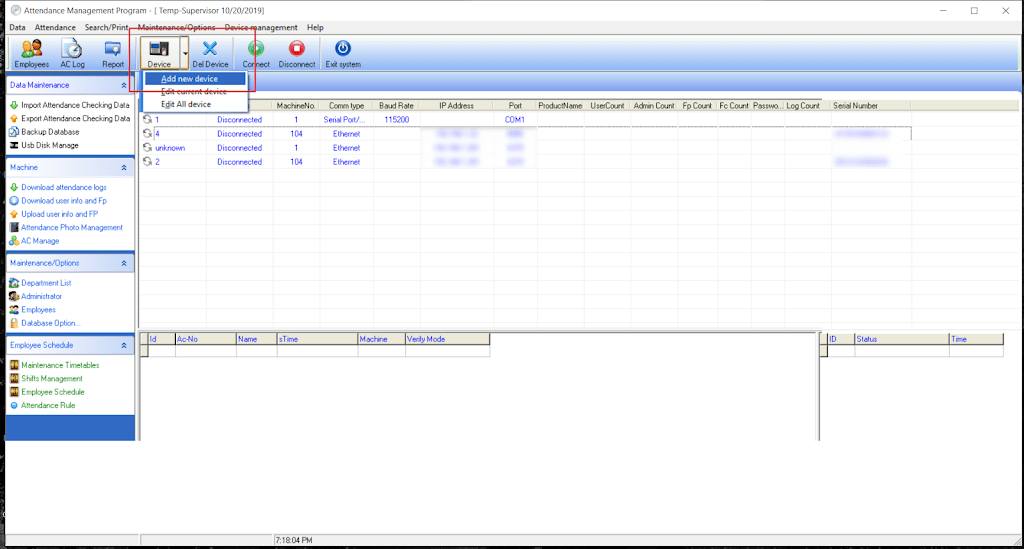
Then enter the IP of the machine. If it’s connected to a router / server then use that IP. Or use the one from your network settings if it’s connected directly to your computer.
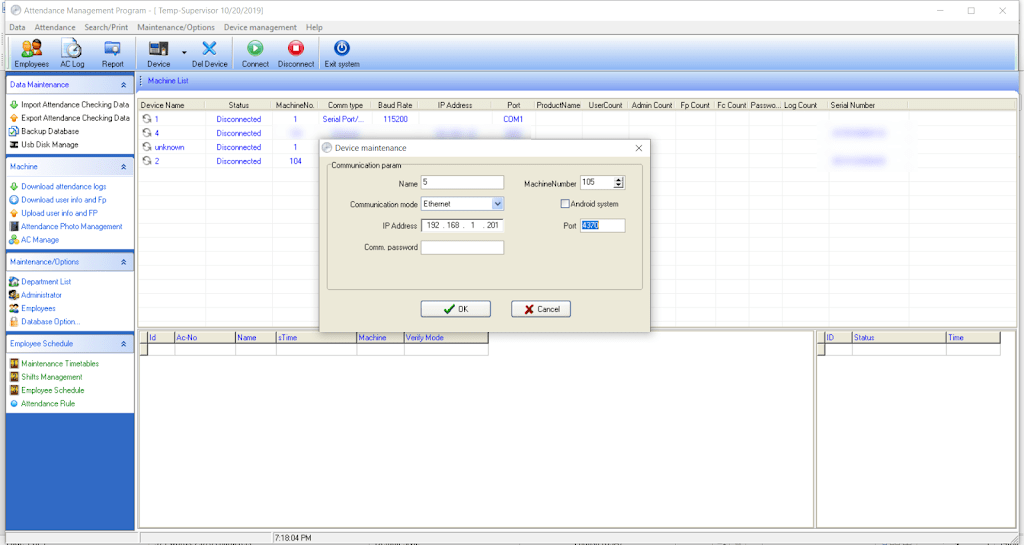
Giving the machine an IP is done under COMM / IP. You also need to set a port number for the machine.
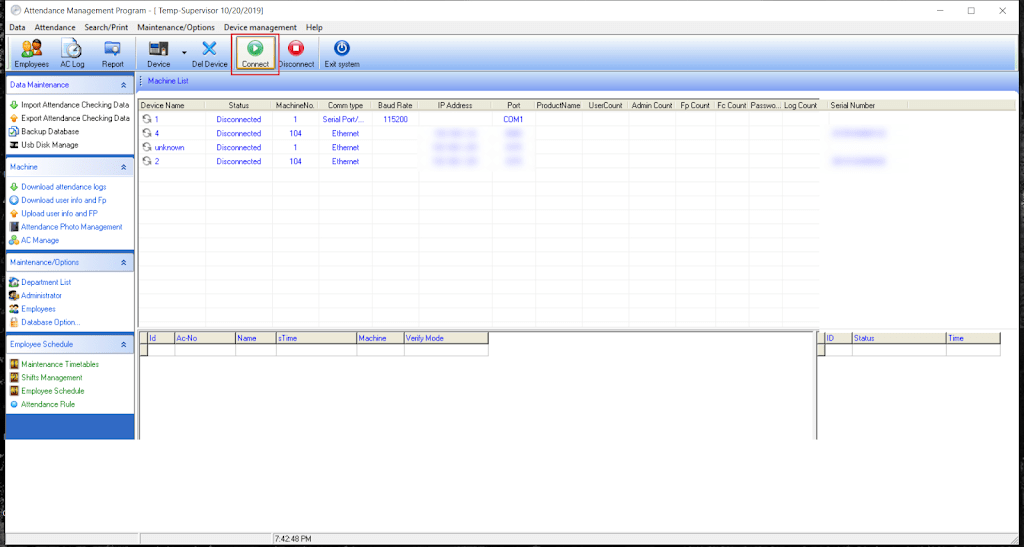
After that you connect to the machine. Wait for a bit and if everything goes well. You will be able to proceed to the next step.
Change the database directory to your installation directory
By default the directory would be set to a folder that doesn’t exist on your computer. I recommend changing to: C:Program Files (x86)ZKTeco5]”C:Program Files (x86)ZKTeco5att2000.mdb”
Downloading attendance log
All you have to do is click on the button “Download attendance log”. To save the log on your computer. You can choose the format and I recommend excel sheet file format.
You can set rules for your establishment from “setting rules”. But I’ll leave that for you to work it out.
Download the software
You can download the software from here.
Final words
Sometimes and older solution is a better solution. Both software are made by the same company and will work on machines made by ZKTeco / Trust. I haven’t tried products by other companies such as Fingertec for example. Give it a try if you want but chances are it won’t work..
Did you find this tutorial useful? If so please let me know in the comments section below and I’ll see you in the next one.
أنا الفائز بجائزة المدون المنتظم لعام 2025 من موقع مرجع التدوين
