Category: Fix (Page 9 of 11)

RSSowl crash problem fixed

Hey there you guys!

How are you doing today? I hope you are fine and well!
If you are using RSSOWL as much as I am then you will find this really really useful.


It works smooth most of the time. But when it crashes. It crashes big!

I tried everything I could think of to make it work again:
Like installing / Un-installing different Java machines
Uninstalling the program. Clean reinstall
restarting many times. But nothing of that worked!

How to make it work again. Well. We have to understand the problem first. This problem happens with a power failure. The power failure courrpts the configuration file of RSSowl. Resulting the error message: “java.lang.IndexOutOfBoundsException” whenever clicking on a post or a feed!
The steps to fix it are:
navigate to: C:/users/”username”/.rssowl/

Delete the backup.opml
Copy the backup_weekly.opml
Paste it in the same folder, you will have backup_weekly.opml(2)

Rename it to backup.opml
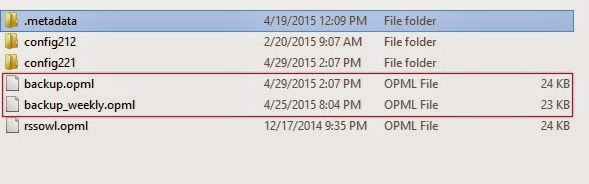
When you open the program again. the problem is gone! I hope you liked this post and found it useful! Did this problem ever happen to you? How often does it happen?

Thanks for reading the post. If you like it then share it with your friends and give kudos. Don’t forget to comment below 🙂
Recover some files after a Chkdisk. The easy way

Hey there you guys. How are you doing today?

You inserted a USB drive to your computer. And you were asked to do a check ( and with Windows 8 that happens with all USB’s!!) And when you checked there were errors and files recovered! Is that bad?

Not really. That can be a really good thing!

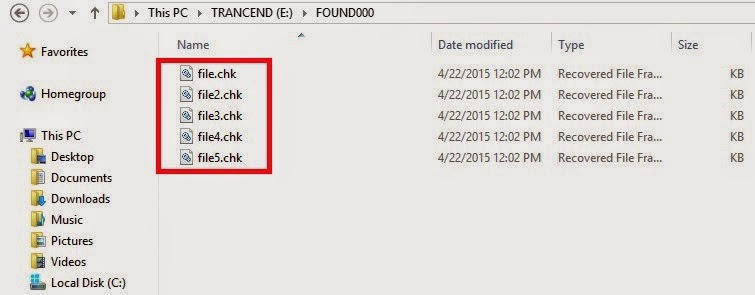
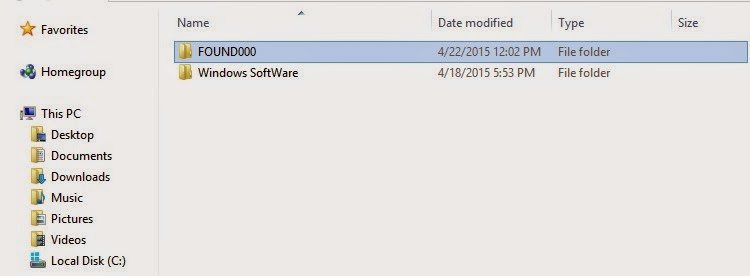
When the check is completed (depends on drive size and files in question) you will find the FOUND.000 folder. With plenty of .CHK files. So far so good!

Depending on the file sizes of the check files you might be able to restore the data.

If it’s in the same size as your lost data then you are in luck.

Just log into Linux and you will see then in thumbnails of the same type. All you have to do is to rename them to get them to work!

Pretty easy huh?

I found out a strange thing. That some of the web pages I downloaded in Linux are often lost when I boot to Windows. Because the names of the files and folders contain elements not allowed in Windows like “/“ and “?”.

In a next post I will be talking about fixing the empty but full drive with no format included!

I hope you found this post useful. Please comment below and let me know what you think?

Gimp 2.10.14 won’t install problem solved!

Hey guys 🙂

It’s been ages since I posted anything about GIMP!! Not that I don’t like it or don’t use it anymore. It’s just I’ve been busy exploring other things while working with Gimp often.

I had gimp installed by default when I got Xubuntu 14.04 LTS. And to my greatest pleasure it is automatically updated. So I didn’t check the new versions for a while.

When I started reviewing some web design material. I had to have the Gimp on Windows too (For comfort 😛 ) and so I downloaded the latest version 2.8.14.1 from Filehippo.com t. And to my disappointment. It didn’t work ..

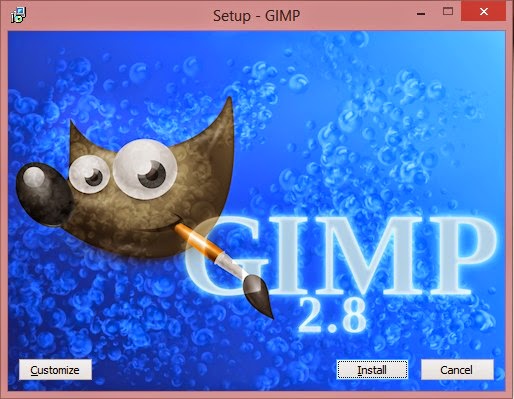
I double clicked and it didn’t progress pass the language selection option. It stopped responding many times.

I went to the official website and downloaded it via a bit-torrent client. Nothing ..

It did the same thing, no matter what I did it froze on the language selection and I had to end it from the task manager.

It was a bummer .. I downloaded it twice. Fiddled with many windows settings like:
Running as administrator.
Trying the compatibility options with every prior version of Windows.
I even installed the latest GTK library and Python ( Didn’t work).

And the funny thing no one reported that problem. I Googled all around. Nothing!!

When I installed it on a another Windows 8 computer. It went smooth!

Maybe the problem is with something in Windows 8.1?

What did I do to fix it?

Nothing!

I ran the installer. And let it running. After a few minutes it resumed installing like nothing happened.

I even uninstalled GTK and Python. And it didn’t affect how Gimp worked!

So here you have it. Be patient! It’s a Gimprtue !! Play on virtue!

That was today’s post. Please tell me if worked for you! And did it happen with you?

Please join my blog and subscribe to my mail list!

A quick fix to many Windows 8 – 8.1 bluescreen issues

Hey you guys 🙂

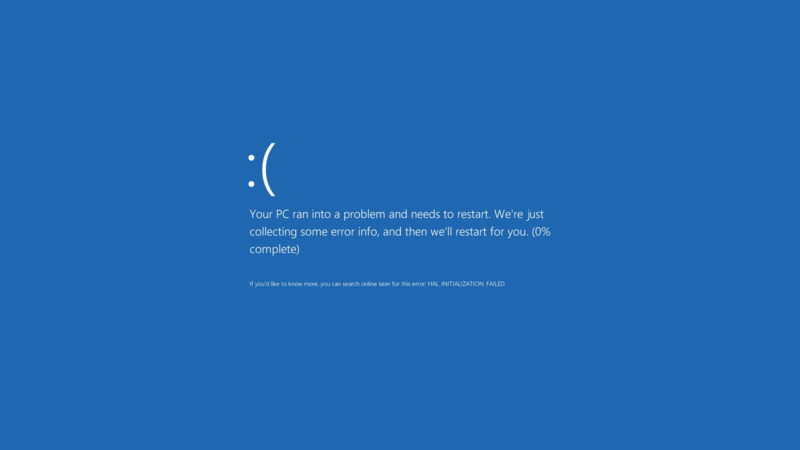
If you are using Windows 8 / 8.1 You would notice an awful lot blue screen of death screens BSOD. Now windows advices you to search online for the error .. (Da! Thanks for the tip captain obvious!)


What’s the cause of these errors?

Some of them are driver related. Others occur when you standby or lock the screen. Some after you install certain software..
The fix to all these causes and more is a simple command!
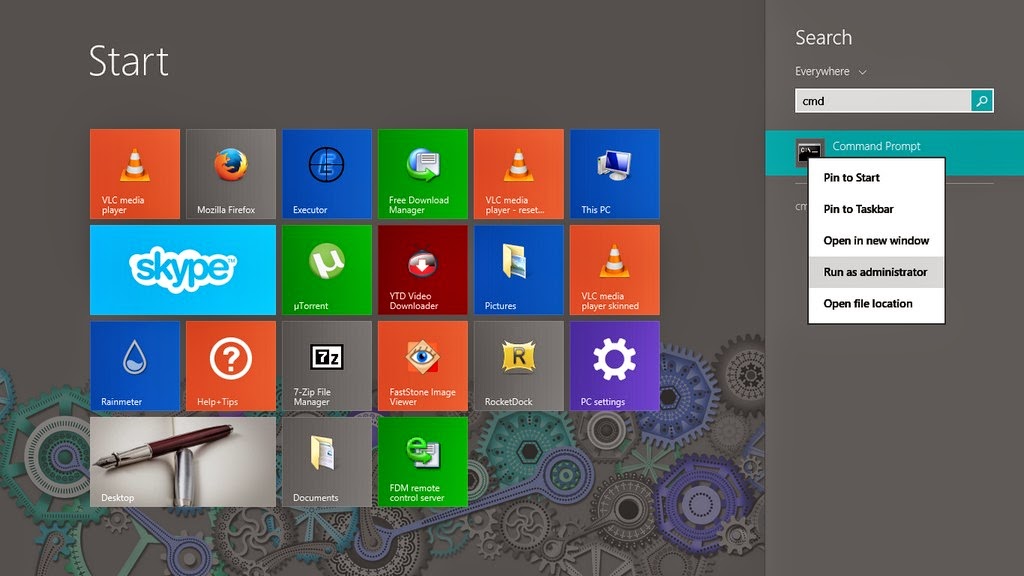
1. Go to the start menu and type CMD

2. When you see command prompt. Right click on it and choose: Run as administrator (Very important!)

3. The command prompt windows will show up. There right this command: “sfc /scannow”

This command checks the system files and attempts to fix the errors.
The process will take some time ( in my case it took an hour to complete)
After it’s done you will be prompted to restart once or twice. After that you are all good!

How easy was that? 🙂

Try it and let me know what you think. Did it fix your problem?
I hope I managed to turn the “frown” upside down 😀
Make sure to follow my blog and join my mail-list NEW

« Older posts Newer posts »