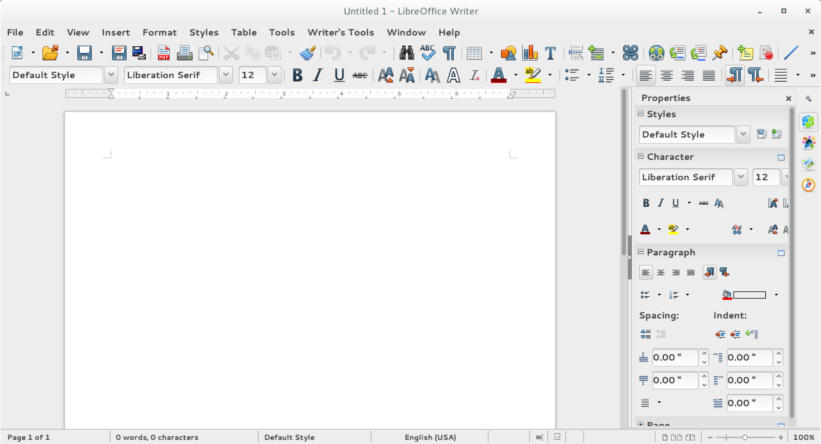
The only thing that LibreOffice has in common with MS office is the “word processing” part, and other than that, LibreOffice is a different project completely!
If you think that LibreOffice is just a meek second for MS office, then you need to think again!
LibreOffice is not a MS office copy cat!
Some people download LibreOffice thinking it should look and feel like MS office and should even act the same, and when it doesn’t they get frustrated and blast the entire open source movement for not copying MS office’s look and style.
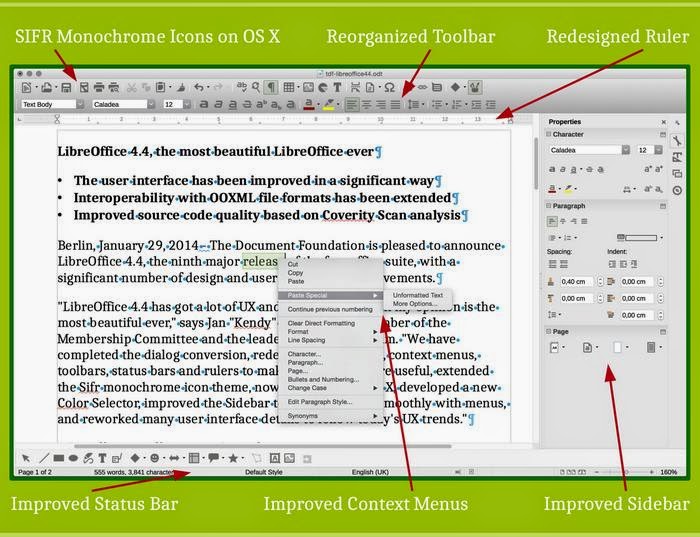 |
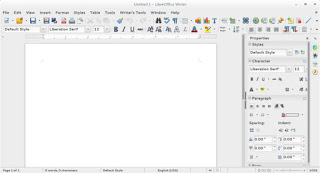
| The unique interface on LibreOffice write explained |
A lot of that frustration comes from the fact that the buttons aren’t arranged in the same way, or that the theme doesn’t look the same as it does on MS office, it doesn’t look like MS office, here is a little shocker: It’s not supposed to look like MS office. It’s a completely different product! LibreOffice wasn’t made to be MS office lite.
There are numerous word processing suits that look and feel like MS office for a fraction of the price, but if you want the MS look and feel I suggest that you invest in a licensed copy of MS office, plain and simple!!
Compatibility issues broken down
Another major complain is that documents edited in MS office don’t look as it should on LibreOffice, and that has a reason as well, let’s look at the first reason.
ODT vs OOXML
LibreOffice uses ODT file format by default, which stands for open document text, while MS office uses the OOXML standard, which is used and imposed by Microsoft as the standard for all documents, it is changing gradually as many countries are adopting the ODT standard and started to impose it on companies, even Microsoft!
Now that we covered the document standard, it’s time to look at another huge issue, is the fonts!
Fonts
Fonts used in MS office are a part of the office license, you can’t simply download them and use them on another computer that doesn’t run MS office, that wasn’t discovered until later! And the document foundation are doing what they can to help replace the fonts effortlessly within LibreOffice.
So when that .docx document looks horrid on LibreOffice, remember who to blame!
Let‘s take a look at some of the features that make LibreOffice a unique suit.
Cross platform and portable
While MS office is only available to Mac users and Windows users (since it’s a Microsoft product), LibreOffice is available to almost every computer platform out there, no matter what kind of system you have, you can enjoy LibreOffice’s power!
And, you can use a portable version of it, if you don’t want to mess your current settings, or you are in a domain and can’t install software, you can have LibreOffice on a USB and run it from there, I’d like to see MS office do that!!
A swiss army knife of tools
- LibreOffice can do so much more than meets the eyes, it has a lot of hidden menus that can preform so many awesome tasks, I’ve blogged about it in detail in this post.
- LibreOffice can be used to write and layout books easily, with adding a few extensions and using some features the right way, I’ve also blogged about it in this blog and you can find it here.
- Finally, I’ve managed to improve a way to use LibreOffice draw to design mind maps, I suggest you check it out from here.
Pricing
This is an obvious one, but it had to be mentioned!
I stopped following MS office news a while ago, but the last I know is they have two payment plans: One time, and a monthly subscription with many license forms like student, home, etc. While LibreOffice comes free of charge, and all donations are welcomed!
Development speed
While you get one product per year from Microsoft, one cloud and one regular, the Document Foundation rolls out a version of LibreOffice every month, that fixes bugs and adds features, with a major milestone every six months. That’s on the Fresh branch, but if you don’t like living on the fast lane, you can go with the Stable branch and enjoy stability, it provides updates not as often as Fresh but quicker than MS office!
With these obvious advantages explained, let’s look at the organization behind LibreOffice
The Document Foundation
The document foundation is an independent self-governing meritocratic entity, created by former leading members of the OpenOffice.org Community, in the form of a charitable Foundation under German law (gemeinnützige rechtsfähige Stiftung des bürgerlichen Rechts).
It continues to build on the foundation of ten years’ dedicated work by the OpenOffice.org Community.
It was created in the belief that the culture born of an independent Foundation brings out the best in contributors and will deliver the best software for users.
It is open to any individual who agrees with our core values and contributes to our activities.
It welcomes corporate participation, e.g. by sponsoring individuals to work as equals alongside other contributors in the community.
The Document Foundation is proud to be the home of LibreOffice, the next evolution of the world’s leading free office suite.
Please support our efforts: Your donation helps us to deliver a better product!
The team
LibreOffice is a community project by the document foundation, with thousands of programmers and volunteers working on the project passionately around the world to make LibreOffice a better product, who is the MS team responsible for MS office? I don’t know either!
One might argue the age old Open Source VS closed source argument that has been around since the dawn of computing, well.. It’s here also!
Community
The LibreOffice community like many open source communities is the place to get support, with friendly people willing to help and share their knowledge and help fix bugs and issues. It’s also available in many native languages, without extra fees.
It’s one of the best – if not the best – open source communities out there!
LibreOffice has been around for six years, how much impact did it have globally?
Global Impact
LibreOffice exceeded Apache Openoffice record download of 100 million in a few years! It took Open Office over a decade to achieve this record number of downloads, and LibreOffice is been around for six years!
People from all over the globe are using LibreOffice on daily basis, entire cities are converting to LibreOffice to reduce licensing costs.
LibreOffice communities are emerging all over the world, spreading the culture of open source and promoting the use of LibreOffice, chances are there is one where you live!
Other projects
Here are some other projects that aren’t directly linked to LibreOffice, but a part of the on going development at the Document Foundation.
LibreOffice cloud
There are efforts to make LibreOffice is available in the cloud, to be able to use LibreOffice inside the cloud without the need to install it on your computer! A lot like Google Docs!
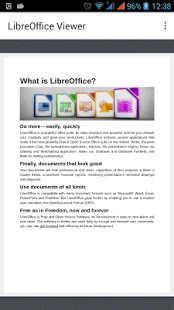
LibreOffice Android viewer
This app is terrific for viewing documents you created on the go from your smartphone, it’s available on the store for android.
Impress remote
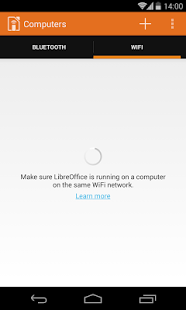
it can be used as a remote to navigate through your presentations without added software! Brilliant for students, teacher and office workers alike! You can download it from here for Android.
Conclusion
So there you have it, LibreOffice, the open source project with over 20 years of heritage from the Star office days, taking the pure open office soul you loved, and turning it into something spectacular! One of the best open source projects out there if not, the best! Much more than a “word processing suit”, it’s truly a lifestyle!
Feel free to download, create, and share with your friends and family, and please don’t forget to give back to the wonderful people behind LibreOffice to keep it going!
if you aren’t sure how much to place, think of how much MS used to cost you and pay a part of that to the document foundation.
How did you like this post? Tell me what you think in the comments section below.
And share it on your social media please!