Category: Microsoft (Page 1 of 2)

لمحة إلى ويندوز 11

منذ بضعة أيام أعلنت ميكروسوفت عن نظام تشغيلها الأخير ويندوز 11 الذي يأتي بواجهة محدثة كليا (بالنسبة لميكروسوفت، عن نفسي أنا أراها نسخة من KDE Plasma) وخصائص جديدة مثل دعم تطبيقات أندرويد مباشرة من داخل النظام.

هذه التدوينة تحتوي بعض التعليقات حول النظام من منظور خارجي. في الواقع لا أنتوي الترقية إلى ويندوز 11 على جهازي في أي وقت قريب. وسأذكر السبب في نهاية التدوينة.
  1.  لا يمكن الوثوق بشركات التقنية الكبرى

    تذكر عندما روجت ميكروسوفت لويندوز 10 على أنه آخر نظام تشغيل ستصدره؟ وأن ويندوز 10 سيكون خدمة باشتراك سنوي بدلا من ترخيص مدى الحياة؟ جيد! لأنه يبدو أن ميكروسوفت لا تذكر ذلك الوعد على الإطلاق! ما يعنيه إطلاق ويندوز 11 بالنسبة لي هو أن ويندوز 12 قيد الإعداد. ربما إن كان الوعد غير منطقي فالسؤال لماذا طرحته ميكروسوفت من الأٍساس؟

  2. جدل حول مواصفات المعالجات الدنيا

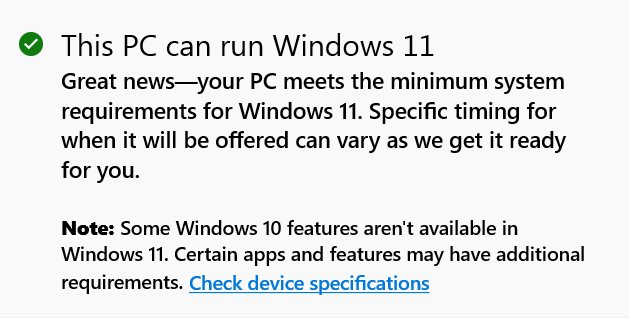
    نشرت ميكروسوفت قائمة مبدئية للمعالجات التي يدعمها النظام الجديد. أقدمها هو معالج انتل من الجيل السابع من سنة 2018. حسب هذه القائمة فإن ميكروسوفت تعتبر أي معالج أقدم من 2018 غير جدير بالترقية! يأتي هذا الأمر في وسط ركود عالمي متأثر بجائحة كورونا وأزمة رقائق رفعت أسعار السيارات والهواتف والحواسيب! أنا متأكد بنسبة 100% أن هناك طرقًا للالتفاف حول هذا القيد وأن ميكروسوفت ستتراجع لاحقًا وتوسع شريحة المعالجات التي تستقبل النظام. لكن هذه سابقة لميكروسوفت التي لم تشترط من قبل جيل المعالج من ضمن المواصفات الدنيا. لماذا هذا الإقصاء من ميكروسوفت لقاعدة مستخدميها؟

لماذا لا أنتوي الترقية أو حتى التجربة؟

جهازي (الذي به معالج على القائمة بالمناسبة) وعليه نسخة أصلية من ويندوز 10 يعمل بشكل جيد والحمد لله. ليس هناك أي من الميزات التي روّج لها على ويندوز 11 تشدني وتثير اهتمامي لدرجة مخاطرتي بإعداداتي وعملي لكي أقوم بالتجربة.
هل هذا يعني أن ويندوز 11 سيء؟

لا طبعًا! أنى لي أن أحكم على نظام تشغيل دون تجربته؟ ولكنه لا يعني أنه جيد بالضرورة. كشخص درس البرمجة أنا أقدر أي عمل برمجي والمجهود الذي يوضع فيه. قد يكون هذا النظام أفضل نظام تشغيل من ميكروسوفت حتى الساعة.

هل إطلاق نظام تشغيل جديد يعني انتهاء ما قبله؟

لا! ويندوز 8.1 لا يزال يتمتع بدعم مطوّل حتى 2023. وويندوز 10 من المفترض أن يتمتع بدورة دعم طويلة كذلك حتى 2025.

وحتى إن انتهى دعم نظام تشغيل. من قال أنه لن يعمل بعد ذلك؟

بإمكانك التحول للينكس في أي وقت والاستمتاع بدعم طويل وخدمة رائعة بالمجان. وبإمكان ميكروسوفت ممارسة الإقصاء على من تشاء.

ختامًا

هل قمت بتجربة ويندوز 11؟ ما أكثر ميزة شدت انتباهك فيه؟ هل تنصح به؟ شاركني برأيك في قسم التعليقات.
Tech news digest June 2016 (Linkedin sale, OnePlus3, snaps for Linux and more)

This week had many interesting news happening all over the tech world!
Let’s take a look at this digest and catchup really fast!
Microsoft is said to buy the enterprise social media site Linkedin for a record 26.02 Billion dollars in cash, the deal is trending worldwide with people shocked over the size of the acquisition, it’s a bold business choice to say the least!
The current S.E.O of Linkedin Jeff Weiner will report to Satya Nadella the C.E.O of Microsoft, as Microsoft is looking to reach to the 433 million users of Linkedin to expand it’s business and products such as Office 365 and cloud solutions.


Microsot’s logo

In other Microsoft news the Windows 10 “free upgrade” will expire on July the 29th, so if you are planning to update you better put that on your checklist and fast!

OnePlus is ready to launch the third smartphone of it’s famous “flagship killer” series: OnePlus3, the highly anticipated phone will come with a 64GB internal memory and 6GB of RAM! (specs according to GSMarena).
The countdown is almost done and the launch event will be presented in virtual reality via a The Loop. A special App available on the Google store.
More details will be available as soon the smartphone is released.
Here is the official unboxing video.


Apple’s logo

Apple annonced at WWDC 2016 the release of it’s latest update to iPhone and iPad: iOS 10. Which brings many improvements to iPhones such as a redesigned message app, lock screen and the ability to delete many pre-installed apps, the update will be shipped this fall. (for more details check the Apple site from here)


It’s not a Snap! Just a package icon!

Now we take a tour of the Linux world:  Sanps are the hottest thing in the Linux world today and for a good reason! Snaps were first announced as a feature of Ubuntu 16.04 that installs programs easily without needing to install dependencies (as it’s packed with the binary) or use command lines to install, these snaps can run virtually on ANY Linux distro! Meaning you can use Ubuntu apps anywhere you go on Linux: Desktop, server or cloud!

The main advantages of Snaps are security, speed and ease of use as they are easier to create, install and update! And many of the major open source projects like LibreOffice and Ubuntu will use them very soon as the standard way to deliver software.

This has been a dream for Linux users for many years because different distros use different package managers, meaning that Debian software won’t work on Fedora and vice-versa.
I’m glad to see that happening finally, learn more about this awesome new technology!

Fedora’s latest release: Fedora 24 was supposed to be released today, but due to some bugs not being fixed it was postponed, Fedora is ready when it’s ready! Checkout the bug list if you can’t wait!

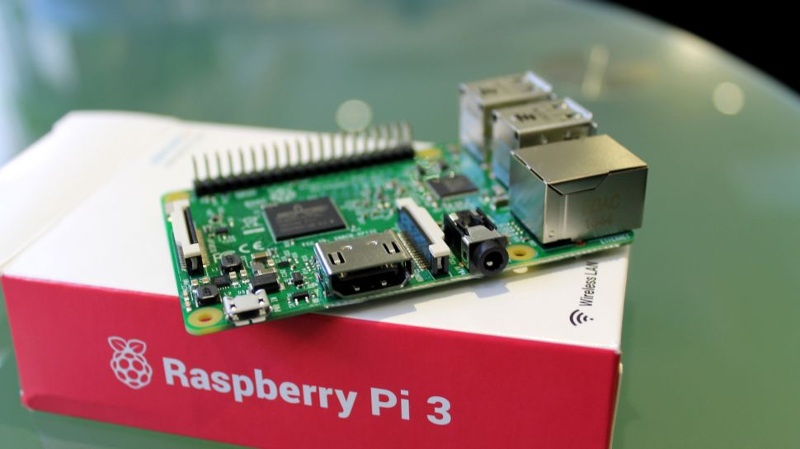
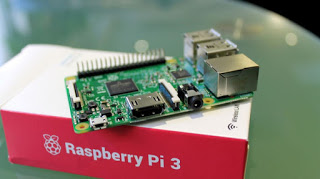
Finally the Linux oriented blog it’sfoss is celebrating it’s fourth anniversary (does it ring a bell?) by throwing a giveway, the prise is the awesome Raspberrypie3.

It’s F.O.S.S’ logo

Here is my lucky link for you to enter and help me win, because if I did I’ll make a video review of it and many posts about it! 😉

Raspberry Pi 3
The Raspberry Pi 3 as shown on the giveaway site!


That was the tech news of the week segment, I hope you enjoyed this quick digest, let me know what you think in the comments section below!

Installing Windows 10 insider on Lumia 630 Dual

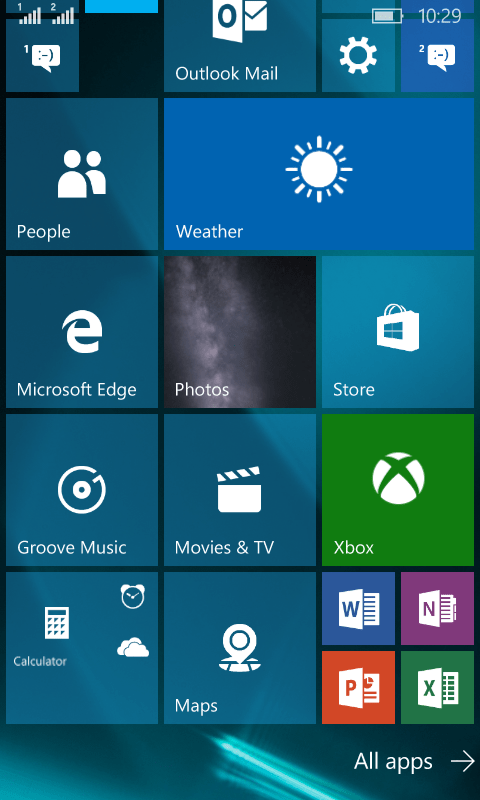
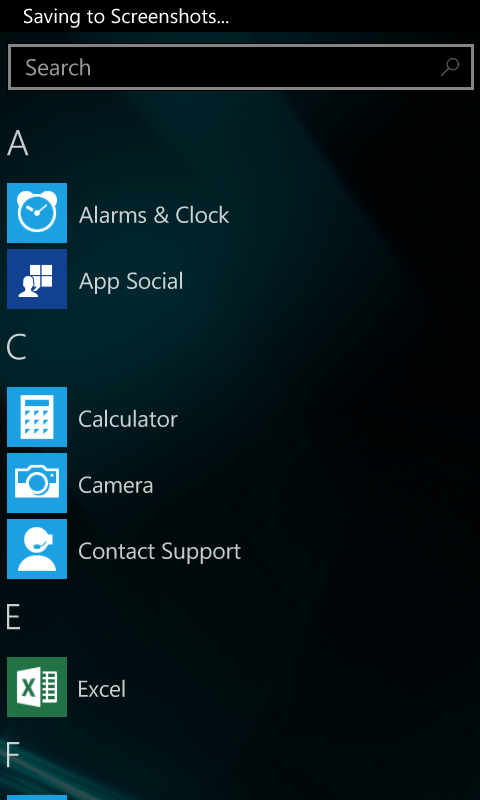
I decided since the Windows 10 update was rolling in “waves” that I want to try Windows 10 early on my Nokia Lumia. I installed Windows Insider on the phone and choose the fast ring.

As soon I did so there was a Lumia Cyan update installed. And after the usual steps I began to install the insider build 166 (was out on July 13th 2015)

I left it installing because the download took a long time, after it finally downloaded and installed many things stopped working! I was given some error codes but doing some research did me nothing! (CV: irVVS0fyS0ifo9wW
0x80072f05)


    Office was gone!

    OneNote stopped working!

    All the updates that were pending stopped working as well.

    There were some nice improvements. I can’t deny! The already great typing experience has become even easier with the added cursor and several UI improvements that made it consistent with the desktop version.

    I had to install the 512 build that came out on the 12th/08/2015.

    After a while the 512 build finished installing. It looks good so far. Office is broken down to three apps: Word preview, Excel preview and Powerpoint preview. (Which needed to be purchased then installed from the store).
    The store worked fine after the upgrade, and the errors aren’t displayed anymore!

    The phone became slower and hotter. So a reset was due. It worked better. But the office applications requires an office 365 license to work. And Onenote became so hard to manage! (I needed to scroll so much to get to anything).
    The phone lags a little bit and Cortana became less responsive. So I decided to rollback to 8.1
    As confirmed by Microsoft upgrade adviser, Windows 10 won’t be available for Lumia 630 / 630 Dual. So this is the only way to get Windows 10 on your Lumia phone.

    Upgrade to Windows 10 today! Not from Windows Update!

    I’ve been following the Windows 10 hype since it’s been rumored to be named Windows 9. And I have covered many news and opinions about it, including the release date and the debate of it being free or not.

    As Windows 10 arrive today I decided I deserve an early taste, after all I might not get it for months! Who knows when my “turn” will arrive? I also wasn’t too keen about downloading from the Windows Update and have been vocal about it!


    While browsing the Windows 10 news I came across a Reddit post that claimed to have “Clean ESD” for installing Windows 10. (ESD stands for Electronic Software Delivery). I had to make sure so I posted in the Microsoft answers site and it was confirmed to be “legit” so I got to work!

    Difficulty: Medium

    Continue reading

    « Older posts