
Category: Problem (Page 1 of 2)

Focuswriter not starting stuck on loading sounds fixed

Focuswriter is a free and open source (FOSS) cross-platform distraction free writing software that is lightweight and easy to use. Today I’ll show you how to bypass the loading sounds bug and fix it completely!


Focuswriter logo

The problem

It all started when I tried to enable the typing sounds on my Netbook running Antix Linux, the program froze and I had to shut it down manually. After that whenever I try to start the program, it won’t start!


Attempted fixes

Trying to uninstall the program and install it again didn’t work! Even removing configuration files from Synaptic didn’t work, no matter how many times I install and uninstall it again, the problem persists!

The fix

Using your file manger of choice, navigate to /home/[username]/.config/GottCode/ and in it you will find one file only: FocusWriter.conf
Delete it and restart the system, after it starts again, you will have Focuswriter running like it should.
A new configuration file will be created automatically, no need to worry about the file being deleted. 

Focuswriter interface

Final words

Going for a lightweight mixture of a Netbook, Antix and Focuswriter can be a winning combination, and as a slight compromise bucklesrping can be installed individually for an aesthetically pleasing writing experience. And if you are typing at night, enable the leds on your keyboard!

Do you use any of these tools? Do you find this tech tip useful? Please leave your opinion in the comments section below, and I’ll see you in the next one.


Until I learn my lesson!

Yet again I find myself in a difficult situation, so it’s time to sit quietly and reflect.

What seems to be the problem

I noticed a pattern going on, and from experience I could tell that solving problems needs looking at it differently. maybe the issue is not with a bad situation or a workplace attitude, maybe the issue is with me.

A bit of the same old

When a problem repeats itself over and over in different situations that means changing the environment didn’t solve it,  and perhaps my attitude towards the problem is the problem itself. 

The cycle will repeat itself until broken

I blogged about the vicious cycle that is life in Libya, and that it needs a permanent break  before it swallows us whole, two years later and things are pretty much the same, at least I must prevent the abusive patterns from appearing in my life. 

It’s okay not to be okay, it’s okay to ask for help

I’m reminding myself with these simple facts, having too much to do and a little time to rest or do the things I like doing is unhealthy, being overworked is unhealthy, and saying no when something seems too much is the right thing to do.

The right attitude

Looking out for number one is an important lesson I learned from a foreign principle I worked with, your health is your most valuable asset,  always stay healthy and keep yourself together. Nothing is worth losing your health for.

Those who don’t learn from history are doomed to repeat it

An important lesson I take from my working experience is : There is something as too much work. Being burnt is not okay, killing myself to meet deadlines and keep the wheel rolling is not okay, unnecessary sacrifices are not okay.  Everyone has limits!

A change of scenery isn’t always the solution

I learned that if you think and act the same, then no matter where you go, you will carry your problems with you; not only that! You will fall victim to the same patterns you were desperately trying to avoid!

Final words

It’s okay to make mistakes, it’s not okay to repeat them.
Okay ?  

P.S : This is my 450th post, I guess I’m back to this point before the cleanse!  
P.S.S : I’ve done several updates to my blog, perhaps I’ll address them all in a separate post!

Common Windows Phone errors and how to fix them

Windows 8.1 logo It’s not all fun and games with Windows phone. It’s better than Android as it doesn’t crash as often, but I ran into several bugs the other day that I have to blog about.

Let’s take a look at the issue

I turned off the phone and removed the battery to remove the SD memory card that’s underneath (a major design flaw) and when I returned it, it was not the same! I noticed that many apps were refusing to work the way they used to! And the browser won’t load search results. I thought it was a connection issue ( Error 800704CF). but the error messages were about syncing with outlook ( Error 80070020).
At this point I was going to restore the factory default settings, which would have deleted everything on the phone and I would have to start all over!
After researching several error codes I realized it was far too simple!

The fix

I set the date wrong! (Error 80072F05) The easiest fix was to set the time automatically, to do this follow these three easy steps!

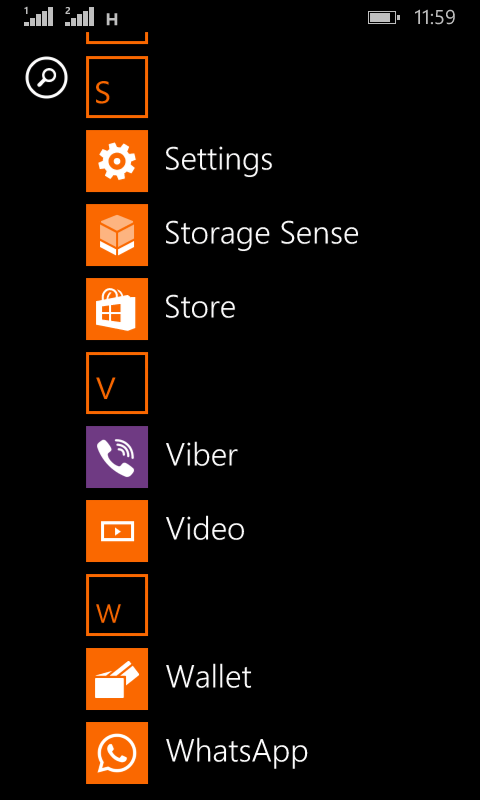
  • Go to the main menu (swipe left from the desktop).

Windows Phone main menu
  •  From there go to Settings
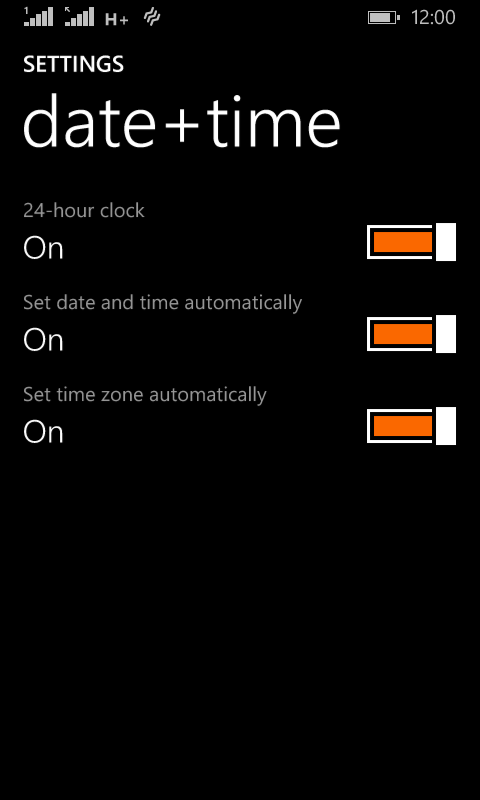
Windows Phone time and date settings
  •  On the date and time settings, set all of the values to on (24-hour clock, set date and time automatically and Set time zone automatically).

  and the phone went back to normal!
 

The codes I encountered were: 80070020, 800704CF and 80072F05. So if you face any of those the first thing you need to check is the time settings. I hope you found this tip useful, and please share it with your friends and family to help the blog grow! 

Fix the p { margin-bottom: 0.1in; line-height: 120%; }a:link { } problem in your blog

It happens more often with me than ever, maybe because now I write my posts outside of blogger and then paste them (and there is nothing wrong with that by the way!). It makes my blog look bad and a lot less professional.

I tried so many things including font play and adjusting the breakers, nothing worked! I was able to fix it so easily, so read on to learn the complete fix!
My old fix was to delete the post and post it again, and I’d lose the comments, and a lot of time. But thankfully I was able to fix it on my own. I looked the problem on line and found nothing.

The Fix

First of all if you publish your post and notice the Fix the p { margin-bottom: 0.1in; line-height: 120%; }a:link { } line where it shouldn’t be then go to blogger and edit the post.

The post has that line

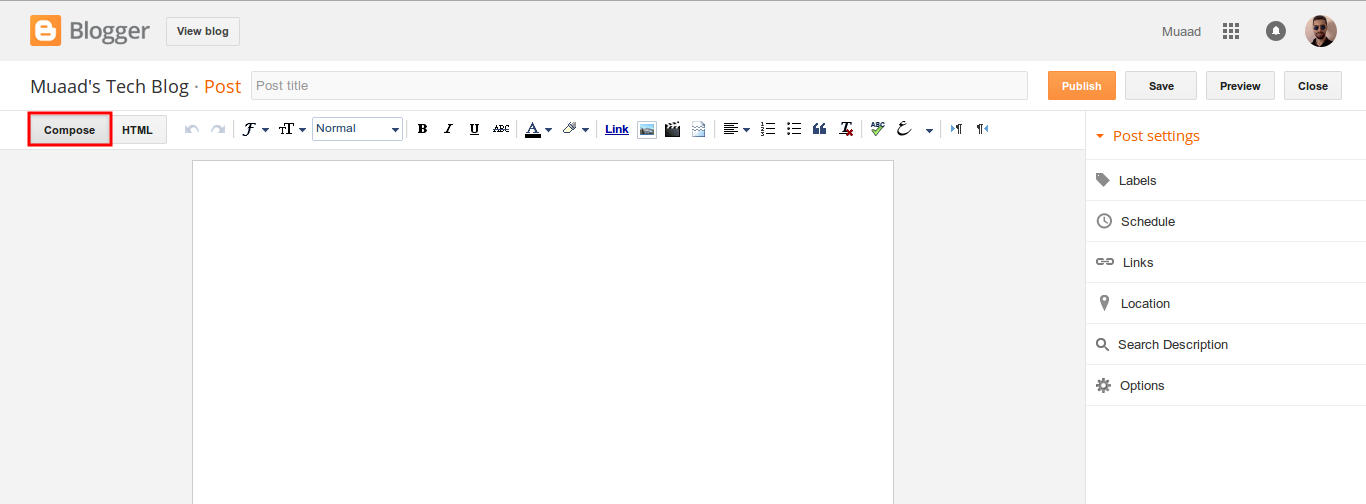
On the edit menu you will see the button to the far left called “Compose”

Compose view

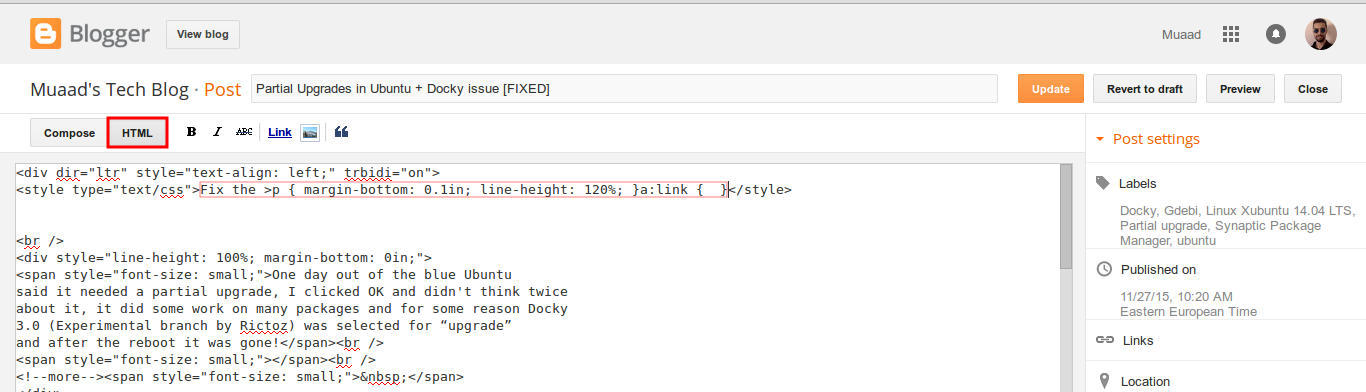
  and a button next to it called “HTML”, click on HTML.

HTML view

Even if you had zero knowledge with HTML, this fix is really easy (And I recommend you as a blogger to learn some HTML as it’s so easy to learn!).
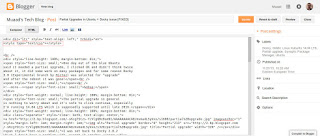
What are we going to do is to remove the Fix the p { margin-bottom: 0.1in; line-height: 120%; }a:link { } line from the post, it’s highlighted in red so it should be easy.

The line to remove is highlighted in red

From the HTML view click find and search for “p { margin-bottom: 0.1in; line-height: 120%; }a:link { }” and you will find it looking like this <style type=”text/css” p { margin-bottom: 0.1in; line-height: 120%; }a:link { }</style
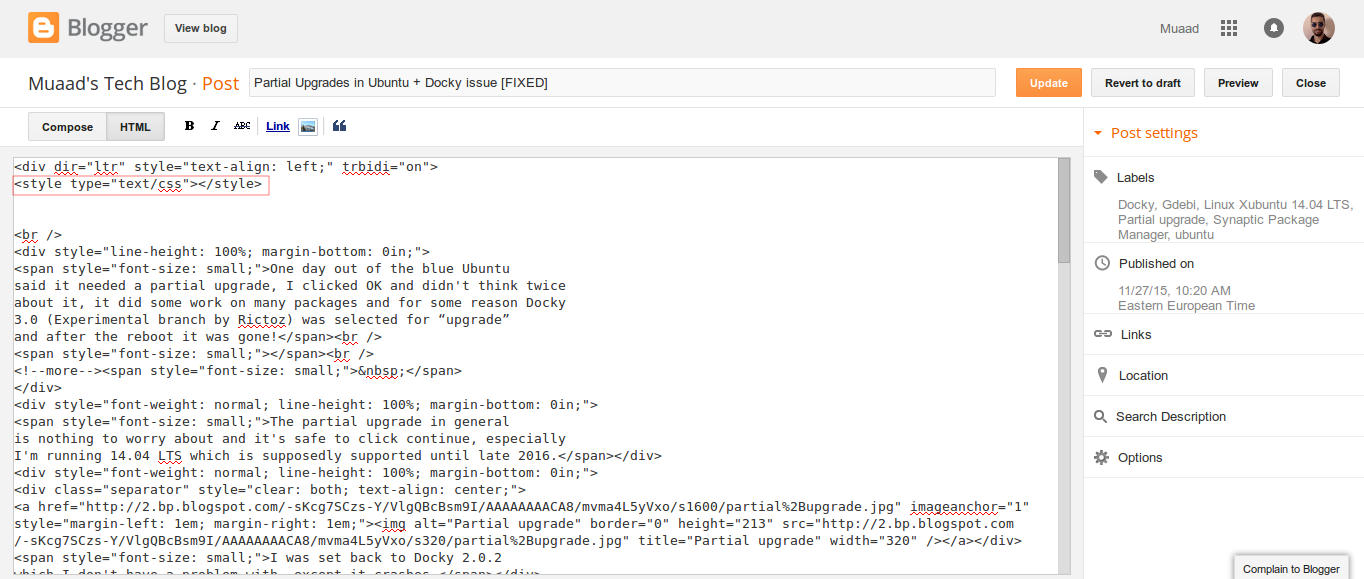
Delete only the line maintaining the brackets or you will result in an error, it needs to look like this after delete <style type=”text/css” </style
go back to compose and update, the problem will be fixed right away!!

So what’s the cause of this annoying bug anyway?

I discovered that it is caused by “Rich text formatting”, as I use LibreOffice to do all of my writing work, I tend to copy and paste directly into blogger, that caused these characters to appear inside the posts!

How to avoid it?

The only way is to strip the text of formatting before pasting it into blogger’s text editor, you can do that by clearing format from LibreOffice’s right click menu. Or by pasting it into a plain text editor like Notepad or Atom.

I hope you found this useful, how often did this happen to you? And how did you deal with it? Please let me know what you have in mind in the comments section below.

P.S: This post itself was infected with this issue, glad I could get it fixed eventually. 

« Older posts