Page 260 of 325

Fix some Ubuntu startup issues with this easy trick!

I fresh installed Ubuntu 14.04.4 lately and things has been smooth, most of the issues I encountered were because of the interface change, looking back maybe the interface was buggy, and I should have read the bug list before installing it!

After installing I noticed that every time I reboot the system shows prompt to send error messages, I sent the error to the developers thinking that was it, I send the error report and I’m done, but another one came, and another one.. And it just keeps happening every time I reboot (to install updates for example) so it became a minor nuisance!
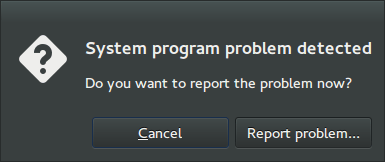
I remember facing this issue back in April 2014 when I first installed Ubuntu, and the fix was so easy!

Apparently Ubuntu tends to look for records of errors and send them, even the old ones that have been reported, so the easy way to stop it is to disable Apport.

Disabling Apport

It’s actually very easy to do, just go to the terminal by pressing Ctrl + Alt + T
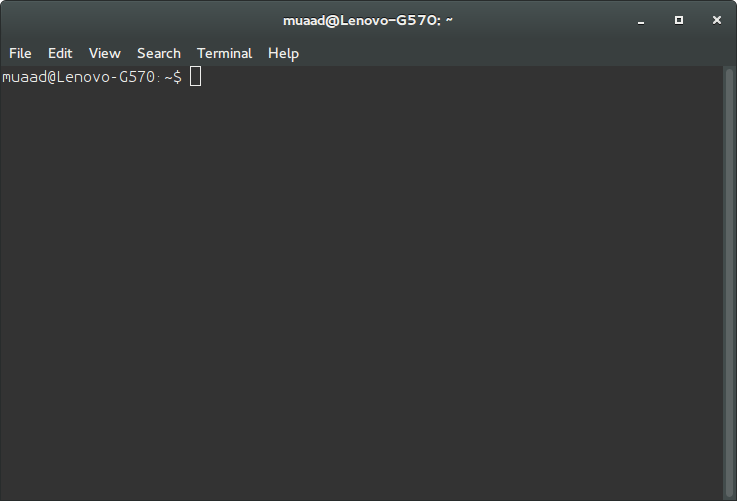
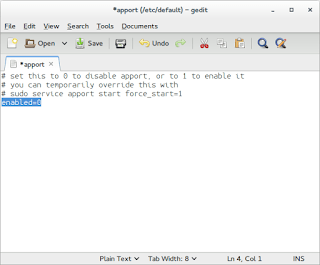
Then type in gksudo gedit /etc/default/apport and press Enter. You will be prompted to enter your password, please do that.
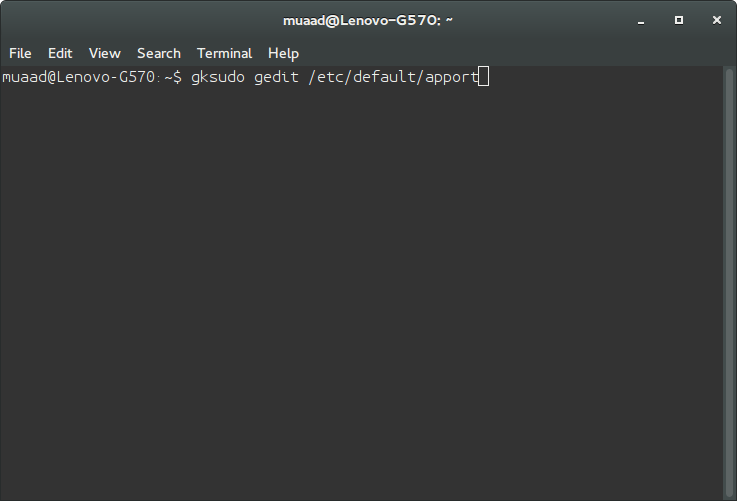
Be careful because this command is running Gedit in root privileges and we will use it to change a vital part of the system, so follow the steps carefully!
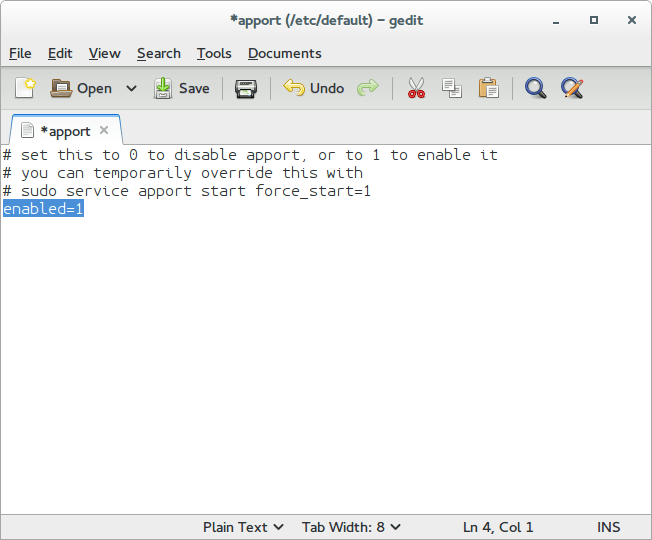
Change Enabled=1 to Enabled=0 and save.
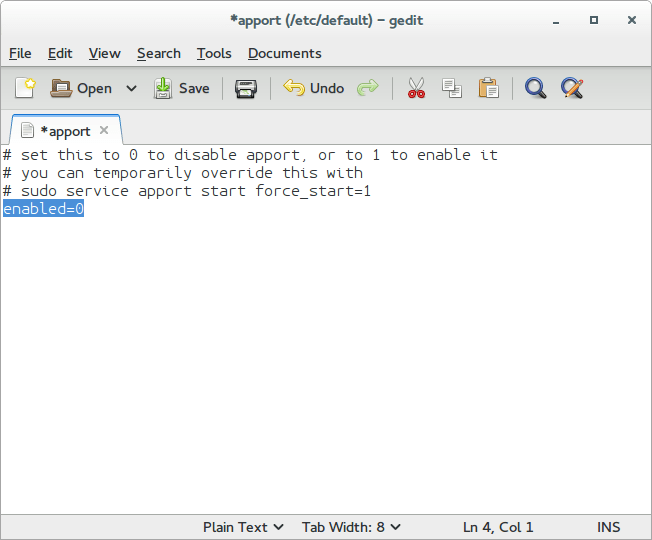
Close Gedit and the terminal.

The next time you reboot, you won’t see such error messages!

It’s as easy as that!

You can research the issue further by visiting this link.
Advantages of having Windows phone over Android

Until one of my readers asked me this question, I thought I posted about this, turns out I didn’t! Let’s take a look at some of the perks that Windows phone has!
It’s an opinion piece, so don’t get all worked up 😉


  1. Part of the chosen few

    Having a Windows phone is unique, it’s unlike owning an Android device, they have a distinct look and feel to them that only a few can appreciate.

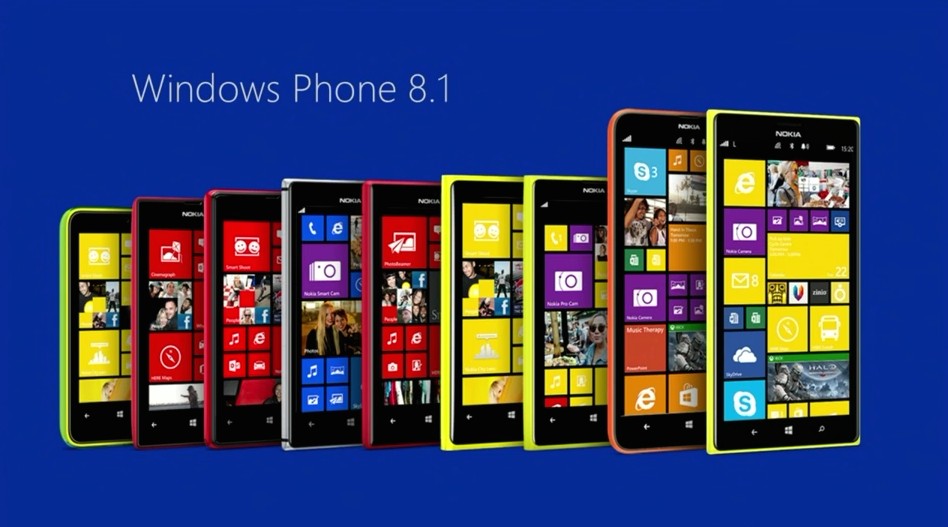
    Excellent lineup of Lumia phones
  2. Simpler interface

    The interface is really easy to navigate through, no fuss and no unneeded widgets that get in the way.

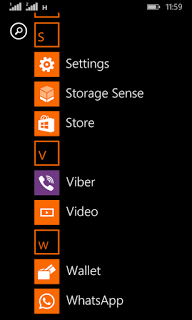
    Windows phone interface
  3. Minimalist approach to the smart phone

    Many people complain that this “app” or that don’t exist for Windows phone, but the fact is the basic stuff exist with great support, while keeping the rust of the clutter out of the box.

  4. Less prone to malware

    Since Windows phone owns less that 3% of market share, it’s less likely to be targeted with malware, unlike Android who owns over 57% of the market share.

  5. Business phone to the core

    it reminded me of the E-series back at the day, phones that were built for business and comes packed with tools to help you work, Windows phone 8.1 comes with Windows’s own personal assistant “Cortana” (Later ported to Android) and many other apps like Microsoft Office, OneDrive, OneNote, tools that help you work, let’s not forget the excellent keyboard that comes pre-installed with the system, and the excellent integration with Windows computers.

  6. Motion data

    It’s a unique feature of Windows phone that allows your phone to graph your movements via the sensor core and display it in a graphical interface, very accurately and with no impact to battery life and show what applications could use the motion data too. This feature isn’t available for other platforms such as Android and iOS. While Cortana (which was only available to Windows phone) became available for Android and iOS too, even when iOS have Siri as a virtual assistant by default.

Final words

These are some of the reasons I thought of to chose Windows Phone over Android, Keep your options open and don’t stick to one thing, I’ve used several Android smart phones in the past like the Samsung SII And Be Elite 2, and who knows what the future might hold?
Checkout my review of the Lumia 630 dual sim while you are at it.

Did you like this post? Would you consider buying a Windows phone in the future? Let me know what you think in the comments section below!

Common Windows Phone errors and how to fix them

Windows 8.1 logo It’s not all fun and games with Windows phone. It’s better than Android as it doesn’t crash as often, but I ran into several bugs the other day that I have to blog about.

Let’s take a look at the issue

I turned off the phone and removed the battery to remove the SD memory card that’s underneath (a major design flaw) and when I returned it, it was not the same! I noticed that many apps were refusing to work the way they used to! And the browser won’t load search results. I thought it was a connection issue ( Error 800704CF). but the error messages were about syncing with outlook ( Error 80070020).
At this point I was going to restore the factory default settings, which would have deleted everything on the phone and I would have to start all over!
After researching several error codes I realized it was far too simple!

The fix

I set the date wrong! (Error 80072F05) The easiest fix was to set the time automatically, to do this follow these three easy steps!

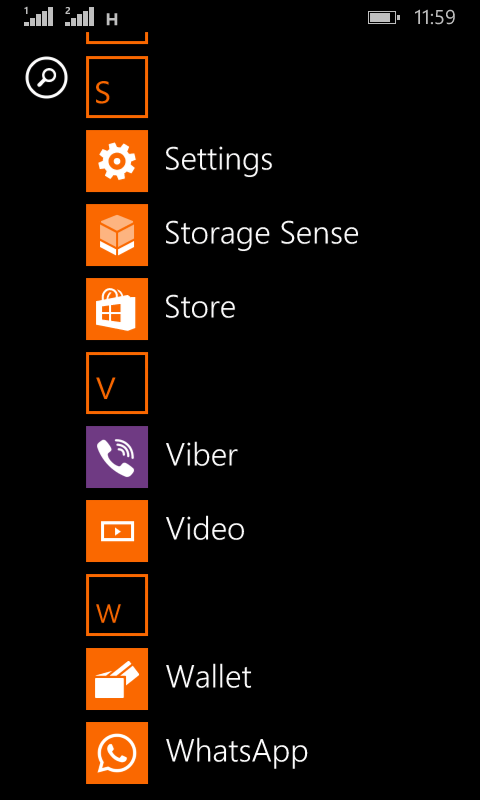
  • Go to the main menu (swipe left from the desktop).

Windows Phone main menu
  •  From there go to Settings
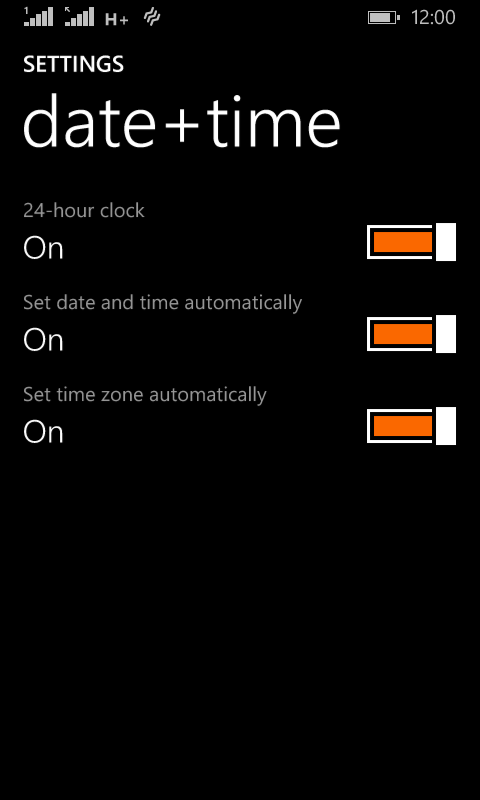
Windows Phone time and date settings
  •  On the date and time settings, set all of the values to on (24-hour clock, set date and time automatically and Set time zone automatically).

  and the phone went back to normal!
 

The codes I encountered were: 80070020, 800704CF and 80072F05. So if you face any of those the first thing you need to check is the time settings. I hope you found this tip useful, and please share it with your friends and family to help the blog grow! 

Mainstream attention!

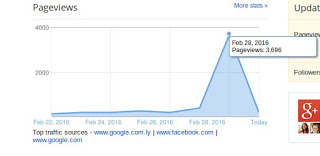
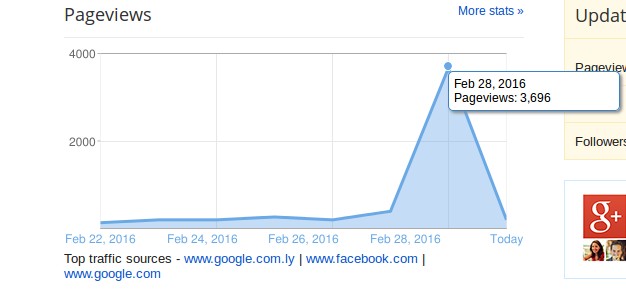
It so happened that I gained a ton of mainstream interest. I blogged about Libyan passports before and every time the registration opens my views spike, today it reached a record of 3696 views in one day! It took me months to get to that number back when I first started blogging! I’m glad all that hard work is finally paying off!


My blog reaching record views!

And then the coolest thing happened, the wonderful Mrs. Khadija Teri mentioned my blog in one of her blog posts!
I was a part of three Libyan interesting blogs, a true honor and a real traffic source! I feel blessed!
Mrs. Khadija says she wants to pickup on her blogging and return the golden age of blogging before social networks took over, I’m all in for that, and being the Anti-Facebook blogger that I am, I encourage everyone to start blogging and making some effort rather than being used by Facebook!
 I’ve written a series of posts talking about the dangers of facebook, and I would like for you to check them out, the information in these posts have made me take the decision of leaving the site once and for all. And I don’t regret it one bit!

I’ve decided to prepare a little surprise for my readers once my blog reaches 100K god willing.
Stay tuned. 

« Older posts Newer posts »