Month: August 2012 (Page 1 of 2)

Make your photo an obamicon using gimp 2.8 in 3 steps

Hey there you guys 😀

Good day to you.

Without any websites or third party freeware you can turn your photo into an obamicon hope using a script on Gimp 2.8

Easiest way available to date. And if you have anything easier then please! I’m just that lazy!!

The steps

  • First: paste it in the scripts directory of your gimp install, mine is:
    “C:Program FilesGIMP 2sharegimp2.0scripts”


  • Second: open gimp 2.8 and navigate to the menu Filter Artistic obama hope click and press OK in the window that pops up.

And that was it! pretty simple I cannot believe it myself, and it’s only 2 kb in size!!

Download the script from here. comment if you like and download. ^_^

Support from author can be found here..

P.S: there is a Guevara script (Same in install) but totally different. download here.

Gimp 2.8 RC VS Gimp 2.8.0

Well So far, not much..!
Compatibility issue with office 2003 fixed.
Starts much faster as described below on my PC Specs here:


Specs as follow

———————————
Windows XP Professional Service Pack 3
Intel(R) Pentium(R) 4 CPU 3.20GHz
Memory: 992MB RAM
Chipset: SiS 661FX
———————————

Start times:

First start of the program, right after install, no brushes, etc added.
01 Min 02 Sec
Second start, right after the first (Without restart).
10 Sec

After Restart :

24 Sec
Edit image, right after the restart (Without restart).
10 sec

Note

I may have to note that I have a tweak that clears the ram form .dll files after closing the program, maybe it’s part of the thing, you can find it in this thread, works even on Windows 7 starter, and may work on others two.
P.S: I read somewhere on the web that brushes add 05 Sec to the startup pf the program.


Speed up Windows XP with AlwaysUnloadDll

I only added this tweak for reference in a another post about gimp 2.8 which you can check from here.


“Users that still has and using Windows operating system prior to Windows 2000, such as Windows NT, Windows Me, Windows 98 and Windows 95, there is a trick to free up memory without using any third-party software utility. The trick is to force Windows to unload and free cached DLLs from memory.

These are the steps to do this tweak

   1. In system prior to Windows Vista, user can force Windows unload the unused DLL to free up the occupied memory by using “AlwaysUnloadDLL” setting in the registry.

   2. Run Registry Editor and navigate to the following registry key:

   3. [HKEY_LOCAL_MACHINESOFTWAREMicrosoftWindowsCurr entVersionExplorer]

   4. Create a new sub-key named AlwaysUnloadDLL and set the default value to 1 to disable Windows caching the DLL in memory.

   5. Restart Windows for the change to take effect.

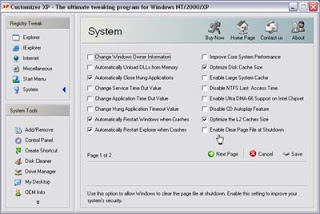
If you use Customizer XP, it has this tweak among many others. But the shareware is free for 30 uses only.

MyPaint Best free open source draw software Ever

Good day to you, wherever you are.

This software is guided towards drawing, and let it do the rest, so anybody can master it in no time because it’s super easy to use, guided toward artists, like you, so download it and give it a try, it’s only 8mbs, and show the world your talent.

Pros:

Super easy to use.

  • Small in size, never in value.
  • Open source, free software.
  • Deliveries high quality art.
  • wide compatibility.

Cons:

  • You come up with them, I haven’t found em yet.

Choose your link from here

You can also download brushes!! and a GIMP plugin for the OpenRaster file format..

« Older posts