Category: Windows XP SP3 (Page 1 of 3)

Movie Maker 2.1.4026.0 download on Windows 10 Pro

Movie maker is an old software bundled with Windows XP to make simple video files. If you were around during the early days of Youtube that was the de-facto tool to make videos.

I needed to make something quickly and when I tried downloading it from the internet, I was met with many links and articles suggesting that it won’t work and it can’t be done.

Being the stubborn person that I am .. I decided to put that claim to the test.

How did I go by doing that?

I installed Windows XP SP3 on a virtual machine and copied movie maker from there.

When I ran it on my Windows 10 system, it worked fine without an issue!

So, here is the link to download that version (2.1.4026.0). Just extract and get going.

Final words

I hope that you found what you are looking for here. Thanks for dropping by and I’ll see you in another post.


Make your photo an obamicon using gimp 2.8 in 3 steps

Hey there you guys 😀

Good day to you.

Without any websites or third party freeware you can turn your photo into an obamicon hope using a script on Gimp 2.8

Easiest way available to date. And if you have anything easier then please! I’m just that lazy!!

The steps

  • First: paste it in the scripts directory of your gimp install, mine is:
    “C:Program FilesGIMP 2sharegimp2.0scripts”


  • Second: open gimp 2.8 and navigate to the menu Filter Artistic obama hope click and press OK in the window that pops up.

And that was it! pretty simple I cannot believe it myself, and it’s only 2 kb in size!!

Download the script from here. comment if you like and download. ^_^

Support from author can be found here..

P.S: there is a Guevara script (Same in install) but totally different. download here.

Speed up Windows XP with AlwaysUnloadDll

I only added this tweak for reference in a another post about gimp 2.8 which you can check from here.


“Users that still has and using Windows operating system prior to Windows 2000, such as Windows NT, Windows Me, Windows 98 and Windows 95, there is a trick to free up memory without using any third-party software utility. The trick is to force Windows to unload and free cached DLLs from memory.

These are the steps to do this tweak

   1. In system prior to Windows Vista, user can force Windows unload the unused DLL to free up the occupied memory by using “AlwaysUnloadDLL” setting in the registry.

   2. Run Registry Editor and navigate to the following registry key:

   3. [HKEY_LOCAL_MACHINESOFTWAREMicrosoftWindowsCurr entVersionExplorer]

   4. Create a new sub-key named AlwaysUnloadDLL and set the default value to 1 to disable Windows caching the DLL in memory.

   5. Restart Windows for the change to take effect.

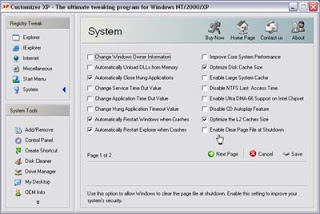
If you use Customizer XP, it has this tweak among many others. But the shareware is free for 30 uses only.

« Older posts